Plogins Peek – Product Preview For WooCommerce Wordpress Plugin - Rating, Reviews, Demo & Download
Plugin Description
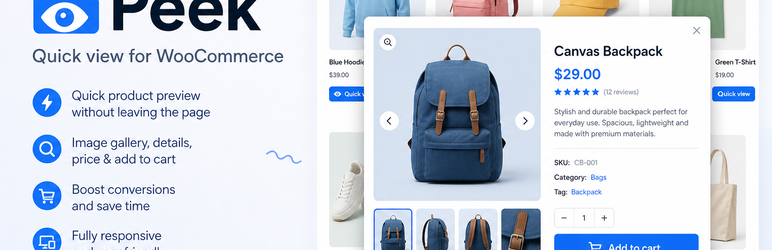
Peek adds a product quick view button to your WooCommerce shop and archive product loops. Clicking it opens an accessible AJAX product modal, so shoppers can preview products, choose options and add to cart without leaving the listing.
The modal shows the featured image and gallery thumbnails, title, SKU, price, stock status, short description, the native add-to-cart form (including variable products), and a link to the full product page. Each part can be toggled from the settings screen.
Documentation and links
- Documentation – https://plogins.com/plogins-peek/docs/
- Plugin page – https://plogins.com/plogins-peek/
- Source code – https://github.com/wppoland/plogins-peek
- Bug reports and feature requests – https://github.com/wppoland/plogins-peek/issues
Built for speed and accessibility
- No jQuery in the plugin’s own front-end code, the script is vanilla JS, deferred, and loaded in the footer.
- No layout shift (CLS). The modal is fully hidden until opened and scrolls internally, so it never reflows the page.
- Focus-trapped & keyboard friendly. Focus moves into the dialog on open, is trapped while it is open, closes on Escape or backdrop click, and returns to the trigger button on close. The dialog uses
role="dialog"witharia-modal. - Variation aware. The add-to-cart form supports variable products via WooCommerce’s own variation script.
Settings
A WooCommerce-capability settings page (Peek menu) lets you:
- Enable or disable the quick view.
- Set the trigger button label and style (text, icon, or icon + text).
- Choose where it loads: shop and product archives only, or also the related/up-sell loops on single product pages.
- Configure the modal chrome: title, close-button label, loading and error text, the “view product” link text and the SKU label, plus toggles for the modal heading, close button and backdrop-click close.
- Choose which parts render in the modal (image, gallery with a configurable thumbnail count, title, SKU, price, stock status, short description, add-to-cart, full-product link).
Shortcode
Place a quick-view trigger anywhere with [peek_quick_view id="123"], or the shorter [peek id="123"] alias. Optional attributes: text (custom label) and style (text, icon, or icon_text). The modal and its assets load automatically wherever the shortcode appears.
Peek is developed in the open. The code, open issues and release history live at https://github.com/wppoland/plogins-peek, bug reports and patches are welcome there.
External Services
Peek does not connect to any external services. The quick-view modal fetches its product fragment from your own site over WordPress’ admin-ajax.php (the peek_quick_view action), so no shopper or product data ever leaves your server. Peek’s only stored data is two WordPress options it creates, peek_settings (your modal and button configuration) and peek_db_version, both removed when the plugin is deleted. Peek sends no email and loads no third-party scripts, fonts or analytics.
Translations
Plogins Peek includes Polish, German and Spanish translations for the plugin interface. The text domain is plogins-peek, so WordPress.org language packs can also override or extend these bundled translations.
Screenshots
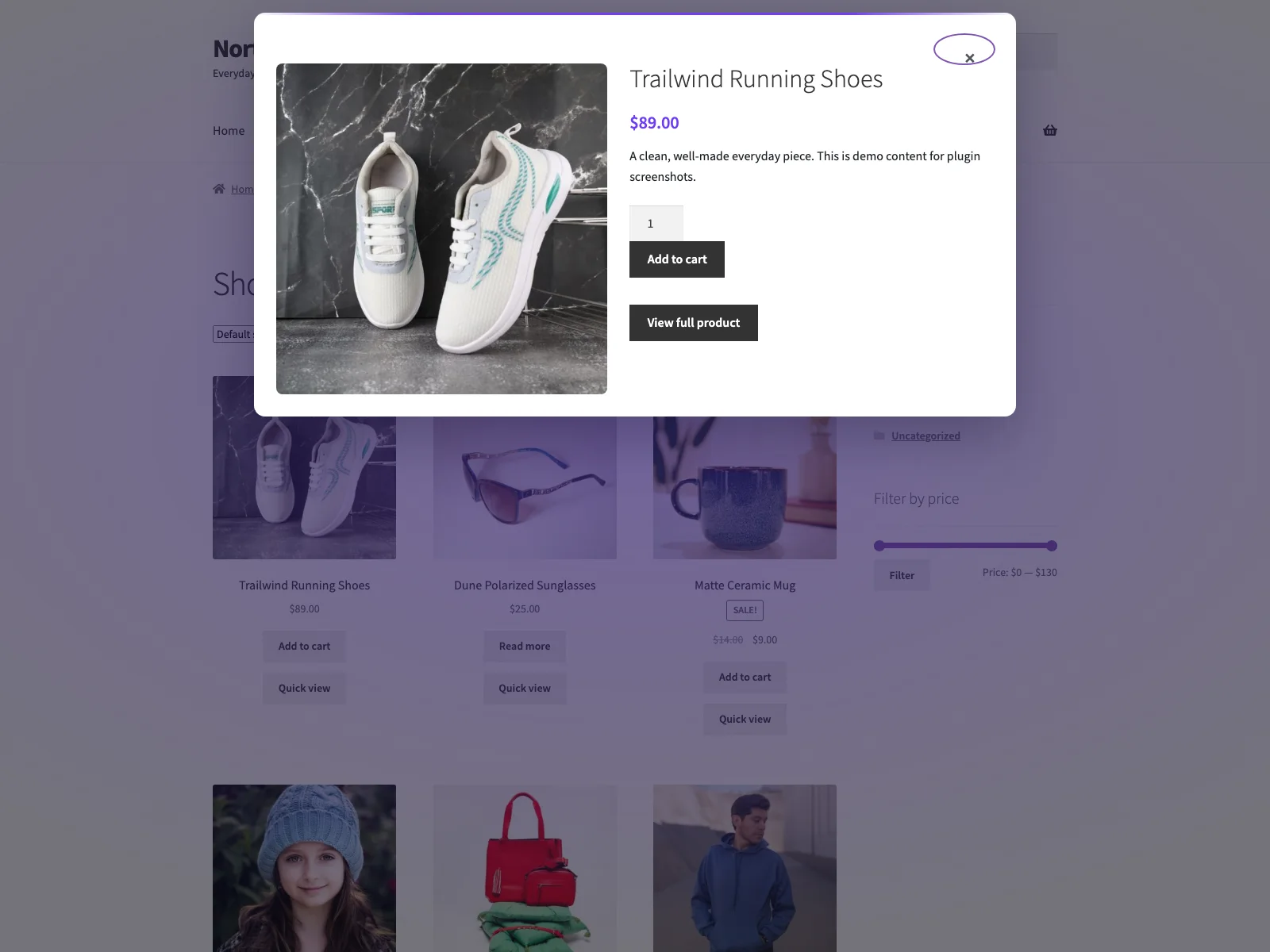
The quick-view modal showing the product gallery, price and add-to-cart form.
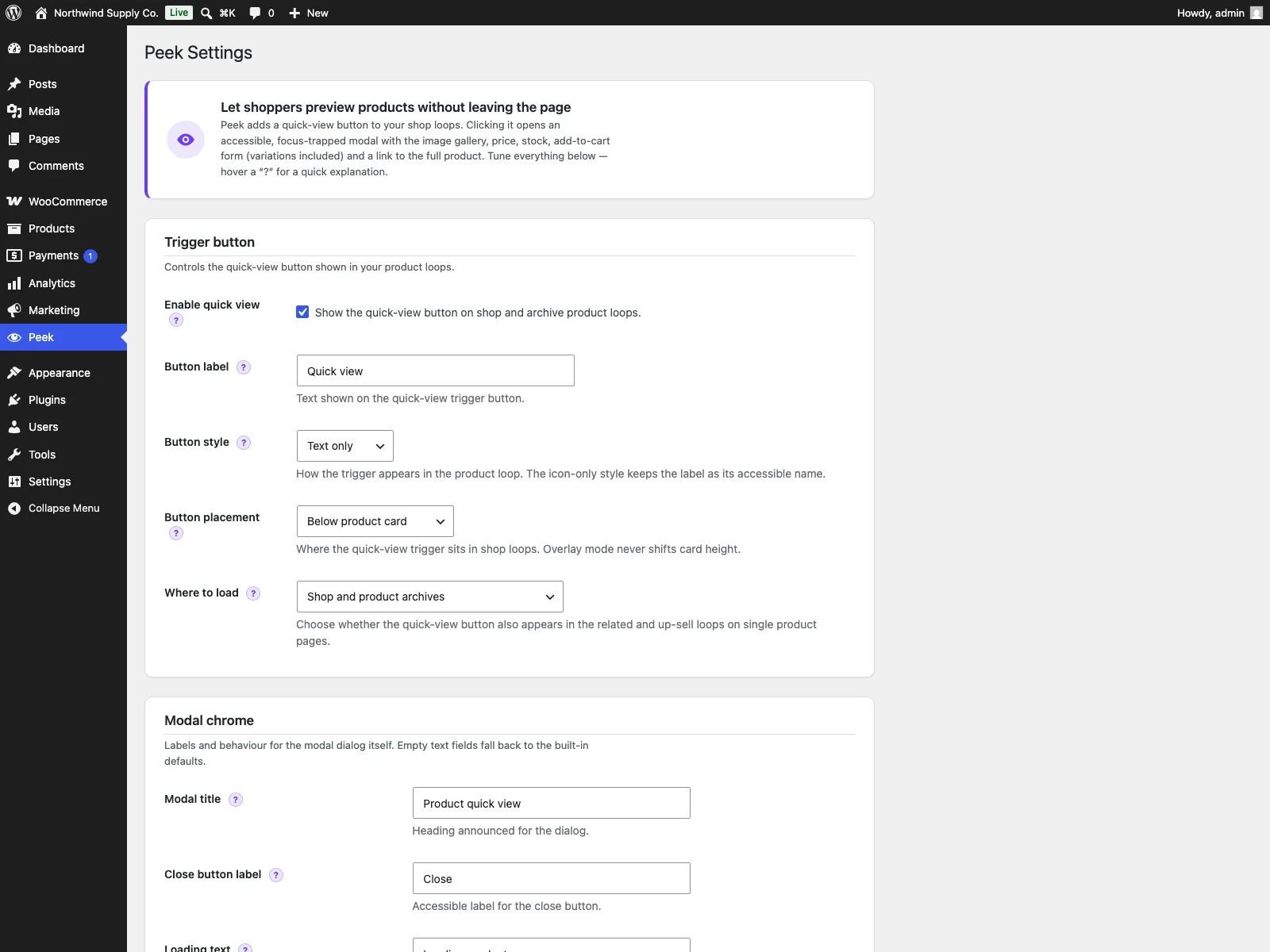
The Peek settings screen.