Post-Purchase Survey For WooCommerce Wordpress Plugin - Rating, Reviews, Demo & Download

Plugin Description
Post-Purchase Survey for WooCommerce adds a simple, one-question attribution survey to your order-received (thank you) page. Customers submit with a single click, and you get a clear report of which marketing channels actually drive orders.
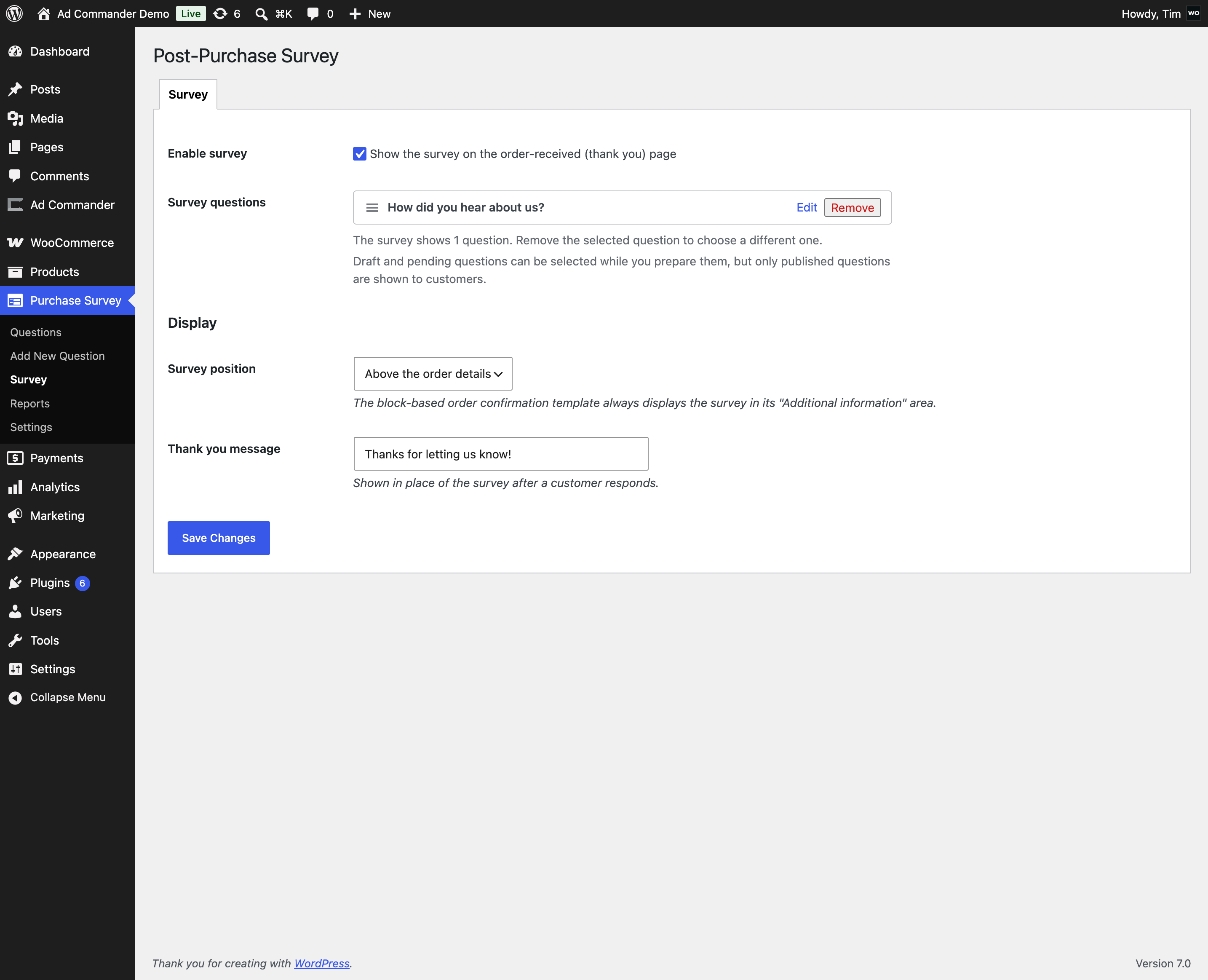
Getting started takes about a minute: activation creates an example “How did you hear about us?” question (as a draft, so nothing is shown to customers yet). Review and publish it, select it on the Survey screen, and enable the survey when you’re ready.
Features
- Works with both classic checkout and the block-based checkout
- Questions are managed like posts: draft, review, and publish when ready — only published questions are shown to customers
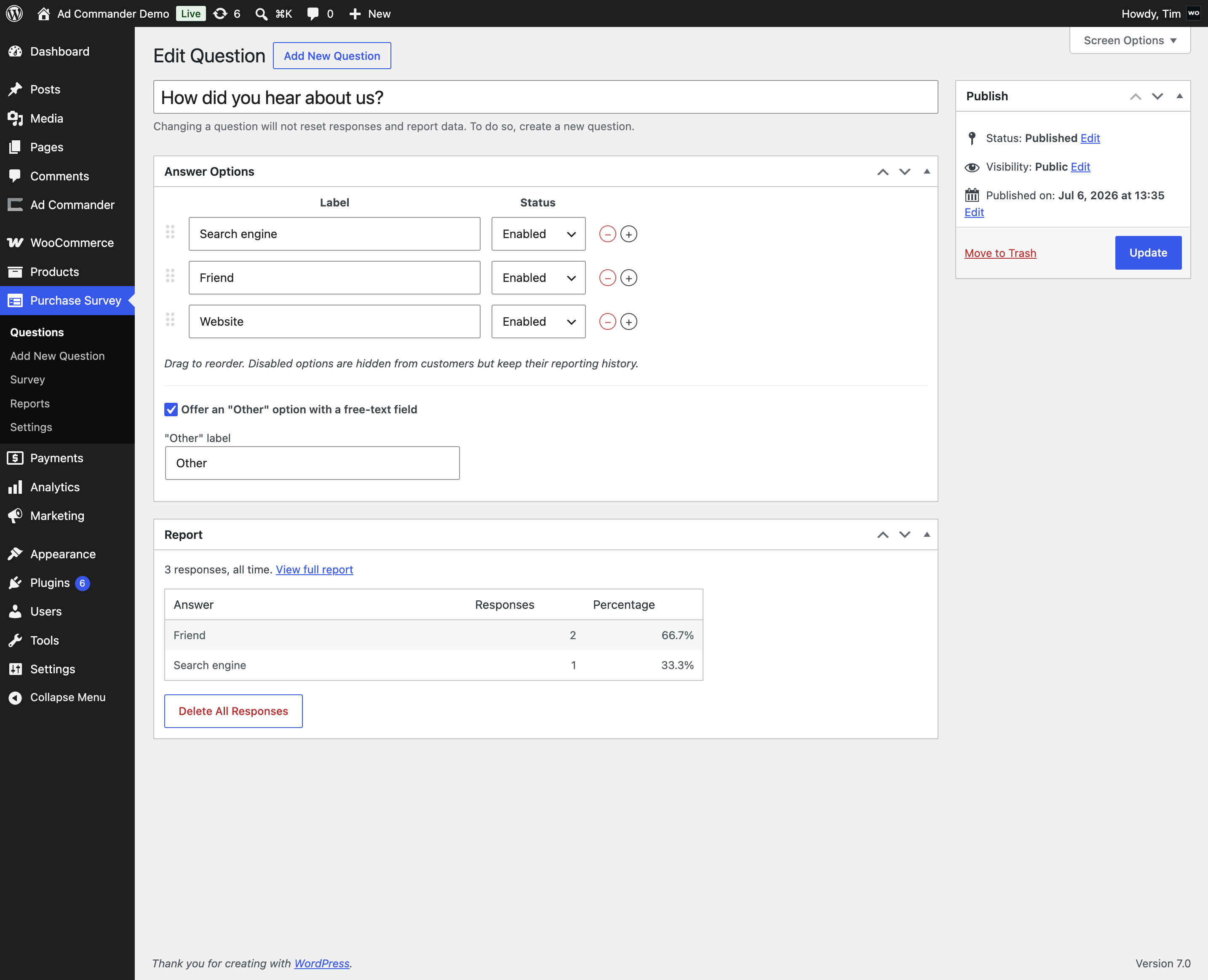
- Fully editable answer options: add, edit, remove, reorder, and enable/disable each answer
- Optional per-question “Other” answer with a free-text field and custom label
- One response per order — after submitting, customers see a friendly “thank you” message. Refreshing does not allow a second submission.
- Works with JavaScript disabled (standard form fallback)
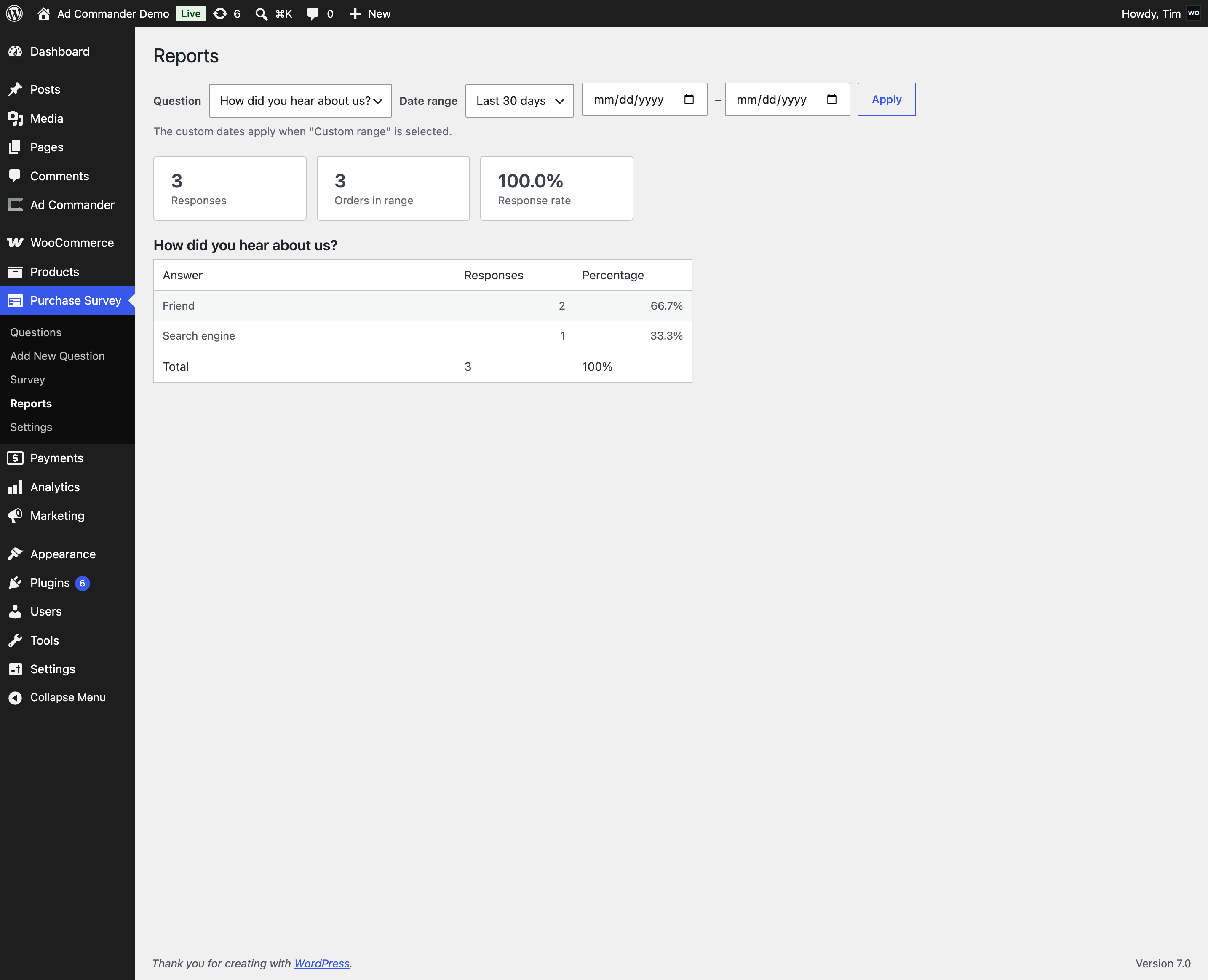
- Reports with per-answer counts, percentages, total responses, and response rate
- Date-range filtering with sensible presets
- The customer’s answer is saved to order meta and shown on the order screen
- Compatible with High-Performance Order Storage (HPOS)
- Privacy-ready: registers a personal data exporter and eraser for GDPR/CCPA requests
- Clean uninstall — response data is only deleted if you opt in
How it works
- Create (or publish the example) question under Post-Purchase Survey Questions, then select it and enable the survey on the Survey screen.
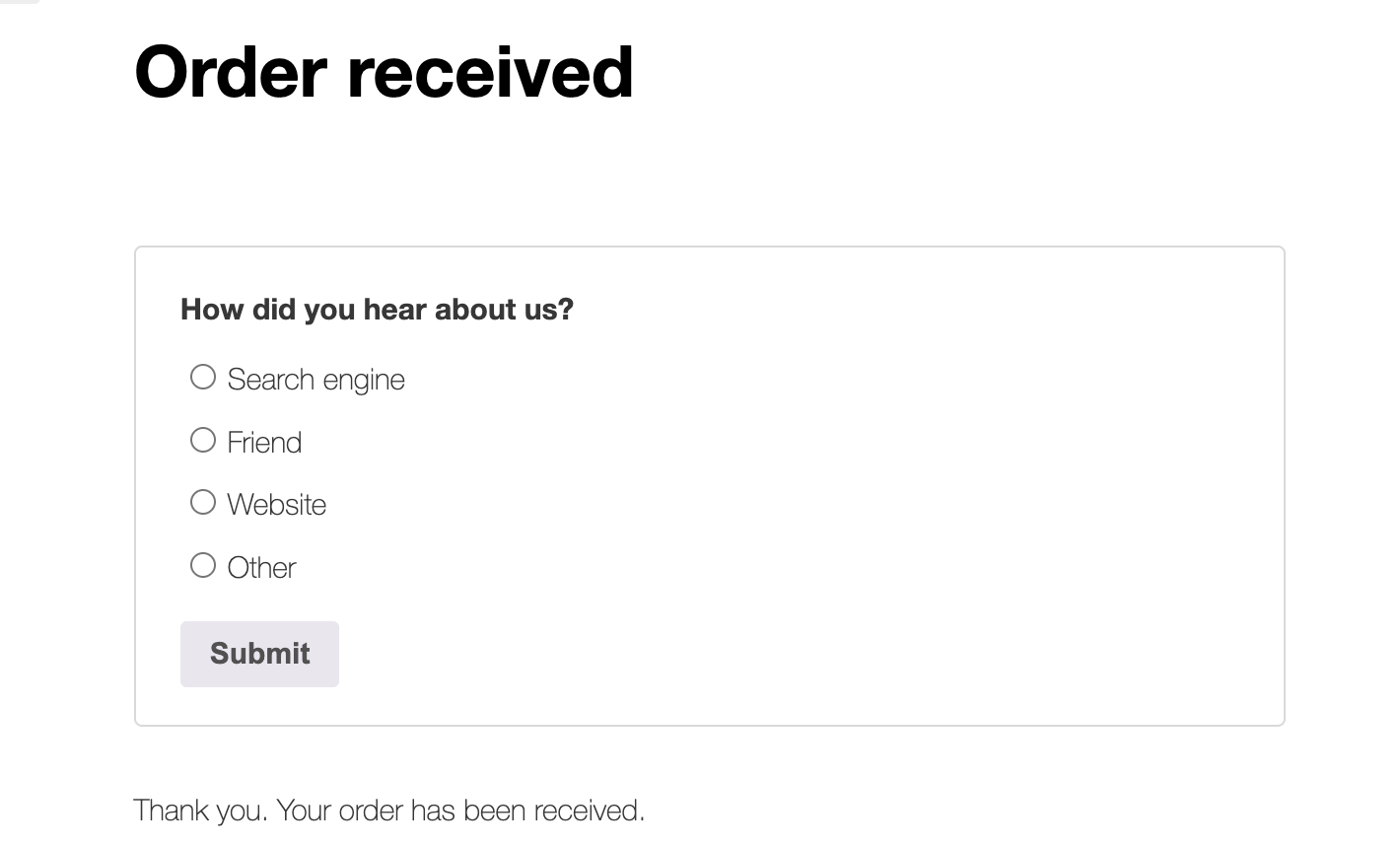
- A customer completes checkout and lands on the “thank you” page, where the survey appears above or below the order details (position is adjustable).
- The customer picks an answer (or “Other” with a short note) and submits.
- The response is stored once per order, written to order meta, and counted under Post-Purchase Survey Reports.
Extensible
Developers can customize behavior with filters and actions (ppsfw_should_display, ppsfw_response_data, ppsfw_after_response_saved, and more). See the plugin’s readme.md for the full list.
Screenshots
The survey on the order-received page
The “thank you” message after responding
Editing a question and its answer options
The Survey screen with question selection