
PostHelp Images Wordpress Plugin - Rating, Reviews, Demo & Download

Plugin Description
PostHelp Images removes the manual loop most people run today: go to ChatGPT, generate an image, download it, resize it in another tool, upload it to the media library, and type alt text by hand. PostHelp Images does all of that in one place.
It is human-in-the-loop by design. The AI suggests and generates; you review, refine, and place. It is a tool you drive from your own WordPress admin, not a fire-and-forget automation that floods your site with images.
What it does
- Turns a loose idea into a vivid image prompt with one click, then lets you refine it in plain language before you spend a generation.
- Starts from your own content: pick a post or page and it writes a short summary of it as the idea. A link under a post’s Featured Image box makes a new image for that post and sets it as the featured image.
- Accepts an optional reference image, so the result can match a real truck, storefront or product.
- Ships with five starter style templates (documentary photo, lifestyle photo, bright and airy photo, clean product shot, flat vector illustration). Save your own templates for the whole site, and new images start from your last used settings.
- Generates through OpenAI in the same request you click Generate Image in, so no server cron is needed and it works on ordinary shared hosting.
- Resizes to a maximum width and converts to WebP, JPEG, or PNG on your own server (Imagick preferred, GD fallback).
- Writes short, concept-based alt text when you leave the field blank.
- Adds the finished file to your media library with one click, or replaces an existing media library image in place, keeping its URL.
- Imports a spreadsheet of image ideas as draft rows, with a dry-run preview, then generates the ones you select in one batch.
Bring your own OpenAI API key. The plugin works with your own OpenAI key and you pay OpenAI directly, usually a few cents per image. The Settings page explains how to get a key. The most secure setup is to define POSTHELP_IMAGES_OPENAI_KEY in wp-config.php. If you paste a key into Settings instead, it is encrypted at rest using your site salts and never shown again.
Or connect a free PostHelp account. If you would rather not set up an OpenAI account, click Connect PostHelp account in Settings. A new account gets 5 free images after you confirm your email. After that, images are sold in packs of 25 for $10 on posthelp.ai, with no subscription and no expiry. Your own OpenAI key always stays free to use, and when one is set it is always used first.
External services
This plugin connects to one of two services to create images and text, and sends nothing to either until you set it up.
OpenAI API (api.openai.com). Used when you have added your own OpenAI API key.
PostHelp (posthelp.ai), run by Sitez Incorporated. Used only after you click Connect PostHelp account in Settings and approve the connection, and only while no OpenAI key of your own is set. PostHelp then makes the OpenAI request for you with its own key and takes one image from your PostHelp balance per image created. Connecting sends your site’s admin address so the connection can be tied to your site, and the PostHelp account you create or log in to holds your email address. Disconnect at any time in Settings.
What is sent, and when:
- When you click Generate Image: your prompt, the image style, and the output size and quality. If you picked a reference image, that image is sent too.
- When you ask for a prompt suggestion, a content summary, alt text or a filename: your idea or prompt text. For a content summary, the text of the post or page you picked is sent.
The same information goes to PostHelp instead of OpenAI when you are using a connected PostHelp account. Settings also asks PostHelp for your remaining image count when you open it.
The plugin reads the chosen post or page from your own site to get its text. That request stays on your site.
OpenAI’s terms: https://openai.com/policies/services-agreement/
OpenAI’s privacy policy: https://openai.com/policies/privacy-policy/
PostHelp terms of service: https://posthelp.ai/terms-of-service/
PostHelp privacy policy: https://posthelp.ai/privacy-policy/
Screenshots
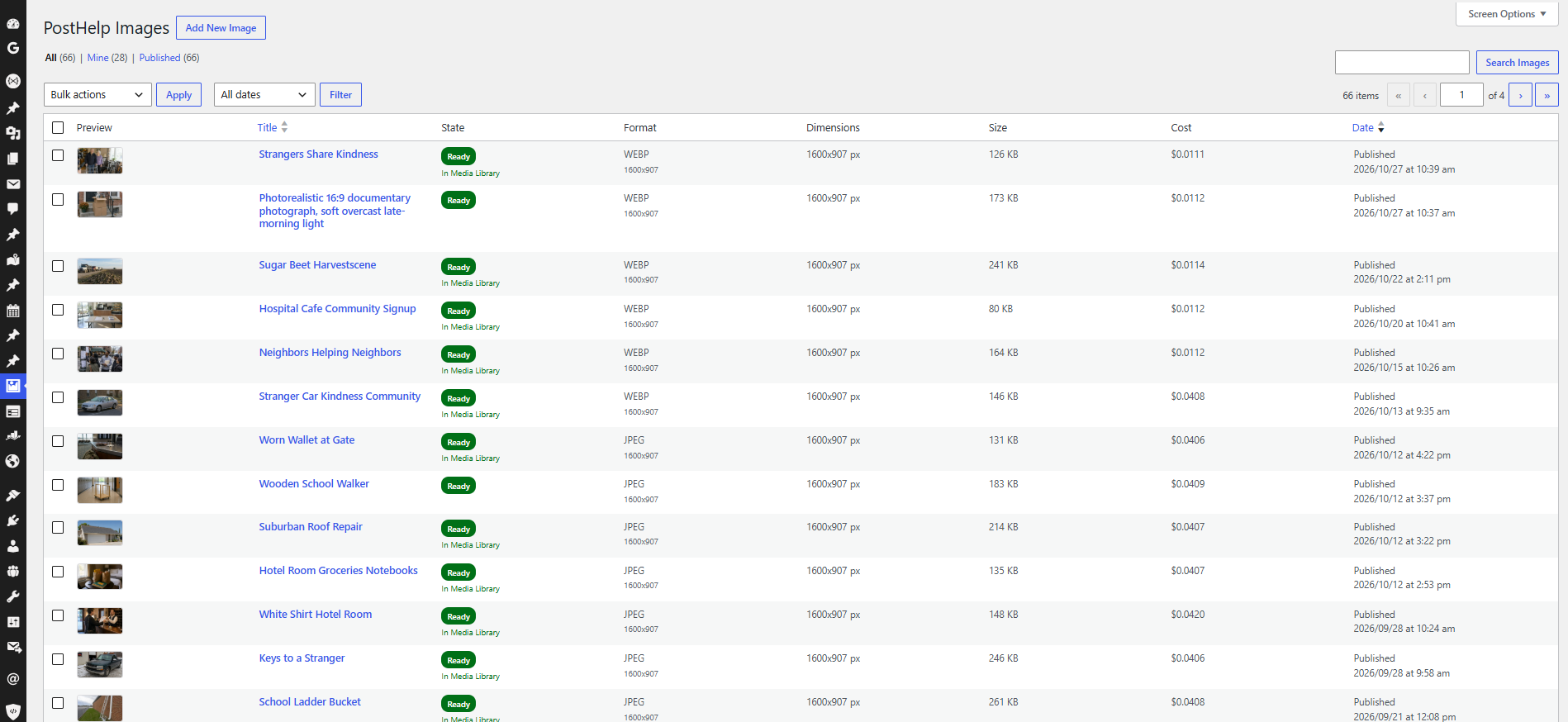
Every image in one list, with its state, format, size and cost.
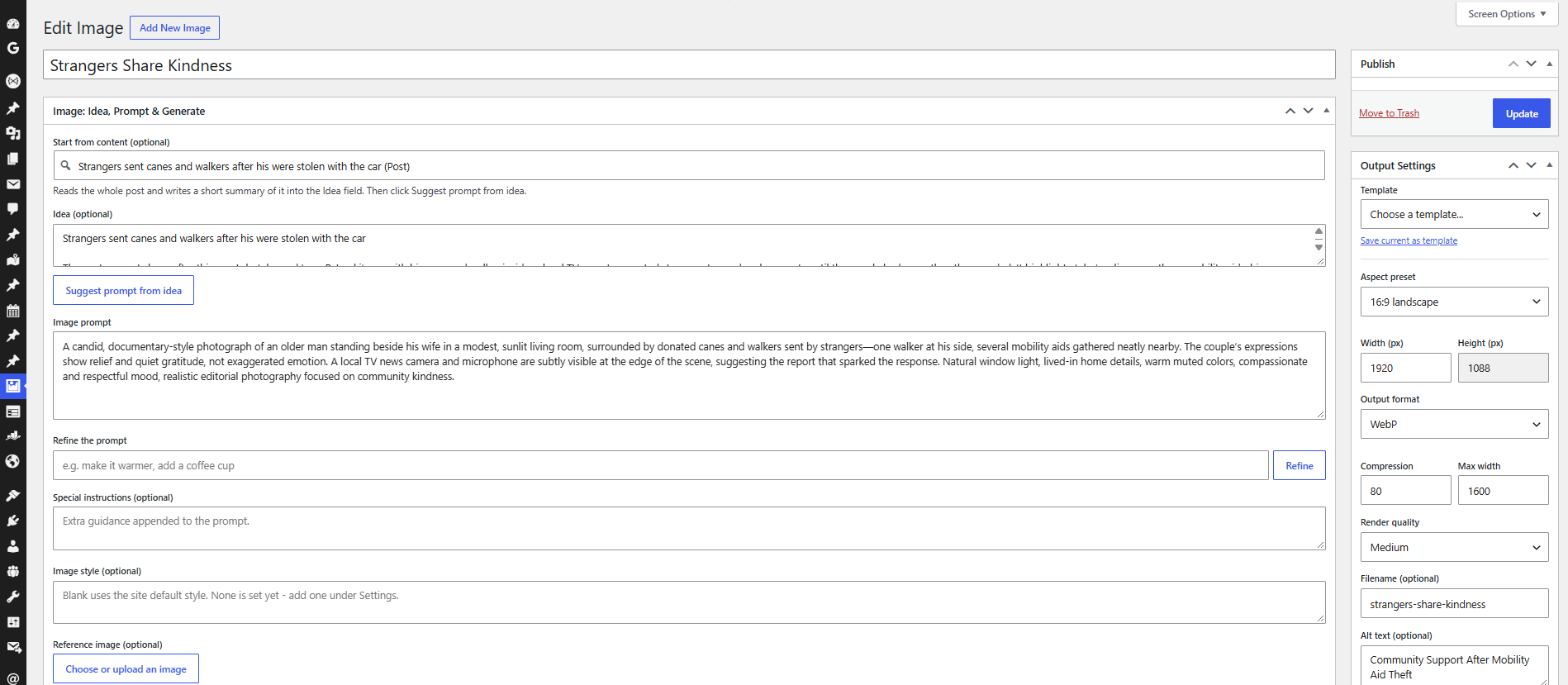
Start from a post or an idea, get a written prompt, refine it, and set the size, format and alt text.

The finished image, ready to set as the featured image or to replace an image already in your media library.
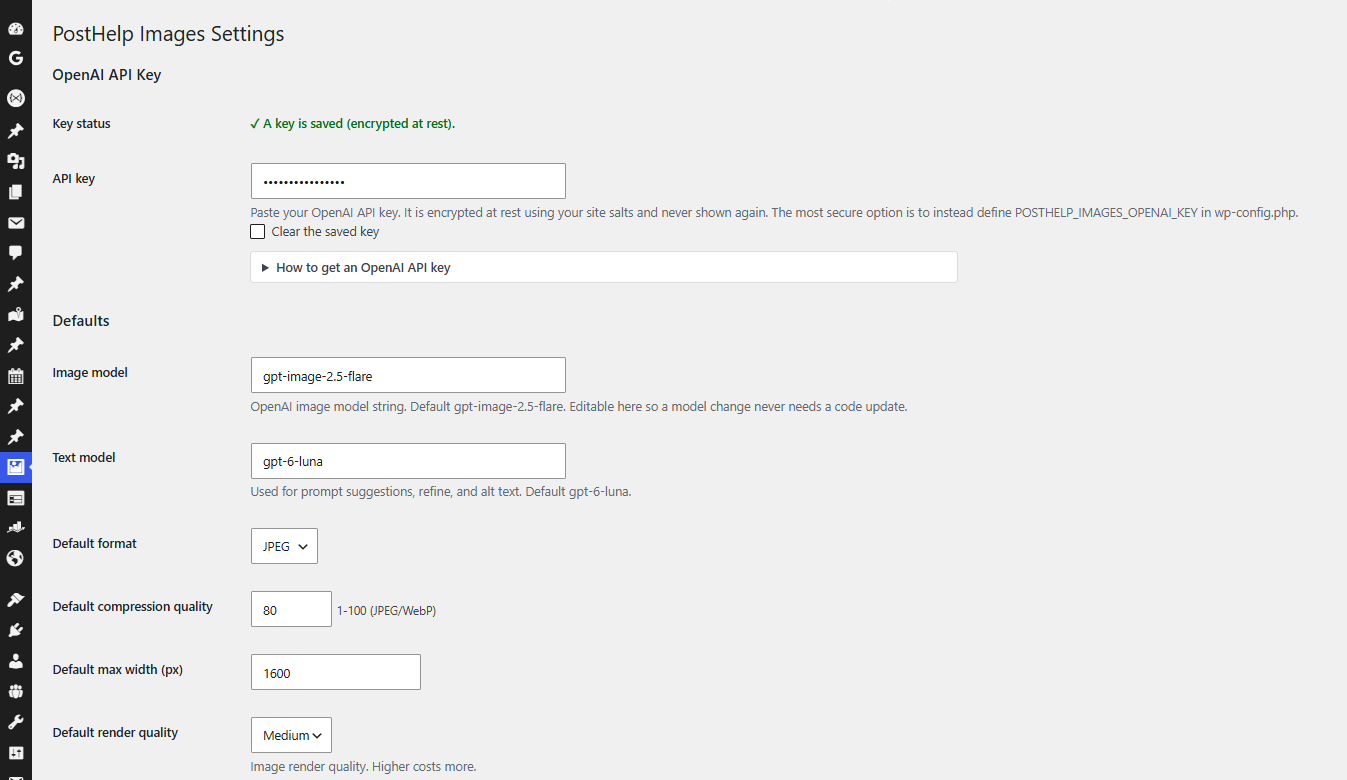
Settings: your OpenAI key, encrypted at rest, plus the default model, format and quality.


