POW – Purchase Orders For WooCommerce Wordpress Plugin - Rating, Reviews, Demo & Download
Plugin Description
POW – Purchase Orders for WooCommerce
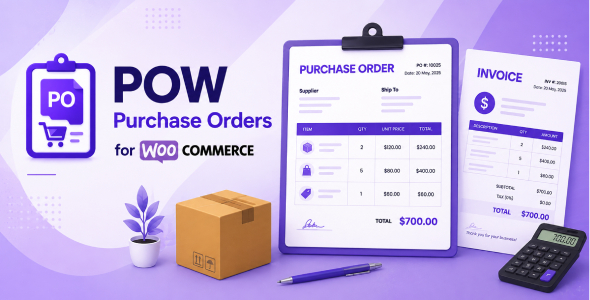
POW – Purchase Orders for WooCommerce adds a configurable purchase order payment method to WooCommerce. It is built for B2B, wholesale, corporate, account-based, and invoice-based stores where customers place an order now and pay later by purchase order or invoice.
Customers can enter a purchase order number and invoice details during checkout. Store owners can enable or disable invoice fields, mark fields as required, create extra custom PO fields, control which customer roles can use the gateway, and choose the WooCommerce order status assigned after checkout. Purchase order details are saved as order meta and displayed on the thank-you page, customer account order page, admin order screen, WooCommerce emails, and compatible PDF invoice plugins.
Purchase Order Payment Gateway
- Dedicated WooCommerce payment method – adds a new POW Purchase Order gateway under WooCommerce payment settings.
- Flexible checkout text – edit the checkout title, checkout message, confirmation note, and PO number label.
- Order status control – choose the order status assigned after a purchase order checkout, such as On hold, Pending payment, Processing, or any custom status registered on the store.
- Classic and block checkout support – works with WooCommerce classic checkout and WooCommerce Checkout Block.
Configurable Invoice Fields
- Show or hide default invoice fields from the gateway settings.
- Mark each visible field as required or optional.
- Supported default fields include purchase order number, company name, address lines, city, state, ZIP/postal code, and invoice email.
- Invoice email is validated before checkout is completed.
Custom PO Checkout Fields
- Create extra purchase order fields without code from WooCommerce > Settings > PO custom fields.
- Supports Text, Email, Number, Textarea, and Select fields.
- Set your own field label, placeholder, meta key, select options, required status, and display status.
- Custom fields are saved to the WooCommerce order using the meta key entered by the store owner.
- Saved custom fields can appear in order details, admin order screens, customer account pages, and compatible invoice templates.
Gateway Role Availability
- Control which customer roles can see the purchase order gateway at checkout.
- Allow the gateway only for selected roles, such as Customer, Wholesale Customer, or any custom role on the site.
- Exclude selected roles when the gateway should be hidden from specific users.
- Guest customers can also be included or excluded.
Purchase Order Details Display
- Shows purchase order details on the order received / thank-you page.
- Shows purchase order details inside the customer account order view.
- Shows purchase order details on the WooCommerce admin order edit screen.
- Optionally includes purchase order information in WooCommerce order emails.
- Uses a clean table layout so order staff and customers can review PO data clearly.
Invoice And PDF Plugin Integration
- Stores default purchase order data in standalone POW order meta keys.
- Works with invoice plugins that support custom WooCommerce order meta fields.
- Tested with WebToffee PDF invoice order meta field setup for displaying the purchase order number on invoices.
- Documentation includes the full list of order meta keys and screenshots showing the invoice meta setup.
Default Order Meta Keys
- Purchase order number:
_pow_order_number - Company name:
_pow_order_company_name - Address line 1:
_pow_order_address1 - Address line 2:
_pow_order_address2 - Address line 3:
_pow_order_address3 - City:
_pow_order_city - State:
_pow_order_state - ZIP / postal code:
_pow_order_postcode - Invoice email:
_pow_order_invoice_email
Compatibility
- Compatible with WooCommerce HPOS (High Performance Order Storage).
- Compatible with WooCommerce Checkout Block.
- Compatible with classic WooCommerce checkout.
- Requires WooCommerce 6.9 or newer.
- Requires WordPress 5.8 or newer.
- Requires PHP 7.4 or newer.
- Translation-ready with an included .pot language template.
Documentation Included
- Step-by-step installation guide.
- Gateway setup instructions with screenshots.
- Custom PO field setup instructions with screenshots.
- Role availability instructions with screenshots.
- Invoice meta key setup instructions with screenshots.
- Order received, customer account, admin order, and invoice output screenshots.