PreOrder Pilot – Pre-Orders For WooCommerce Wordpress Plugin - Rating, Reviews, Demo & Download

Plugin Description
PreOrder Pilot by PLANO lets you sell products before they are in stock. Customers see the expected availability date on the product page, in the cart, at checkout and in their emails, and you see every pre-order in one dashboard.
Features
Everything below is free, with no product limit and no license key:
- Pre-orders for any number of simple products, each with an optional expected availability date.
- A custom pre-order button label and an availability message on the product page, in the cart, at checkout, in the order and in emails.
- Full payment at checkout using your normal WooCommerce gateways.
- A dedicated Pre-ordered order status (HPOS and legacy storage), so paid pre-orders are easy to find and are not shipped by mistake.
- A “Pre-order confirmation” customer email built on WooCommerce emails. Edit it under WooCommerce Settings Emails, or override the template in your theme.
- An admin dashboard with pre-order totals, a product list with search, an order list, and bulk enable, pause, set-date and mark-released actions.
- Mark a product released and its pre-ordered orders move to Processing.
- WooCommerce Classic and Cart/Checkout Blocks support.
- Every string is translation-ready; community translations are delivered through WordPress.org language packs.
- No account, no telemetry and no remote requests. Everything runs inside your store.
Free vs Growth
PreOrder Pilot is complete on its own. PreOrder Pilot Growth is a separate, optional paid plugin that extends it through the public hooks below. It adds:
- Deposits (fixed or percentage) and pay-later orders, with balance payment links and reminders.
- Mixed-cart rules: allow, block, or split pre-order items into their own order.
- Variable products and per-variation settings.
- Automatic pre-orders when out of stock, and automatic release on restock.
- Pre-order rules by product category.
- Quantity limits with atomic reservations, start and end dates, and discounts.
- Extra customer emails: release date changed, product released, balance reminder, and “email me when available” alerts.
- CSV export of pre-orders and subscribers.
- Countdown timers, a launch calendar and per-country allocations.
- Marketing webhooks for Klaviyo, Mailchimp, Omnisend and similar tools.
This free plugin contains none of the Growth code and never limits or locks its own features.
For developers
Actions: preorder_pilot_loaded, preorder_pilot_settings_saved, preorder_pilot_release_date_changed, preorder_pilot_product_released, preorder_pilot_order_confirmed, preorder_pilot_product_panel_end, preorder_pilot_settings_fields.
Filters: preorder_pilot_setting_defaults, preorder_pilot_sanitize_settings, preorder_pilot_validate_settings, preorder_pilot_is_active, preorder_pilot_modes, preorder_pilot_supported_product_types, preorder_pilot_availability_message, preorder_pilot_product_field_definitions, preorder_pilot_snapshot, preorder_pilot_cart_item_data, preorder_pilot_email_classes, preorder_pilot_admin_tabs, preorder_pilot_use_preorder_status.
Screenshots
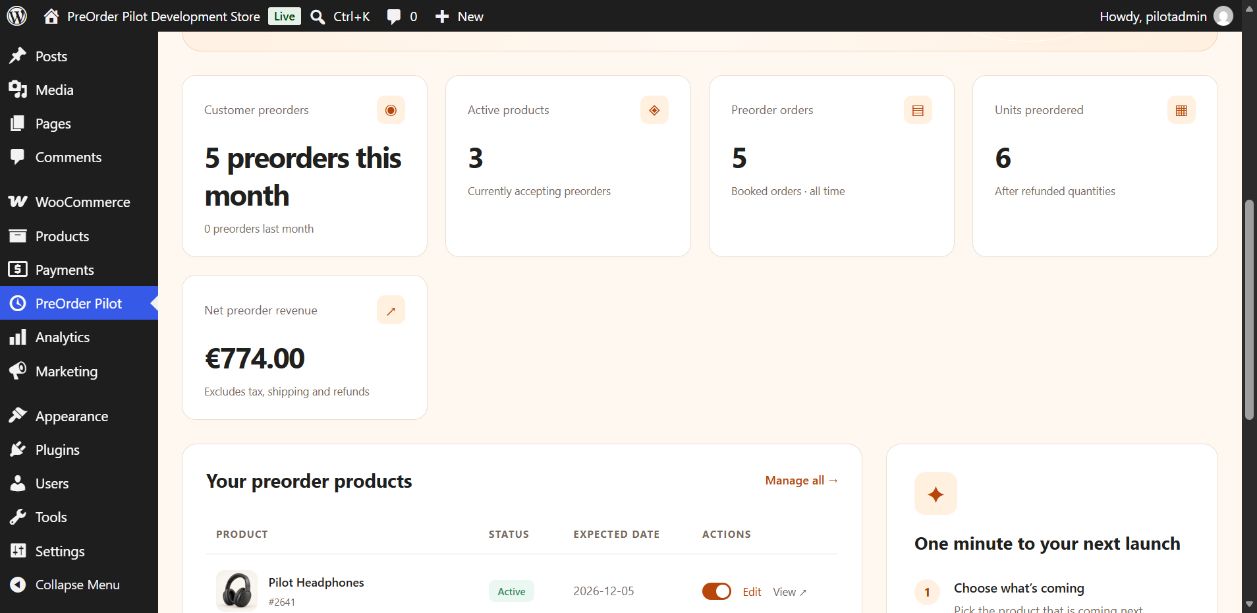
The PreOrder Pilot dashboard: monthly pre-order counts, units, net revenue and products in a demonstration store.
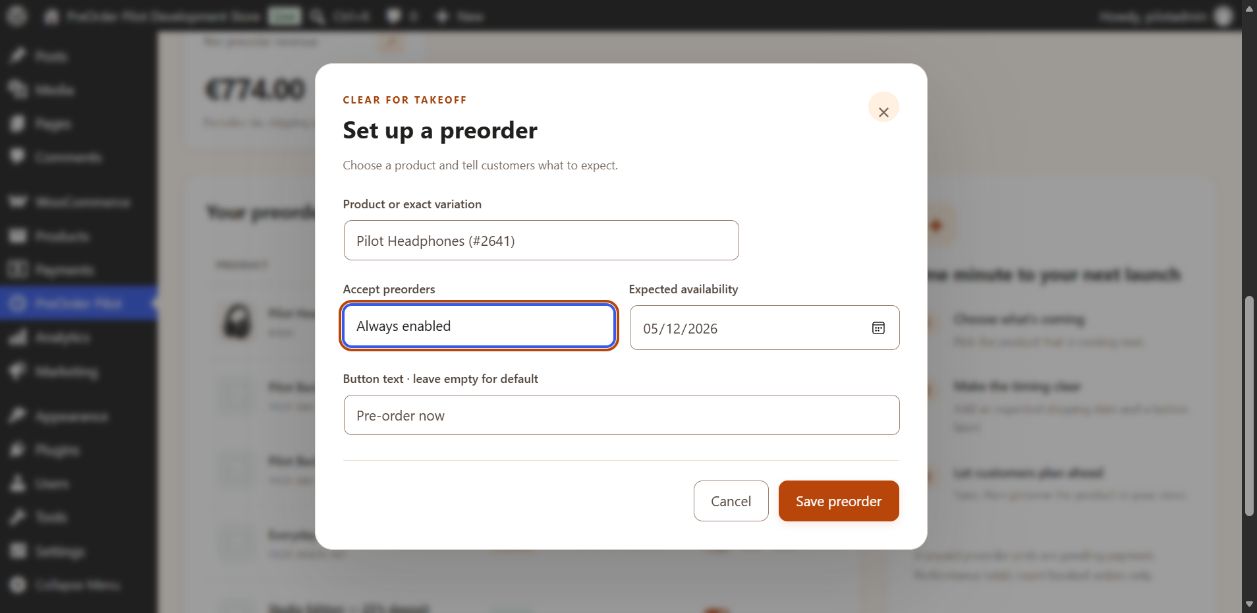
Product settings: enable pre-orders and set the expected availability date.
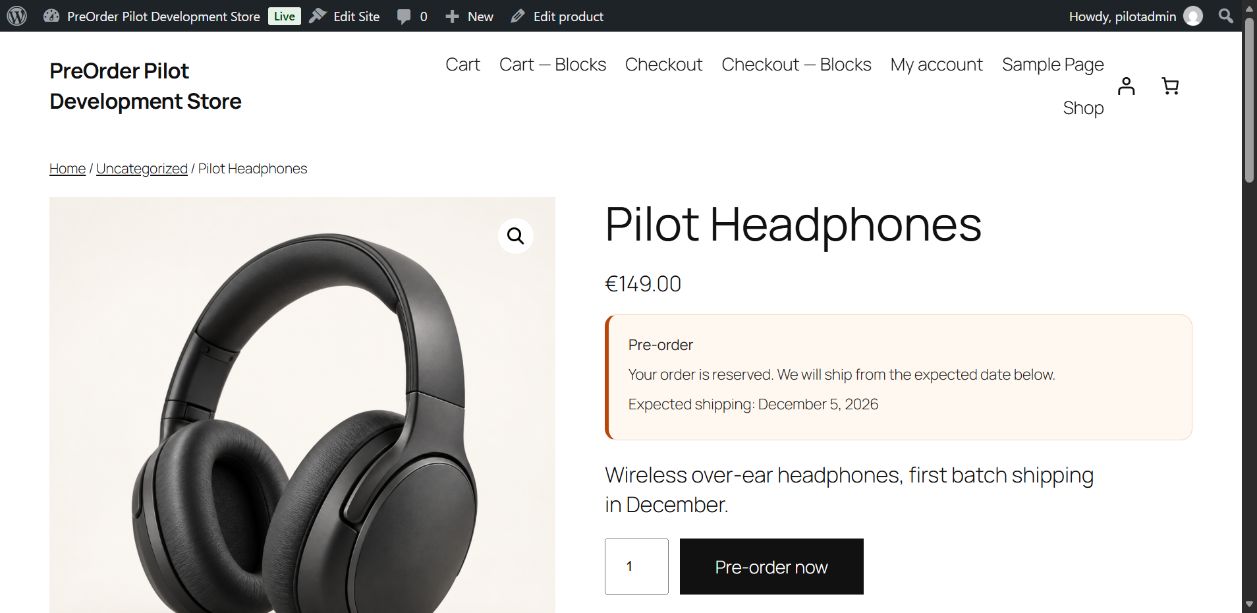
The product page with the pre-order button and availability date.
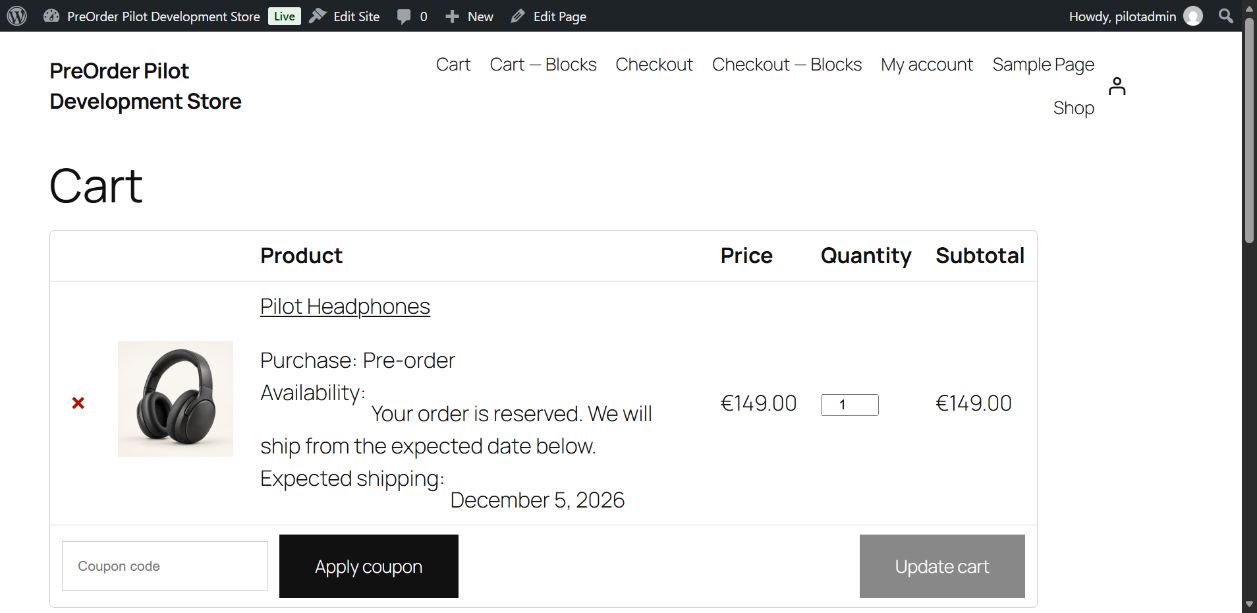
The WooCommerce cart clearly marks a pre-order item and its expected shipping date.
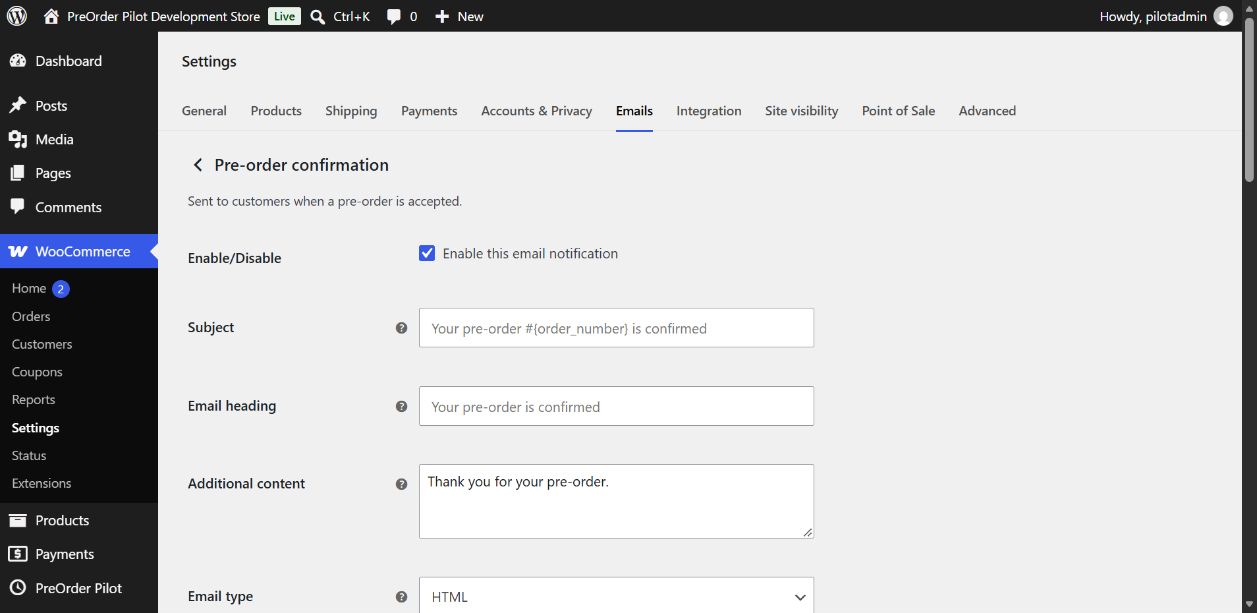
The Pre-order confirmation email under WooCommerce → Settings → Emails.
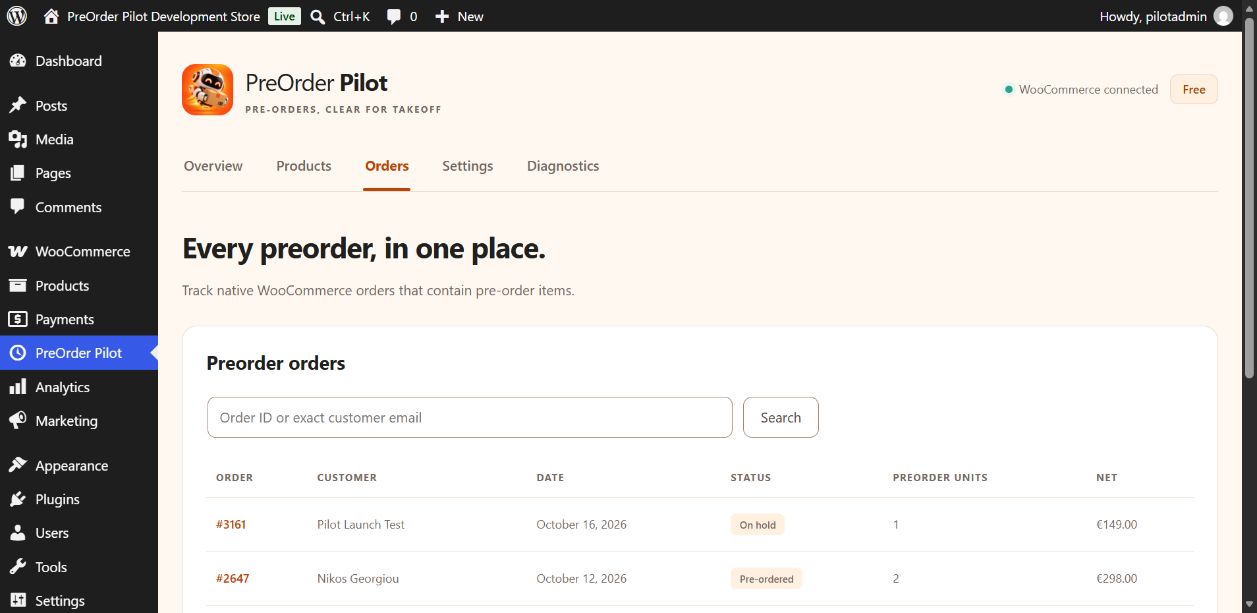
Pre-orders with the Pre-ordered status in the PreOrder Pilot order list.