
Pressed Hog – Analytics For PostHog Wordpress Plugin - Rating, Reviews, Demo & Download

Plugin Description
Pressed Hog installs PostHog product analytics on your WordPress site — no code required. Works with PostHog Cloud (US or EU) and self-hosted PostHog instances.
Features
- Guided setup wizard on activation: pick your region, validate your API key live against your PostHog host, choose tracking and consent options, and send a test event to confirm everything works end to end.
- Injects the official posthog-js snippet with your project API key and host.
- Toggles for pageview capture, autocapture, session replay, and popover surveys.
- Optionally identify logged-in users, linking events to their WordPress account.
- Exclude roles (administrators, editors, …) from tracking so your own clicks stay out of your data.
- Consent handling with three modes: no gate, a built-in cookie banner, or integration with an external consent plugin via a cookie or JavaScript API.
- WooCommerce events:
product_added_to_cart,checkout_started, andorder_completed(with order totals and line items, deduplicated per order). - Server-side feature flags: a
[posthog_flag key="my-flag"]…[/posthog_flag]shortcode to gate content, pluspressed_hog_is_feature_enabled()andpressed_hog_get_feature_flag()template helpers. - Reverse proxy: serve PostHog through your own domain (e.g.
yoursite.com/phog/…) so analytics requests are first-party and delivered more reliably. - In-dashboard analytics: a Pressed Hog admin page with pageviews, unique visitors, a traffic chart, top pages, referrers, and devices — plus a WordPress dashboard widget and an optional link to a PostHog shared dashboard. Requires a personal API key with read-only Query scope.
- QR codes & trackable links: turn any URL of your own into a campaign-tagged link (UTM parameters plus a unique per-link id so PostHog can attribute each QR individually), generate its QR code right in the browser (nothing is sent to a third-party QR service), keep a saved list of your links, and export the whole list as a downloadable CSV spreadsheet. Download each QR as PNG or SVG.
Consent integration for developers
In “external” consent mode, tracking stays off until either the configured cookie equals the configured value, or your consent plugin calls:
window.pressedHog.grantConsent(); or `window.pressedHog.denyConsent();`
Hooks
pressed_hog_is_active— filter whether the snippet is output for the current request.pressed_hog_init_config— filter theposthog.init()config array.
PostHog is a registered trademark of PostHog, Inc. This plugin is an independent integration and is not affiliated with or endorsed by PostHog, Inc.
External services
This plugin connects your site to PostHog, a product analytics service. Nothing is sent anywhere until you enter a PostHog project API key. Depending on the features you enable, data goes to PostHog Cloud US (us.posthog.com, us.i.posthog.com, us-assets.i.posthog.com), PostHog Cloud EU (eu.posthog.com, eu.i.posthog.com, eu-assets.i.posthog.com), or the self-hosted PostHog instance you configure.
- Tracking library (visitors’ browsers). On every front-end page view by a tracked visitor, the browser loads the posthog-js library from PostHog’s asset host. It then sends the events you enabled: pageviews (URL, referrer, browser, device, screen size), autocaptured clicks and form submissions, session recordings, and survey responses, together with an anonymous ID and the visitor’s IP address. When a consent mode is enabled, nothing is captured and no PostHog cookie is stored until the visitor consents.
- User identification (optional). If “Identify logged-in users” is on, the logged-in user’s WordPress user ID, email address, and display name are sent to PostHog.
- WooCommerce events (optional). If enabled, add-to-cart, checkout-started, and order-completed events are sent, including product IDs, product names, quantities, order totals, and currency.
- Reverse proxy (optional). If enabled, visitors’ tracking requests pass through your server to PostHog, with the visitor’s IP address forwarded in the
X-Forwarded-Forheader. The posthog-js library files are still loaded from PostHog’s asset host. - Feature flags (server-side). When a page uses the
[posthog_flag]shortcode or the flag helper functions, your server sends your project API key and the visitor’s PostHog ID (or WordPress user ID for logged-in users) to PostHog’s/decideendpoint. Results are cached for 60 seconds. - Setup wizard. When you validate your key or send a test event, your server sends the project API key, and for the test event your user ID, site URL, and plugin version, to PostHog.
- In-dashboard analytics (optional). When an administrator opens the analytics page or dashboard widget, your server sends read-only queries to PostHog’s Query API using your personal API key and project ID. Results are cached for 5 minutes.
PostHog’s terms of service: https://posthog.com/terms
PostHog’s privacy policy: https://posthog.com/privacy
If you self-host PostHog, the data goes only to your own instance, and your own terms and privacy policy apply.
Screenshots
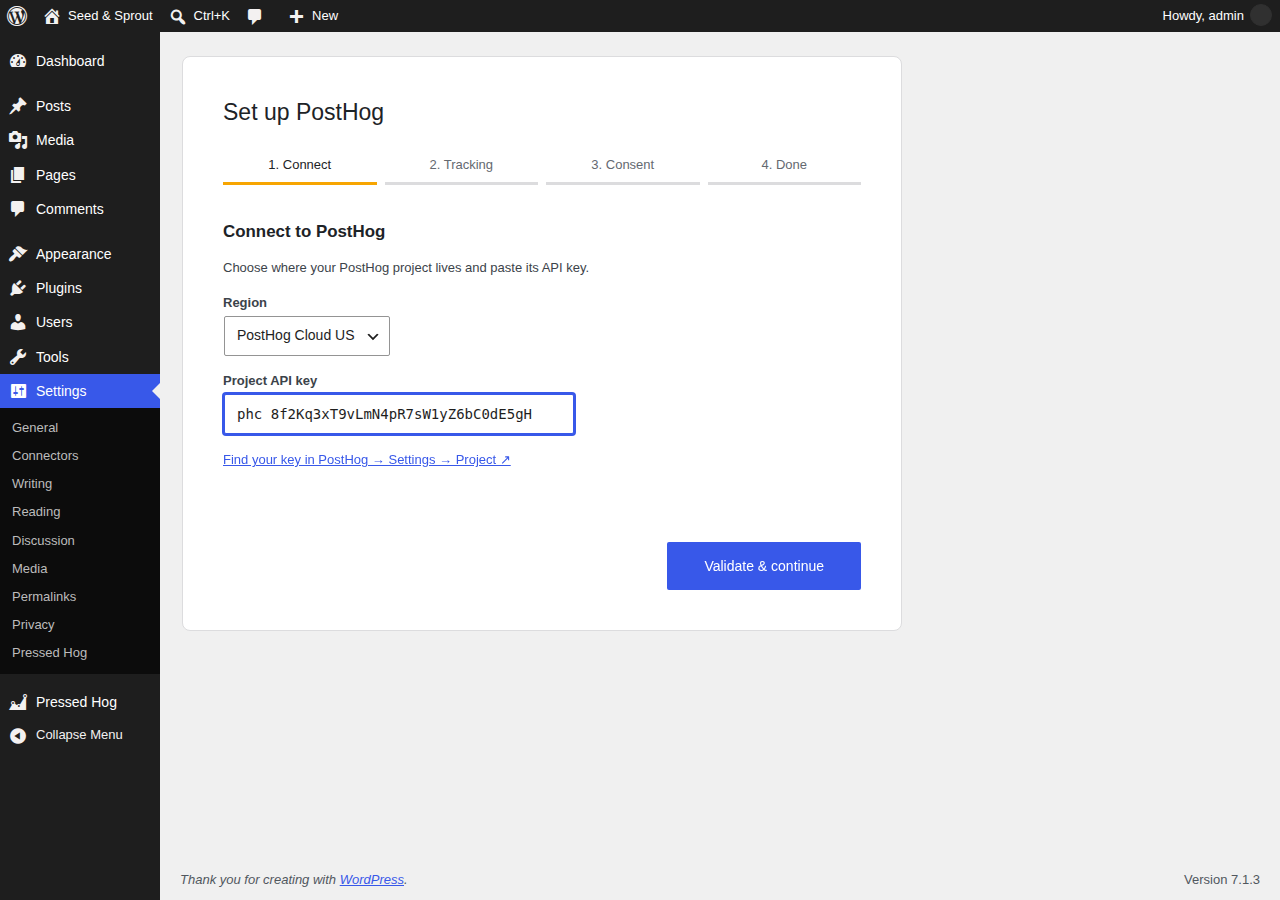
Setup wizard: connect your PostHog project and validate the API key.
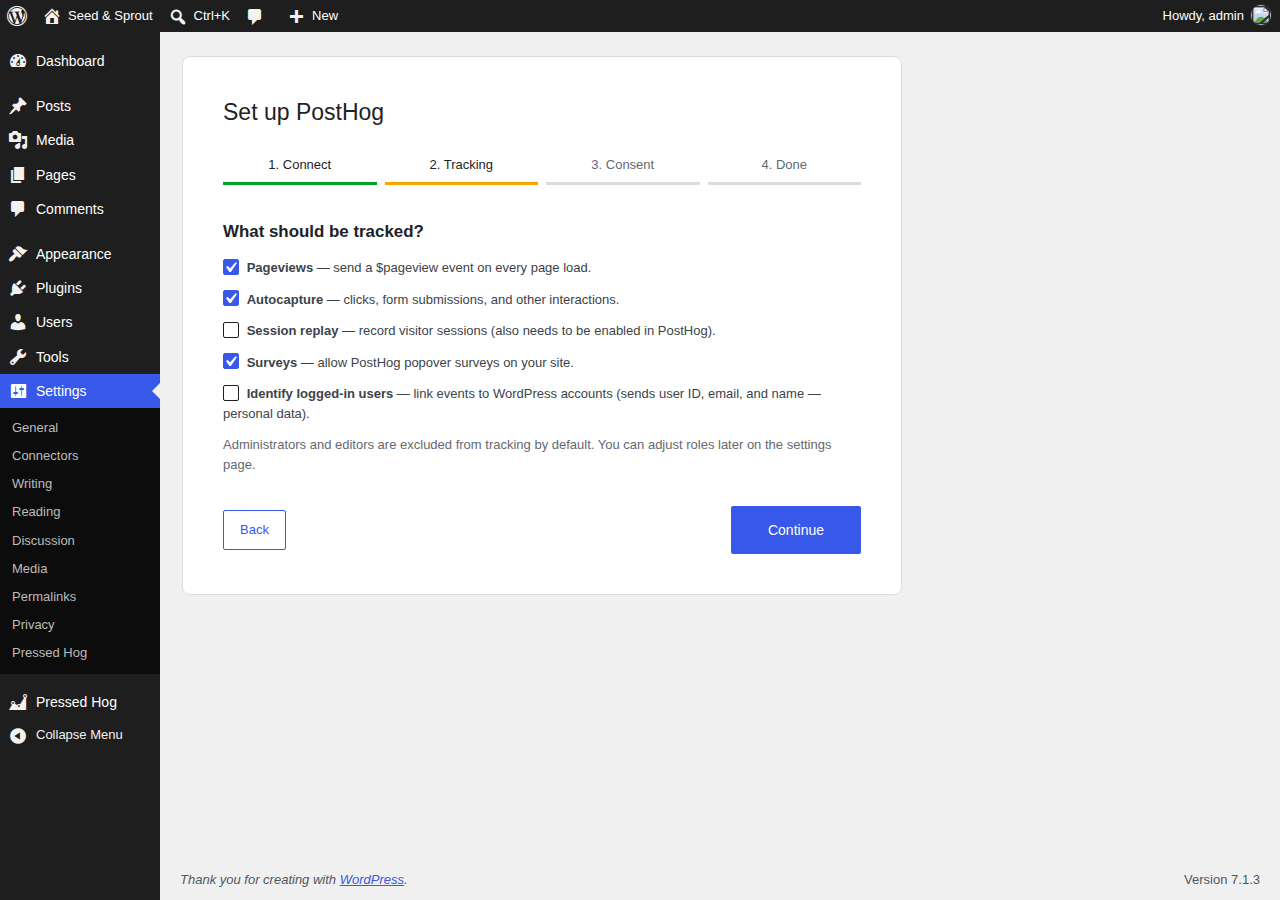
Setup wizard: choose what to track.
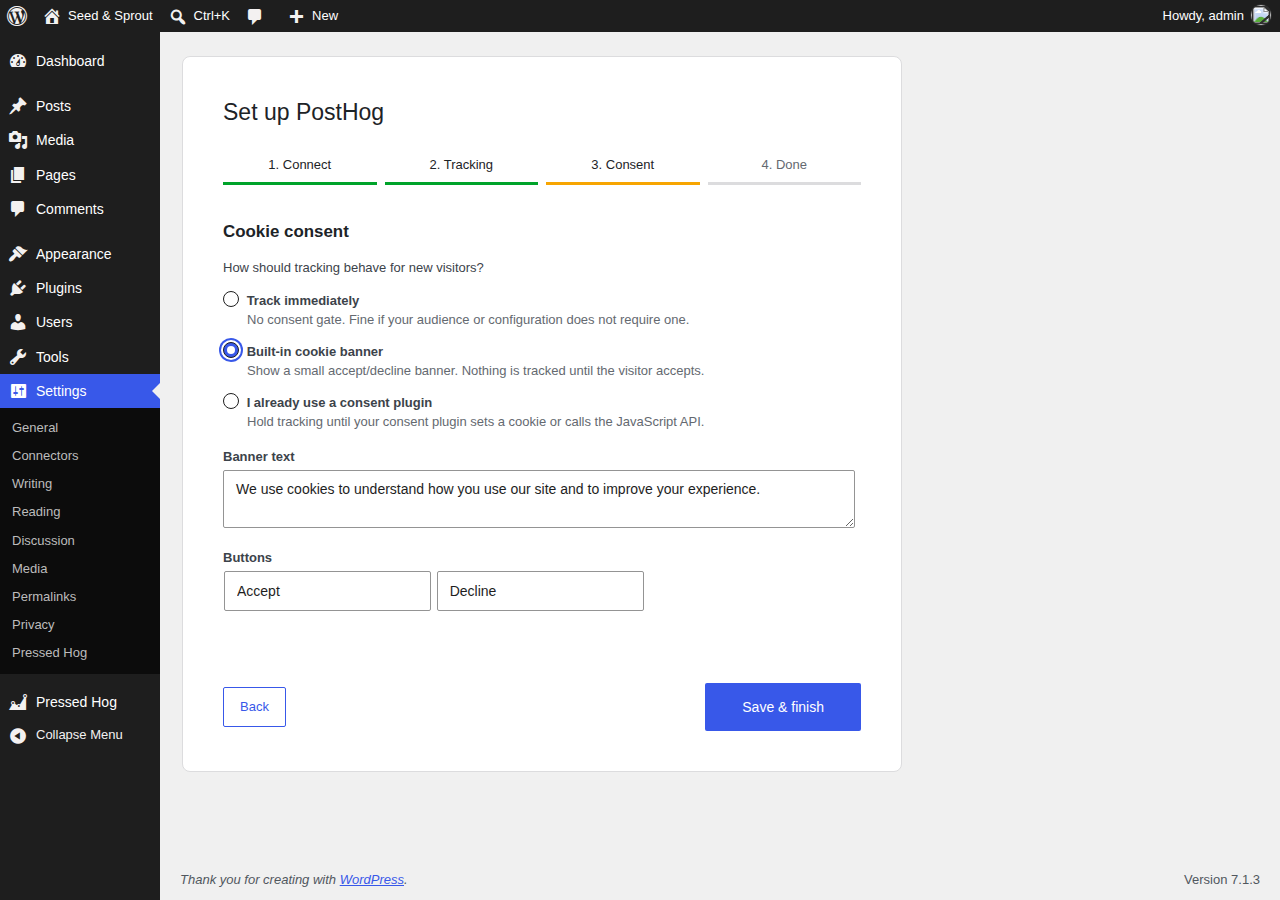
Setup wizard: choose how cookie consent is handled.
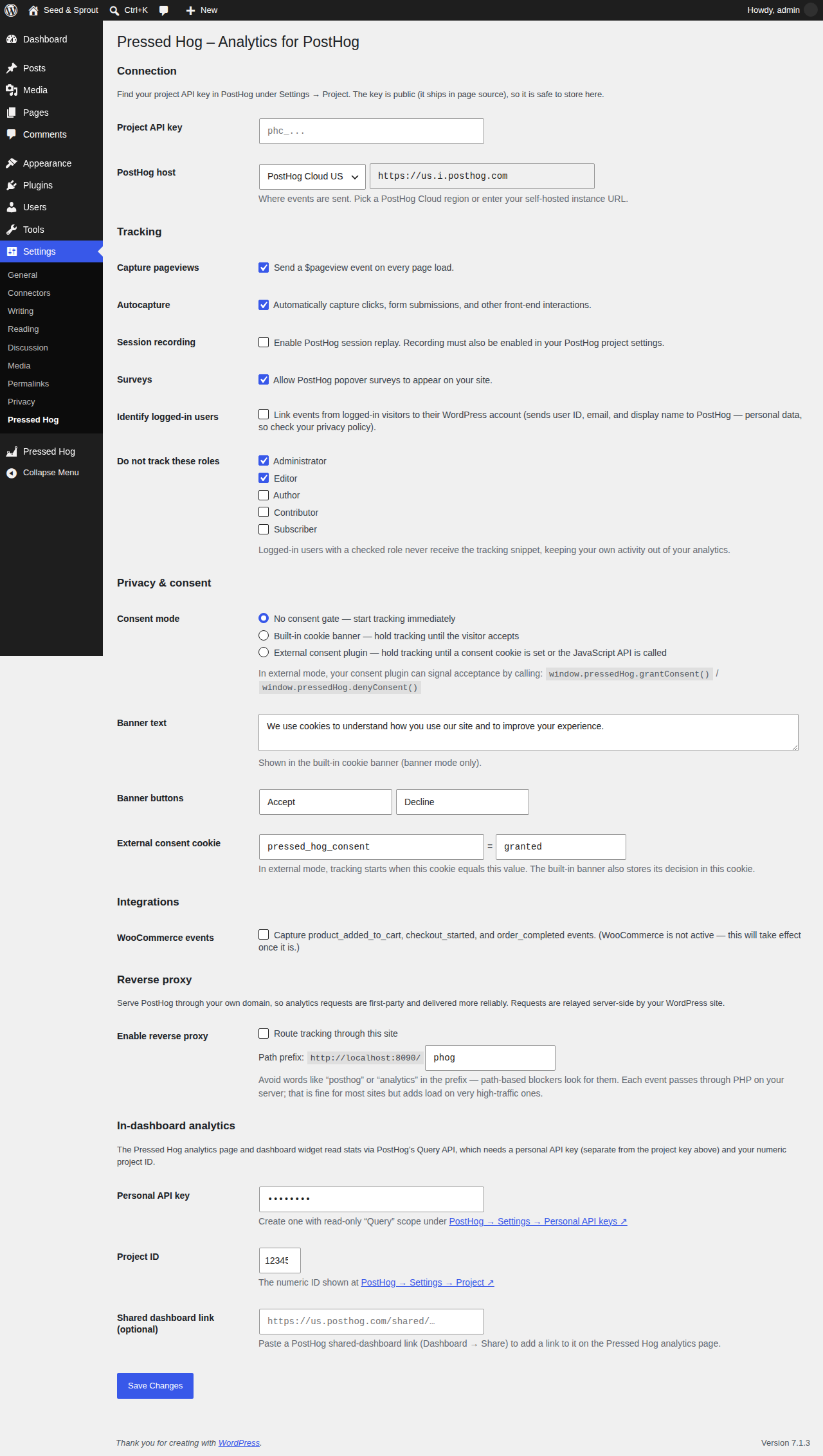
The settings page.
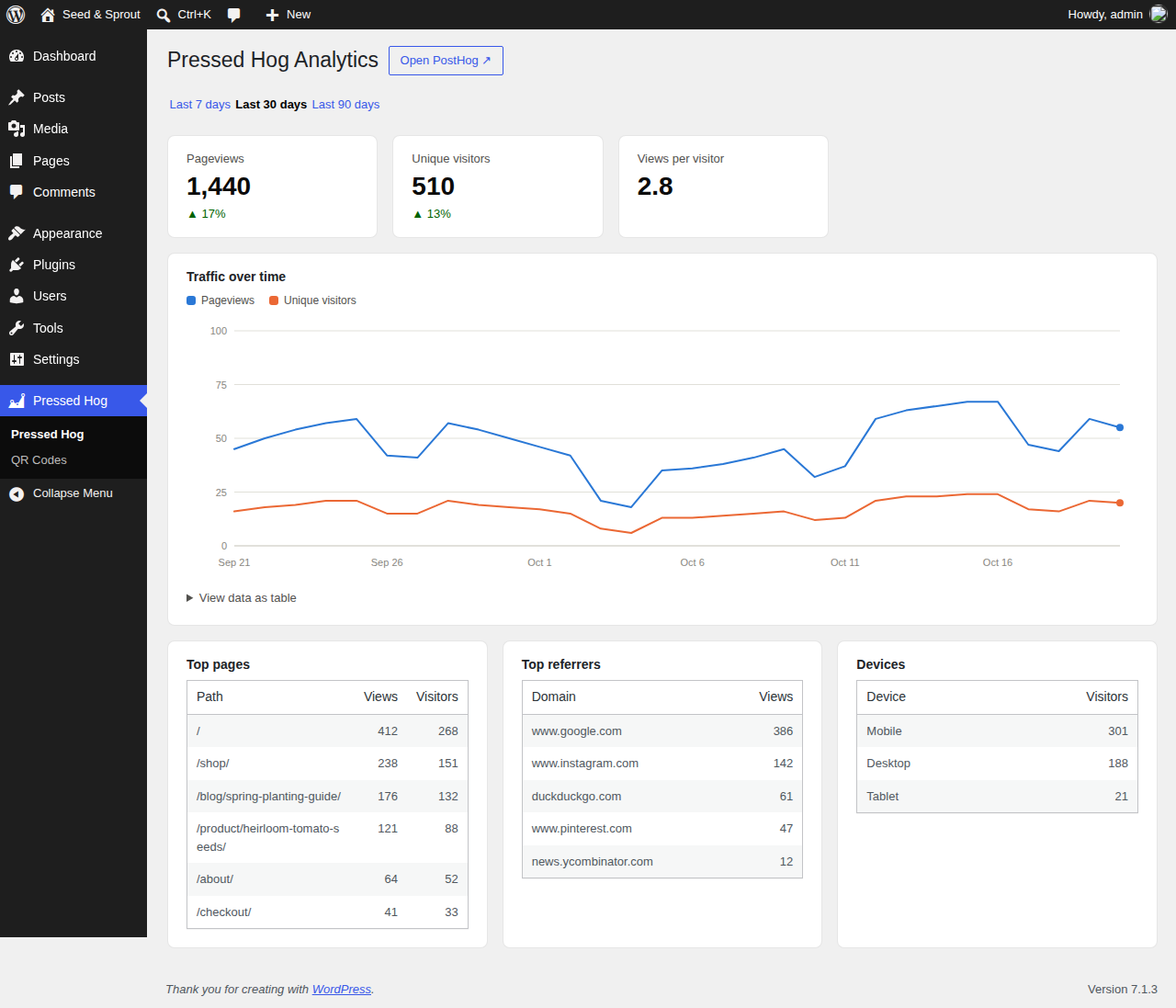
In-dashboard analytics with traffic chart, top pages, referrers, and devices.
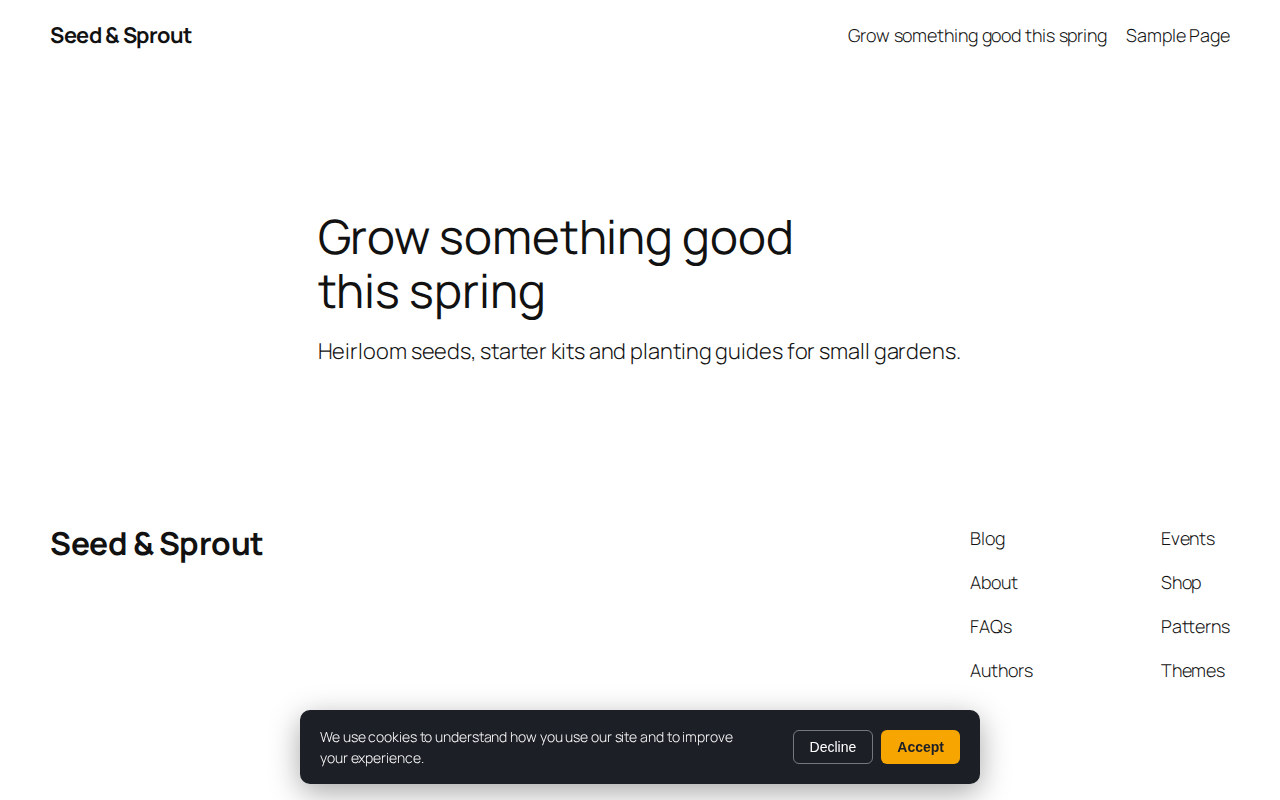
The built-in cookie consent banner.


