PressHelm AI Site Developer Wordpress Plugin - Rating, Reviews, Demo & Download
Plugin Description
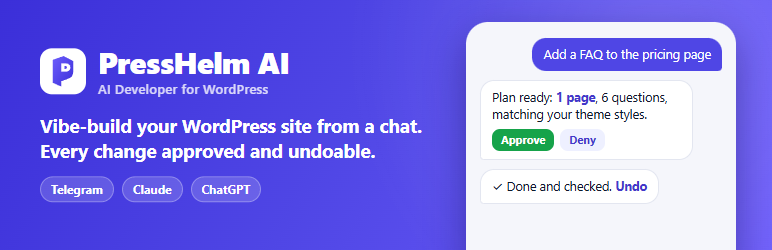
PressHelm AI Site Developer gives your WordPress site its own AI developer for content. Tell it what you want in plain words, in your own Telegram bot or from Claude or ChatGPT, and it does the work on your real site: pages, posts, products, images, menus, forms, page builders and SEO. Changes that matter wait for your approval, site changes are saved before they run, the site is checked afterwards, and changes can be put back with one tap.
See it in action (1:33):
PressHelm is not affiliated with Telegram, Anthropic (Claude), OpenAI (ChatGPT) or Google. These names are used only to say which services the plugin works with.
Just ask
- “Make a Services page with three sections: design, development and support, and add it to the menu.”
- “Here is a photo of our new shop (attached). Put it on the About page under the first paragraph.”
- “This CSV has 40 products. Import them as drafts so I can check them first.”
- “Our phone number changed to 555 0199. Fix it everywhere, also inside Elementor.”
- “Convert every big image on the homepage to WebP and tell me how much lighter the page got.”
- “Add a contact form with name, email, phone and message to the Contact page.”
- “Create an image of a cozy bakery at sunrise for the blog post header.”
Your developer reads the site first, asks once for a whole plan of changes, carries it out step by step, checks the result on the live page, and tells you what changed, with an Undo button for each change.
Chat where you already are
- Your own Telegram bot. Create a bot in a minute with your own name and picture; it answers only you. Send text, screenshots, photos, files and links, approve with a tap, undo with a tap.
- Claude and ChatGPT. Add PressHelm as a connector (MCP server) in Claude or ChatGPT and use your own plan. Sign-in and approvals are confirmed in your WordPress admin, so the AI can never approve itself.
- One bot for several sites (PressHelm Business and Agency plans): install the plugin on each site and work on all of them from one bot. It always names the site it works on.
- Your own AI. In Telegram, PressHelm uses your own AI provider account (OpenAI, Anthropic, Google Gemini, OpenRouter or an OpenAI-compatible service). Your provider bills you directly, with spend limits you set.
What your AI developer can do
Pages, posts and content
- Write, edit, duplicate and publish posts and pages; edit blocks, menus and SEO fields (Yoast).
- Change many posts at once (status, categories, tags, template), restore earlier revisions, and find and change a text in pages, page-builder layouts and custom fields, with a preview first.
- Staged edits: bigger changes to a published page are made on a hidden copy with a private preview link, then published into the same page with one approval.
- See a page the way visitors get it and check that a change really shows on the live page.
Page builders and blocks
- Elementor, Beaver Builder, Brizy, SiteOrigin Page Builder, PageLayer, SeedProd, Visual Composer, Colibri, BoldGrid, Kubio and the block editor, through each builder’s own save, so pages open normally in the builder.
- Block collections such as Kadence Blocks, Spectra, GenerateBlocks, Stackable, Otter, Greenshift, GutenKit, CoBlocks, Getwid and Gutentor: one block changes at a time and the rest of the page stays exactly as it was.
- Menus and global styles (colours and fonts of block themes).
Forms
- Creates and changes forms in Contact Form 7, WPForms, Forminator, MC4WP and MW WP Form, makes sure submissions are emailed to you, and places the form on the page.
Images and media
- AI images made with your own AI account, with the model and estimated cost shown before you approve.
- Resize, crop and compress images, or convert up to 20 at once to WebP; links in your pages follow.
- Find any file, see where it is used, swap it everywhere, delete it safely and put images into pages.
WooCommerce
- Create and edit products, variations, images, galleries, prices and stock; read orders and add order notes; import and export products from CSV with one undo for the whole import.
Checks and reports
- Reads the PHP error log with secrets masked and explains what broke.
- Shows which caches the site uses, layer by layer (read only); email health (how the site sends mail, SPF and DMARC, recent failures, a test email to you).
- Lists plugins, themes, users, settings and available updates so your developer understands the site. It does not install, update or remove plugins or themes, manage users, change site settings or change site code: those stay with you in WordPress (see “Site administration” below).
Site administration is not part of this plugin
This plugin changes content and data only. It never installs, updates, activates or removes plugins or themes, never manages users or roles, never updates WordPress, never changes site settings (general, reading, discussion and permalink settings, the site logo and icon, or WooCommerce store settings), never clears caches or runs maintenance, never writes code or edits theme and plugin files, and never changes database rows directly. Settings are only read, so your developer can explain them; you change them in WordPress yourself.
If you want your AI developer to do those administrative jobs too, the separate PressHelm Power Tools extension adds them. It is free for every PressHelm plan and is downloaded from https://presshelmai.com/download/. Nothing in this plugin is locked or waits for it.
How PressHelm acts on your site
When you connect, you let PressHelm Cloud carry out the content tasks you ask for on this site, as a “PressHelm” user with content permissions only:
- The plugin fetches tasks from PressHelm Cloud about once a minute (WordPress cron). Every task is signed by PressHelm Cloud and checked by the plugin with this site’s own key; unsigned, altered, expired or repeated tasks are refused.
- Only the content and data actions listed above exist in this plugin. A change of medium risk or higher runs only with your approval (in Telegram, Claude, ChatGPT or WordPress); the site itself refuses one that arrives without it.
- Tasks never run as an administrator. When you connect, the plugin creates a “PressHelm” user with the PressHelm Assistant role, and every task runs as that user. It has a fixed list of content permissions (posts, pages, media, comments, categories, menus and templates, and WooCommerce products and orders) and WordPress refuses everything else for it: installing, activating, updating or deleting plugins and themes, managing users, updating WordPress, editing files, uploading unfiltered file types and the settings screens. The user cannot log in: password login, password reset and application passwords are all refused for it.
- Site settings are never changed by a task: the plugin has no action that writes them, and the PressHelm user cannot open the settings screens.
- Code is never written: every content, product and form edit that would add scripts, styles, PHP, iframes or event handlers is refused. Code the owner already has stays exactly as it is and cannot be changed by a task.
- Your rules apply on the site: turn areas off or make them always ask you (PressHelm Settings Permissions & security), and stop everything at once with the emergency stop.
- Every change is saved first and can be undone from PressHelm Activity Backup & rollback. Disconnecting (PressHelm Settings Stop & disconnect) stops all tasks at once and removes the connection keys.
Safe by design
- Approvals show what changes, where and how to undo it.
- Undo for every change, and a site check after each change: if the site breaks, the change is undone automatically.
- Your keys stay safe: AI keys and bot tokens are kept encrypted in your PressHelm vault, never on this site.
- Receipts: after every reply, what changed from PressHelm’s own records, the AI used and its estimated cost.
PressHelm plans
The plugin is free, and the PressHelm Cloud service has a free plan: one site, 100 AI actions a day, Telegram, Claude and ChatGPT, approvals and undo. Paid plans add more sites and daily actions, scheduled tasks, uptime monitoring, team members and, on Business and Agency, Growth Intelligence and one bot for all your sites. The AI work happens on PressHelm Cloud; this plugin carries out the resulting content changes on your site. See https://presshelmai.com/#pricing.
External services
This plugin is the WordPress side of the PressHelm service. It connects to the services below only after you set it up, and only for the purposes listed. It does not contact AI providers itself.
PressHelm Cloud (app.presshelmai.com)
Runs your AI developer, your Telegram bot and the Claude / ChatGPT connector, and keeps your AI key and bot token in an encrypted vault.
- During setup: when you check an AI key, the key and the chosen provider are sent to PressHelm Cloud, which asks the provider which models the key can use and answers with the list (nothing is stored). “Sign in with OpenRouter” is completed by PressHelm Cloud the same way.
- When you connect: your site address and name, this site’s public signing key, and your AI key and bot token (stored in your vault; they are removed from this site).
- While connected (about every minute): the plugin fetches the tasks you asked for and sends their results, and a short site report (WordPress and PHP versions, active theme and plugins, content counts, the limits you set, recent PHP errors with secrets masked, names and versions of available updates).
- When you ask for it: the content, files or data a task needs, and files you ask the bot to send you.
- Terms: https://presshelmai.com/terms/ · Privacy: https://presshelmai.com/privacy/
Telegram (api.telegram.org)
When you add your bot during setup, the bot token is sent to Telegram once to check it and read the bot’s name. Messages then go through PressHelm Cloud.
- Terms: https://telegram.org/tos · Privacy: https://telegram.org/privacy
OpenRouter sign-in (openrouter.ai)
If you choose “Sign in with OpenRouter”, your browser opens openrouter.ai to approve the sign-in; the returned code is exchanged for a key by PressHelm Cloud.
- Terms: https://openrouter.ai/terms · Privacy: https://openrouter.ai/privacy
Your AI provider
The AI itself is called by PressHelm Cloud with your key, at the provider you chose: OpenAI (https://openai.com/policies/terms-of-use/, https://openai.com/policies/privacy-policy/), Anthropic (https://www.anthropic.com/legal/commercial-terms, https://www.anthropic.com/legal/privacy), Google Gemini (https://ai.google.dev/gemini-api/terms, https://policies.google.com/privacy), OpenRouter (terms and privacy linked above) or an OpenAI-compatible service you choose.
Screenshots

Dashboard: connections, tasks, AI cost and activity at a glance.

Connect your AI: provider, sign-in or API key, and models in one form.

Task history with today’s and this month’s numbers.

Claude & ChatGPT apps: connect PressHelm as a connector.