PrimePlaced – Advanced Password Protection Wordpress Plugin - Rating, Reviews, Demo & Download
Plugin Description
PrimePlaced – Advanced password protection provides tools to secure your WordPress content. Lock your entire website during development, protect client presentations, or manage access to specific areas of your site.
This plugin focuses on user experience, offering clear configuration panels and logical management interfaces to handle access control efficiently.
Free Features
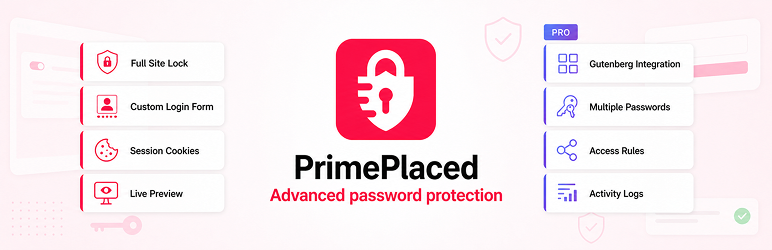
- Global Site Lock: Secure your entire website with a single password.
- Customizable Login Form: Upload your logo, change background colors, and customize text fields.
- Cookie Management: Control how long users stay logged in using session or duration settings.
- Dashboard Widget: View a quick overview of your site’s protection status.
- Performance Optimized: Built with lightweight code execution paths.
- Live Preview: View form customization changes in real-time within the admin area.
PRO Features
The plugin supports extension packages that unlock additional premium modules depending on your subscription tier.
BASIC Tier Modules:
* Time-Based Passwords: Configure automatic activation and expiration dates for passwords.
* Pages & Posts Protection: Apply access control rules to individual content items instead of the full site.
* Gutenberg Integration: Manage password-protection states directly from the block editor sidebar.
* User Role Bypass: Grant automatic access to specific WordPress user roles without requiring a password.
* Multiple Passwords: Support for multiple concurrent passwords with unique expiration dates.
* Form Templates: Access pre-designed login forms or design custom branded layouts using Gutenberg blocks.
* Strict Session Control: Option to require re-authentication when navigating between different sections.
* IP Whitelist: Allow access without password from up to 2 IP addresses.
* Event Logging: Track recent authentication attempts with IP and user-agent diagnostic metadata.
BUSINESS Tier Modules:
* Everything in BASIC, plus:
* Extended Rules: Increase capacity for concurrent active rules and scheduled passwords.
* Categories & WooCommerce: Apply protection rules directly to products and product categories.
* Advanced Templates: Access extended pre-designed login form templates.
* Google reCAPTCHA v2: Integrate checkbox bot verification to secure login flows against automated scripts.
* Activity Log Export: Export detailed activity logs to CSV files for external audits.
AGENCY Tier Modules:
* Everything in BUSINESS, plus:
* Unlimited Limits: Remove caps on passwords, access rules, and whitelisted IP addresses.
* Custom Taxonomies: Apply protection rules to any public Custom Post Type or Custom Taxonomy.
* Invisible reCAPTCHA v3: Verify traffic silently in the background using risk scores.
* Log Retention Control: Configure automated database pruning and custom log retention schedules.
* System Backup: Generate complete JSON backup payloads of your configuration for site migration.
Privacy Policy
This plugin stores the following data when protection features are active:
Cookies:
* Functional cookies to store the temporary authentication token.
* Lifetime parameters are determined by the administrator (session or specific days).
Activity Logs (Premium Modules Only):
* IP addresses associated with authentication requests.
* Browser user-agent strings for device tracking.
* Timestamps of access evaluations.
* Evaluation status codes (success, error, blocked).
All local database tables are maintained entirely on your server infrastructure.
Third-Party Services
This plugin includes or integrates with the following external services:
- Freemius – Used for optional account connection, licensing, upgrade checkout, support/account screens, and software update services. Communication with Freemius happens through administrator-initiated opt-in, account, checkout, support, or update flows. Privacy Policy: https://freemius.com/privacy/
- Google reCAPTCHA (Premium Modules Only) – Used only when a site administrator configures and enables a premium reCAPTCHA module for bot mitigation on password forms. Privacy Policy: https://policies.google.com/privacy
Screenshots

Overview Dashboard – Main control panel showing protection status and active metrics.

Cookie Settings – Interface to configure session lifetimes and cookie parameters.

Form Personalization – Design panel for customizing text fields and background styles.

Frontend Lock Screen – Example of the password entry form served to unauthenticated visitors.

Status Widget – Admin dashboard summary module.