
PrintBlob – Product Designer For WooCommerce Wordpress Plugin - Rating, Reviews, Demo & Download

Plugin Description
Try it before you install: the live demo on printblob.com runs this exact designer.
PrintBlob adds a product designer to WooCommerce. Customers upload a photo or logo, type text in a choice of fonts, move and resize everything on the front and back of your product, pick a colour and size, and see the price update as they go. When they order, you get a print-ready PNG at 300 DPI for each printed side, attached to the order.
- Your own product photos. Set up mockups under Products › Mockups: a photo per side, the print area drawn right on the photo, and the real print size in centimetres.
- Every colour from one photo. Photograph the product once in white; PrintBlob recolours it to each colour of your colour attribute, keeping folds and shading.
- Print-ready files. Each printed side becomes a transparent PNG at exactly the print size, 300 DPI. Customers are warned when an image is too small to print sharply.
- Works with WooCommerce. Variable products, the block cart and checkout, order emails and the order screen (with download links for the print files). Compatible with High-Performance Order Storage.
- Blocks. The PrintBlob designer block and the Colours block work in any block theme. Theme colours, fonts and corner radius are used automatically.
- Translation-ready, including the designer itself, with translations from translate.wordpress.org.
PrintBlob Pro
The PrintBlob Pro add-on adds a 3D view of the product, made from the same front and back photos, sleeve printing, a production print queue and your own fonts.
Privacy
PrintBlob does not send data to any outside service. Customer images and designs are stored on your site: previews in the media library, print files in a protected folder. Designs that never become an order are deleted after the number of days set in the settings.
Copyright
PrintBlob is copyright 2026 microcompanies, LLC, and released under the GNU General Public License v2 or later (license.txt). The PrintBlob name and logo are not covered by that licence.
Source code
The scripts in build/ are compiled from the source in src/, which ships with the plugin: npm install and npm run build (@wordpress/scripts) rebuild them. The designer uses Fabric.js (MIT licence), bundled in build/designer/view.js. The print fonts in assets/fonts/ (Onest, Unbounded, Lora and Caveat) are under the SIL Open Font License 1.1; each family’s licence ships beside it as assets/fonts/OFL-*.txt. The t-shirt mockup photos in assets/mockups/ are microcompanies’ own renders, released with the plugin under the GPL.
Requirements
WordPress 7.0, WooCommerce 10.0 and PHP 7.4 or newer.
Screenshots
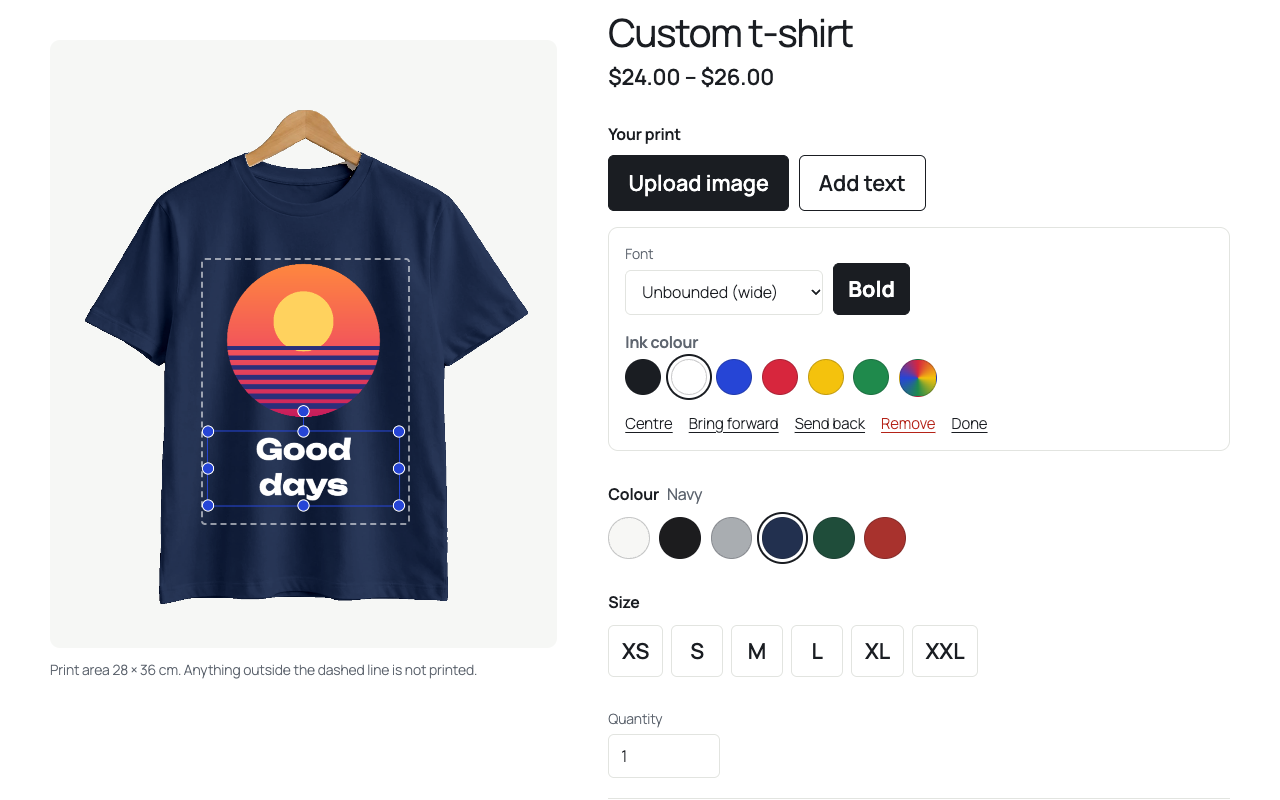
The designer: text in a choice of fonts on the front, the print area, colour and size.
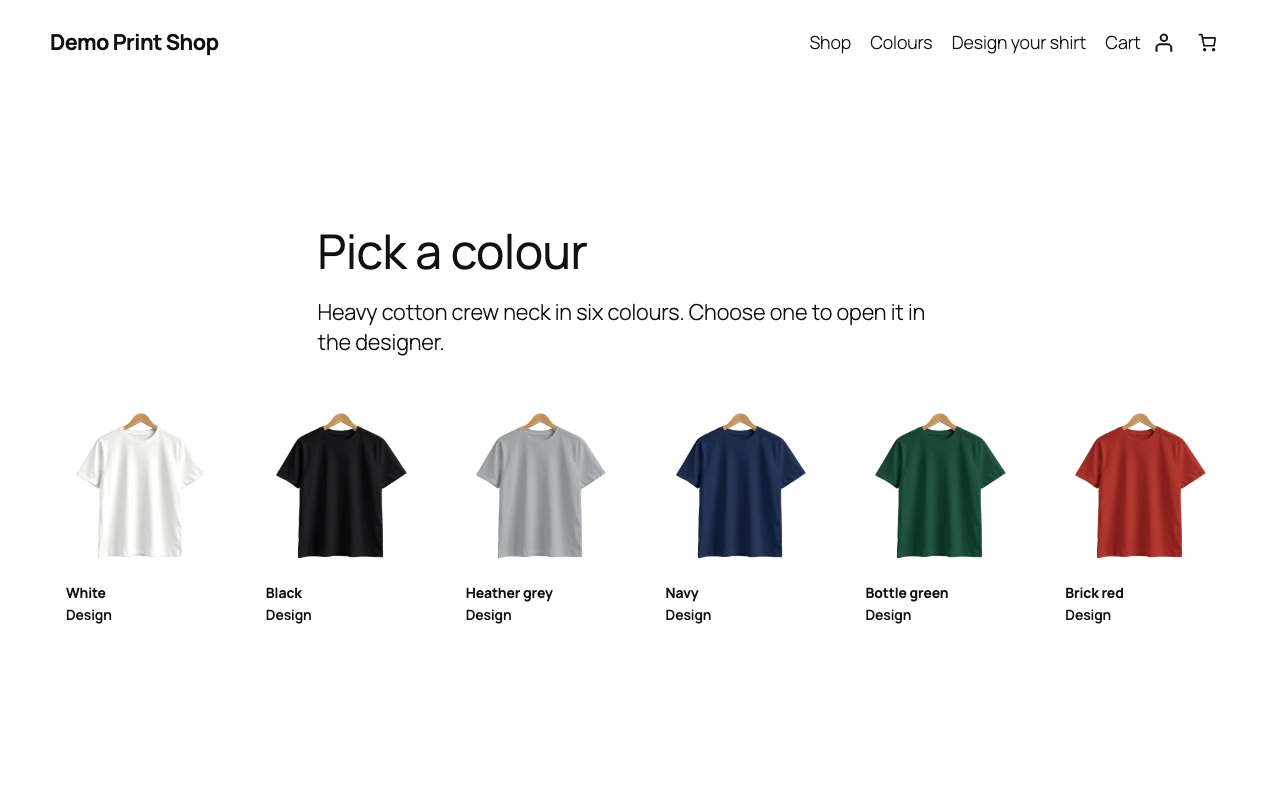
The Colours block: every colour of the product, each opening the designer in that colour.
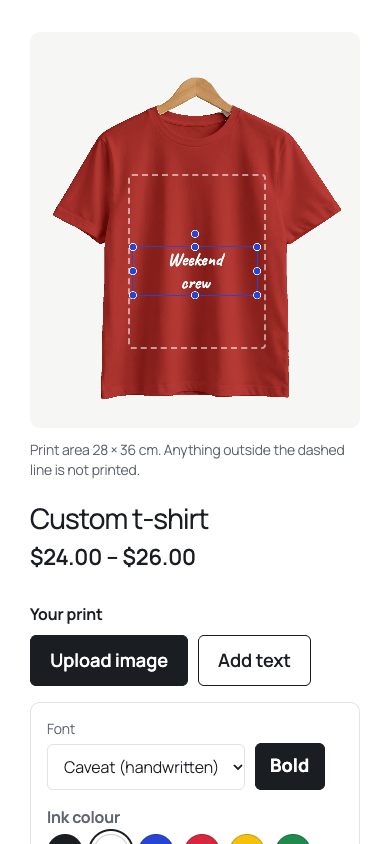
The designer on a phone.
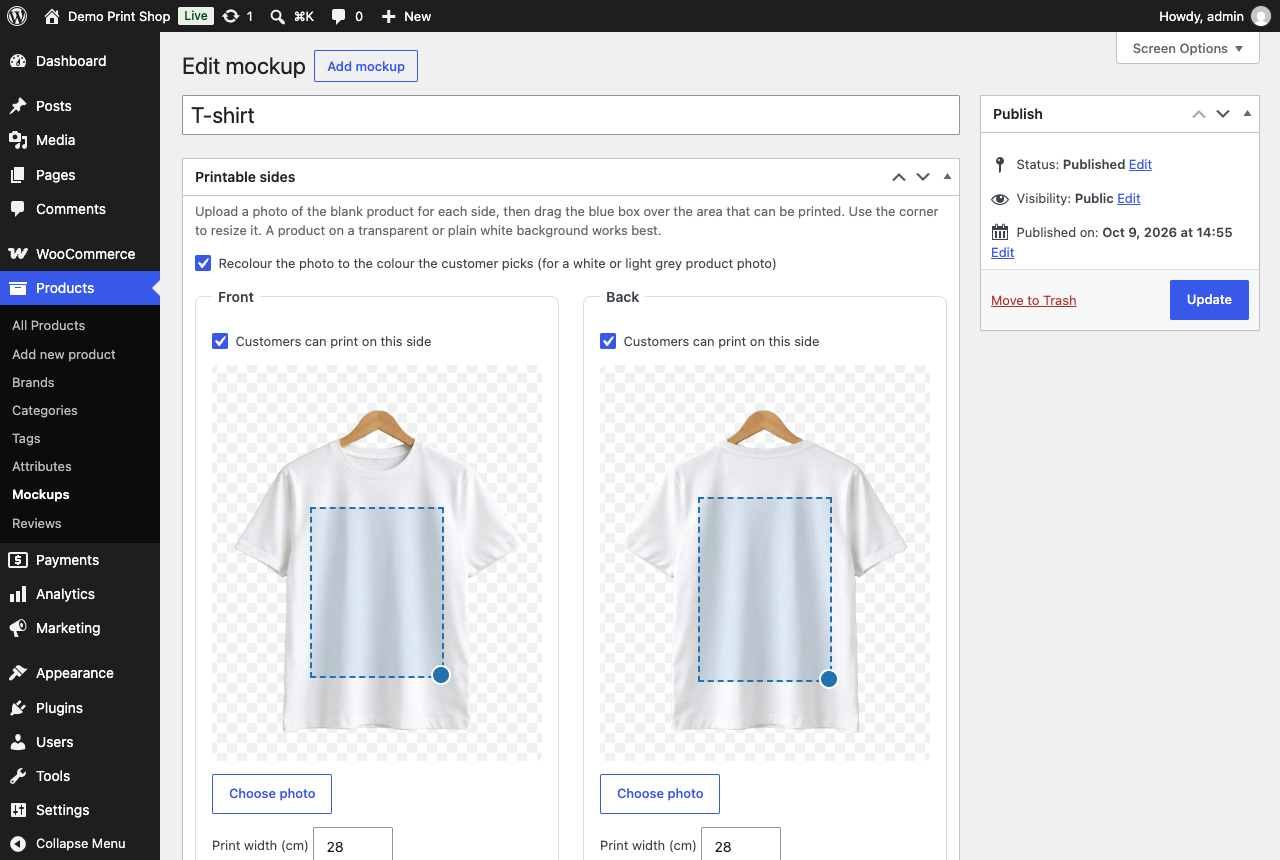
A mockup: the photo of each side with its print area and print size.
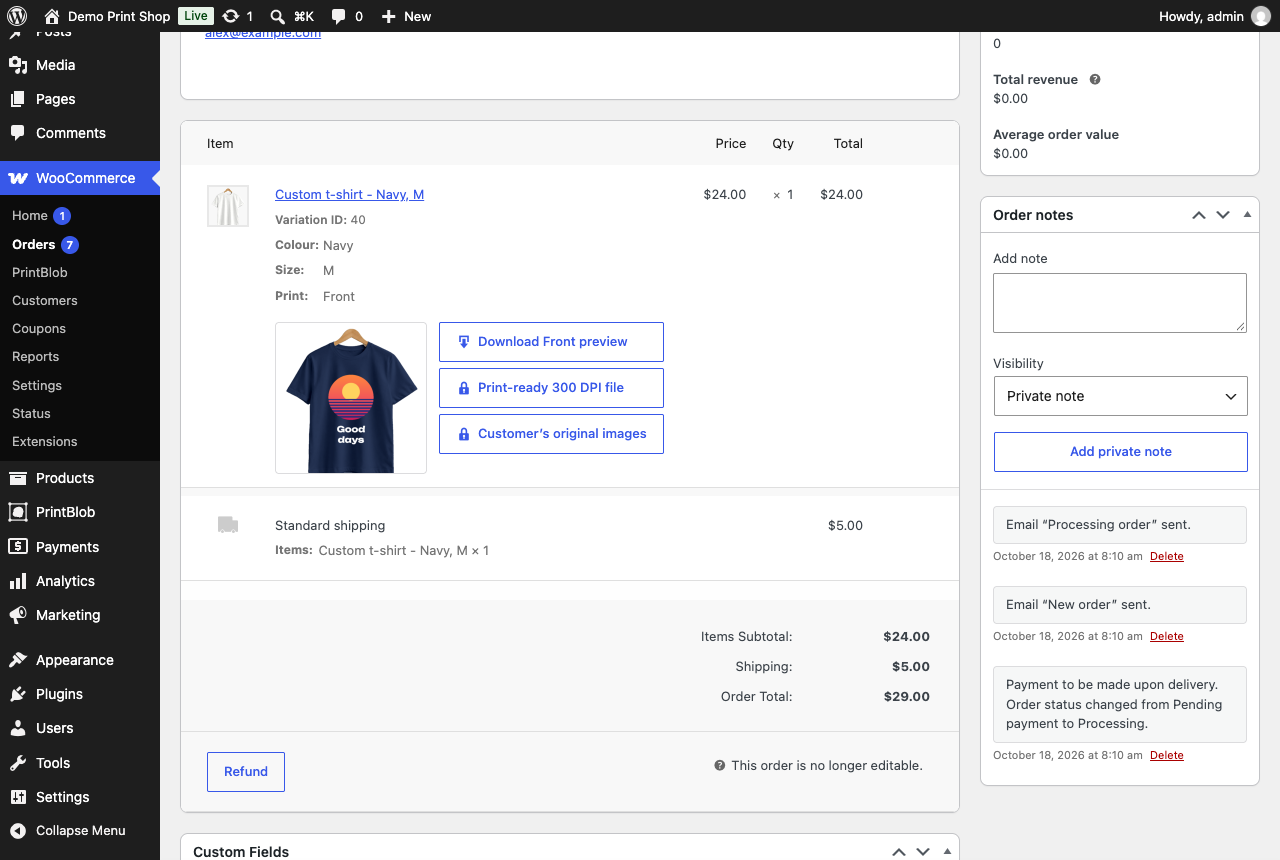
An order: the design’s preview, its print file and the customer’s image as uploaded, to download.
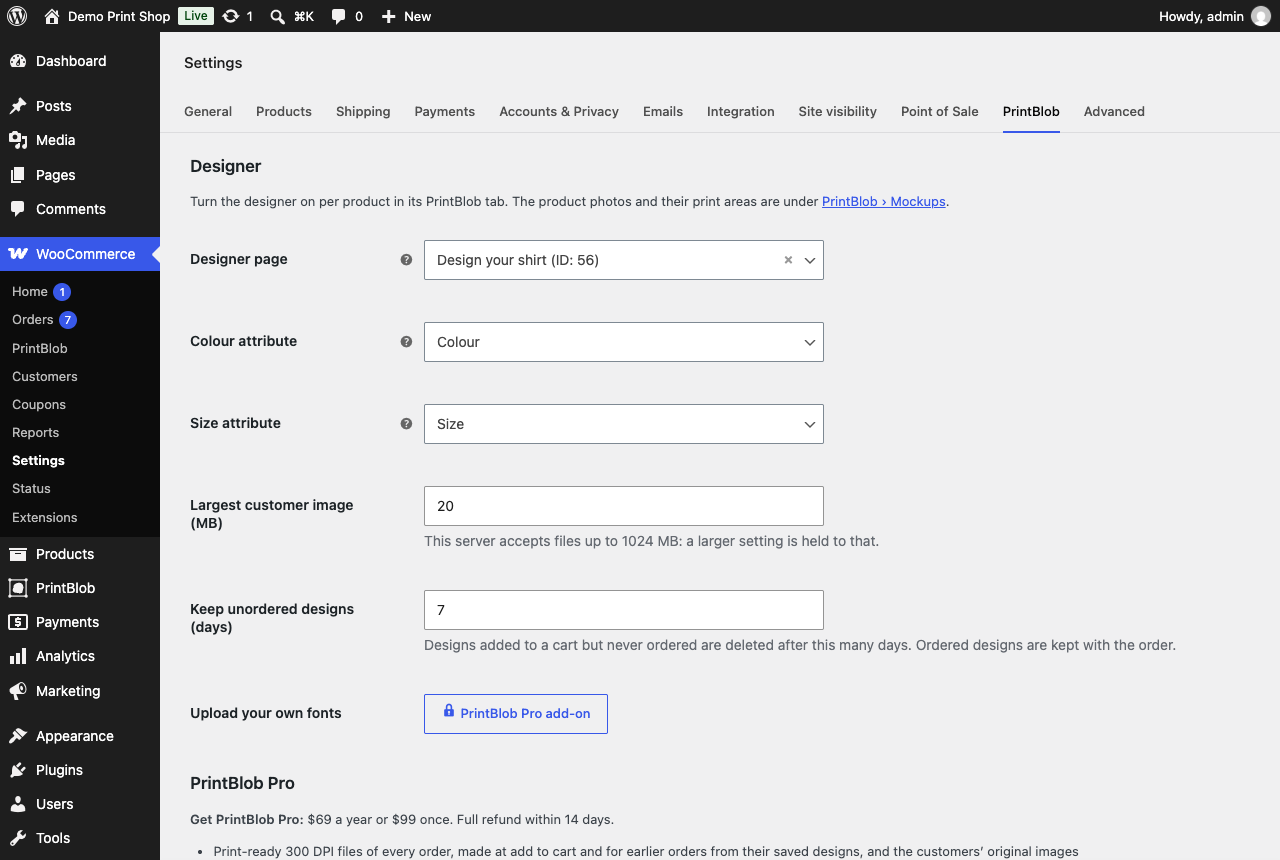
WooCommerce › Settings › PrintBlob.


