ProductBoxes – Mix And Match Box Builder For WooCommerce Wordpress Plugin - Rating, Reviews, Demo & Download
Plugin Description
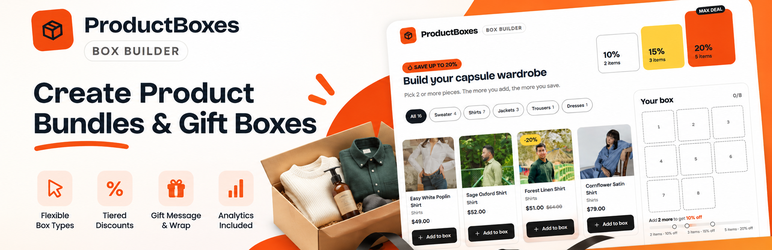
ProductBoxes is a free mix and match box builder for WooCommerce that lets customers build their own product box. Shoppers choose items from your store, fill a box, see available savings and add their selection to the cart. You control which products can be picked, how many fit and what the completed box costs.
Create build-your-own gift boxes, clothing bundles, snack boxes, beauty kits, coffee samplers or “pick any 3” deals.
Set up campaigns in a guided editor with live preview. Publish with a WordPress block or shortcode. Prices are calculated and validated on the server.
100% free: No paid version, locked features or account required.
ProductBoxes demo and website
- ProductBoxes website and plugin details – Learn more about the WooCommerce mix and match box builder.
- Live capsule wardrobe box demo – Explore a build-your-own-box storefront with tiered discounts.
Three ways to sell product boxes
- Tiered mix and match discounts: Reward larger boxes, such as 10% off 2 items, 15% off 3 and 20% off 5. Show progress toward the next discount while shoppers build.
- Fixed-size gift boxes: Offer selectable box sizes, such as 3 or 5 products, with a discount or box price for each size.
- Fixed-price product bundles: Set a single price for an exact number of items, such as any 3 shirts for $120.
Shopper-friendly storefront
- Visual product grid, category filters and sorting.
- Live box slots, totals and progress toward the next discount.
- Sidebar summary or sticky bar; mobile-friendly bottom sheet on phones.
- Eligible simple products and individual variations.
- Optional gift wrap and gift message.
- Edit boxes from the cart; supports classic and block cart/checkout.
Flexible box campaign rules
- Select products individually, by category or by tag.
- Set minimum/maximum items and per-product limits.
- Offer percentage discounts, box sizes or bundle prices.
- Disable or hide sold-out items.
- Schedule campaigns, with a countdown if an end date is set.
- Customize layout, text, labels, colors and discount ladder.
- Display the cart as one bundle line or a box plus each item.
WooCommerce management and analytics
- Manage campaigns, statuses and placements with live preview.
- Track views, product picks, funnel steps, conversion, revenue, discounts and top products.
- Save box items, discounts and gift messages in orders and emails.
- Reduce stock for each purchased item inside a box.
- Supports High-Performance Order Storage (HPOS) and block checkout.
- Keep optional analytics in your own database.
Requirements
- WordPress 6.6 or later
- WooCommerce 9.0 or later
- PHP 7.4 or later
External services
ProductBoxes does not contact external services. It uses no CDN, remote fonts, telemetry, licence checks or remote update checks. Assets are bundled locally.
Privacy
Optional builder analytics are stored in this site’s database. They track builder views, product picks, discount-tier milestones, cart additions and box purchases.
- A random session ID is stored in browser sessionStorage. No tracking cookie is set.
- Only a daily salted hash of that ID is saved. IP addresses and user agents are not stored; the daily salt prevents matching sessions across days.
- Disabling analytics or using the
mmbb_track_eventsfilter stops new collection, including purchase events. Refund and cancellation corrections continue to apply. - Raw events are deleted after the retention period (90 days by default). Daily totals and order-line sales records remain for reporting and late refunds.
Gift messages are stored with WooCommerce order items. WordPress personal data tools can export them and erase them when WooCommerce order-data removal settings permit it.
Source code and build
JavaScript and CSS source is in src/. Build files: package.json and webpack.config.js. React and @wordpress dependencies come from WordPress.
To build with Node.js 20.19 or later:
npm install
npm run build
Build output: build/. Composer is only needed for development tools, not runtime.
Public repository: https://github.com/Razibul-Hasan/productboxes-mix-and-match-box-builder
Developer hooks
mmbb_campaign_config_defaults(filter): new campaign defaults, sanitized again.mmbb_templates(filter): campaign picker templates.mmbb_pricing_quote(filter): quote, config, items and options; integer minor units.mmbb_campaign_saved(action): campaign ID and sanitized config after save.mmbb_ensure_container_product(filter): hidden product ID, WP_Error or null.mmbb_track_events(filter): return false to disable tracking.
Credits
The bundled Figtree and Bricolage Grotesque fonts use the SIL Open Font License 1.1. Licence files: assets/fonts/Figtree-OFL.txt and assets/fonts/BricolageGrotesque-OFL.txt.
Screenshots
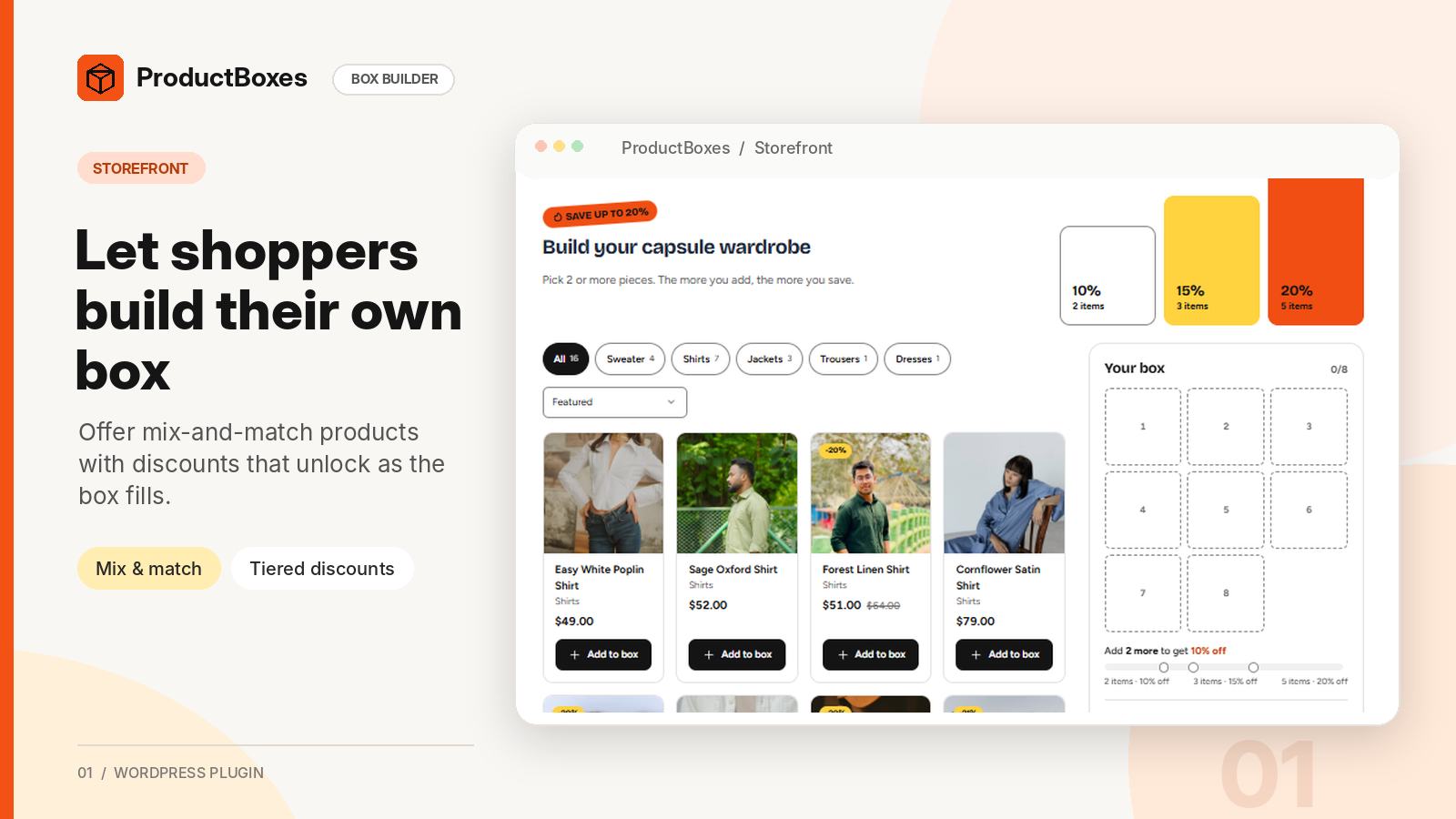
Mix and match box builder: Visual product grid, category filters, box slots and tiered-discount progress on the storefront.

Build your own gift box: Choose a 3- or 5-item box, pick products and add gift wrap or a personal message.
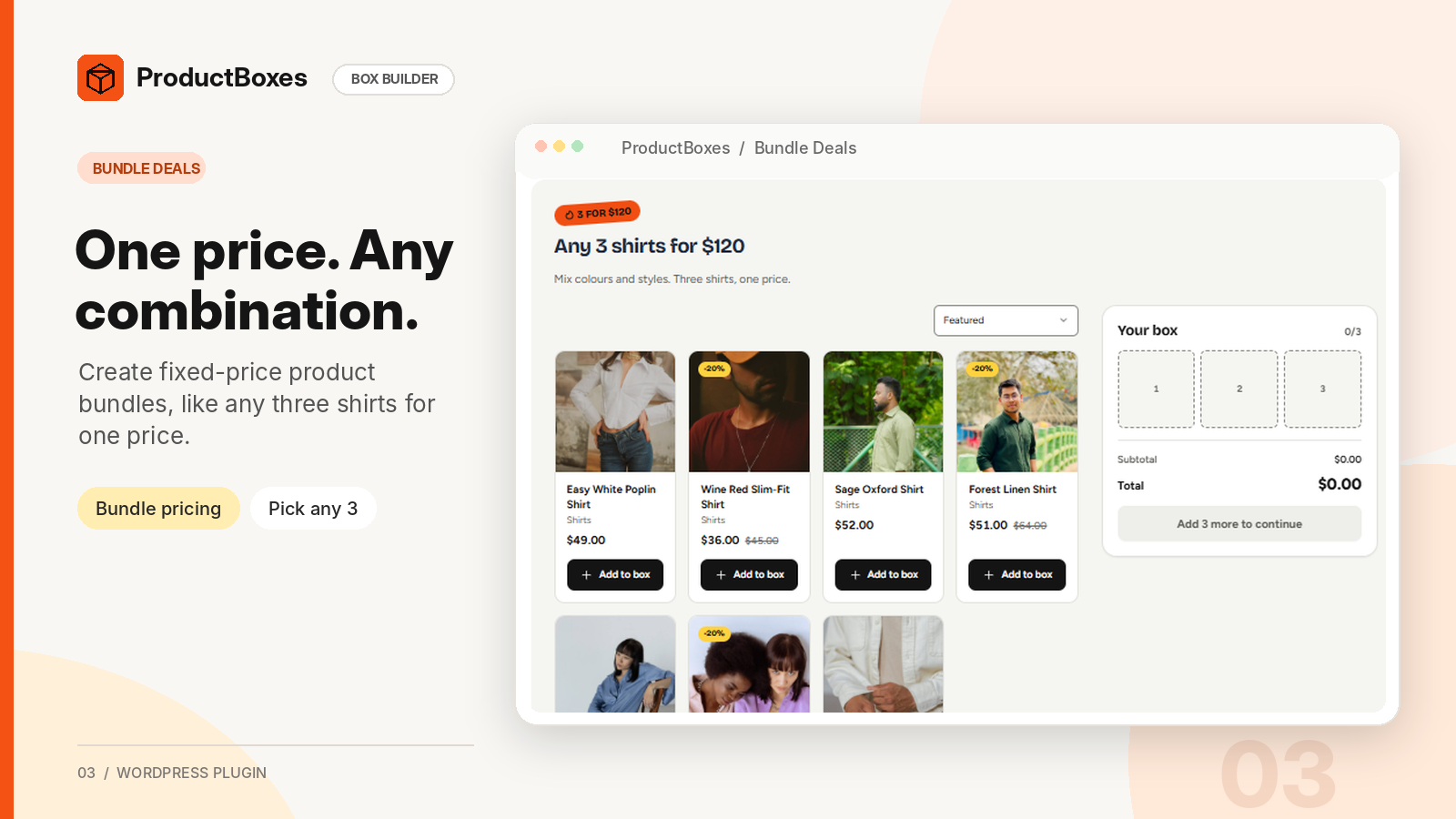
Fixed-price bundles: Pick any 3 shirts from eligible products for one price.
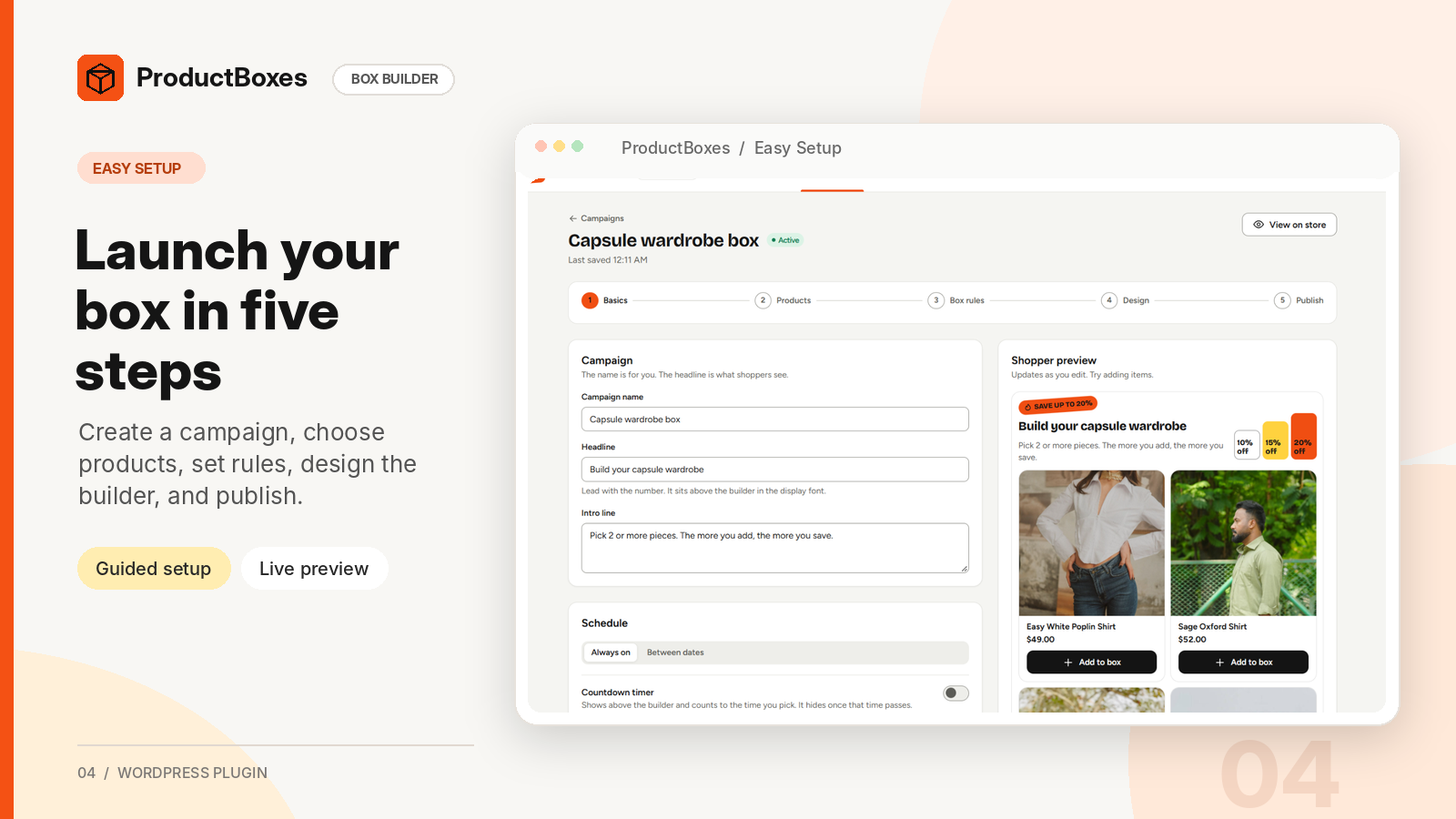
Guided campaign setup: Edit headlines, set schedules and preview the box builder live.
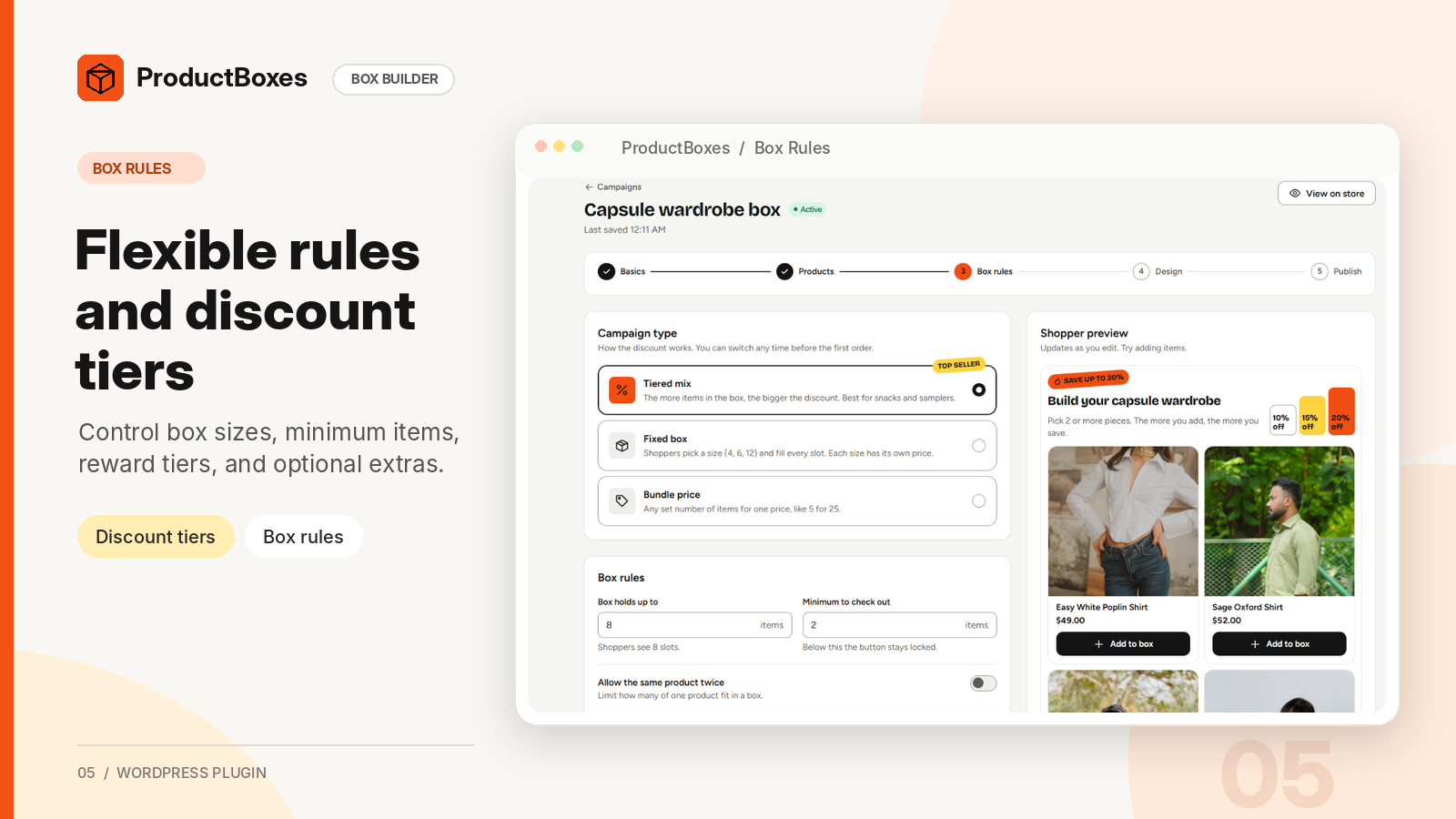
Box rules and discounts: Configure box type, item limits, tiered savings and extras.
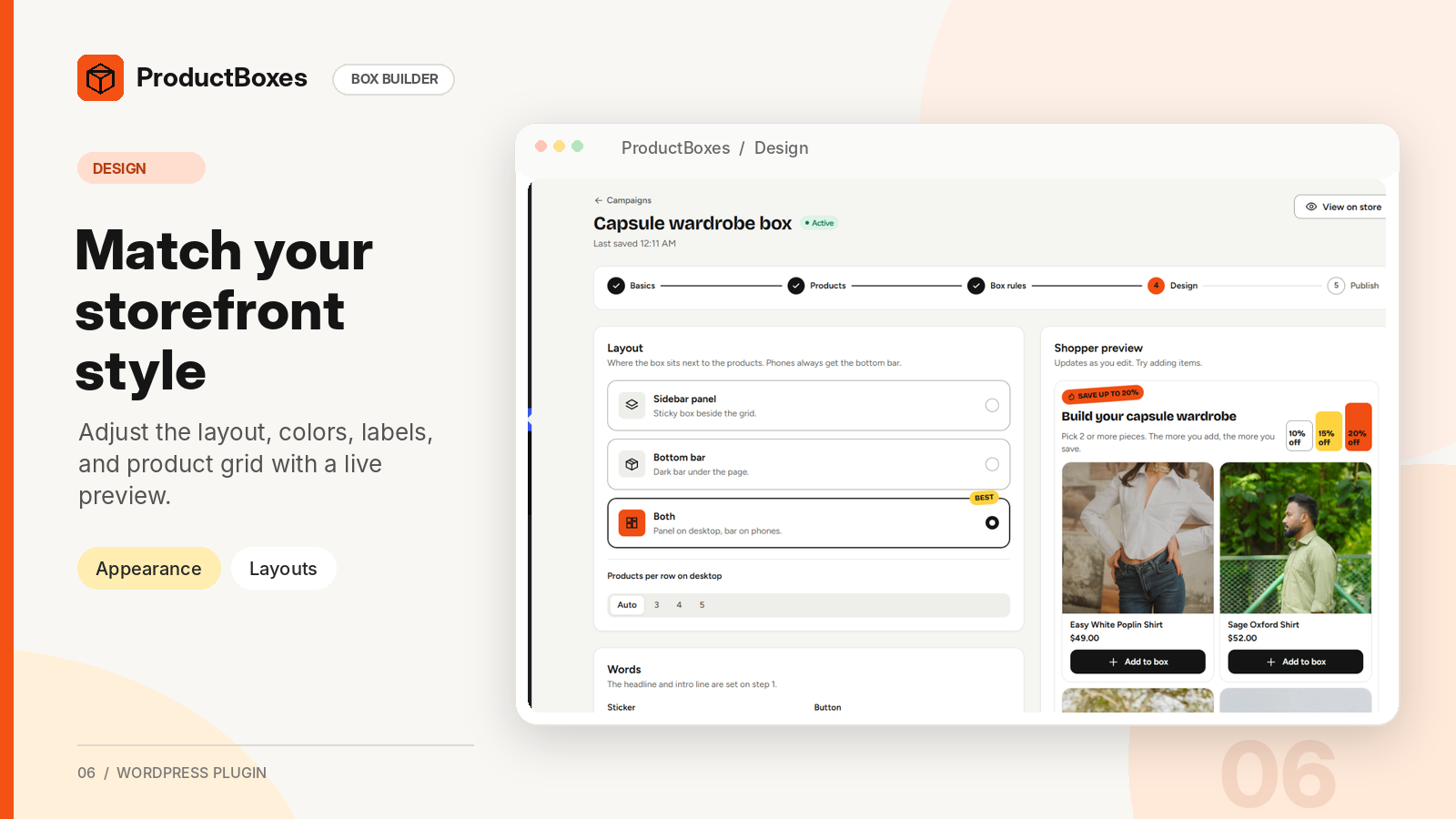
Storefront design: Customize box layout, labels, colors and desktop columns with live preview.
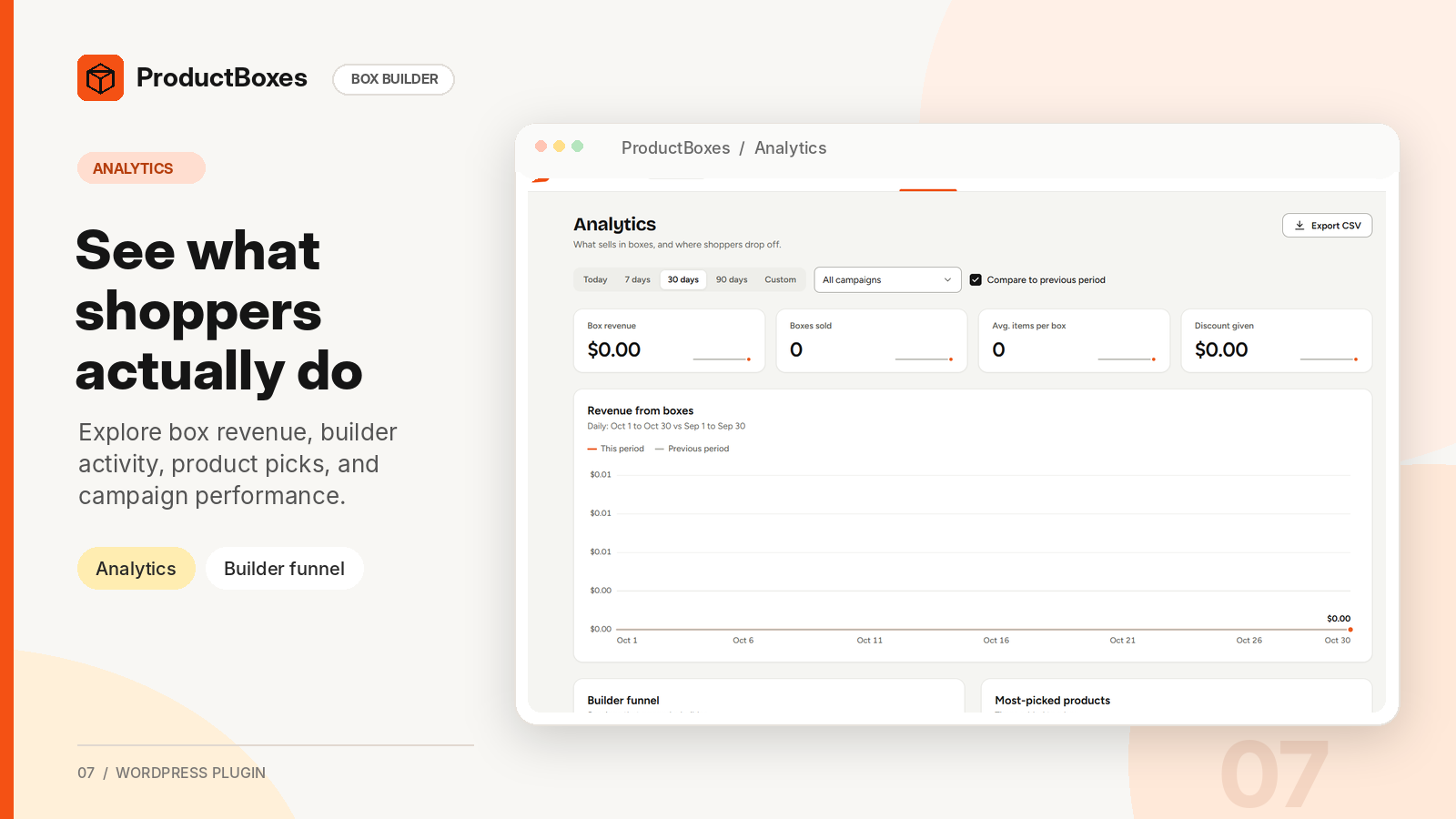
Box builder analytics: Monitor revenue, boxes sold, funnel activity and popular products.

Campaign management: View active box builders, gift boxes, bundles and performance.