
ProFeed Wordpress Plugin - Rating, Reviews, Demo & Download
Plugin Description
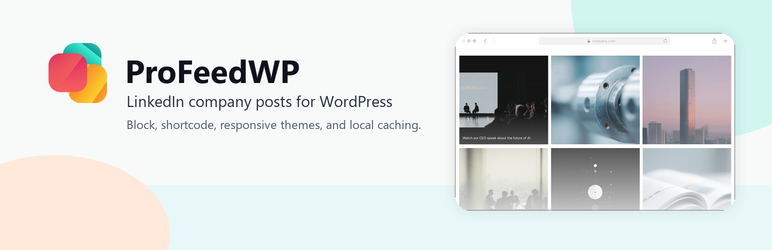
ProFeed lets you display posts from a LinkedIn company page using a flexible Gutenberg block or shortcode.
Feed requests go through the local WordPress REST proxy and transient cache before contacting the ProFeedWP API. This keeps the frontend implementation simple for site visitors and allows WordPress to serve cached feed responses when available.
Learn more at https://profeedwp.com/.
Features
- LinkedIn company posts feed
- Responsive Gutenberg block
- Classic Editor and Avada-compatible shortcode
- Responsive layouts and theme options
- Image, date, text, and engagement display toggles
- Local feed caching through WordPress transients
Source Code
The readable source for generated block assets is included in the src/ directory. Build output in build/ is generated with npm run build using @wordpress/scripts.
Swiper is bundled locally from the GPL-compatible npm package declared in package.json. Package source is available at https://www.npmjs.com/package/swiper.
Shortcode Usage
Use [profeedwp] when Gutenberg is unavailable or disabled. The shortcode works in the Classic Editor, Avada text/code/shortcode elements, widgets, and templates that run do_shortcode.
Full shortcode guide: https://profeedwp.com/docs/use-profeedwp-with-a-shortcode/
Basic example:
[profeedwp company_url="https://www.linkedin.com/company/example/"]
Custom grid example:
[profeedwp company_url="https://www.linkedin.com/company/example/" posts="6" theme="minimal" columns="3"]
Carousel example:
[profeedwp company_url="https://www.linkedin.com/company/example/" posts="9" layout="carousel" theme="social" columns="3"]
List example:
[profeedwp company_url="https://www.linkedin.com/company/example/" posts="6" layout="list" list_media_left="true"]<h3>External Services</h3>
ProFeed connects to external services to retrieve and display public LinkedIn company posts.
ProFeedWP API
ProFeed contacts https://api.accomplice-dev.se when a block, shortcode, or administrator-triggered refresh requests feed data. It sends the configured LinkedIn company URL, site URL, generated install ID, plugin version, page/page size options, requested engagement/comment options, and optional Freemius install/license identifiers when available. Responses are cached locally in WordPress transients.
Privacy policy: https://profeedwp.com/privacy-policy/
Terms: https://profeedwp.com/terms-and-conditions/
LinkedIn public pages
When additional public media information is needed, ProFeed may request public LinkedIn post or media URLs from https://www.linkedin.com/ and https://media.licdn.com/. These requests send the public URL being resolved and a standard HTTP user agent.
Privacy policy: https://www.linkedin.com/legal/privacy-policy
Terms: https://www.linkedin.com/legal/user-agreement
Freemius
The bundled Freemius SDK connects to https://freemius.com/ for optional account connection, software updates, license/account handling, opt-in flows, and related administrative actions. Freemius handles the site, user, plugin, license, and account information needed for those actions.
Privacy policy: https://freemius.com/privacy/
Terms: https://freemius.com/terms/
Blocks
- profeedwp/profeedwp
Screenshots

Display LinkedIn company posts in a responsive feed.

Configure the feed in the WordPress block editor.

Use the shortcode in Classic Editor, page builders, widgets, or templates.


