
ProxyAI Wordpress Plugin - Rating, Reviews, Demo & Download
Plugin Description
ProxyAI adds a chat assistant to your site. It answers from your own pages and
products, hands a conversation to a human when it cannot help, and — on a
WooCommerce store — adds items to the shopper’s cart in their own browser
session.
Connecting is one click from the ProxyAI screen in wp-admin. No account or
credit card is needed beforehand: connecting creates an account tied to this
domain, verified by a callback to this site.
What it does
- Answers visitor questions from your published posts, pages and products
- Hands off to a human, with the conversation in a shared inbox
- Adds to cart, and links to checkout, on WooCommerce stores
- Looks up a guest’s order by order number and billing email
- Gives signed-in customers a support-ticket button, as a block or a shortcode
- Keeps its knowledge in step as you publish, edit and delete content
Requirements
This site must be reachable over HTTPS from the public internet. Connecting is
a two-way handshake — ProxyAI calls back to
https://example.com/wp-json/proxyai/v1/confirm to verify you control this
domain — so a local, staging or password-protected site cannot connect.
WooCommerce is optional. Without it the assistant works as a content chatbot
and the cart and order-lookup features stay switched off.
External services
This plugin is a client for ProxyAI, a hosted service. It cannot function
without it, and it contacts ProxyAI in the ways described below. The service is
operated by ProxyAI at https://www.proxyai.app.
- Terms of Service: https://www.proxyai.app/terms
- Privacy Policy: https://www.proxyai.app/privacy
- Service Agreement: https://www.proxyai.app/service-agreement
When you press “Connect to ProxyAI”, the plugin sends this site’s address,
its name, the administration email address, its WordPress version, its
WooCommerce version if installed, whether pretty permalinks are enabled, and
the plugin version. This creates an account for this domain. Nothing is sent
before you press that button.
Every six hours while connected, the plugin reports the same site name,
WordPress version, WooCommerce version, permalink setting and plugin version.
This is how the service knows the install is alive and which features it can
offer.
While you use the ProxyAI screen in wp-admin, the dashboard there — setup,
add-ons, inbox, tickets, usage, rates, settings — reads and writes through
this site’s own REST API. Your server forwards each request to ProxyAI signed
with the site’s secret; your browser talks only to your own site and holds no
ProxyAI credential. Nothing from the service is embedded inside wp-admin.
When you pay by card, your browser loads Stripe’s payment form from
https://js.stripe.com — a PCI-compliant payment provider — and your card
details go to Stripe alone; they never touch this site or ProxyAI’s servers.
Stripe receives the amount, the currency, and the email address of the
WordPress user paying. Stripe is operated by Stripe, Inc.:
Terms of Service https://stripe.com/legal/consumer, Privacy Policy
https://stripe.com/privacy. Nothing from Stripe loads until you press
“Pay by card”.
When you pay with PayPal, PayPal’s own checkout page opens in a new tab
with the amount and currency; the plugin loads no PayPal script and sees no
PayPal login. PayPal is operated by PayPal Holdings, Inc.:
User Agreement https://www.paypal.com/legalhub/useragreement-full,
Privacy Statement https://www.paypal.com/legalhub/privacy-full.
When you upload files in wp-admin — knowledge documents for the Knowledge
add-on, a chat-widget icon, or a support-ticket attachment — the file goes from
your server to a storage address that ProxyAI issues for that upload; your
browser talks only to your own site. These files are stored by ProxyAI under
its Privacy Policy above.
When you open the hosted dashboard on proxyai.app (an optional link — the
wp-admin screen covers day-to-day work), the plugin asks the service for a
one-time sign-in code over the same signed server-to-server channel, and your
browser redeems it in a new tab. The code works once and expires after a
minute.
When the Knowledge add-on is active, the plugin sends the URL, title and
plain-text content of your published posts, pages and products, so the
assistant can answer from them. Drafts, private posts, password-protected posts
and trashed posts are never sent. Without that add-on, no content is sent. You
can filter or exclude individual documents with the proxyai_sync_document
hook, or switch automatic sync off entirely under Store actions in the
ProxyAI screen.
On every front-end page view, visitors’ browsers load the chat widget from
https://www.proxyai.app/embed.js, and on WooCommerce stores also
woo-cart.js. On a page carrying the support-ticket form, they additionally
load ticket-embed.js from the same host. Chat messages your visitors type go
to ProxyAI to be answered. These scripts are served by the service itself and
are not bundled, because the widget and the service it talks to are versioned
together. embed.js and woo-cart.js are minified for visitors’ page speed;
their readable sources are served alongside them at
https://www.proxyai.app/embed.src.js and
https://www.proxyai.app/woo-cart.src.js, and kept with the plugin source at
https://github.com/Proxyai-team/wordpress/tree/main/widget. ticket-embed.js
is served unminified.
When a logged-in user views a page with the assistant or the ticket form,
the plugin places a signed token on the page carrying that user’s WordPress
user ID, email address and display name, which their browser passes to ProxyAI.
This is what lets the service recognise a returning customer and tie a ticket to
their account’s own email rather than one typed into a chat box. The token is
signed with a secret held by this site, so a visitor cannot forge one, and it is
issued only while the Helpdesk add-on is active. Logged-out visitors get no
token and stay anonymous.
When a visitor asks about an order, ProxyAI calls this site back with an
order number and a billing email address. The plugin answers only if the two
match an order here, and returns only that order’s number, status, date, total,
currency, line items and tracking details. Requests must be signed with this
site’s secret, and repeated failures from one address are rate limited.
Source code
Everything in this plugin ships as its source. There is no build step, no
bundler and no minification: admin/js/dashboard.js is hand-written and runs
as-is on WordPress’s bundled React (wp.element) and wp.apiFetch;
admin/js/tickets-block.js and admin/css/admin.css are likewise plain
files. The plugin includes no third-party JavaScript or CSS libraries — the
only scripts loaded from elsewhere are Stripe’s, and ProxyAI’s own front-end
widget, both described under External services.
The long lines you will find in dashboard.js are SVG icon paths and
translatable strings, not compressed code.
The same files are published, unchanged, at
https://github.com/Proxyai-team/wordpress — read, fork, or diff against the
plugin zip there.
Screenshots
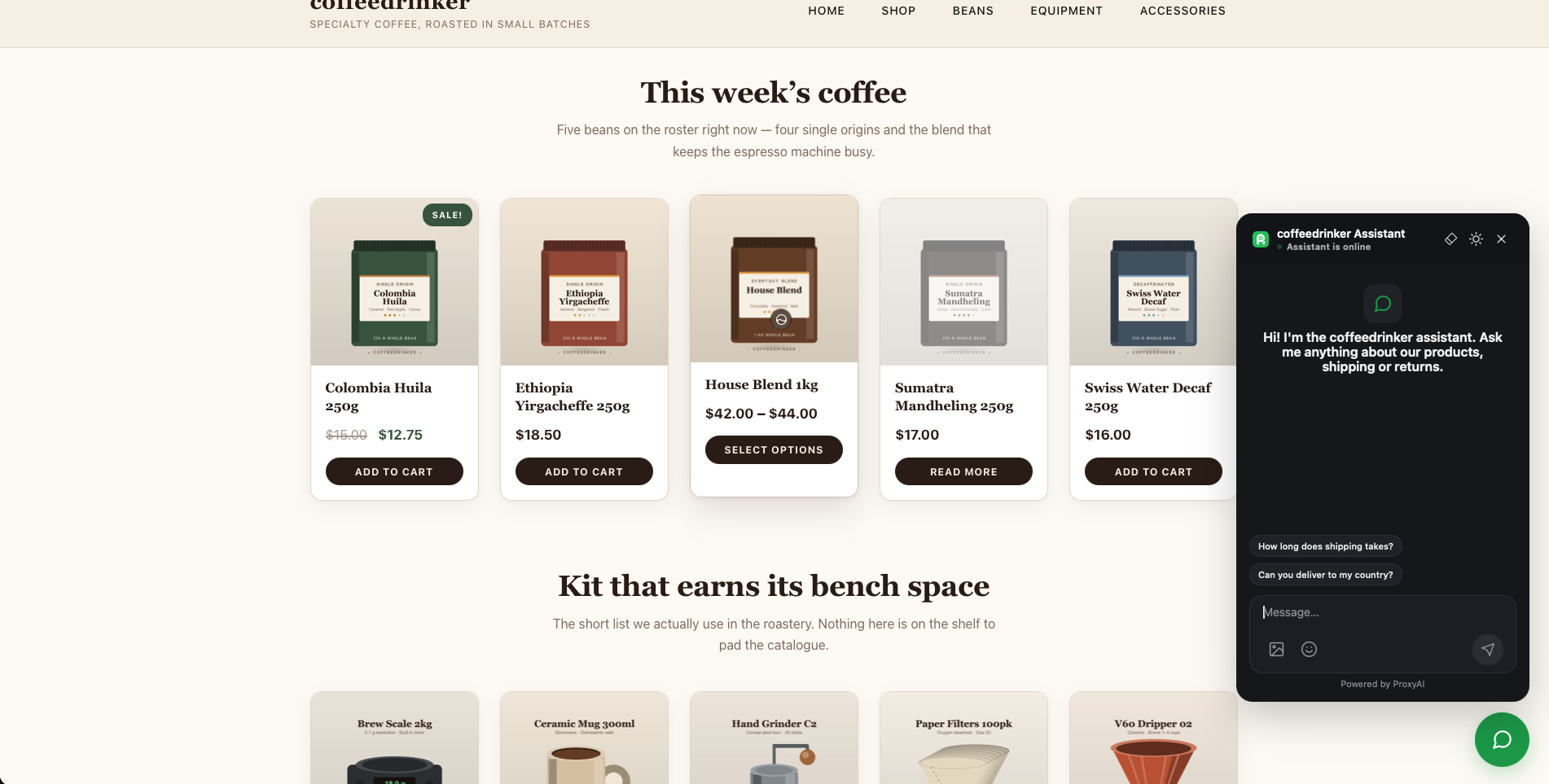
The assistant answering on a storefront, with suggested questions.
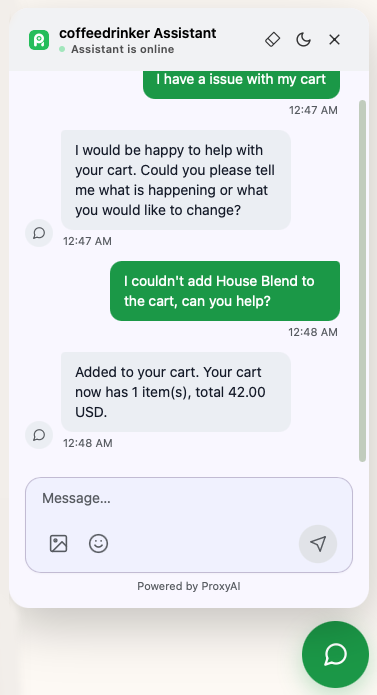
The assistant adds an item to the shopper’s cart from the conversation.
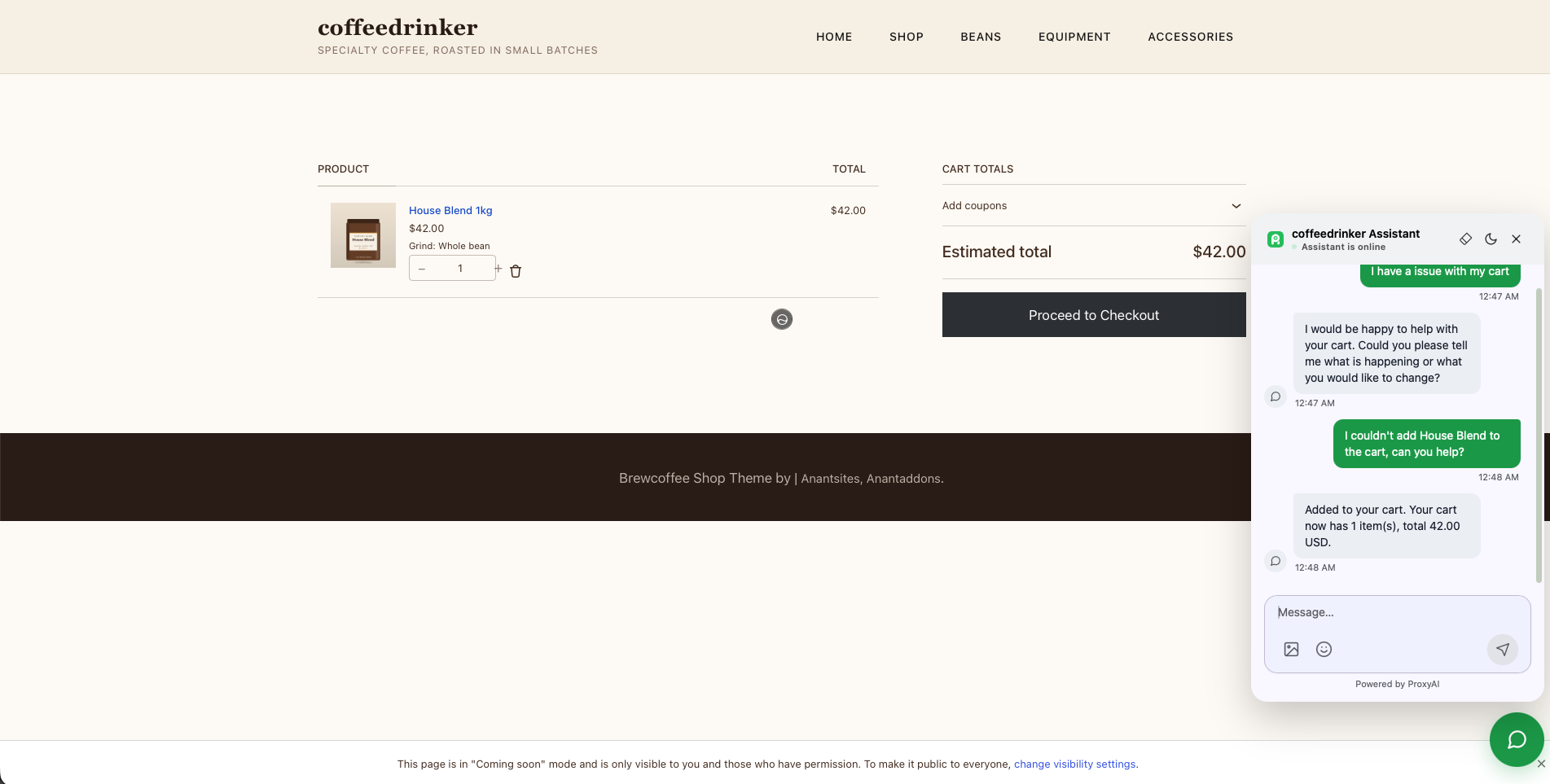
The cart page after the assistant added the item — same browser session, ready for checkout.
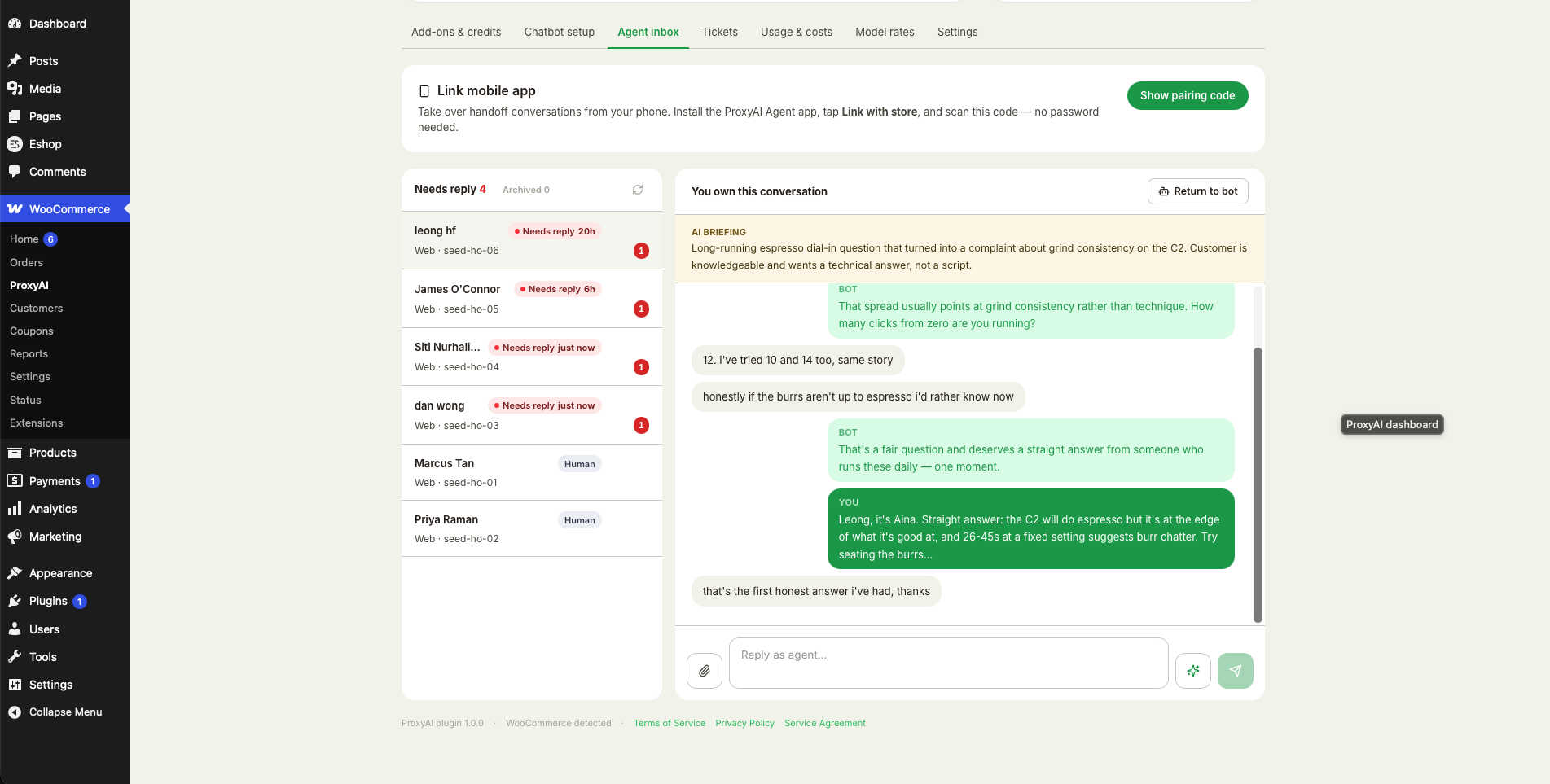
Human hand-off: the agent inbox in wp-admin, with an AI briefing of the conversation so far.
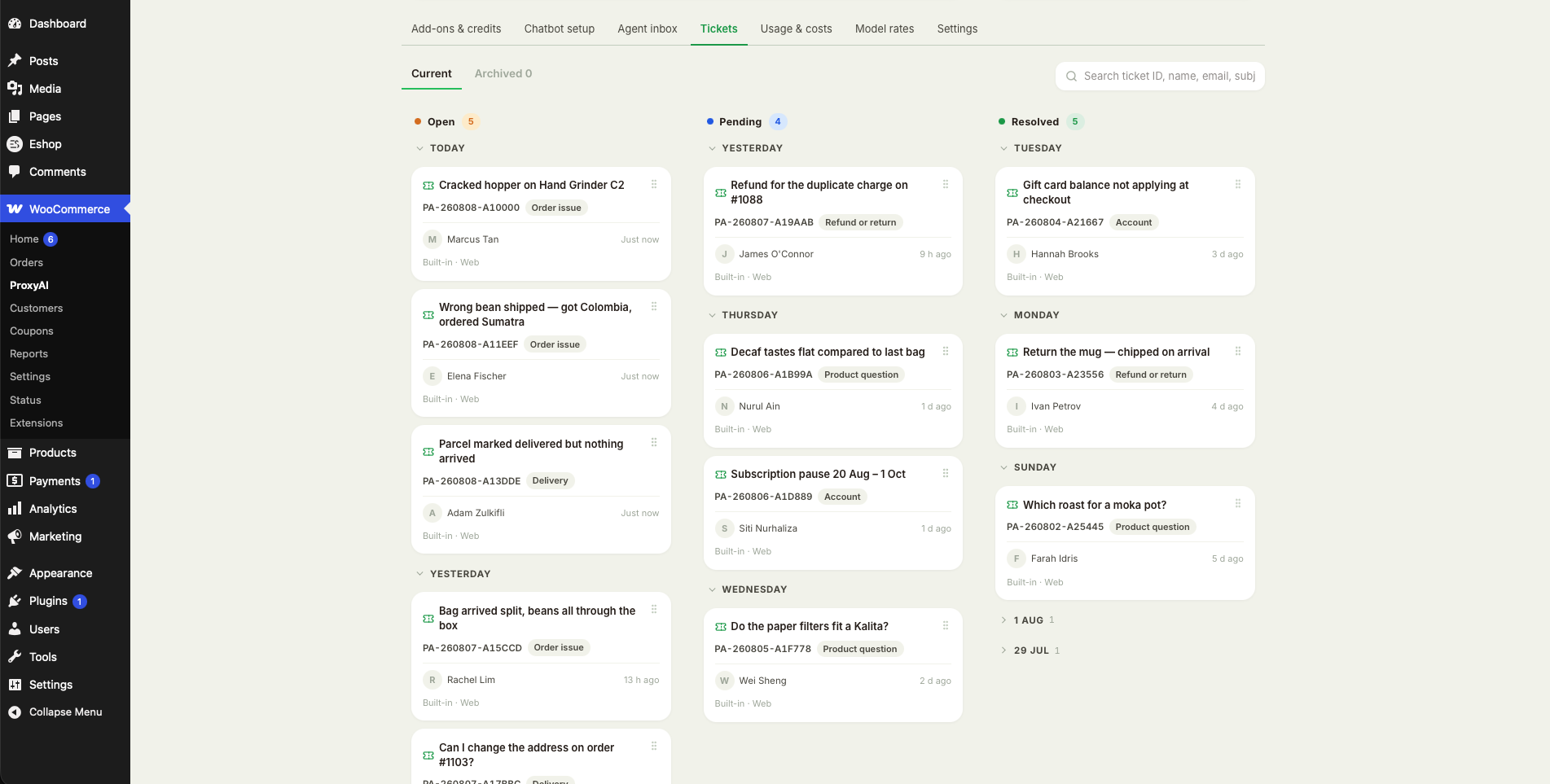
Support tickets on a kanban board — open, pending and resolved, straight from wp-admin.
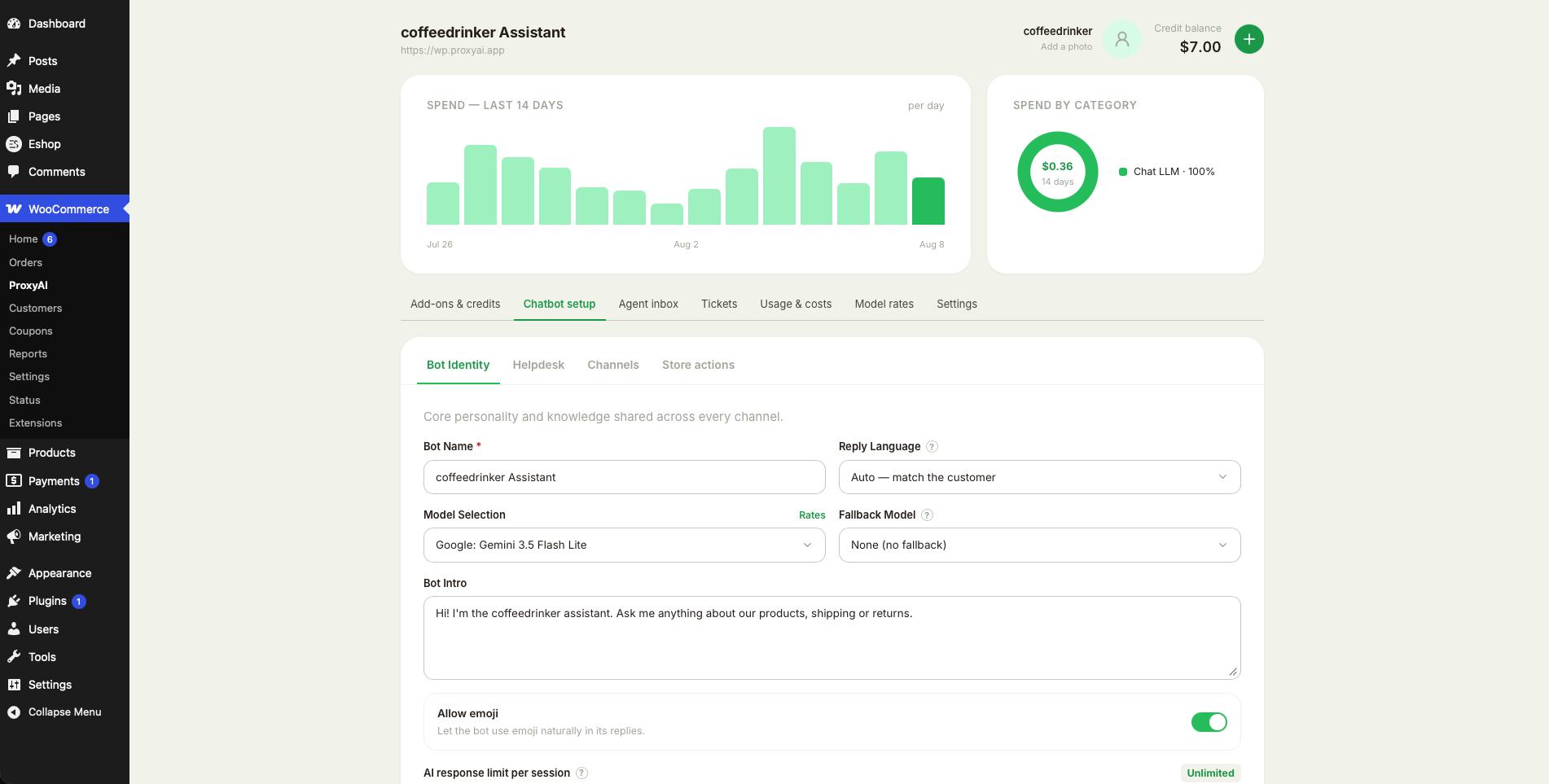
Chatbot setup — name, model, intro message and spend at a glance.
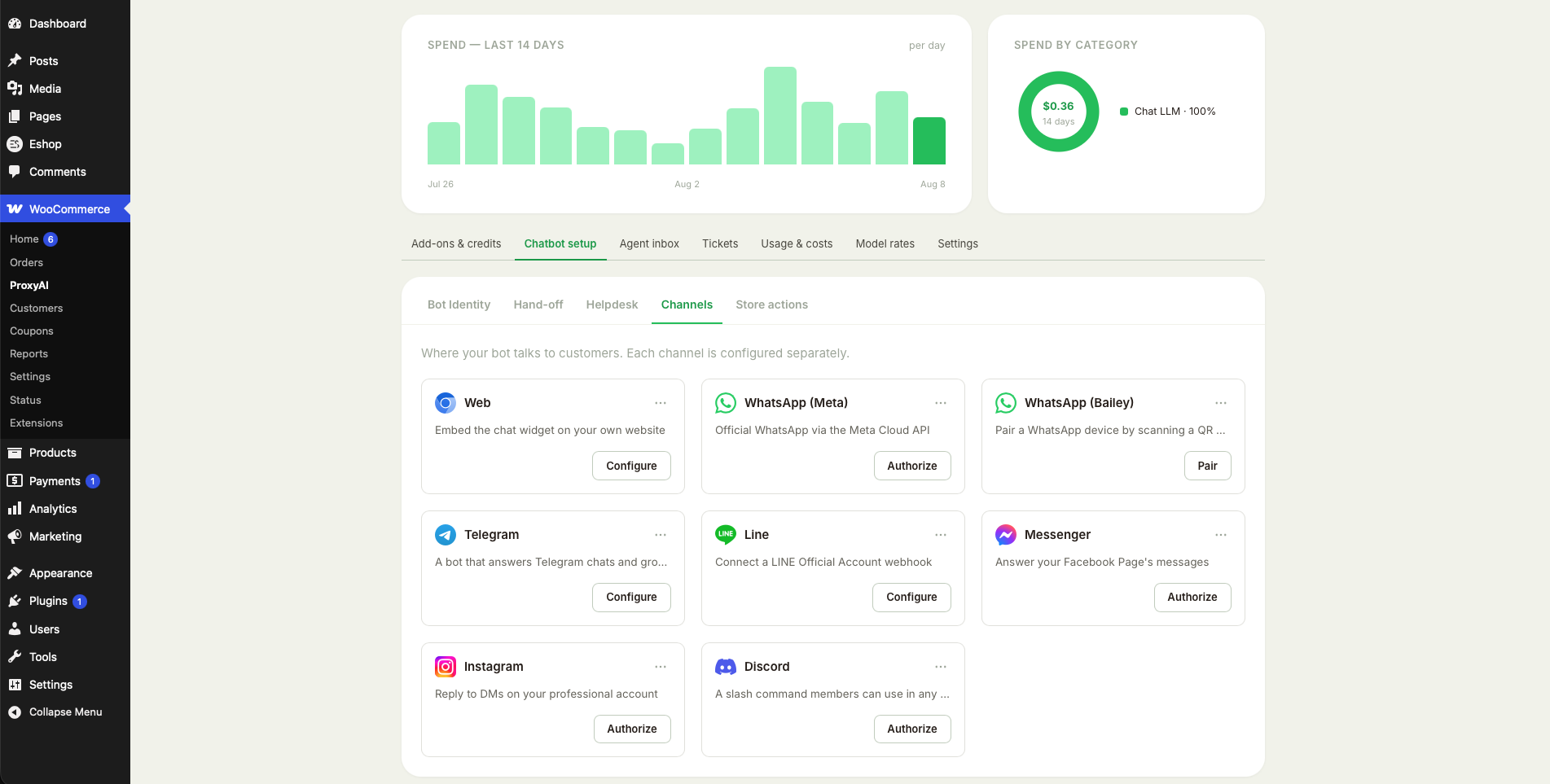
Channels: web, WhatsApp, Telegram, LINE, Messenger, Instagram and Discord from one bot.


