
Proxymis Order Button For GetEat Wordpress Plugin - Rating, Reviews, Demo & Download
Plugin Description
GetEat is a free online ordering solution for restaurants: click & collect, QR code ordering at the table, online payment with Stripe or SumUp, or payment at the counter. No subscription and no commission on your sales.
This plugin is developed by Proxymis Multimedia (Lille, France), the publisher of the GetEat online ordering service at https://geteat.fr. It connects your WordPress website to your GetEat ordering page:
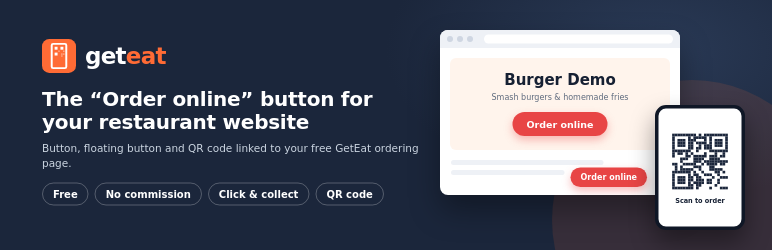
- “Order online” button: a block and a shortcode, in your colors, wherever you want it.
- Floating button: an order button in the corner of every page, in one click.
- QR code: a QR code to your ordering page, drawn directly in the browser, ready for an “Order from your phone” section.
- Settings page: paste the address of your GetEat page, choose the text and the color, see a live preview.
Your customers order on your GetEat page; orders, payments and your menu stay managed in your GetEat space.
A free alternative to GloriaFood
GloriaFood closes on April 30, 2027. If your site used the GloriaFood ordering button, GetEat is a free replacement, without commission: create your page, import your menu from a photo, then replace the old button with this plugin.
Shortcodes
[geteat_button]– the order button, with the settings of Settings › GetEat.[geteat_button text="Order now" color="#1f7a3a" size="large" align="center"]– with options. French aliases:[geteat_bouton texte="Commander" couleur="#1f7a3a" taille="grand" align="centre"].[geteat_qrcode size="200" caption="Scan to order"]– the QR code (taille,legendein French).
Developers
The filter geteat_show_floating_button lets you hide the floating button on some pages:
add_filter( 'geteat_show_floating_button', function ( $show ) { return ! is_page( 'contact' ); } );
External services
This plugin links to the GetEat ordering page of your restaurant (https://*.geteat.fr), operated by Proxymis Multimedia (https://geteat.fr).
- When an administrator saves a new page address in Settings › GetEat, the plugin sends one HTTP request to that address to check that the page exists. No personal data is sent.
- The buttons and the QR code are plain links: your visitors only connect to GetEat when they click or scan them.
- QR codes are generated in the browser by the bundled QRCode.js library (MIT); no external QR code service is used.
GetEat terms of use: https://geteat.fr/cgu – Terms of sale: https://geteat.fr/cgv
Screenshots

Settings page with live preview.

The “GetEat order button” block in the editor.

Floating button and QR code on a restaurant website.


