PSBDx Smart Report Management Wordpress Plugin - Rating, Reviews, Demo & Download
Plugin Description
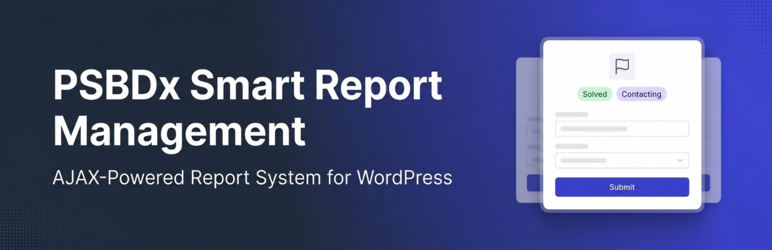
PSBDx Smart Report Management gives your customers a clean, fast way to report issues directly from your site — no page reloads, no clunky forms, no leaving the page.
Reports are submitted via AJAX and stored in a dedicated admin interface, where your team can track statuses and update them. An admin dashboard widget gives you an at-a-glance overview at all times.
Key Features
- AJAX-powered modal report form — no page reload
- Mobile-first responsive design with iOS safe-area support
- Reporter identity collected server-side from WordPress session (name and email are never editable by users)
- Admin toggle to show or hide the reporter identity card in the form
- Per-form cooldown / rate limiting (enforced on both frontend and server)
- E-commerce order auto-link — reports from order pages are automatically linked to the order in the admin
- Admin dashboard widget with live status counts and recent reports
- Fully configurable report reasons (comma-separated, “Other” always appended)
- Optional extra fields (e.g. Transaction ID, Coupon Code)
- Configurable contact field with required/optional toggle
- Five report statuses with colour-coded badges (Processing, Contacting, Waiting, Solved, Failed)
- Admin list table columns: Reporter (with avatar), Linked Order, Status, Reported Item
- Shortcodes:
[psbdx_report id="X"]and[psbdx_user_reports] - HPOS (High-Performance Order Storage) compatible
- LearnPress course, lesson, and quiz pages supported
- Auto-display on all products/courses or assign a form per-item
Shortcodes
[psbdx_report id="X"]
Display a report button and modal form. Replace X with the Report Form post ID shown in the Shortcode box.
[psbdx_user_reports]
Display a paginated table of the currently logged-in user’s report history.
Upcoming Features
The following features are planned for future releases:
- Email Notifications — Notify the admin on new submissions, and send a confirmation email to the reporter.
- Status Change Emails — Email the reporter automatically when their report status is updated.
- CSV Export — Export all report logs as a CSV file from the admin screen.
- File / Screenshot Attachment — Let users attach a screenshot or file to their report.
- Internal Admin Notes — Private notes on each report log, visible only to admins.
- Report Categories / Tags — Organise reports with WordPress taxonomies for easier filtering.
- Guest Email Verification — Allow non-logged-in users to submit with email verification before saving.
- Duplicate Detection — Alert admins when a new report closely matches an existing open one.
- Report Priority Levels — Assign Low / Medium / High / Critical priority to reports.
- REST API Endpoints — Query and manage reports programmatically via the WordPress REST API.
Screenshots

Frontend report button and modal form on a product page.

Admin dashboard showing Report Form Management Screen.

Admin Report Logs list table with status badges, reporter, and order link columns.

Admin Report Form configuration screen.

Admin dashboard widget showing report customization screen.