
PuntoMappa Wordpress Plugin - Rating, Reviews, Demo & Download
Plugin Description
PuntoMappa turns an image from your WordPress Media Library into an interactive map. Draw points, rectangles or polygons and give each area its own popup.
- Draw and edit hotspots directly over your image.
- Move areas or drag vertices to adjust the shape.
- Add a title, plain text and a photo, or link an existing published post.
- Linked posts display their featured image, excerpt and a link to the full article.
- Choose a popup position for each hotspot: any corner, map center or near the area.
- Open by click or hover. Hover previews close after leaving the area or popup; clicking keeps them open.
- Long content scrolls. On phones, popups appear below the image and open by tap.
- Hotspot coordinates follow the image as it resizes.
- Embed with [puntomappa id=”123″] in the Shortcode block.
- Translation-ready interface, with language packs managed through translate.wordpress.org.
No account, subscription, tracking or third-party service is required. Map data is stored in your WordPress database and images remain in your Media Library.
Screenshots
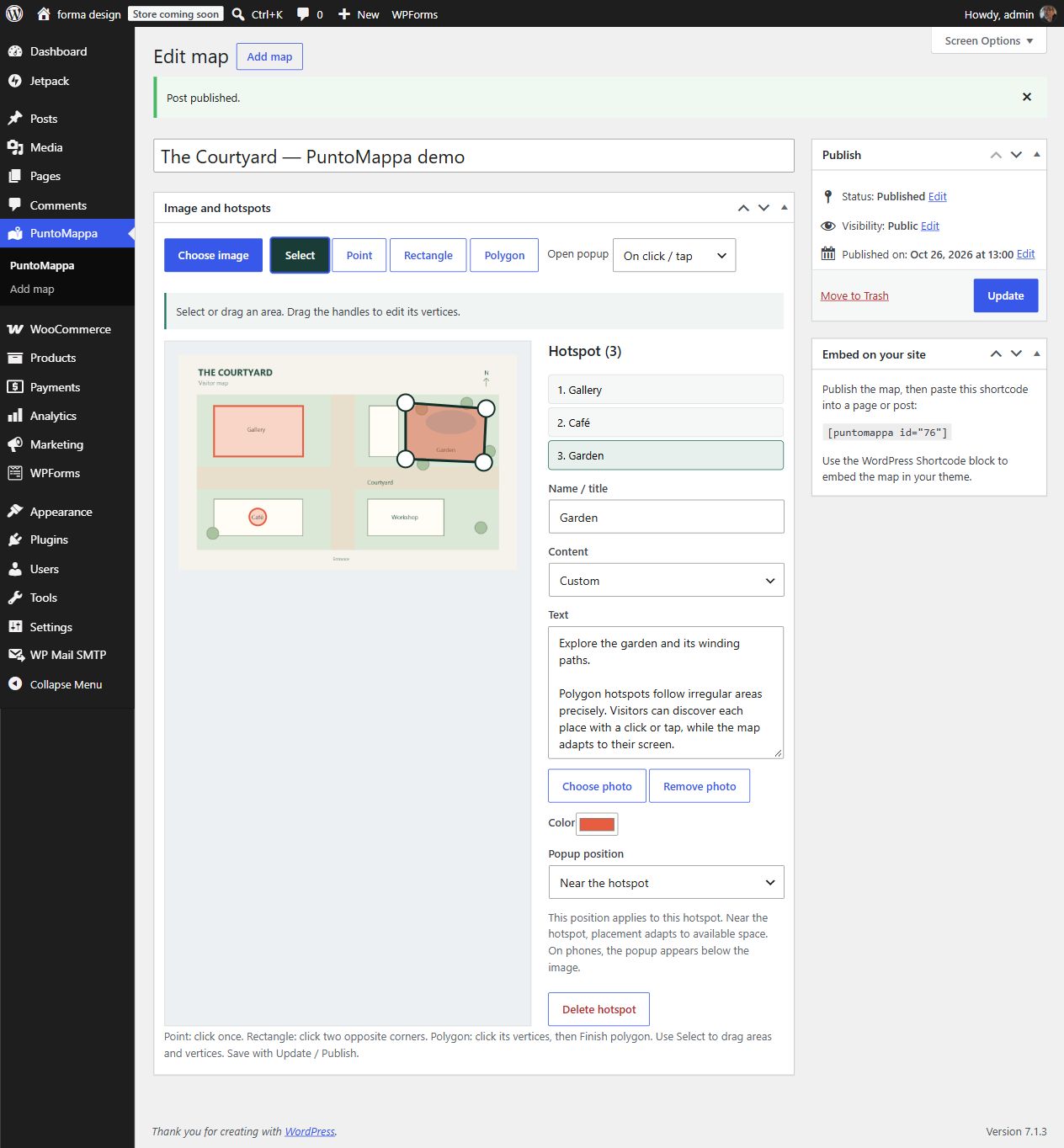
Visual editor with a rectangle, a point and a polygon. Each area has its own content, color and popup position.

Published map with an open popup. Areas remain aligned with the background image as it resizes.
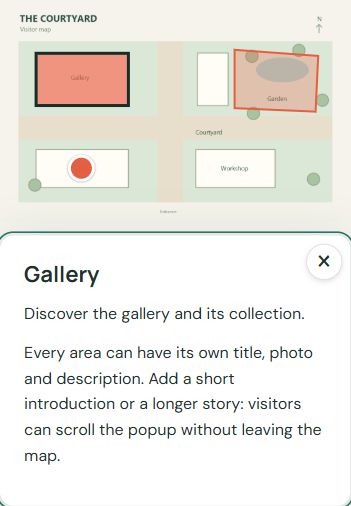
Mobile view: the popup appears below the image and supports tapping and scrolling.


