
Qaiyo Access Manager Wordpress Plugin - Rating, Reviews, Demo & Download

Plugin Description
Qaiyo Access Manager extends WordPress’s built-in permission system. Out of the box, WordPress only lets you assign broad roles (editor, author, contributor…). This plugin lets administrators set fine-grained access rules for individual plugins and custom post types, at both the role level and the individual user level — without writing code or touching functions.php.
Hide WooCommerce from editors, give a single freelancer access to one custom post type, stop contributors from seeing a page builder, redirect each role to its own landing page after login, or protect a block of content on the front end with a shortcode. Administrators always keep full access and can never be locked out.
Plugin & content access
- Plugin-level access control — Decide which roles can see and manage each installed plugin on the Plugins screen.
- Custom post type access control — Restrict any custom post type (WooCommerce Products, ACF field groups, portfolios, events…) per role, in wp-admin, on the front end and through the REST API.
- Allow / Deny mode per rule — Each rule can either allow only the checked roles, or deny the checked roles and leave everyone else untouched — whichever needs fewer clicks.
- User-level overrides — Allow or deny a specific user regardless of their role. User rules always win over role rules.
- Access Matrix — A bird’s-eye grid of every plugin and post type against every role, so you can audit your whole site at a glance.
- Native capability hints — Next to each plugin and post type, see which roles already hold the relevant WordPress capabilities, so your rules and core roles never silently conflict.
Roles, login & front end
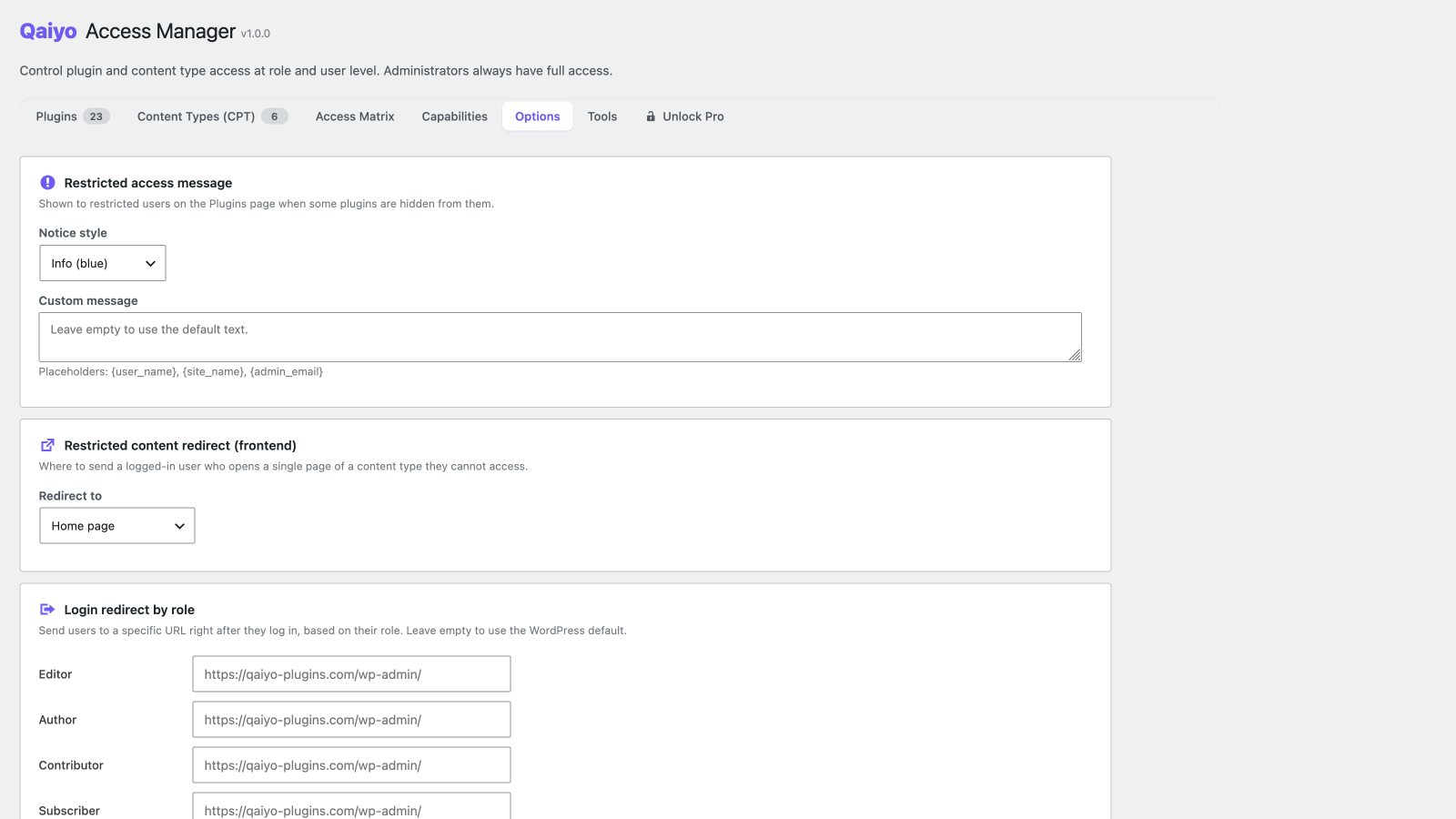
- Login redirect by role — Send each role to its own URL right after login.
- Restricted content redirect — Choose where logged-in users land when they open a single item of a content type they cannot access (home, 404, login or a custom URL).
- Frontend protection shortcode —
[qaiyo_protect role="editor" deny="subscriber" logged_in="yes" cap="edit_posts"]…[/qaiyo_protect]shows or hides content by role, login state or capability, with an optional replacement message. - Customizable restricted notice — Pick the style (info / warning / error / none) and text shown to restricted users, with
{user_name},{site_name}and{admin_email}placeholders.
Admin experience
- Capabilities inspector — A read-only, searchable capability × role matrix that flags core vs plugin capabilities. It never changes your roles — it just shows you what they already hold.
- Dashboard summary widget — A WordPress Dashboard widget showing how many plugins and post types are restricted and how many user-level overrides are active, for an at-a-glance health check.
- Hide the admin bar — Remove the frontend toolbar for selected roles.
- Hide individual admin bar items — Strip specific nodes from the top toolbar per role.
- Hide dashboard widgets — Remove dashboard widgets per role.
- Update permissions — Let non-admin roles update plugins and/or themes without granting full administrator access (applied at runtime, fully reversible).
- JSON import / export — Back up every rule to a JSON file, or migrate your whole configuration to another site.
- Explore Qaiyo plugins — An in-admin overview of the Qaiyo plugin family, with a notice on your Qaiyo screens when a newer version of an installed Qaiyo plugin is available.
Built for the real world
- Administrators are protected — Anyone with
manage_optionsalways has full access and cannot be restricted. - AJAX save — Rules are saved without a page reload.
- Translation ready — Ships with 11 languages: English, Hungarian, German, French, Spanish, Japanese, Portuguese, Italian, Russian, Turkish and Polish.
- Translation-plugin compatible — Plays nicely with WPML, Polylang and TranslatePress; internal translation post types are excluded automatically.
- WordPress standards — Nonce verification, capability checks, sanitized input and escaped output throughout.
Looking for more? Qaiyo Access Manager Pro adds an editable click-to-toggle matrix, rule presets, user groups, bulk actions, temporary (time-limited) access, an activity log, admin page hiding, meta box control and email notifications.
Screenshots

Plugin access rules per role, with Allow/Deny mode and user-level overrides.

Custom post type access control.

The Access Matrix — every plugin and post type against every role.
The read-only Capabilities inspector.

Settings: restricted notice, login redirects, admin-bar and dashboard options.


