
QAProof Wordpress Plugin - Rating, Reviews, Demo & Download
Plugin Description
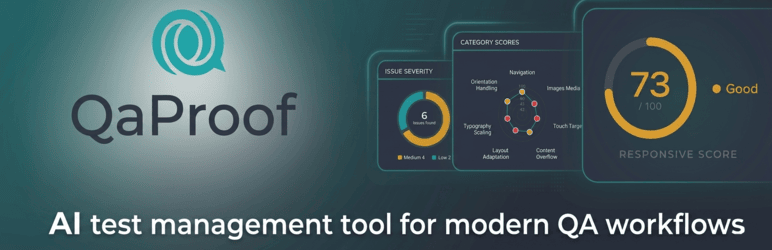
QAProof helps WordPress site owners and developers catch visual bugs before users do. It pairs Playwright-rendered screenshots of your live pages with AI vision analysis to find design drift, accessibility issues, and responsive breakage automatically.
Five test types, one workflow:
- Design Fidelity — Compares your live page against a Figma design (or any image you upload) and reports layout drift, color mismatches, typography differences, spacing issues, and component variations with severity ratings and pixel-coordinate markers.
- Responsive Testing — Renders the page at desktop, tablet, and mobile viewports and analyzes how the layout adapts. Flags overflow, broken stacks, illegible text, missing media-query rules.
- Accessibility Audit — WCAG 2.1 Level A / AA / AAA compliance check. Covers color contrast, focus indicators, heading hierarchy, form labels, ARIA misuse, touch-target sizes, and more, with the WCAG criterion referenced for each violation.
- Visual Regression Monitoring — Scheduled screenshot diffing. Captures a baseline of a page, then re-shoots on a daily / weekly / monthly schedule and alerts you if anything changed (broken CSS deploy, missing image, accidental layout shift). Email + in-admin notifications when scores drop below your threshold.
- Design Audit — Extracts your live design tokens (colors, fonts, spacing, components) and grades your design system’s internal consistency on a Design Debt Score.
How it works: QAProof is a thin WordPress plugin that talks to a hosted SaaS API (api.qaproof.io). The API runs the headless browser, calls the AI vision model, and returns structured reports. You need a QAProof account and API key — sign up free at https://qaproof.io.
Why a SaaS backend? Running Playwright + Anthropic Claude Vision in a WordPress request would crash most hosts (Chromium binary alone is 300 MB, image analysis runs 10–60 s). Doing it server-side keeps your hosting fast and lets us batch / cache / dedupe expensive operations.
External Services
QAProof is a SaaS-backed plugin. All test execution happens on the QAProof API server, which in turn calls Anthropic’s Claude Vision API and (optionally) Figma’s REST API. The WordPress plugin itself contacts ONE external service: the QAProof API at api.qaproof.io. It never contacts Anthropic or Figma directly.
Service: QAProof API
The plugin sends HTTPS requests to api.qaproof.io (default endpoint, configurable to a self-hosted host via the QAPROOF_API_ENDPOINT PHP constant). This is required for the plugin to function — without it, no test can run.
Test execution & polling
POST https://api.qaproof.io/api/compare— start a new test (when the user clicks “Run test” or when a scheduled monitor fires). Sends: page URL, test type, design source (Figma URL or uploaded image bytes as base64), viewport size, WCAG conformance level, ignore-text flag.GET https://api.qaproof.io/api/jobs/{jobId}— poll the status of an in-flight test (every 5 seconds while running). Sends: nothing in the body, just the job ID in the URL.DELETE https://api.qaproof.io/api/jobs/{jobId}— cancel an in-flight test when the user closes the browser tab. Sends: nothing.GET https://api.qaproof.io/api/jobs/{jobId}/screenshots— fetch the completed test’s screenshots after the test finishes. Sends: nothing.
Figma integration (optional)
POST https://api.qaproof.io/api/figma-preview— fetch a Figma frame as a PNG for the in-admin preview pane (only when the user selects a Figma URL). Sends: the Figma file URL.POST https://api.qaproof.io/api/figma/verify-access— verify the plugin can access a Figma file before sending a full test. Sends: the Figma file URL.POST https://api.qaproof.io/api/detect-elements— extract individual UI elements from an uploaded design image. Sends: image bytes.POST https://api.qaproof.io/api/figma-oauth/start— begin the Figma OAuth connection. Sends: nothing.GET https://api.qaproof.io/api/figma-oauth/status— check the current Figma connection state. Sends: nothing.POST https://api.qaproof.io/api/figma-oauth/disconnect— disconnect the workspace’s Figma OAuth tokens. Sends: nothing.
Account, plan & health
GET https://api.qaproof.io/api/me— fetch the QAProof account’s plan and remaining quota, displayed in Settings API. Sends: nothing.GET https://api.qaproof.io/api/health— connection health check from Settings API. Sends: nothing.
Baselines (visual regression)
POST https://api.qaproof.io/api/baselines— create a baseline screenshot. Sends: page URL, baseline key.GET https://api.qaproof.io/api/baselines— list baselines.GET https://api.qaproof.io/api/baselines/{key}— fetch a single baseline (including screenshot bytes).DELETE https://api.qaproof.io/api/baselines/{key}— delete a baseline.
Monitors (scheduled tests)
GET/POST https://api.qaproof.io/api/monitors— list / create scheduled monitors. Sends on create: page URL, schedule, threshold score, notification email.GET/PUT/DELETE https://api.qaproof.io/api/monitors/{id}— read / update / delete a single monitor.GET https://api.qaproof.io/api/monitors?schedule={daily|weekly|monthly}&due=1— WP-Cron queries monitors due to run.GET https://api.qaproof.io/api/monitors/{id}/results— fetch a monitor’s historical results.PUT https://api.qaproof.io/api/results/{id}/approve— approve a regression result (captures a fresh baseline).
Test history (cabinet sync)
POST https://api.qaproof.io/api/history— save a test result to the SaaS history. Sends: test type, page URL, score, summary, differences JSON, screenshot URLs / base64 thumbnails.GET https://api.qaproof.io/api/history?...— list history rows with pagination + filters.GET https://api.qaproof.io/api/history/{id}— fetch a single history row (full result detail).DELETE https://api.qaproof.io/api/history/{id}— delete a history row from the SaaS.GET https://api.qaproof.io/api/history/stats?threshold=N— fetch summary statistics for the dashboard tiles.
Email reports
POST https://api.qaproof.io/api/send-report-email— when the user clicks “Send to Email” on a test result, the plugin sends the generated PDF report (base64-encoded) and the recipient email address (the currently-logged-in WordPress administrator’s user email, with fall-back to the QAProof notification email or the site admin email) to the API. The API then emails the report from its outbound mail server (Amazon SES). The PDF and the recipient email leave the WordPress site and are processed by the QAProof API and its email provider.
Common request metadata sent on every call
- Your QAProof API key, in the
Authorization: Bearer ...header, so the API can authenticate the request. - A WordPress / PHP version banner in the standard
User-Agentheader (QAProof-WordPress/<plugin> (WordPress/<wp>; PHP/<php>)) so the API can detect known-incompatible host versions. The header does NOT contain your site URL — the API server learns the requesting IP only from the TCP connection itself.
The plugin does NOT send: any post content, user passwords, page visitors’ IP addresses, comments, cookies, or any other site content beyond the explicit URL the user types into the test form or its scheduled monitor configuration.
QAProof Terms of Service: https://qaproof.io/terms
QAProof Privacy Policy: https://qaproof.io/privacy
Service: Anthropic Claude — used by QAProof API, NOT by this plugin
The QAProof API server calls Anthropic Claude Vision to perform the AI image analysis. This plugin does NOT call Anthropic directly — the WordPress site never opens a connection to Anthropic’s servers. Image bytes the QAProof API forwards to Anthropic are subject to Anthropic’s no-training, no-retention API terms.
Anthropic Terms of Service: https://www.anthropic.com/legal/commercial-terms
Anthropic Privacy Policy: https://www.anthropic.com/legal/privacy
Service: Figma — used by QAProof API, NOT by this plugin
If you connect your Figma account via the in-admin OAuth flow or submit a public Figma URL, the QAProof API reads the specific Figma file(s) you submit for testing so it can export the design as a PNG image. The WordPress plugin itself never contacts Figma’s servers directly; the OAuth handshake redirects through api.qaproof.io.
Figma Terms of Service: https://www.figma.com/legal/tos/
Figma Privacy Policy: https://www.figma.com/legal/privacy/
Trademarks
QAProof is an independent product. It is not affiliated with, endorsed by, or sponsored by Figma, Inc., Anthropic PBC, or Automattic Inc. “Figma” is a trademark of Figma, Inc. “Claude” is a trademark of Anthropic PBC. “WordPress” is a trademark of the WordPress Foundation.
Privacy
Where test data lives. All test results, monitor definitions, monitor result history, and visual regression baselines live on the QAProof SaaS, scoped to your QAProof workspace. The plugin does NOT create custom database tables on fresh installs (a single legacy table — {prefix}qaproof_monitors — may exist on sites upgrading from a pre-1.7.0 release; its data is migrated to the SaaS on first upgrade and the table is dropped on uninstall).
Locally-stored data (in wp_options unless noted). All of the following carry the qaproof_ prefix and the API-key option is forced non-autoloaded:
qaproof_api_key— your QAProof API key. Never displayed unmasked in the UI; non-autoloaded.qaproof_notify_email— the configured notification recipient (defaults to the site admin email).qaproof_notify_email_enabled,qaproof_notify_admin_enabled,qaproof_default_threshold,qaproof_cron_hour— notification preferences.qaproof_saved_designs— page URL, Figma URL, optional cached PNG of the Figma design (bytes fetched from the connected Figma file). Non-autoloaded.qaproof_feedback_log— ring buffer (max 200 entries, trimmed by age after 180 days) of in-admin “How was this test?” ratings. Each entry contains: the numeric rating, an optional free-text comment, the page URL, the test type, the score, the WordPress user ID of the author, and a timestamp.qaproof_figma_api_usage,qaproof_figma_rate_limit— per-file Figma API request counts and rate-limit retry timers, used to back off when Figma’s per-plan quota is exhausted. No PII.qaproof_alert_count— transient (30-day TTL) holding the admin-menu “you have N unread alerts” badge count.qaproof_db_version,qaproof_monitors_api_migrated— version markers used by the one-time legacy migration.
Client-side (browser). The plugin’s JS sets the following localStorage keys (no cookies are set, no third-party storage is used):
qaproof_theme— your light / dark / auto theme preference.qaproof:design:<id>/qaproof:design:auto:<id>— element-detection cache state per saved design so the in-admin UI shows the cached element overlay without a re-detection round-trip.
Job IDs and a tab-open flag for active tests are written to sessionStorage (cleared when the tab closes).
WordPress privacy hooks (Tools Export Personal Data / Erase Personal Data). The plugin registers a personal-data exporter and eraser covering: the notification recipient email and any feedback-log entries authored by the user whose email is requested. Local erasure removes these on this site only — it does NOT propagate to the QAProof SaaS. To delete SaaS-side test history, monitor results, or your QAProof account contact support@qaproof.io.
Where data is processed. api.qaproof.io is hosted in AWS us-east-1 (United States). The QAProof API forwards image bytes to Anthropic Claude (United States) for analysis, fetches Figma file exports from Figma’s API (United States) when you submit a Figma URL or connect Figma, and sends email reports via Amazon SES (United States). For EU-based site owners these are GDPR international transfers — see the QAProof Privacy Policy at https://qaproof.io/privacy for the legal mechanisms in use.
Privacy Policy helper. The plugin contributes suggested copy to your site’s Privacy Policy via WordPress’s wp_add_privacy_policy_content(). Visit Settings Privacy Policy guide in your WordPress admin to review and merge it into your published Privacy Policy.
No analytics, no tracking. No tracking pixels, no fingerprinting, no analytics, and no third-party scripts run on the front-end of your site. All plugin assets (CSS, JS, fonts) are bundled locally — nothing is loaded from external CDNs.
Screenshots

Dashboard — recent test results and quick-launch tiles.

Design Fidelity test — Figma vs live page side-by-side with severity-tagged markers.


