
QuickDesk Wordpress Plugin - Rating, Reviews, Demo & Download
Plugin Description
QuickDesk helps you talk to website visitors and keep every conversation in one
shared support inbox.
This plugin gives your WordPress site QuickDesk live chat without asking you to
edit your theme or paste anything into your pages.
- Add live chat across your website with a simple guided connection.
- Read and reply to visitor messages from your QuickDesk inbox.
- Keep conversations together, so your team can see what has already been said.
- Recognise logged-in customers automatically, so they do not have to introduce
themselves each time they start a chat. - Manage the greeting, colour, position and working hours from QuickDesk.
A smoother experience for returning customers
If a visitor is logged in to your WordPress site, QuickDesk can recognise them
automatically. Their name is ready when they open the chat and their previous
conversations stay connected to them.
You can switch this off at any time in Settings QuickDesk. Logged-out visitors
can still use live chat normally.
What you need
You need a QuickDesk account. A free plan is available with no card and no time
limit, and every feature in this WordPress plugin works on it.
External Services
This plugin connects your site to QuickDesk, a hosted live chat and support
platform, in order to show the chat widget to your visitors.
- Once you have connected a workspace, front-end pages load the chat widget
from https://quickdesk.co.uk/widget/quickdesk.js. Your public site key is
sent so QuickDesk can return the right widget settings. As with any HTTP
request, the visitor’s browser also sends its IP address and user agent.
Message content is sent to QuickDesk only when a visitor starts a chat. - If “Recognise logged-in users” is enabled, the display name, email address
and a signed identifier of the logged-in WordPress user are sent to QuickDesk
so the visitor does not have to introduce themselves. This never applies to
logged-out visitors and can be switched off. - When you click Connect to QuickDesk, this site’s address is sent to QuickDesk
so that you can authorise the connection. Nothing is sent before you do this:
with no workspace connected, the plugin outputs nothing at all. - While an administrator has Settings QuickDesk open, this site requests
https://quickdesk.co.uk/v1/widget/config from your server so the screen can
show your greeting, your colour and whether anyone is online to reply. Only
your public site key is sent, no visitor data is involved, and the result is
cached for two minutes. If your host blocks outgoing requests the screen says
so and the widget itself is unaffected.
Using this plugin requires a QuickDesk account.
- Service: https://quickdesk.co.uk/
- Terms of service: https://quickdesk.co.uk/terms
- Privacy policy: https://quickdesk.co.uk/privacy
Screenshots
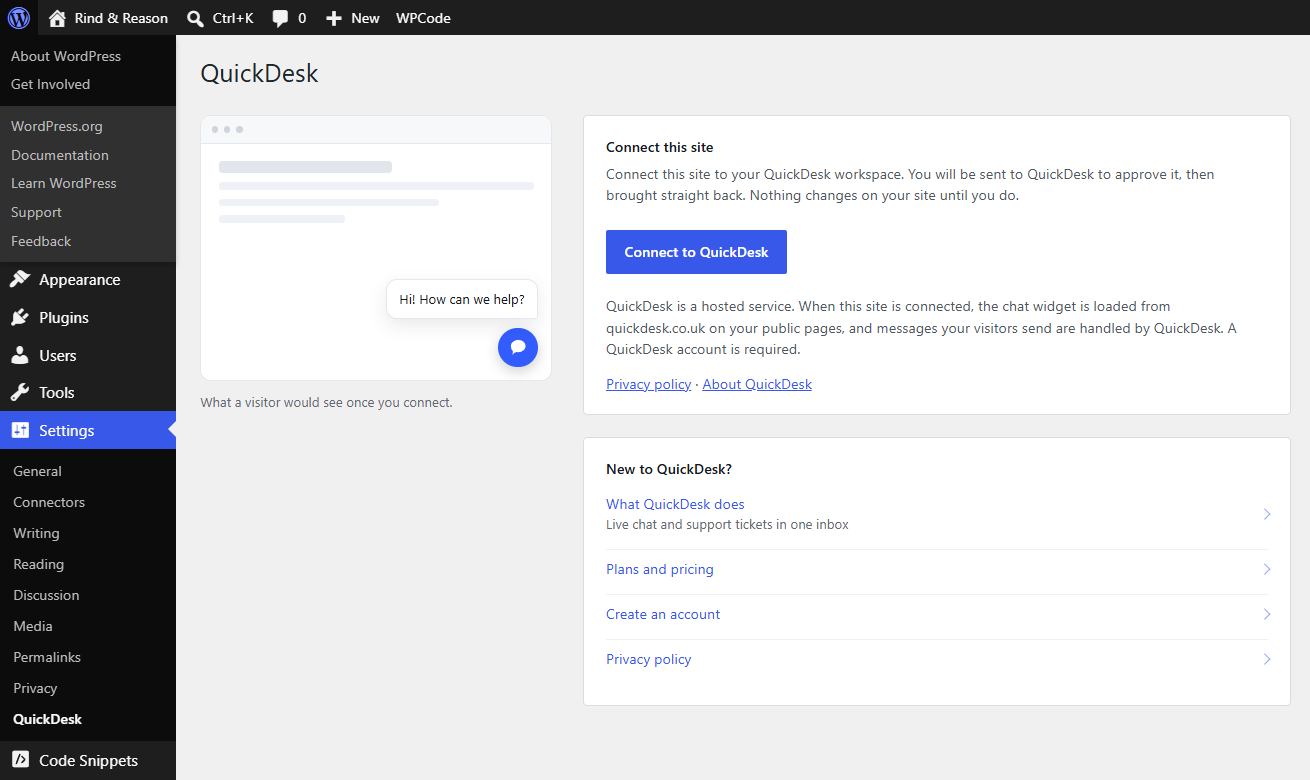
Settings → QuickDesk before connecting: one button, and what the connection involves.
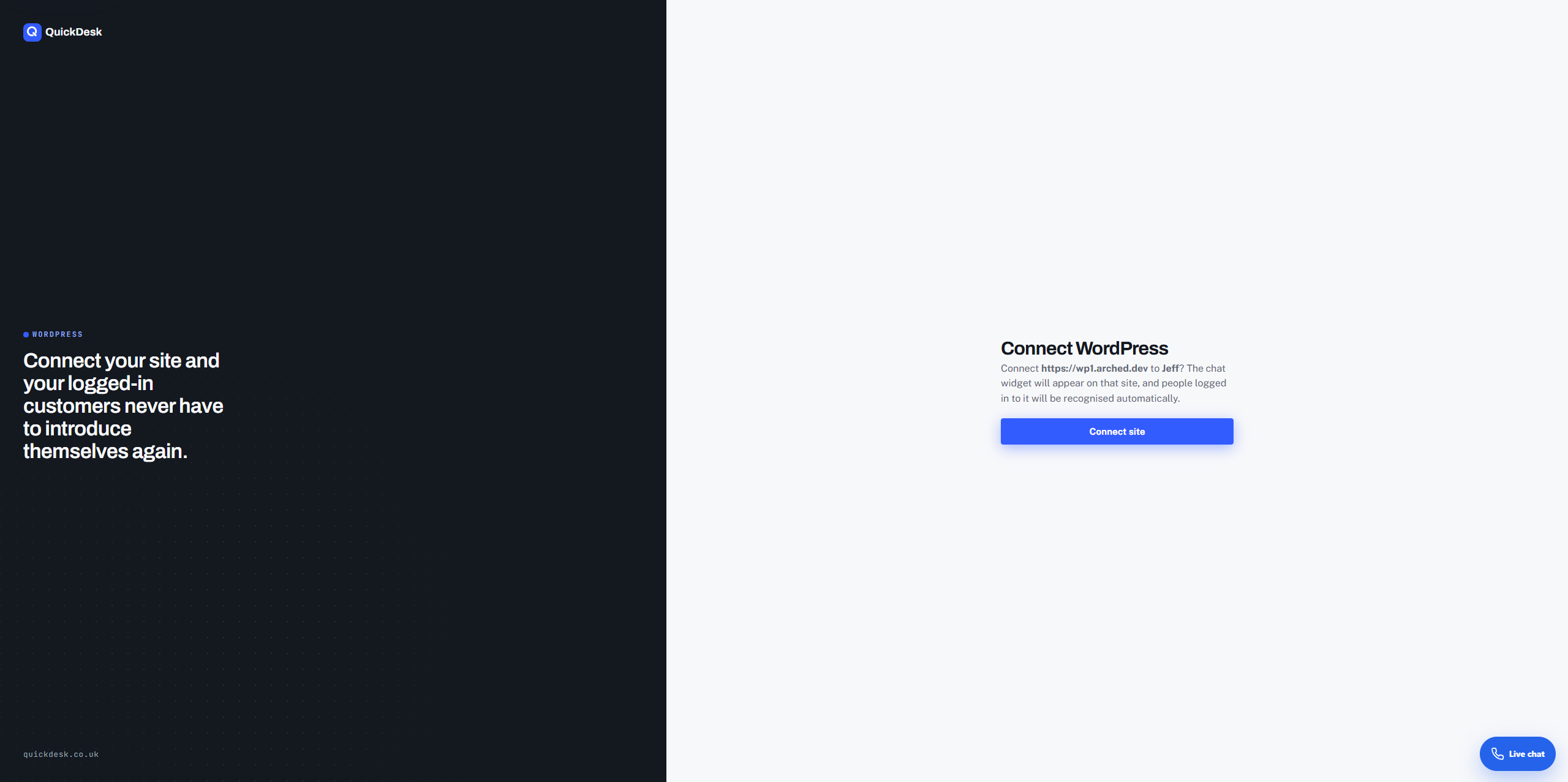
Approving the connection in QuickDesk.
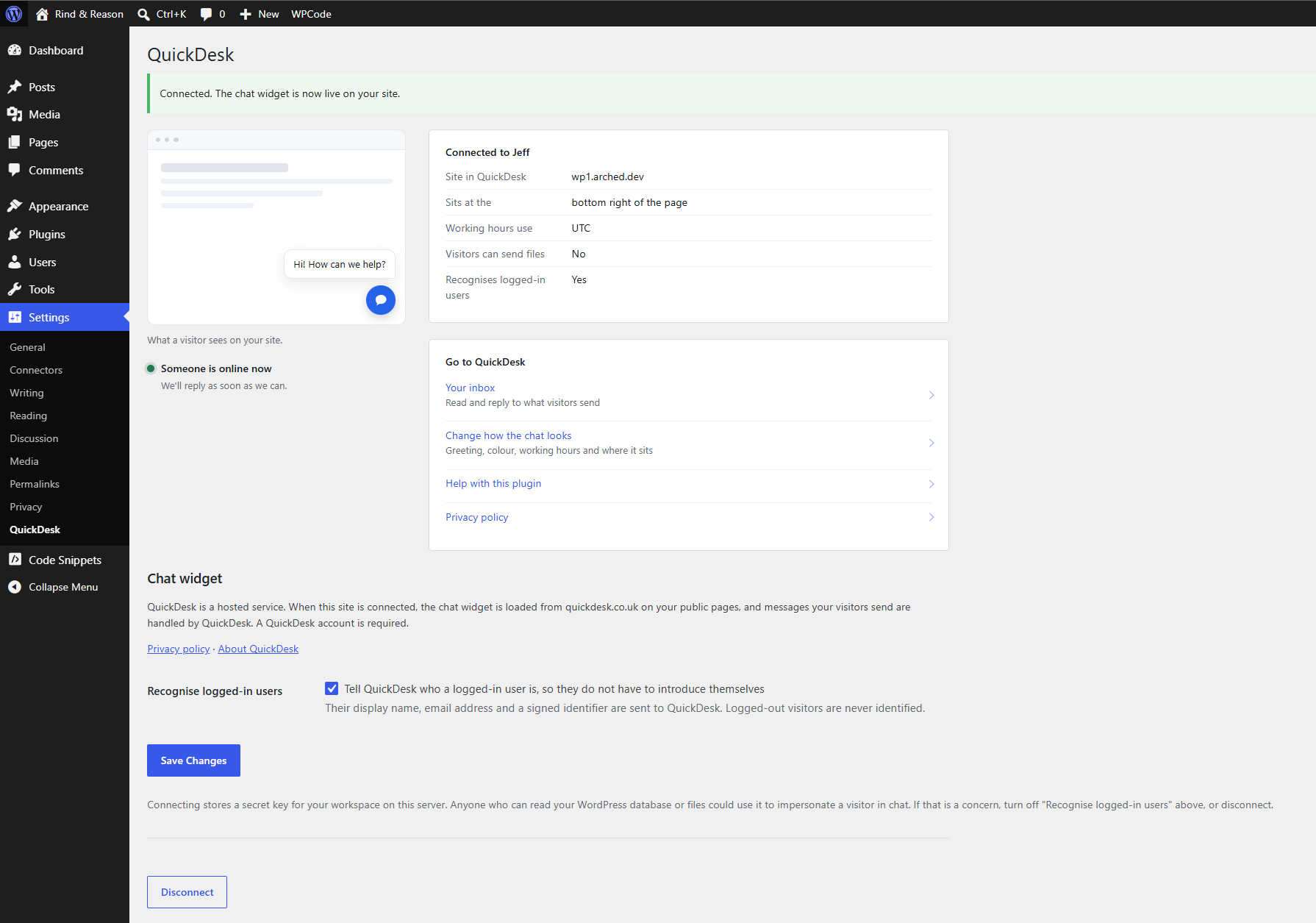
Settings → QuickDesk once connected, with the logged-in user option.
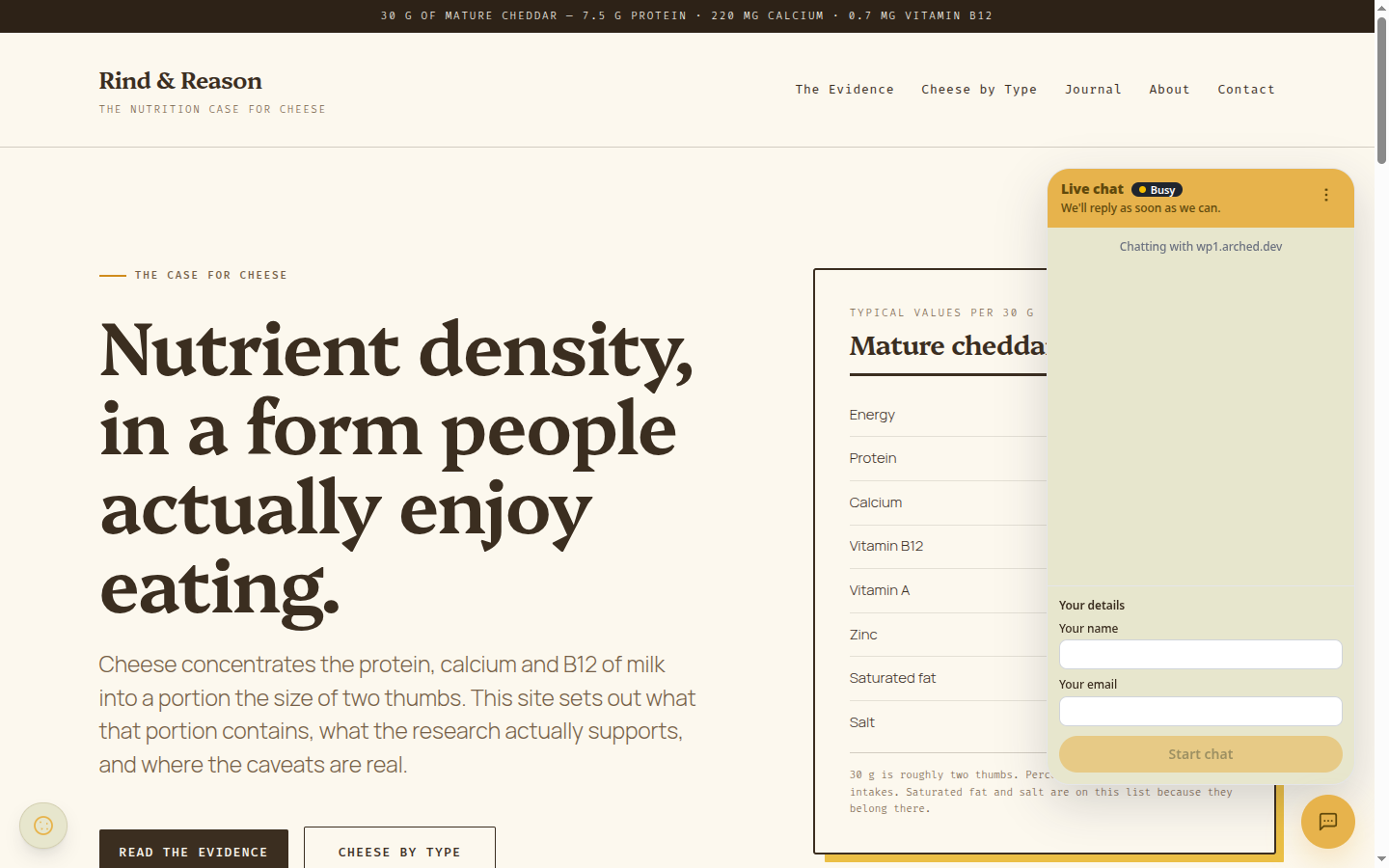
The chat widget on the front end.


