
QuickStock For WooCommerce Wordpress Plugin - Rating, Reviews, Demo & Download

Plugin Description
QuickStock for WooCommerce adds a fast, dedicated stock management workspace to your WooCommerce backend. Two tabs — All Products and Reorder — give you inline editing for every stock-relevant field, a sticky header, configurable columns, density modes and keyboard shortcuts. It is built for shop owners who spend real time on stock pickup and want to stop bouncing between the WooCommerce product list, individual product screens and external spreadsheets.
Core features:
- Smart Reorder tab that surfaces low-stock and out-of-stock products in one place
- Bulk editing for stock, stock status, prices, sale prices (absolute or %), sale schedules, categories, shipping class, delivery time and post status
- Barcode label designer with multiple named templates, freely positioned product name, barcode and price fields, plus live preview
- Stock history log with source tracking (manual vs. order), filter, CSV export and configurable retention (30 / 90 / 365 days / unlimited)
- CSV export with locale-aware options (delimiter, BOM, date format) — Excel/DE-friendly
- Field library: turn any of the 50+ built-in columns or product attributes into table columns — with compact / normal / comfortable row density and a sticky header for long lists
- Configurable default tab, sort order and rows per page
- All visual assets and runtime libraries are bundled locally — no external CDN is used
QuickStock is aimed at WooCommerce shops with dozens to thousands of simple products that need quick, keyboard-driven stock maintenance. Variable products are listed as parent rows in the current version; per-variation editing is on the roadmap.
Third-Party Libraries
QuickStock has no build system: every JavaScript and CSS file shipped in this plugin is human-readable source. The bundled third-party libraries below come from the official, unminified distribution packages of their respective upstream releases.
- JsBarcode v3.12.3 — Copyright (c) Johan Lindell, MIT License — bundled at
assets/js/jsbarcode.js, taken unmodified and unminified fromdist/JsBarcode.all.jsof release tag https://github.com/lindell/JsBarcode/releases/tag/v3.12.3 - SortableJS v1.15.7 — Copyright (c) SortableJS contributors, MIT License — bundled at
assets/js/sortable.js, taken unmodified and unminified fromSortable.jsof release tag https://github.com/SortableJS/Sortable/releases/tag/1.15.7 - Plus Jakarta Sans — Copyright 2020 The Plus Jakarta Sans Project Authors, SIL Open Font License 1.1 — bundled at
assets/fonts/; seeassets/fonts/OFL.txtand https://github.com/tokotype/PlusJakartaSans - Freemius WordPress SDK v2.13.4 — Copyright (c) Freemius, Inc., GPL-3.0-only — bundled at
vendor/freemius/(official release). The SDK ships one pre-built asset of its own,vendor/freemius/assets/js/pricing/freemius-pricing.js(bundled and minified by the SDK vendor); its dependency licences are listed alongside it invendor/freemius/assets/js/pricing/freemius-pricing.js.LICENSE.txt. The SDK is included as released upstream and is not modified by QuickStock.
Screenshots
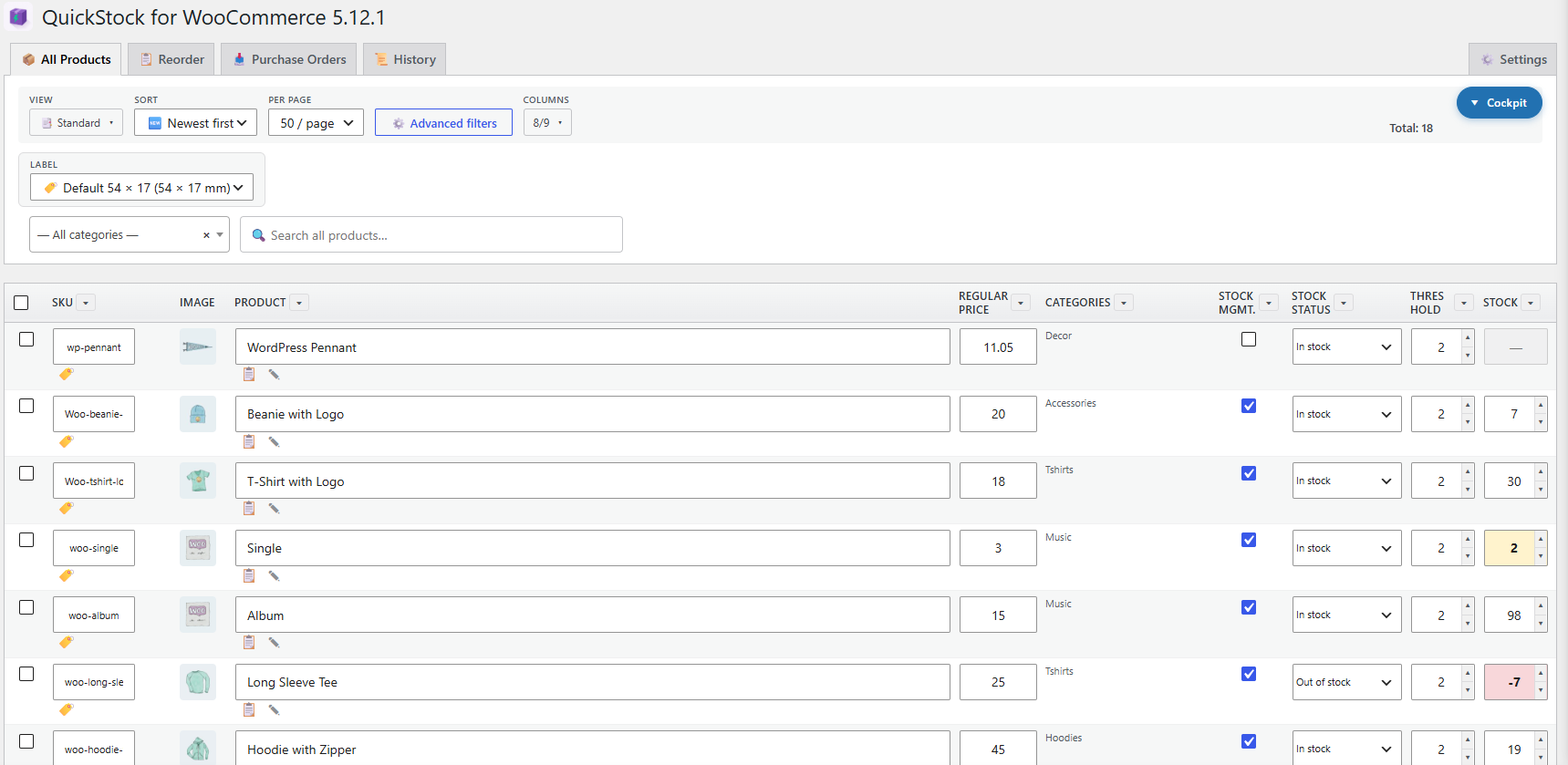
Main product table — All Products tab with inline stock editing.
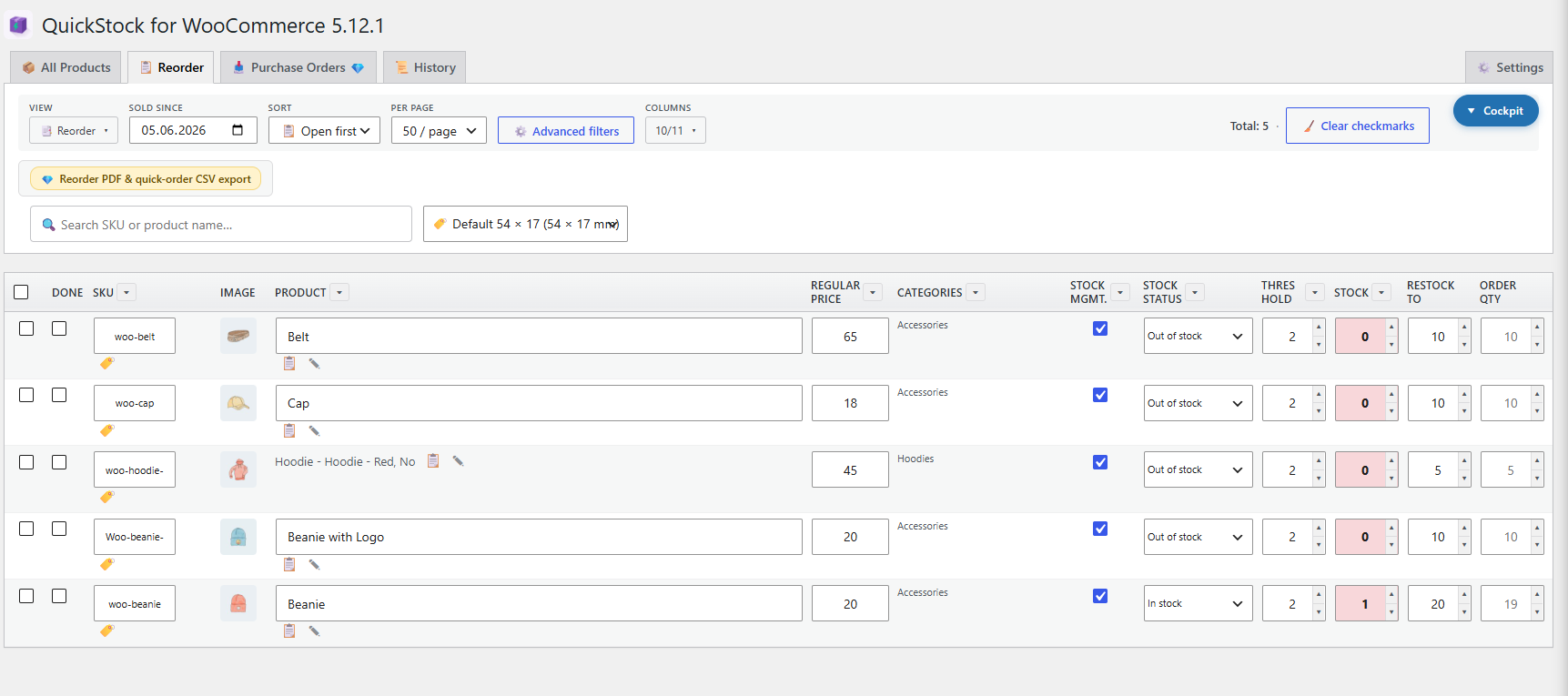
Reorder tab — products at or below their low-stock threshold.
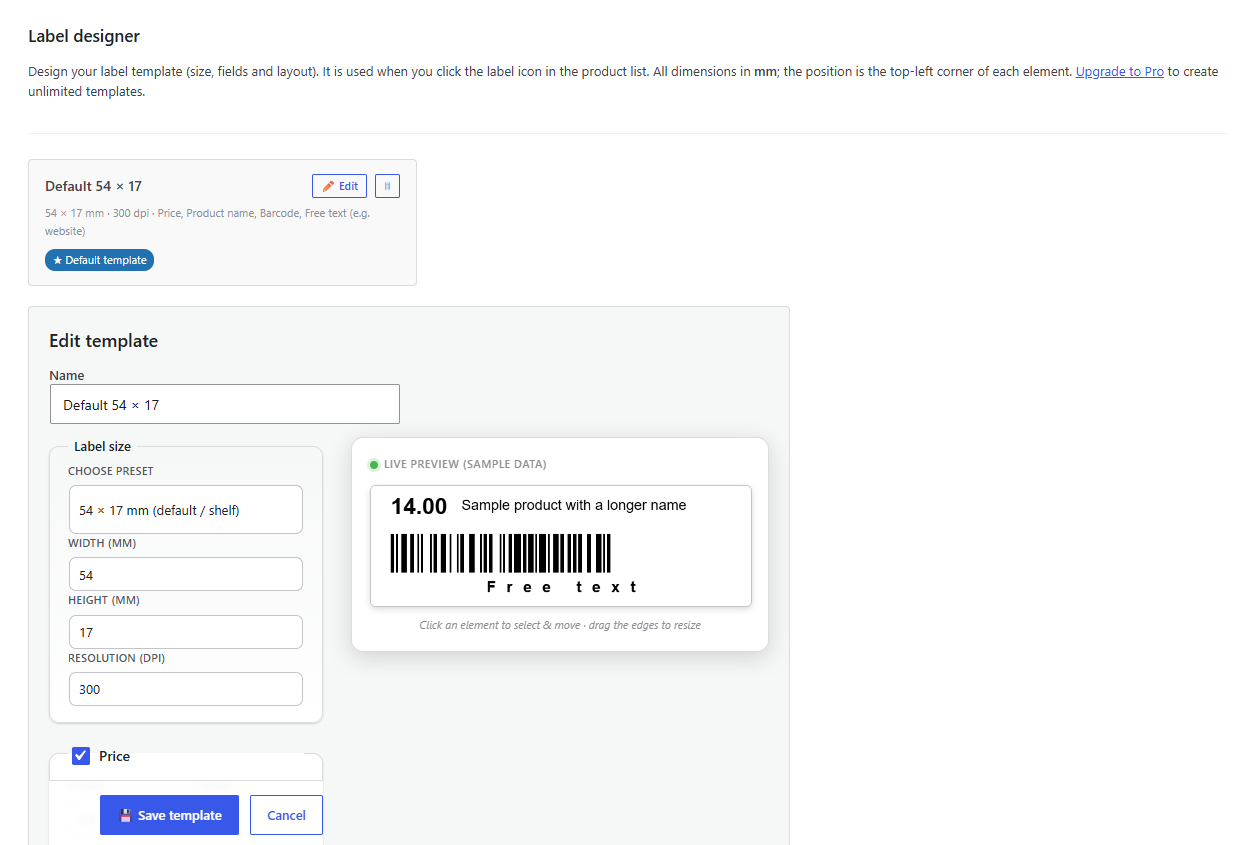
Barcode label designer with live preview and freely positioned product name, barcode and price fields.
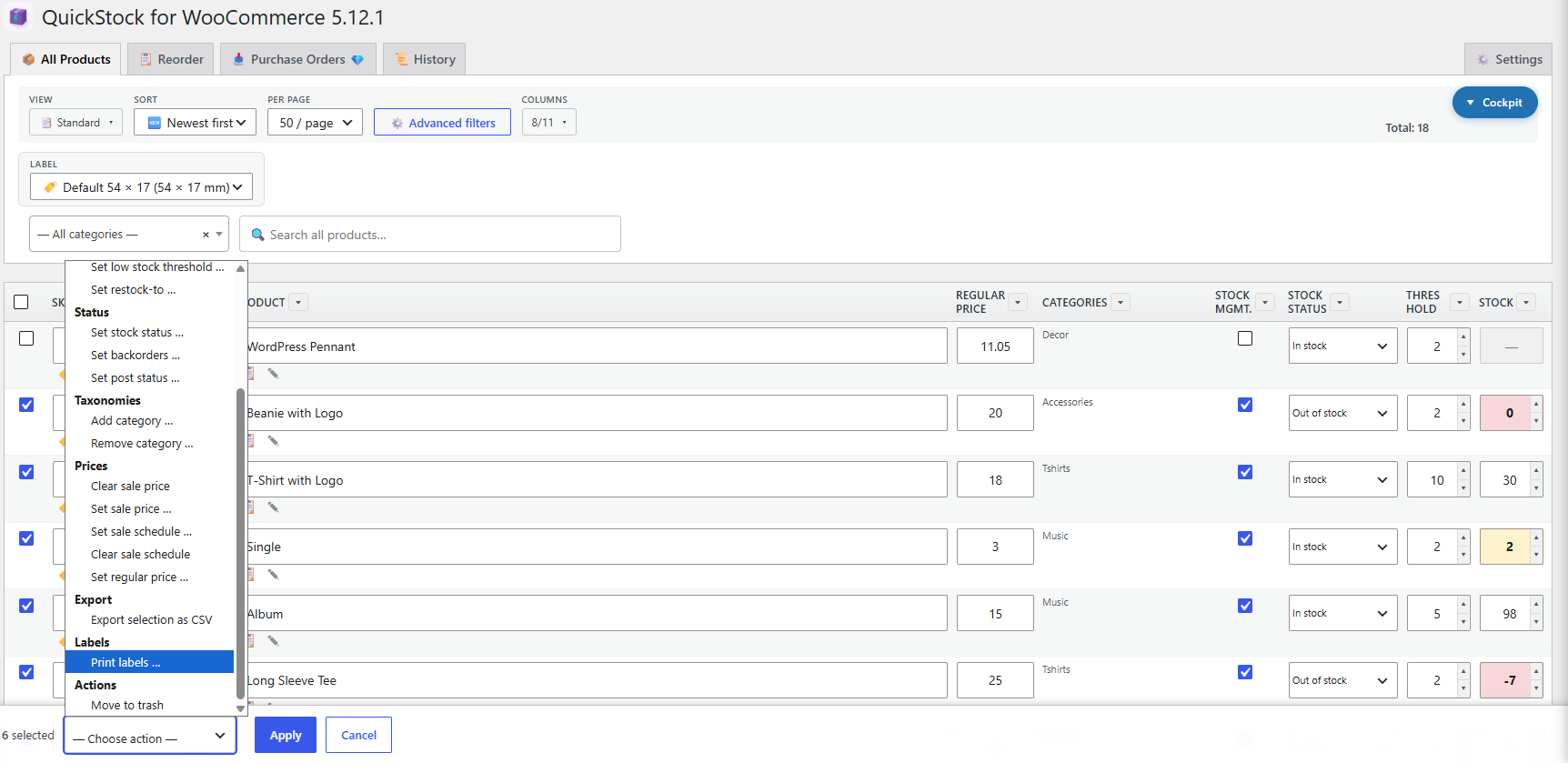
Bulk editing toolbar with selection across multiple products.
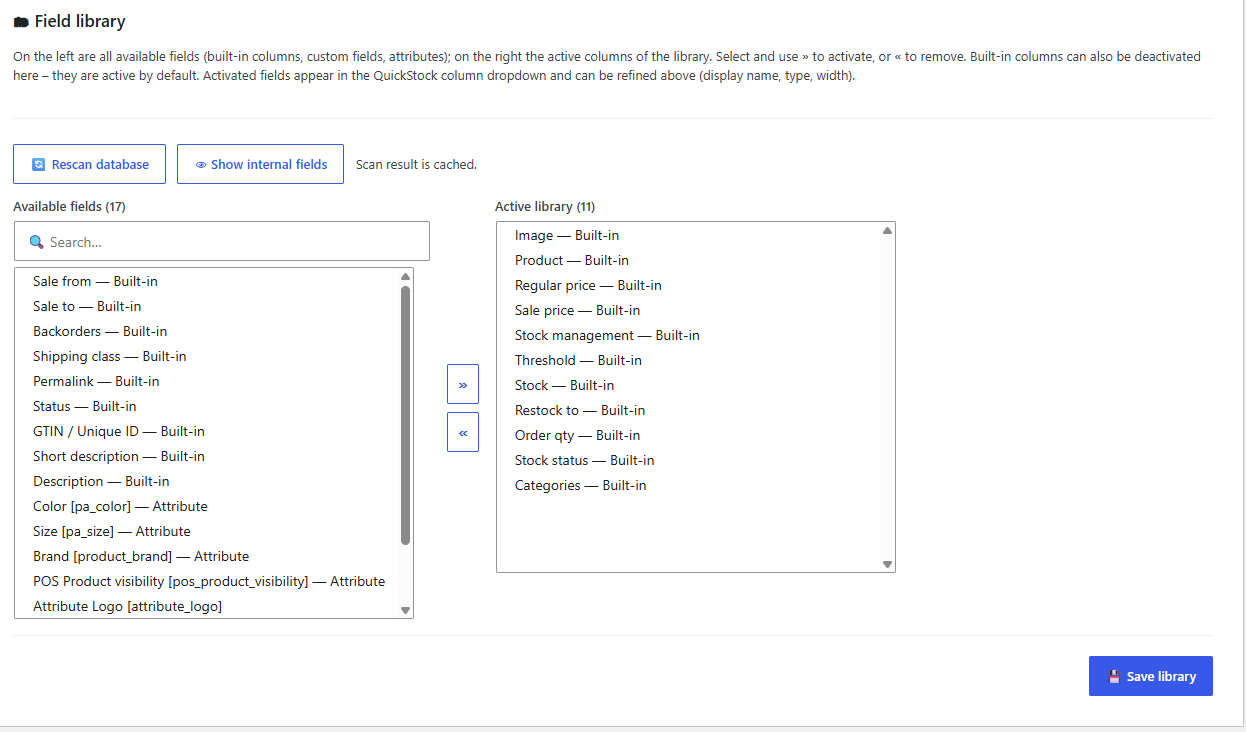
Field library — turn any built-in column, custom field or product attribute into a table column; built-in columns can be switched off too.
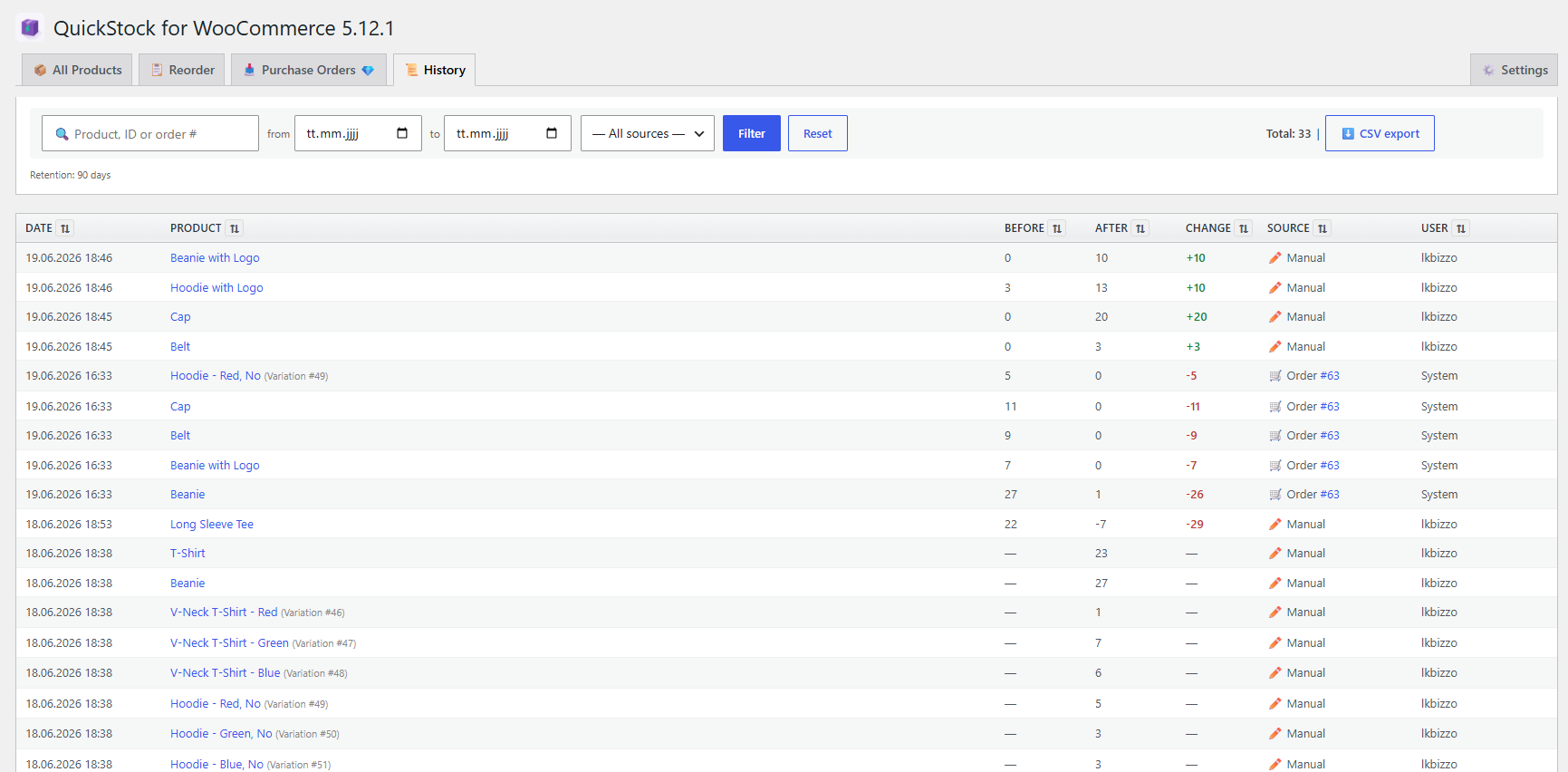
Stock history with source filter and CSV export.
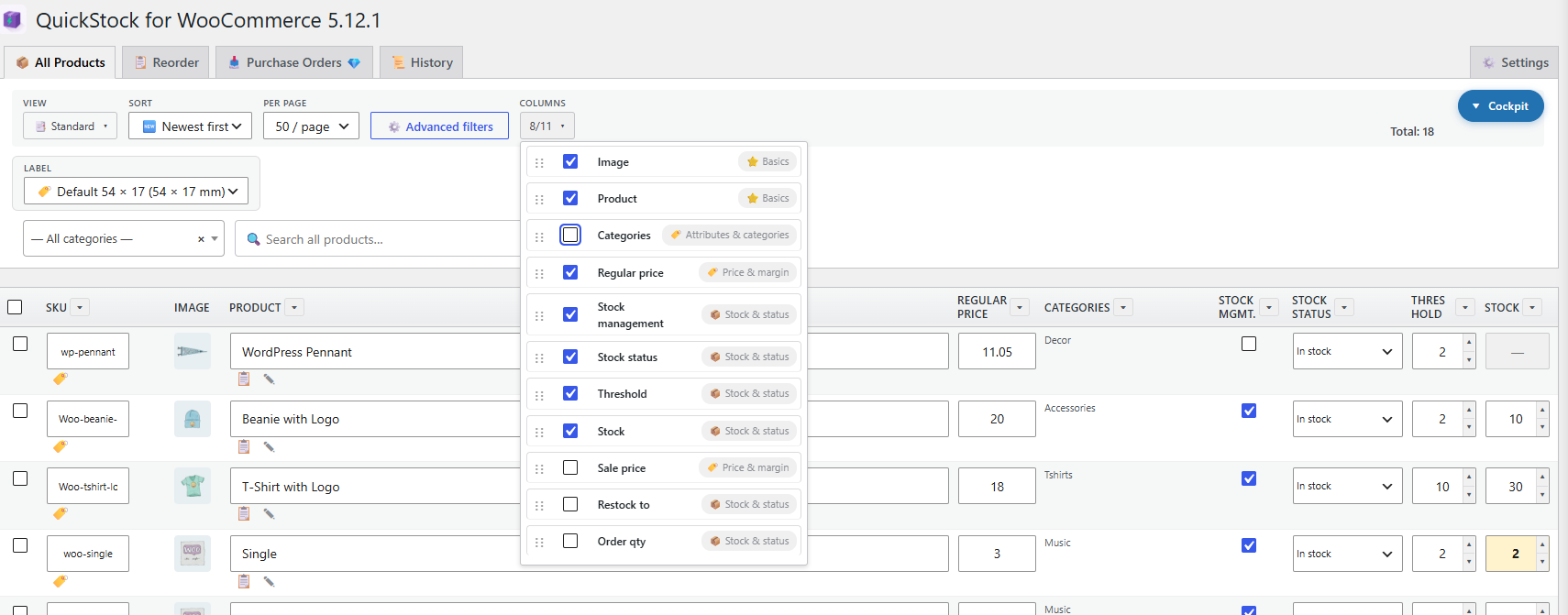
Quick column control — show, hide and drag to reorder columns straight from the toolbar, grouped by category.
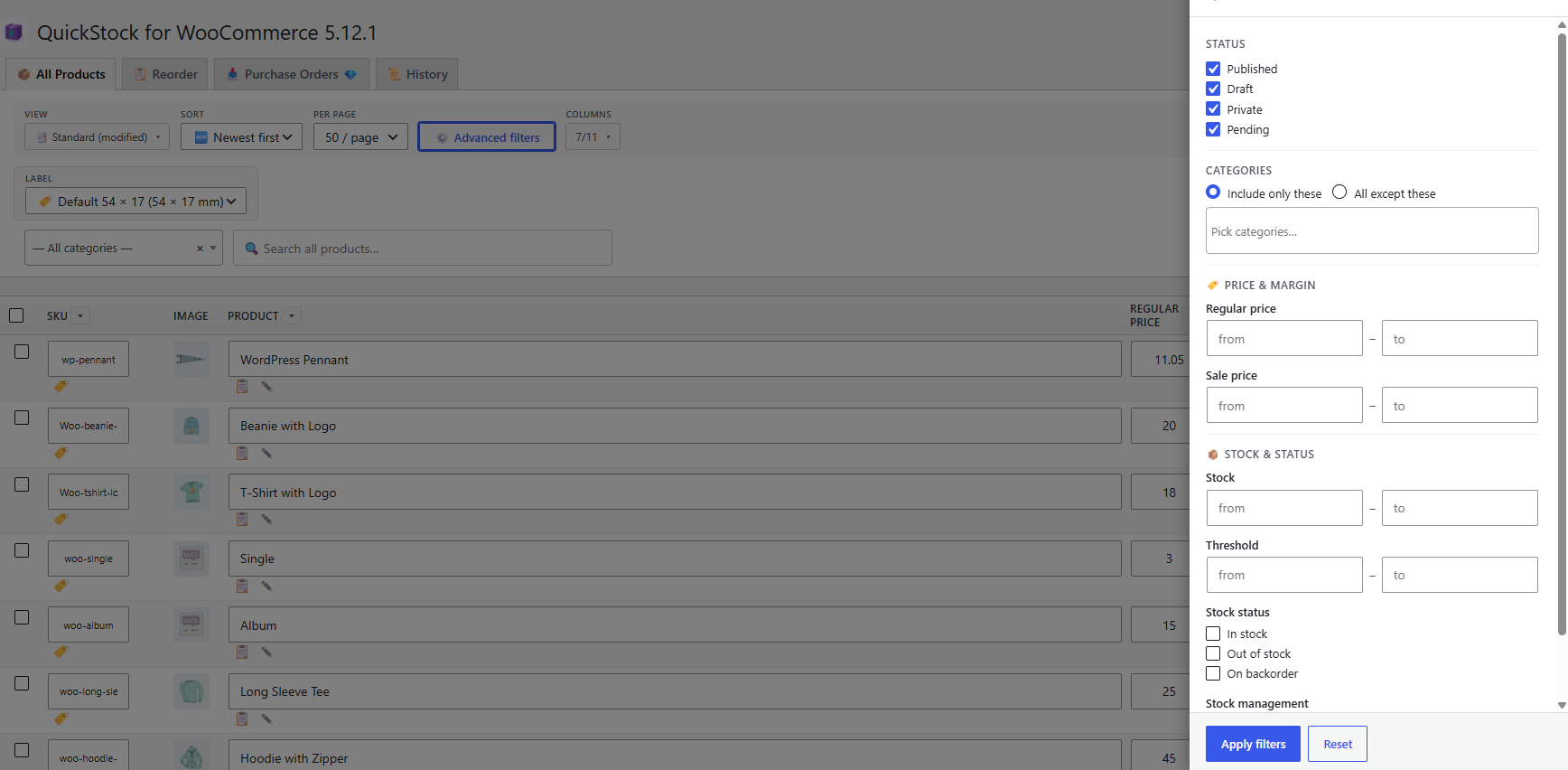
Advanced filters — narrow the list by status, category, price/margin, stock level and stock status.

Smart stock cells — type a calculation like 2+24 directly into a field and QuickStock works out the new quantity.


