
Rankdar SEO Wordpress Plugin - Rating, Reviews, Demo & Download
Plugin Description
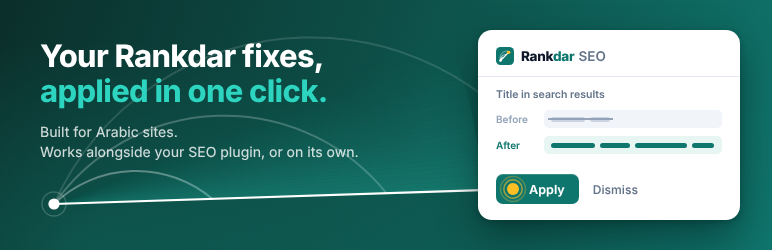
Rankdar reads your site and writes a plan in plain words: what to fix, the keywords your customers search, and the pages to write. With this plugin, you send a fix from your plan to your site, and it waits on the plugin’s page in your WordPress dashboard. There you see the value on your site now and the new one, and apply it with one click, or dismiss it. Your plan in Rankdar then shows the fix as done. Every change can be undone from the same page.
Works the way you choose
- Alongside your SEO plugin: with Yoast SEO, Rank Math, All in One SEO or SEOPress, Rankdar writes its fixes into that plugin’s own fields. Nothing is printed twice.
- As your only SEO plugin: Rankdar prints the title and description of each page, noindex, Open Graph and Twitter tags, and adds an SEO box to the editor. One click copies your titles and descriptions from the plugin you used before.
What it can fix
- The title and description shown in search results, for any page, post or the home page.
- A page hidden from search engines (noindex), or a whole site set to “discourage search engines”.
- Schema: WebSite, your business (clinic, store, restaurant, company…) with its city and country, and each page or article; and any structured data you build in Rankdar’s schema section (product, event, FAQ, breadcrumbs, service, person, video…) for one page.
- llms.txt: a guide to your pages and latest articles for AI assistants.
- robots.txt: lets search engines and AI assistants (ChatGPT, Claude, Perplexity, Gemini) read the site, and names your sitemap.
Safe by design
- Rankdar never gets your WordPress password. The site is connected with a one-time code, and every request is signed and checked.
- Rankdar never changes your site from outside. It can read your SEO settings and send fixes; only an administrator applies them, in the dashboard.
- Disconnect at any time, here or in Rankdar.
External services
This plugin connects your site to Rankdar (https://rankdar.com), an SEO platform, so that fixes from your Rankdar plan can be sent to your site and applied by you in the WordPress dashboard. It needs a Rankdar account. Sending a fix, applying it and undoing it cost nothing; writing the site plan the fixes come from uses the account’s credits (plans and prices, including a free plan: https://rankdar.com/pricing).
- When you press “Connect to Rankdar”: your browser opens rankdar.com with your site’s address, the plugin’s version and the address of this plugin’s settings page. After you approve, your site sends rankdar.com the one-time code, the site’s address, its REST API address, the WordPress and plugin versions and the name of the active SEO plugin, and receives the connection’s secret.
- When you open your plan in Rankdar: Rankdar asks your site for its status. Your site answers with the plugin and WordPress versions, the active SEO plugin, how Rankdar works next to it, the site’s name and address, the address of this plugin’s settings page, and the plugin’s settings: search visibility, llms.txt, the tools allowed in robots.txt, the sitemap line, and the business described in schema (its kind, name, city, country and phone). It adds whether the server has its own robots.txt or llms.txt, whether WordPress serves its own sitemap, whether this plugin prints the page tags, which fixes from Rankdar wait here, and the changes applied from them (each with its field, the page’s address, the values before and after, and the time).
- When you send a fix from your plan: Rankdar asks your site for the values the fix would change: a page’s title, description, noindex and structured data, with the page’s ID, type, title, address and edit link, and the settings above. Then it sends the fix, which waits on this plugin’s settings page.
- These requests never change your site. A fix changes it only when an administrator applies it on the plugin’s settings page.
- When you apply, dismiss or undo a fix in the dashboard: your site tells rankdar.com what happened. For each fix it sends its key, the field and the page’s address; for a fix applied or undone, also the values before and after and the time. It adds the name of the active SEO plugin and the plugin’s version.
- When you press “Disconnect”: your site tells rankdar.com that the connection ended.
Nothing is sent before you connect, and nothing about your site’s visitors is ever sent. Rankdar’s terms: https://rankdar.com/terms — privacy policy: https://rankdar.com/privacy
Screenshots
No screenshots provided

