
Ranktim Article Sync Wordpress Plugin - Rating, Reviews, Demo & Download
Plugin Description
Ranktim Article Sync connects your WordPress site to Ranktim — an AI-powered content platform that generates and schedules SEO-optimized articles.
The plugin automatically syncs articles from your Ranktim account and publishes or saves them as posts in WordPress.
Regular syncs check today’s queue, with a daily catch-up window so articles missed on previous days can still be imported automatically.
Supports:
– HTML-ready content (converted from Markdown)
– Featured images (auto sideload)
– SEO meta (Yoast SEO & Rank Math)
– JSON-LD Article/BlogPosting schema
– Custom slugs and metadata
– Duplicate prevention
Key Features
- Optimized WP-Cron sync every six hours, with daily backlog catch-up
- Manual “Sync Now” trigger
- Draft or Publish mode
- Recent content queue visibility
- Secure Integration Key (encrypted storage)
- Direct link to Ranktim Products for manually uploading WooCommerce product exports
How It Works
- Create an integration in your Ranktim dashboard
- Copy your Integration Key
- Install and activate the plugin
- Paste the key in Admin Ranktim
- Choose publish mode (Draft or Publish)
Articles will sync automatically.
To upload products exported from WooCommerce, open Admin Ranktim Products. The plugin only opens the secure Ranktim Products page; you choose and upload the export file yourself.
Requirements
- Active Ranktim subscription
- WordPress 5.8+
- PHP 8.0+
External services
This plugin connects to the Ranktim API (ranktim.com) to retrieve the AI-generated SEO
articles you created in your Ranktim account and import them into WordPress. The service
is operated by Ranktim, the author of this plugin. A Ranktim account is required; the
plugin is a client for that service and has no content-generation ability of its own.
When and what is sent:
- Every scheduled sync (every six hours by default), on the daily catch-up run, and when
you click “Sync Now”, the plugin sends your Integration Key (as an HTTP Authorization
header) and the date being requested tohttps://ranktim.com/api/integrations/content. - To download an article it sends your Integration Key and the article ID to
https://ranktim.com/api/integrations/articles/{id}. - After a post has been created it sends your Integration Key and the article ID to
https://ranktim.com/api/integrations/ack/{id} so the same article is not delivered twice. - Featured images referenced by an article are downloaded from the URL supplied in the
article payload and stored in your WordPress media library.
No site content, visitor data, or personal data is sent to Ranktim by this plugin. The
Integration Key is stored encrypted in the WordPress options table.
The “Products” link in the plugin menu only opens https://ranktim.com/shopping/products
in a new browser tab. The plugin does not read or upload your WooCommerce data; you
choose and upload any export file yourself on that page.
Terms of Service: https://ranktim.com/en/legal/terms
Privacy Policy: https://ranktim.com/en/legal/privacy
Screenshots

Plugin setup screen: connect your Integration Key and choose whether articles are published immediately or saved as drafts.
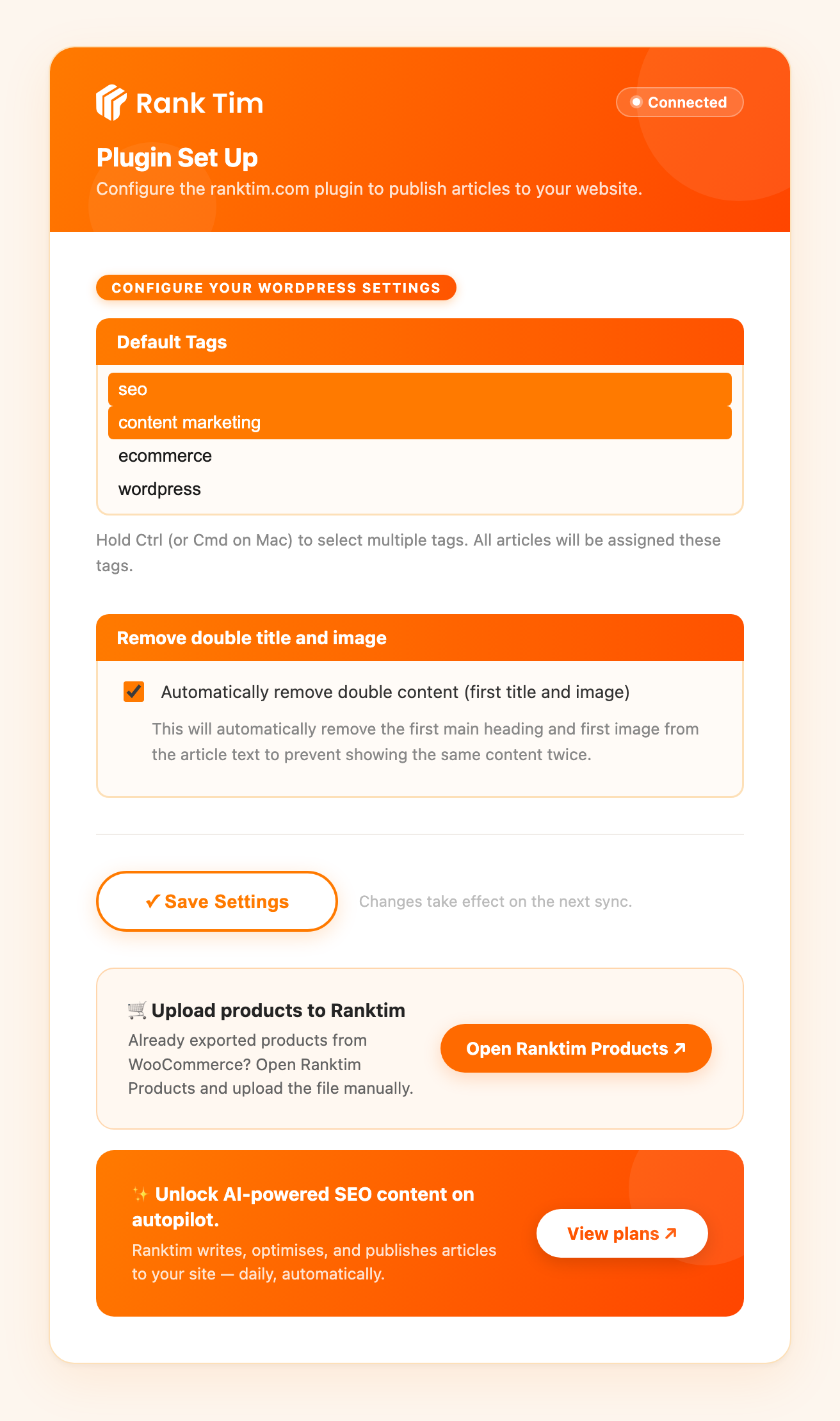
WordPress publishing settings: default category, author and tags, plus the automatic duplicate title/image cleanup.

Recent Content Queue: per-article import status for the current sync window, with a manual “Sync Now” button.


