
Redkirin Clinic Schema Wordpress Plugin - Rating, Reviews, Demo & Download

Plugin Description
日本語: クリニック・病院・動物病院のホームページに、医療機関情報(住所・電話・診療時間・座標・診療科目)、医師・獣医師(肩書・資格・所属学会)、医療コラム(著者・監修者・監修日)の構造化データ(JSON-LD)を出力するプラグインです。Schema.org の知識は不要で、管理画面は日本語に対応しています。
Redkirin Clinic Schema adds Schema.org structured data to medical websites without requiring any knowledge of Schema.org.
Choose the type of facility (clinic, hospital or veterinary clinic), enter the information that is already published on your website, and the plugin outputs a single JSON-LD block on the pages you select.
Supported Schema.org types
MedicalClinic– clinicsHospital– hospitalsVeterinaryCarecombined withLocalBusiness– veterinary clinics (in Schema.org, VeterinaryCare alone cannot carry geo coordinates or opening hours, so it is multi-typed with LocalBusiness)Person– doctors and veterinariansArticle– medical columns and articles, withWebPagecarrying the reviewer (reviewedBy,lastReviewed)
Features
- Facility information with
PostalAddress,GeoCoordinates, logo, photos, telephone (optionally in international format) and social profiles - Consultation hours per weekday and public holidays with morning / afternoon slots, 24-hour days and late-night hours, output as
openingHoursSpecification - Doctor / veterinarian profiles managed as an internal post type (no public pages are created) and reusable on any page and as article authors or reviewers
- Article structured data with a site-wide authorship pattern (facility + reviewing doctor, writing doctor + another reviewer, or per post) that any post can override, review date per post, and three-level output control (global, post type or selected pages, per post); off by default to avoid duplicating other SEO plugins
- Choose exactly which pages output the facility data; nothing is output site-wide
- “Structured data check” screen: preview of the exact JSON-LD, copy button, reasons when nothing is output, input checks (errors / warnings / info) and links to validation tools
- Detects hard-coded JSON-LD in the active theme and, on request, fetches the public page to list every JSON-LD block by source (this plugin, SEO plugin, other) and flag duplicates
- Detection of Yoast SEO, Rank Math, All in One SEO and SEOPress with a notice; their output is never changed by default
- Visible author / reviewer box on articles (automatic, shortcode or template function) built from the same data as the JSON-LD, so the markup describes what visitors see
- Optional facility merge: the facility replaces the SEO plugin’s Organization under the same @id, so website publisher, article publishers and the doctors’ employer are one entity in one JSON-LD block
- Optional SEO plugin integration: inject this plugin’s author (registered doctors with job title and credentials, the facility or a manual entry) and reviewer into the Article that Yoast SEO, Rank Math or All in One SEO outputs, instead of outputting a second Article
- Labels switch between clinic / hospital / veterinary wording; English and Japanese included
- No tracking, no custom database tables, no bundled third-party libraries. The only external requests are the optional coordinate lookups on the settings screen (see “External services”), triggered by the administrator
Important notes
- Structured data describes what is already visible on your pages. Do not enter information that visitors cannot see.
- Google does not offer rich results for medical facility types such as MedicalClinic, Hospital or VeterinaryCare, nor for Person. The plugin outputs valid Schema.org data; it does not guarantee any rich result, ranking change or SEO effect.
- If you use another SEO plugin, review its structured data output to avoid duplicate Article or Organization data. Article output can be disabled per post or globally, or merged into that plugin’s output with the integration options.
Google is a trademark of Google LLC. Yoast SEO, Rank Math, All in One SEO and SEOPress are trademarks of their respective owners. This plugin is an independent product of Redkirin and is not affiliated with or endorsed by any of them; the names are used only to describe compatibility.
External services
The plugin makes no external requests on the public site and sends no visitor data anywhere. Three optional helpers on the admin screens contact other servers, each only when an administrator presses the button:
Google Maps share link (coordinates) – On the Basic information screen, “Fill in from the Google Maps URL” follows the redirects of the Google Maps link you entered (for example a maps.app.goo.gl or share.google link) to read the coordinates contained in the final URL. Only Google domains are contacted, only the entered link is sent, and only the response URL is inspected (pages are never parsed). Terms: https://policies.google.com/terms – Privacy: https://policies.google.com/privacy
GSI address search (coordinates) – “Fill in from the address” (also run automatically once the address fields are complete and the coordinates are still empty) sends the entered prefecture, city and street to the address search API of the Geospatial Information Authority of Japan (https://msearch.gsi.go.jp/address-search/AddressSearch) and fills in the returned coordinates. No other data is sent. Terms of use: https://www.gsi.go.jp/kikakuchousei/kikakuchousei40182.html
Your own site (structured data check) – “Fetch the public page and compare” on the Structured data check screen requests the selected page of this site from the server (a loopback request to your own site) and lists the JSON-LD blocks it contains. Nothing leaves the site.
Results of the coordinate lookups are only placed in the form; nothing is stored until you save the settings. The validation tool buttons are ordinary links to Google’s Rich Results Test and the Schema.org validator with the page URL as a parameter; nothing is sent until you open them.
Screenshots
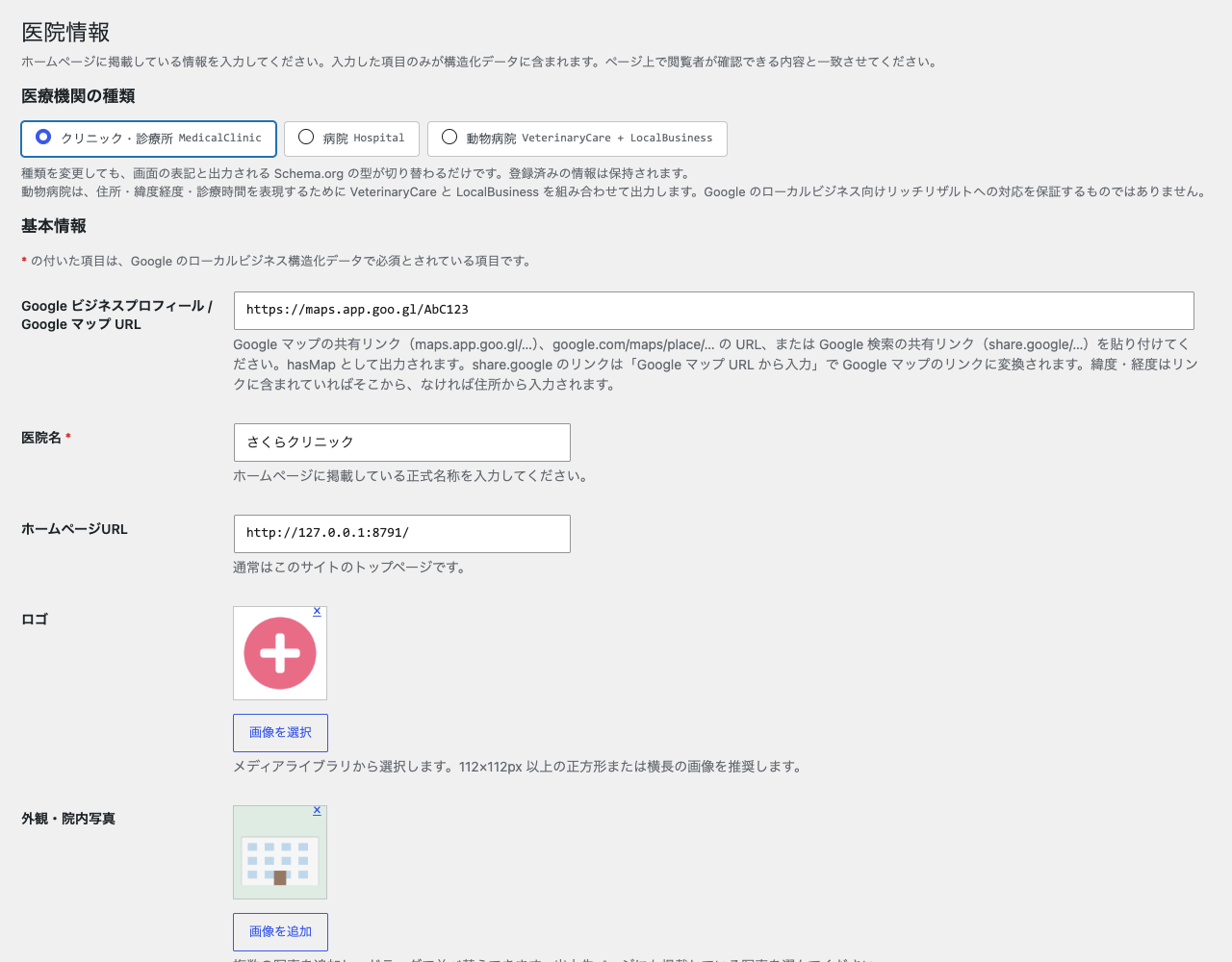
Basic information with facility type selection and input checks
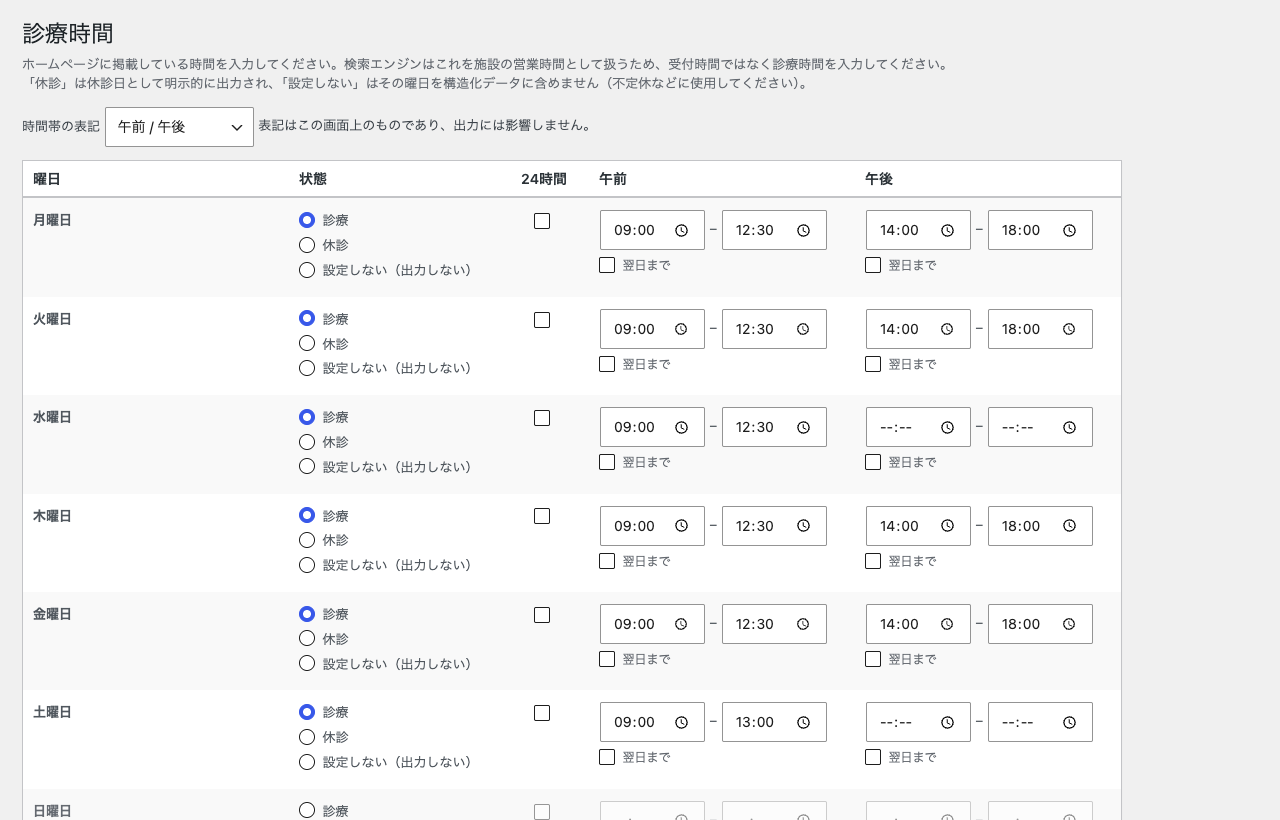
Consultation hours
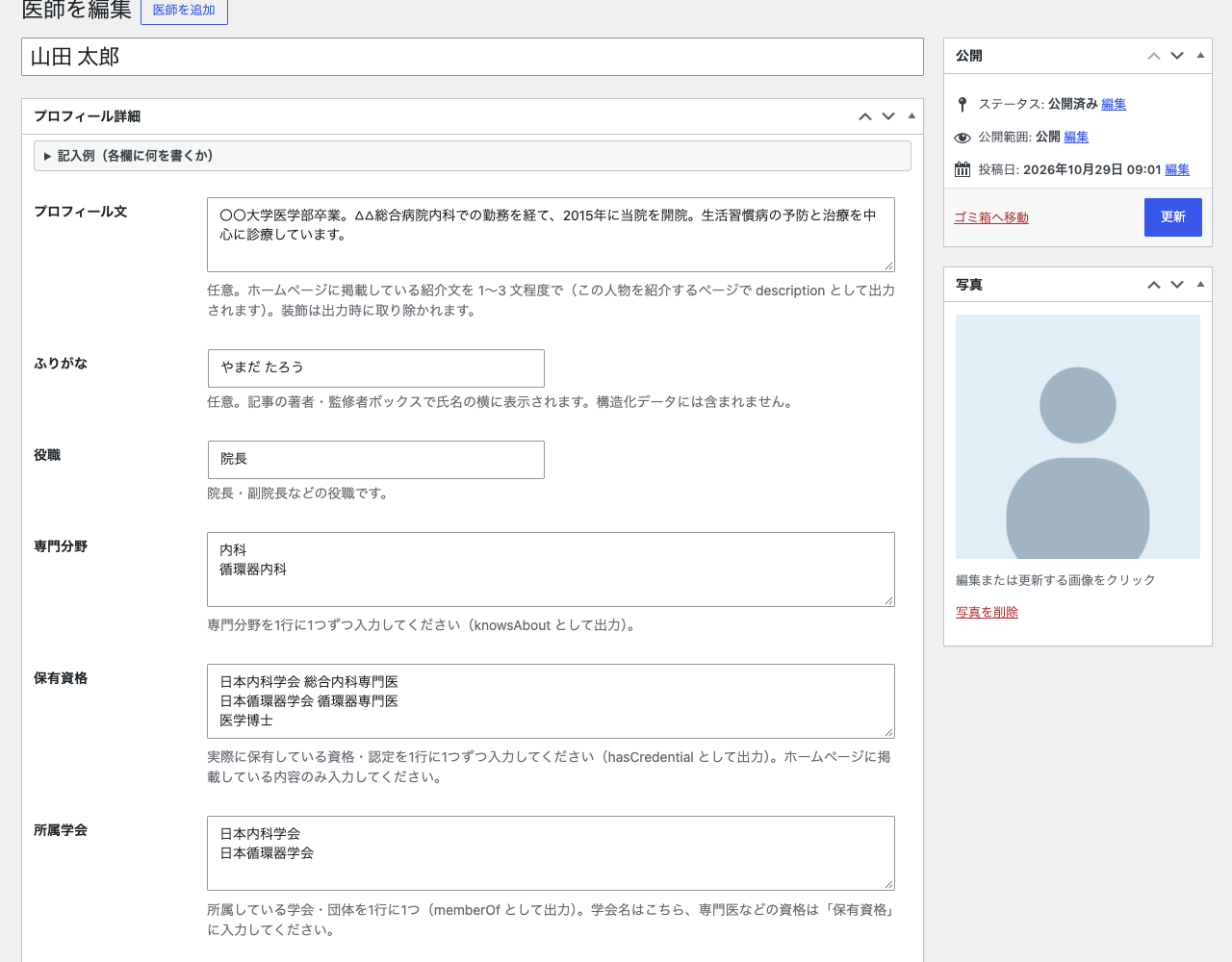
Doctor / veterinarian entry
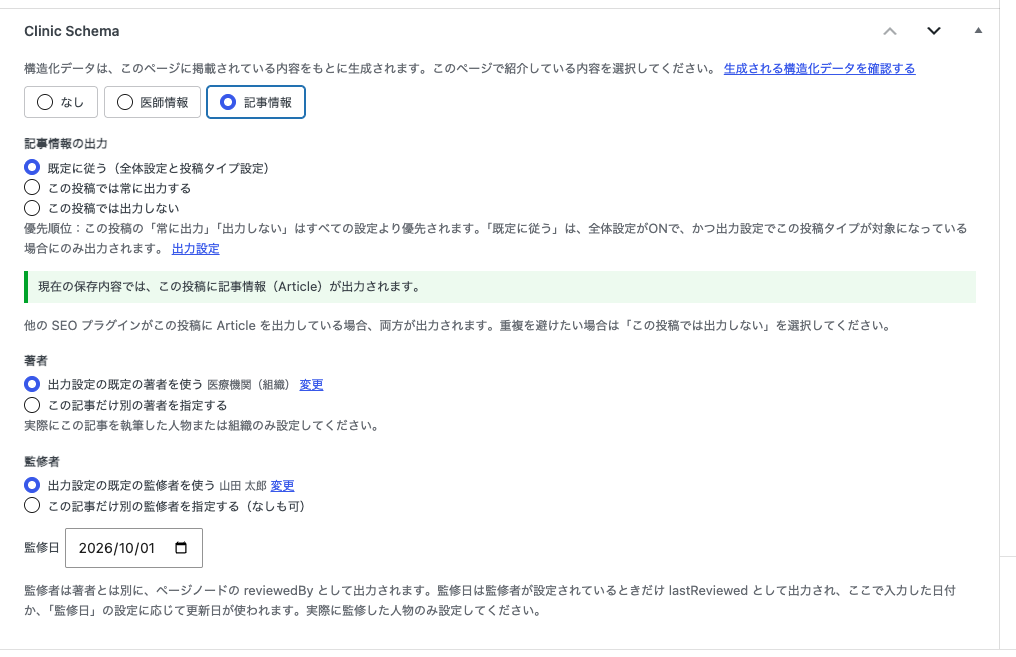
Clinic Schema box in the post editor (article, author, reviewer)
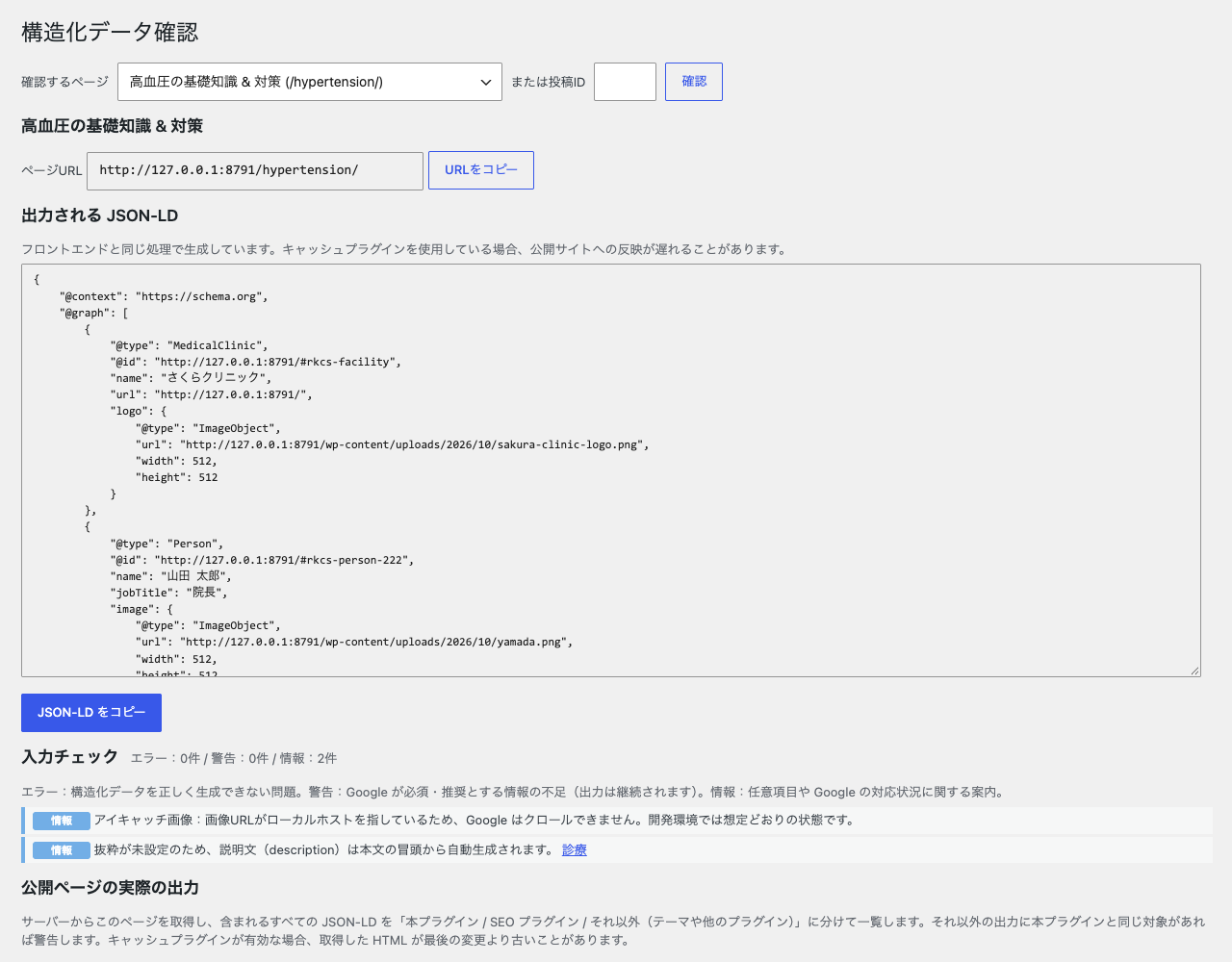
Structured data check with JSON-LD preview and validation links


