Reinvent Watermark Wordpress Plugin - Rating, Reviews, Demo & Download

Plugin Description
Put your name or logo on your photos, so they keep your credit when they are shared or copied. Reinvent Watermark adds the watermark when you upload, or to your whole Media Library in one click.
You can always take it back. Before an image gets a watermark, its original is copied to a private folder. Remove the watermark from one image or from all of them, and the exact originals come back. There’s no backup setting to remember to turn on first.
Change your mind without double watermarks. New logo, different corner? Apply again: each image goes back to its original first and then gets the new watermark, so you never end up with two.
See it before you change anything. The settings page shows a live preview on your own images as you adjust the watermark.
Everything is free
- Text watermark (your words or “©” and your site name) with color, size and opacity
- Image or logo watermark (a transparent PNG works best) with size and opacity
- 9 positions and a distance from the edge
- Choose which image sizes get the watermark, and skip small images
- Watermark new uploads automatically
- “Watermark all images” and “Remove from all”, with a progress bar
- Add, redo or remove the watermark on one image from the Media Library
- JPEG, PNG, WebP and AVIF (when your server supports it)
Safe by design
- The original of every watermarked file is kept until you remove the watermark.
- Applying again starts from the original, so watermarks never stack.
- GIFs are skipped, so animations aren’t broken.
- The watermark image itself never gets a watermark.
- Deleting an image also deletes its kept original.
Tip: keep a recent backup of your site, like with any tool that changes files.
Credits
Text watermarks use the DejaVu Sans Bold font (Bitstream Vera license with DejaVu changes in the public domain). The license is in fonts/LICENSE-DejaVu.txt.
Screenshots

Settings with a live preview of the watermark on your own image.

Watermark your whole library, or remove it from all images, with a progress bar.
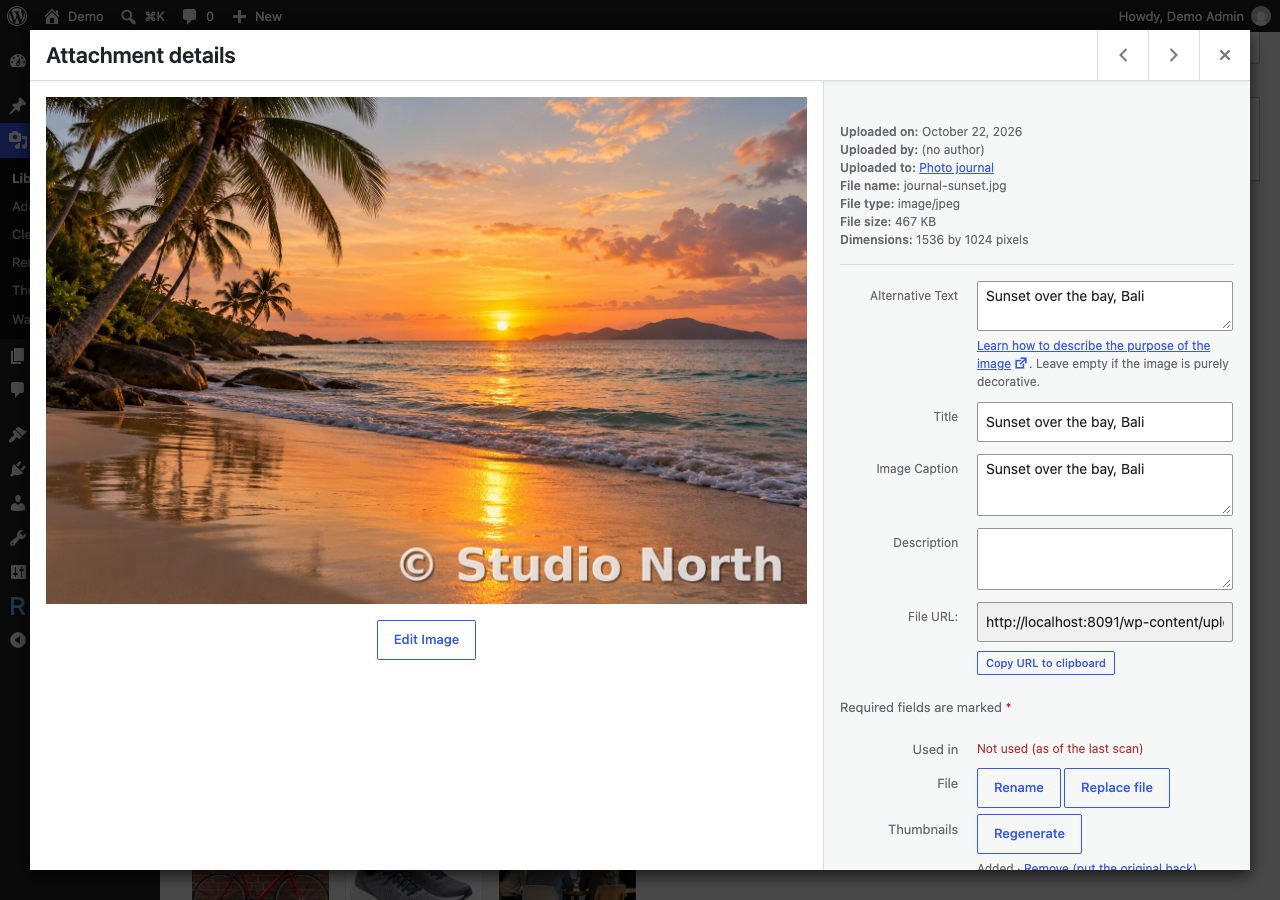
Add or remove the watermark on one image from the Media Library.