Replai Images – Bulk Alt Text & Title (SEO) Wordpress Plugin - Rating, Reviews, Demo & Download

Plugin Description
Replai Images bulk-fills the alt text and the image title of your whole Media Library from rules based on data your site already has — no AI, no per-image cost, and every run is reversible.
Most alt-text plugins either inject values only at render time or depend on paid AI. Replai Images takes a different approach:
- It writes real values into the Media Library (both
altandtitle), so they apply on every theme, builder, block and page — not only on rendered content. - It can pull the text from your SEO focus keyword (Yoast SEO, Rank Math or SEOPress), aligning image metadata with the keyword you already optimise for.
- It keeps a backup and lets you undo the last run with one click, so bulk edits are never a one-way street.
You choose the source for each run, based on data WordPress already has:
- Title of the post/page the image belongs to.
- SEO focus keyword from Yoast SEO, Rank Math or SEOPress.
- Cleaned file name (removes dashes, size suffixes and extensions).
- Site title.
If the chosen source is empty for a given image, the cleaned file name is used as a fallback, so no image is left without alt text.
Why it’s different
- Persistent — it writes real values into the Media Library (
altandtitle), so they apply on every theme, builder and page, not only on rendered content. - Safe and reversible — it keeps a backup of the previous values and lets you revert the last run with one click.
- No cost, no external AI — pure rules, no per-image API calls.
- Bulk with progress — processes the whole library in batches with a live coverage meter (a ring showing how many images already have alt text).
- Right from the Media Library — an “Alt text” column shows which images are missing it, with a per-image Generate button (also available in each image’s detail view), plus a “Fill alt text & title (Replai)” bulk action to do many at once.
- Missing-only or overwrite — decide whether to touch only empty values or replace existing ones.
- Multilingual admin — English, Spanish, Catalan, French, Italian, Portuguese and German, based on your site language.
Complete alt text improves accessibility for screen readers and helps your images rank in image search.
Screenshots
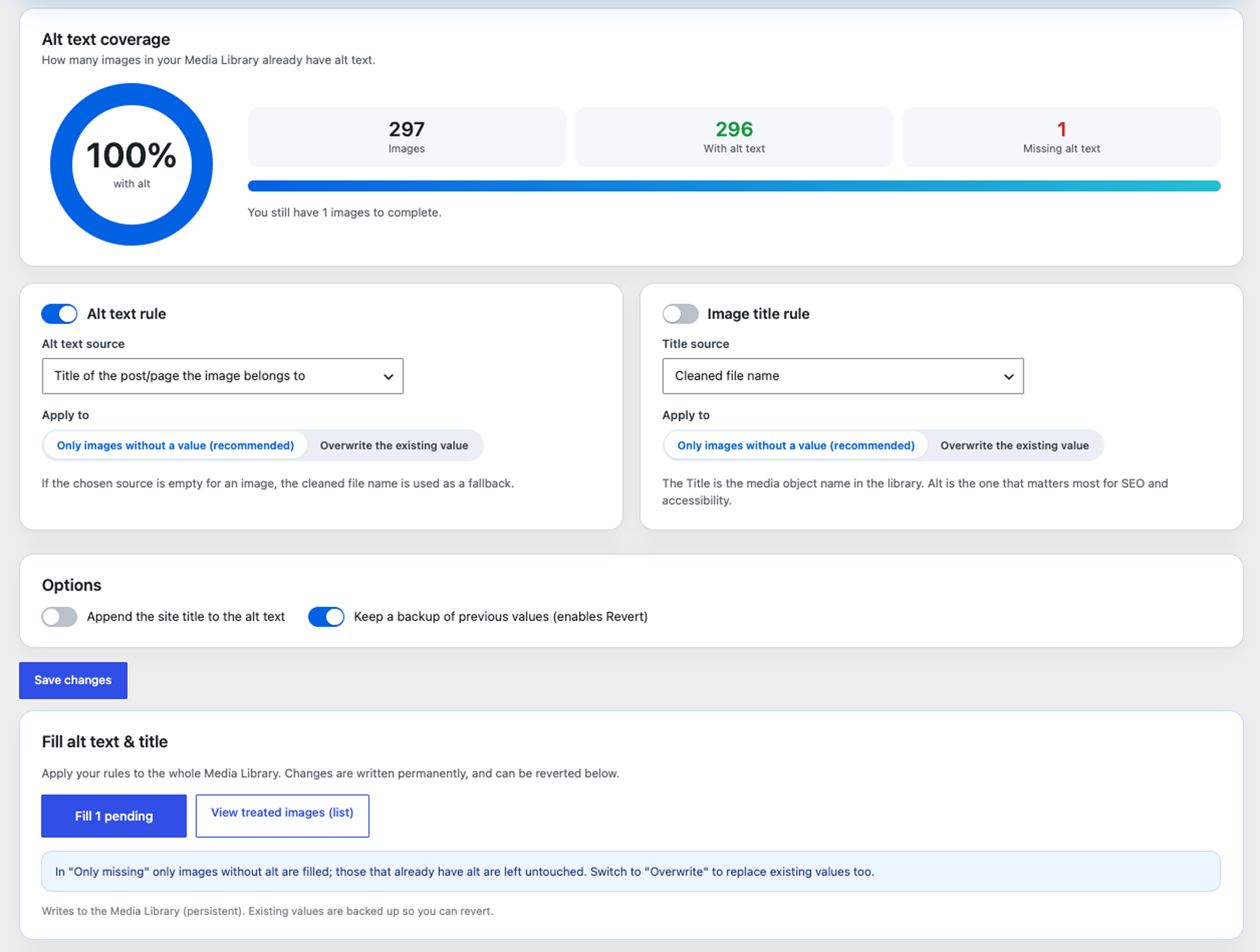
The settings screen: a coverage ring, the alt text and image title rules (source and when to apply), options, and the run action with a dynamic “Fill N pending” button.
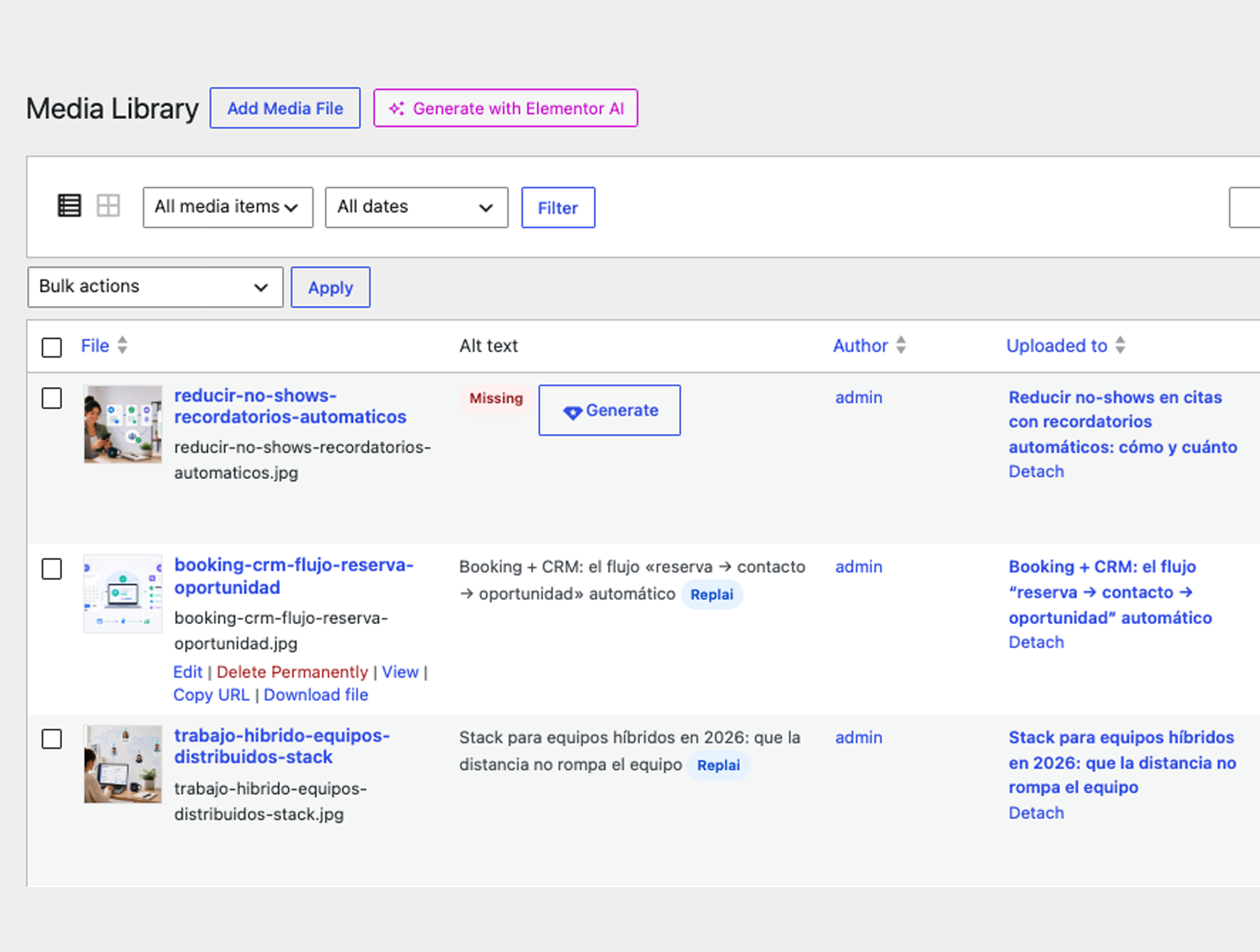
Right in the Media Library list: an “Alt text” column flags images with missing alt, with a per-image “Generate” button and a badge marking the ones filled by the plugin.