Repoevo – Plugin Analytics & Keyword Tracking - Rating, Reviews, Demo & Download

Plugin Description
Repoevo is the analytics and monitoring tool built specifically for WordPress plugin developers, agencies and indie makers.
Stop guessing. Start growing.
Whether you want to track your own plugin’s performance, discover hidden keyword opportunities or benchmark against competitors — Repoevo gives you the data and insights to make smarter decisions.
🔍 Plugin Analytics
Everything you need to understand your plugin’s performance:
- Active installs & total downloads
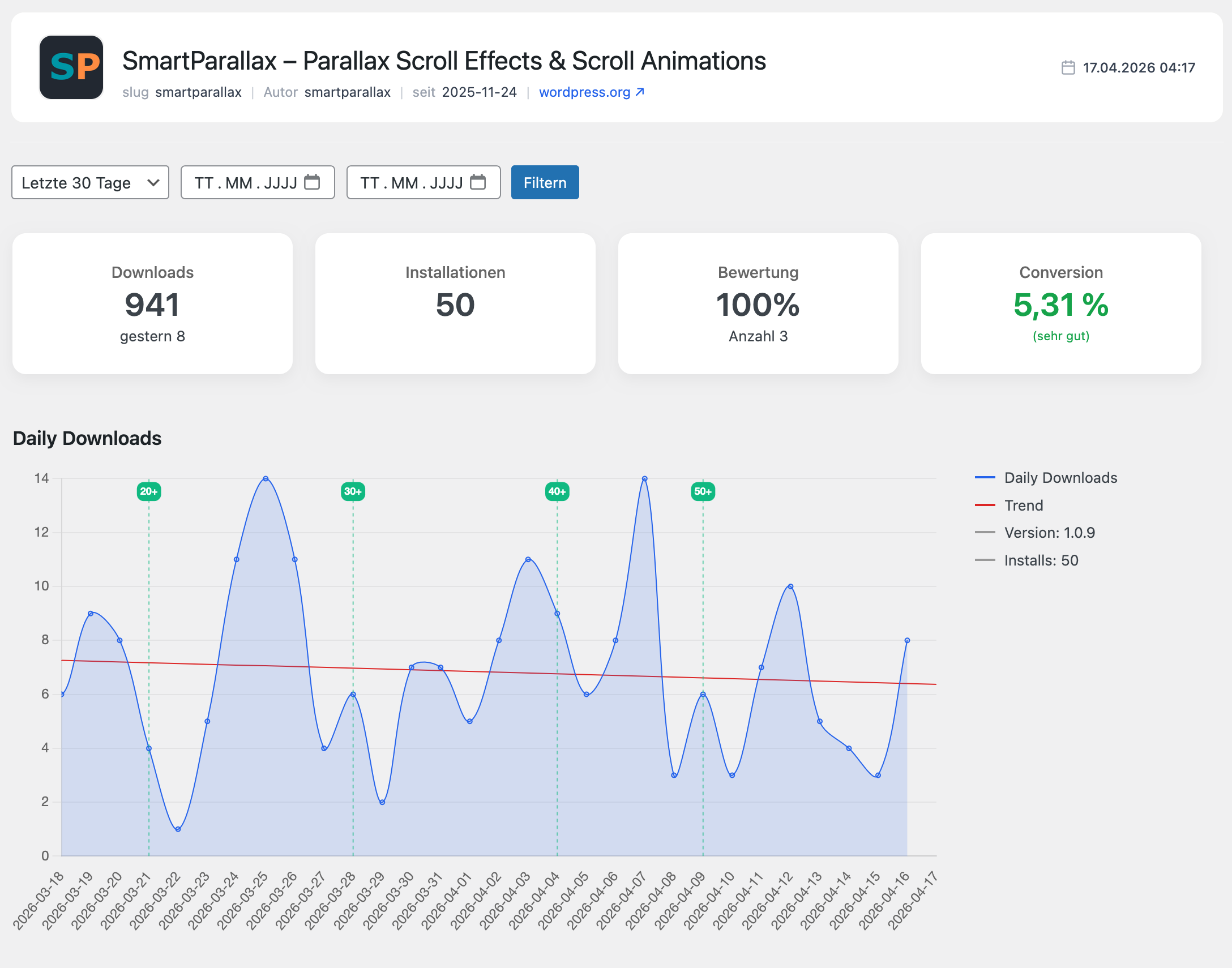
- Daily download trends with visual charts
- Ratings, reviews and conversion rate
- Version-based performance tracking
- Growth spikes and drop detection
🏆 Keyword & Visibility Tracking
Rank higher on WordPress.org search:
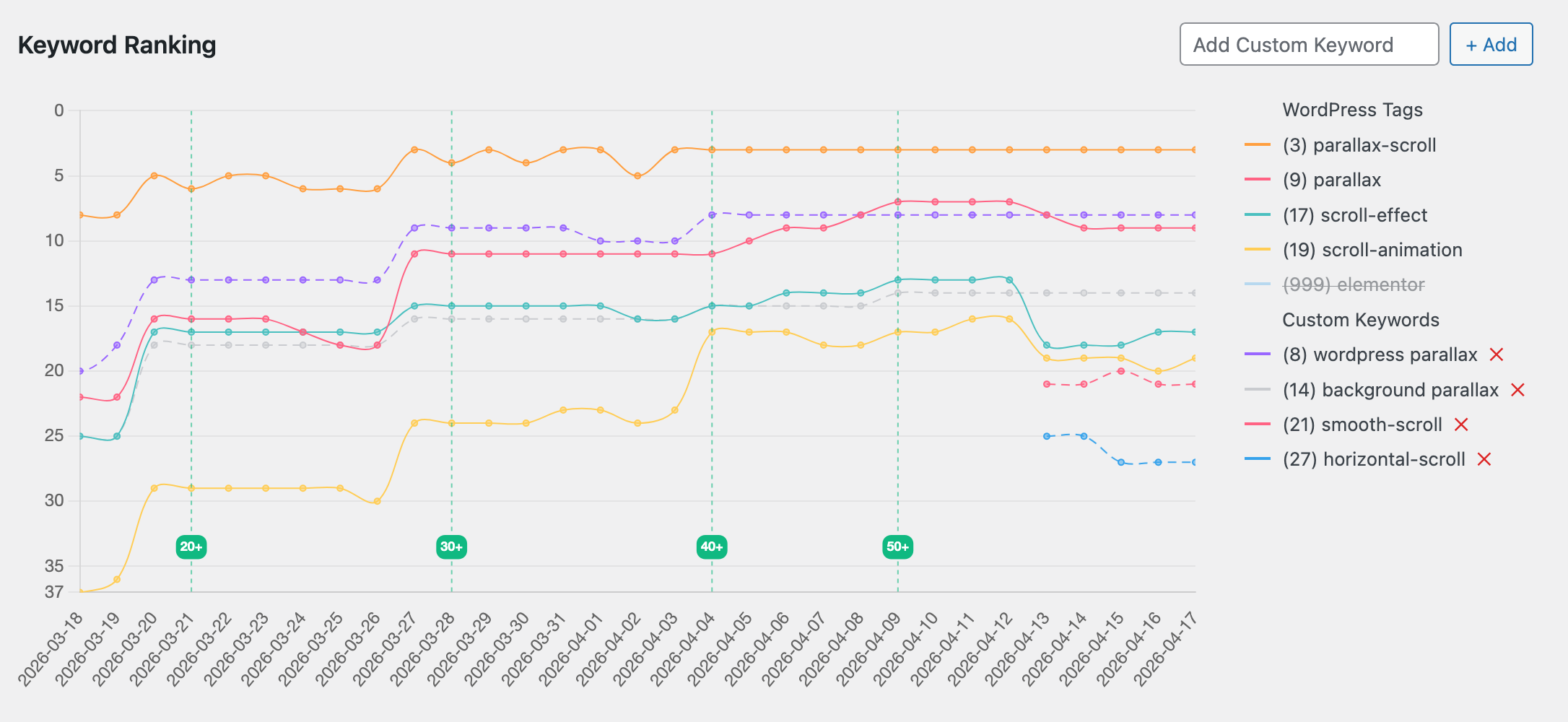
- Track your WordPress.org tag rankings over time
- Add custom keywords and monitor your position
- Automatically discover keywords your plugin already ranks for
- Identify untapped ranking opportunities you never knew existed
- Full ranking history with trend visualization
📈 Growth & Version Tracking
Understand how every update impacts your plugin:
- Compare performance across versions
- Detect the exact impact of updates and changelogs
- Measure growth trends week by week and month by month
🤝 Competitor Analysis
Know your competition — beat your competition:
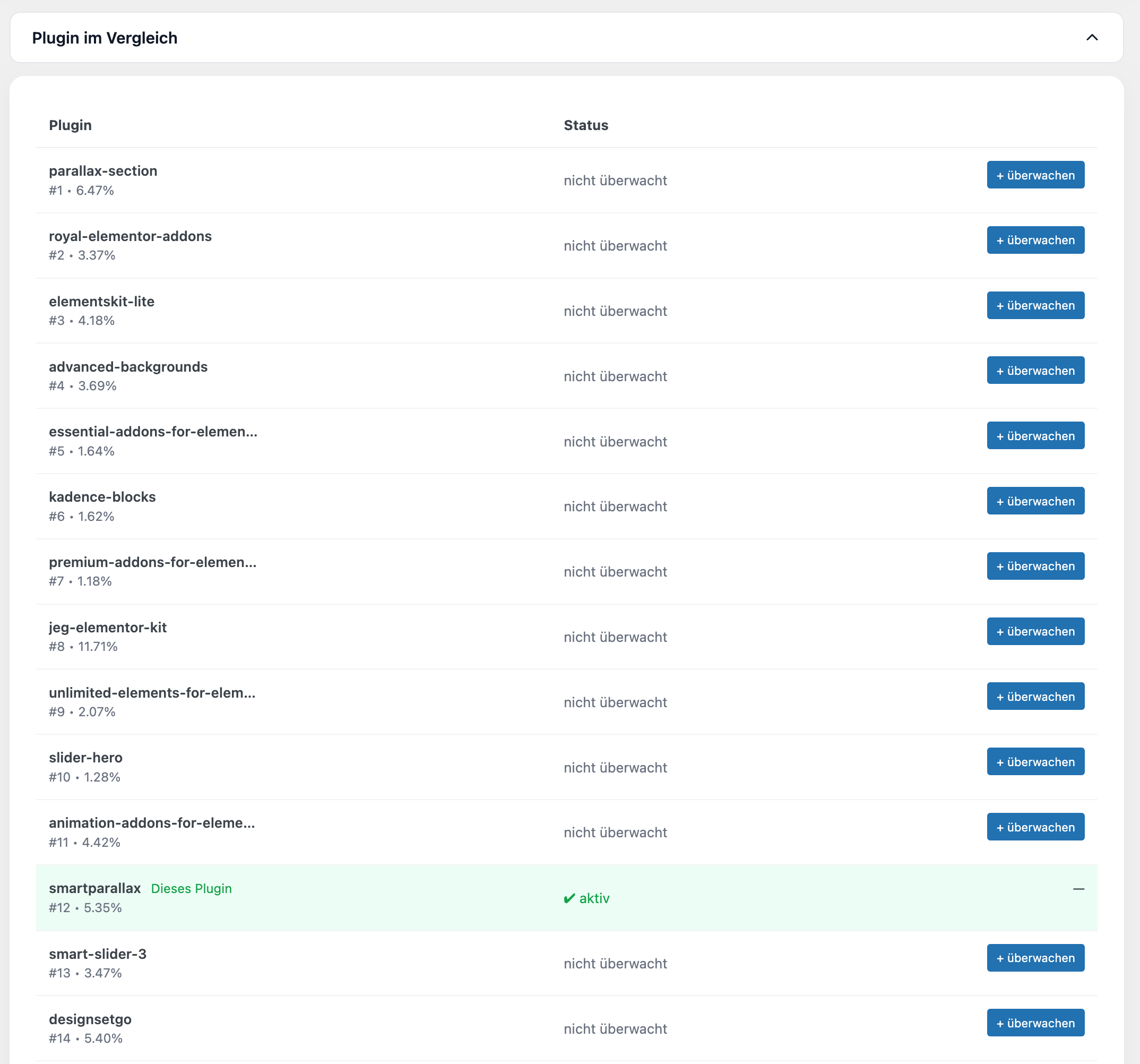
- See which plugins compete for the same keywords
- Compare rankings, installs and conversion rates side by side
- Monitor competitor growth over time
- Add competitor plugins to your dashboard with one click
⚡ Smart, Fast & Lightweight
- Automatic data collection — zero manual work
- Intelligent cache system for instant load times
- Lightweight, performance-optimized, no bloat
- Clean and modern WordPress admin dashboard
Who is Repoevo for?
- Plugin developers — understand your growth and dominate search rankings
- WordPress agencies — monitor client plugins and deliver clear performance reports
- Indie makers — discover untapped keyword opportunities and grow faster
- Competitor researchers — benchmark any plugin on WordPress.org
Features
- Monitor any WordPress.org plugin
- Track active installs, downloads and ratings
- Conversion rate tracking (installs vs. downloads)
- Version-based performance analysis
- WordPress.org tag and keyword ranking tracking
- Custom keyword monitoring
- Automatic keyword discovery
- Competitor plugin comparison
- Visual download and ranking charts
- Clean, modern and lightweight interface
External Services
This plugin connects to an external API to retrieve monitoring and analytics data.
Service provider: Webagentur BGL
Service URL: https://api.webagentur-bgl.com
Privacy Policy: https://repoevo.com/datenschutzerklaerung/
Terms of Service: https://repoevo.com/agb/
Data sent:
* Plugin slugs of monitored items
* Analysis timestamps (last known analysis time per item)
* Site URL (only when connecting an API key)
Data usage:
The transmitted data is used exclusively to provide analytics, monitoring and update detection features. No personal user data is collected or transmitted. The external API is required for the core functionality of this plugin.
Chart.js is loaded locally and used to render analytics charts within the plugin dashboard. No data is sent to Chart.js or any CDN.
Source Code
This plugin includes a minified JavaScript file (assets/js/admin/all.min.js) which is compiled from the source files located in assets/js/admin/ within the plugin directory. The unminified source files are included in the plugin package.
Third-party libraries included locally:
* Chart.js (https://www.chartjs.org/) — MIT License
* chartjs-plugin-annotation (https://www.chartjs.org/chartjs-plugin-annotation/) — MIT License
License
This plugin is licensed under the GPLv2 or later.
https://www.gnu.org/licenses/gpl-2.0.html
Screenshots
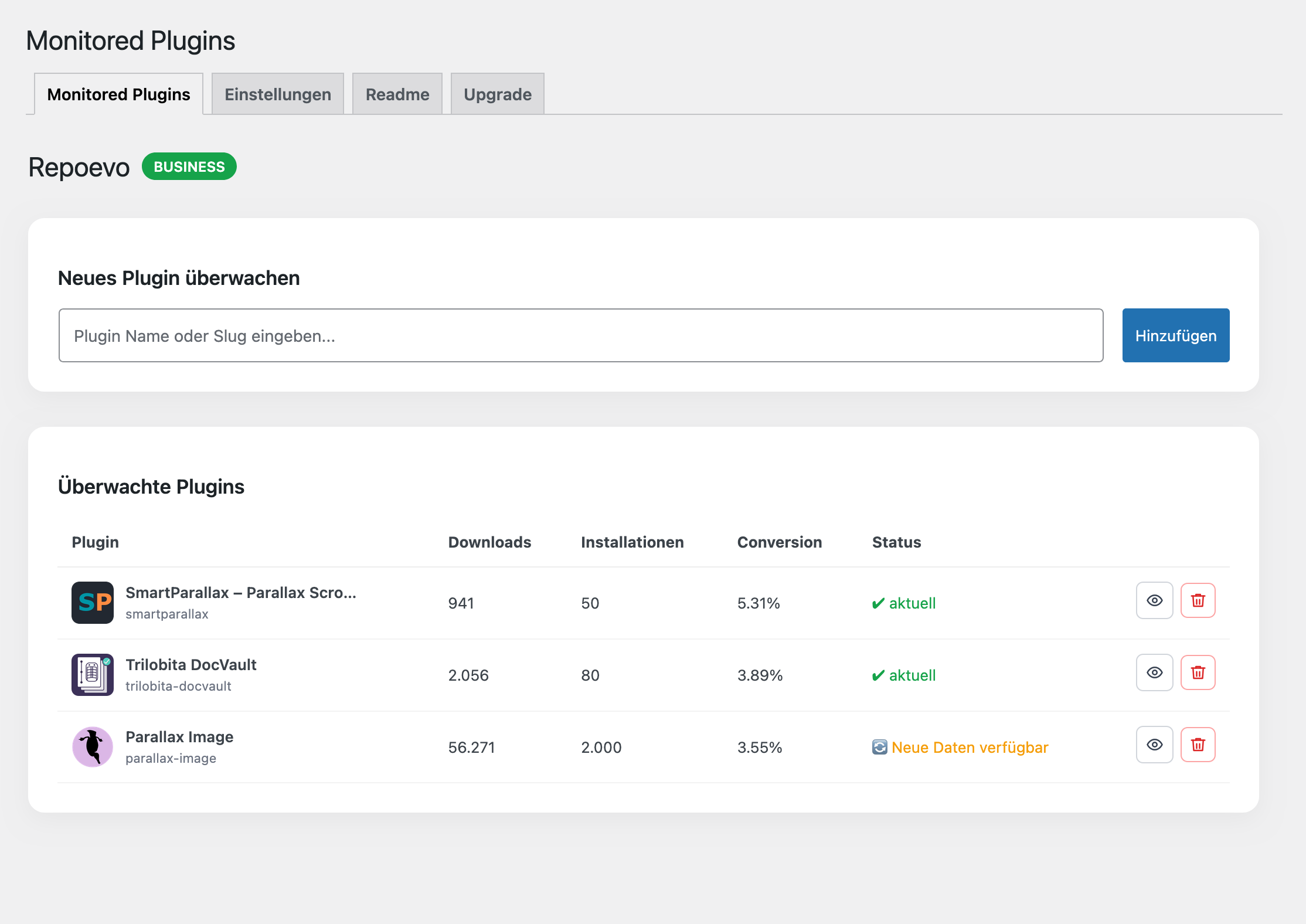
Dashboard overview with download trends and conversion stats
Keyword ranking chart with WordPress.org tag tracking and history
Competitor analysis — compare rankings and installs side by side
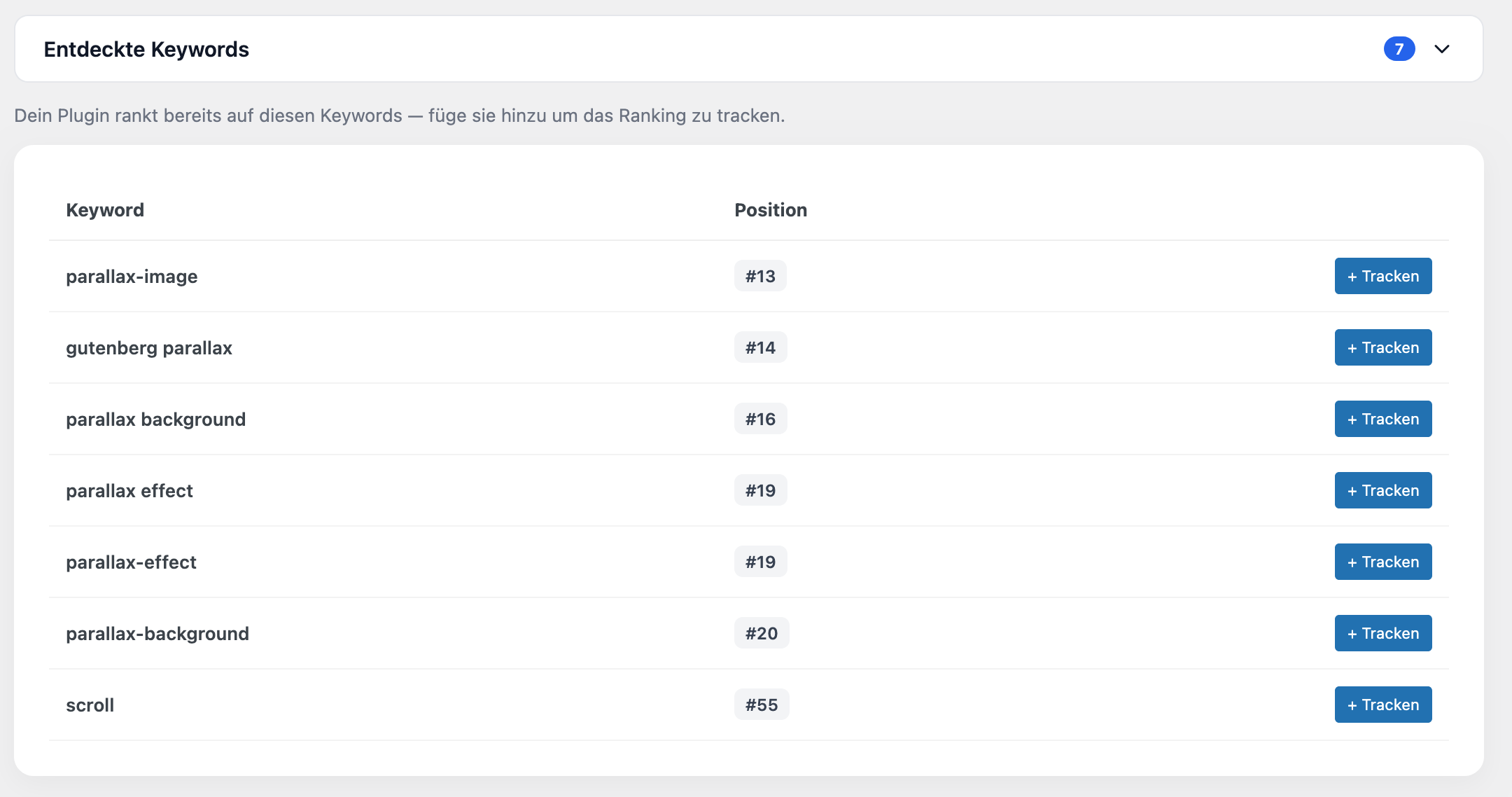
Discovered keywords — find rankings you didn’t know about and track them with Pro