
RingList For WooCommerce Wordpress Plugin - Rating, Reviews, Demo & Download
Plugin Description
RingList is SMS marketing with clean lists and prices shown before you send. This plugin connects your WooCommerce store to your RingList account:
- Every paying customer’s phone number is pushed to RingList automatically when their order is paid or completed.
- Numbers are validated and normalized by RingList — garbage never enters your list, and rejections are logged as order notes with the reason.
- An SMS opt-in checkbox is added to your checkout (recommended, CASL/TCPA friendly). You choose: only opted-in customers, or all paying customers.
- One-click import of your past customers.
- Store-wide default tag — your domain, out of the box and editable — so you always know which site a contact came from. Give specific products their own tags and those replace the default for that product. Tags accumulate across purchases, and WooCommerce’s own product tags are never touched.
- International-ready: billing country is used to send properly prefixed numbers to RingList’s per-country validation.
- Opt-outs are handled by RingList itself: when a customer replies STOP (or ARRÊT), they are unsubscribed permanently.
Your RingList plan’s contact limit applies to contacts added by this plugin.
External services
This plugin connects your store to RingList (https://ringlist.app), the SMS service it is built for. A RingList account and an API key are required; nothing is sent until you enter that key.
What is sent, and when:
- When an order reaches “processing” or “completed” — and, in checkbox consent mode, only if the customer ticked the SMS opt-in box — the plugin sends that customer’s billing phone number, first name, last name, the tags configured for the store or the purchased products, and the word “woocommerce” as the source, to https://ringlist.app/api/v1/contacts.
- The same data is sent for each past order you choose to push with the “Import past customers” button.
- When you click “Test connection”, only your API key is sent, to https://ringlist.app/api/v1/ping, to verify it and read back your account name and plan.
No data is sent on the front end of your site, and nothing is sent about visitors who do not place an order.
RingList is a service by Milotche Media. Its terms of service are available at https://ringlist.app/terms and its privacy policy at https://ringlist.app/privacy. Because you are sending your customers’ personal data to a third party, make sure your own privacy policy says so and that you have the consent required in your jurisdiction (CASL, TCPA, GDPR).
Screenshots
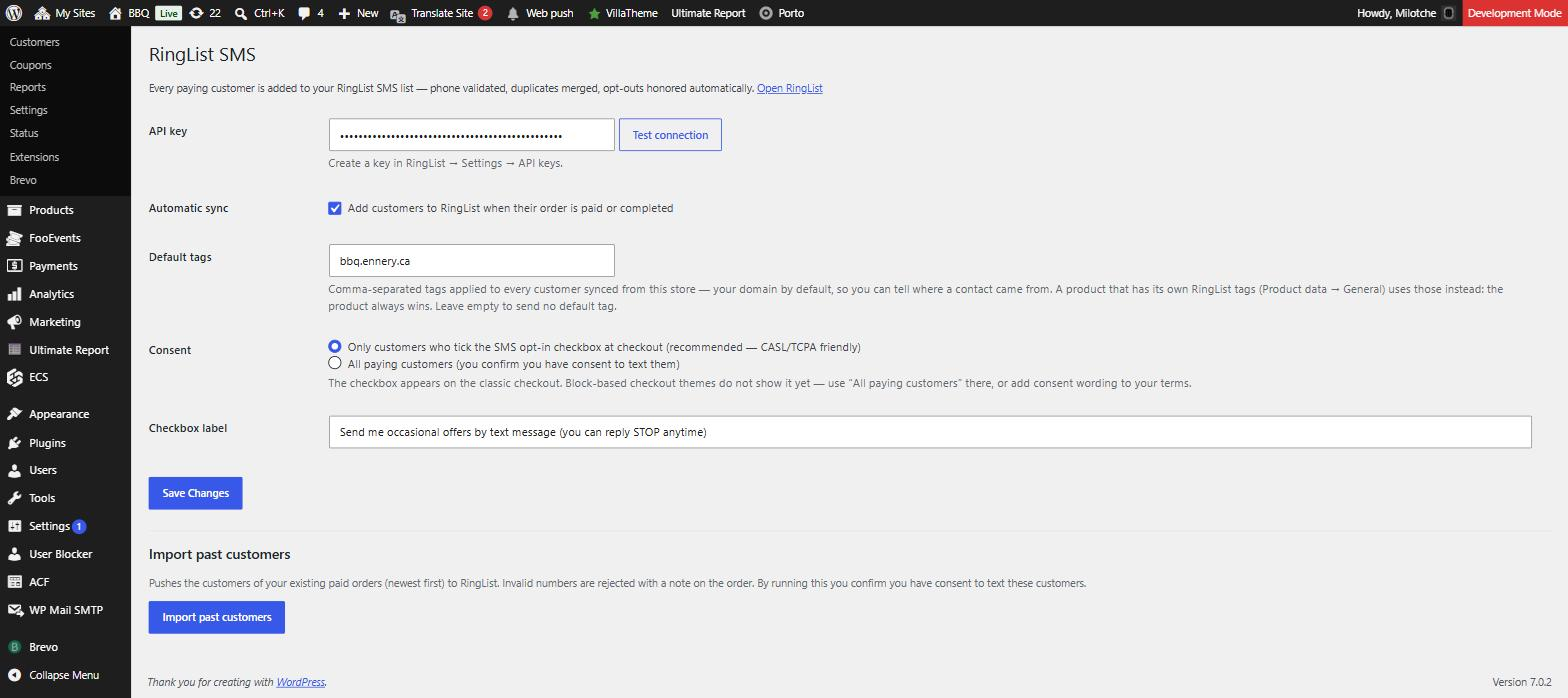
WooCommerce → RingList SMS: paste your API key, test the connection, set the tags every customer gets, and choose how consent is collected.
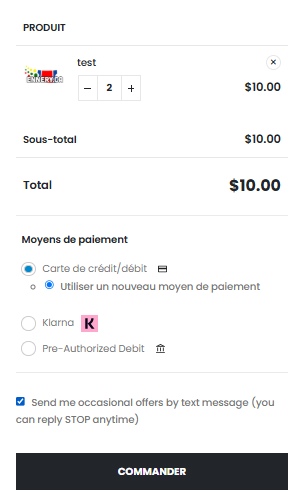
The SMS opt-in checkbox on the checkout, right above the order button. Only customers who tick it are added — unless you switch to “all paying customers”.
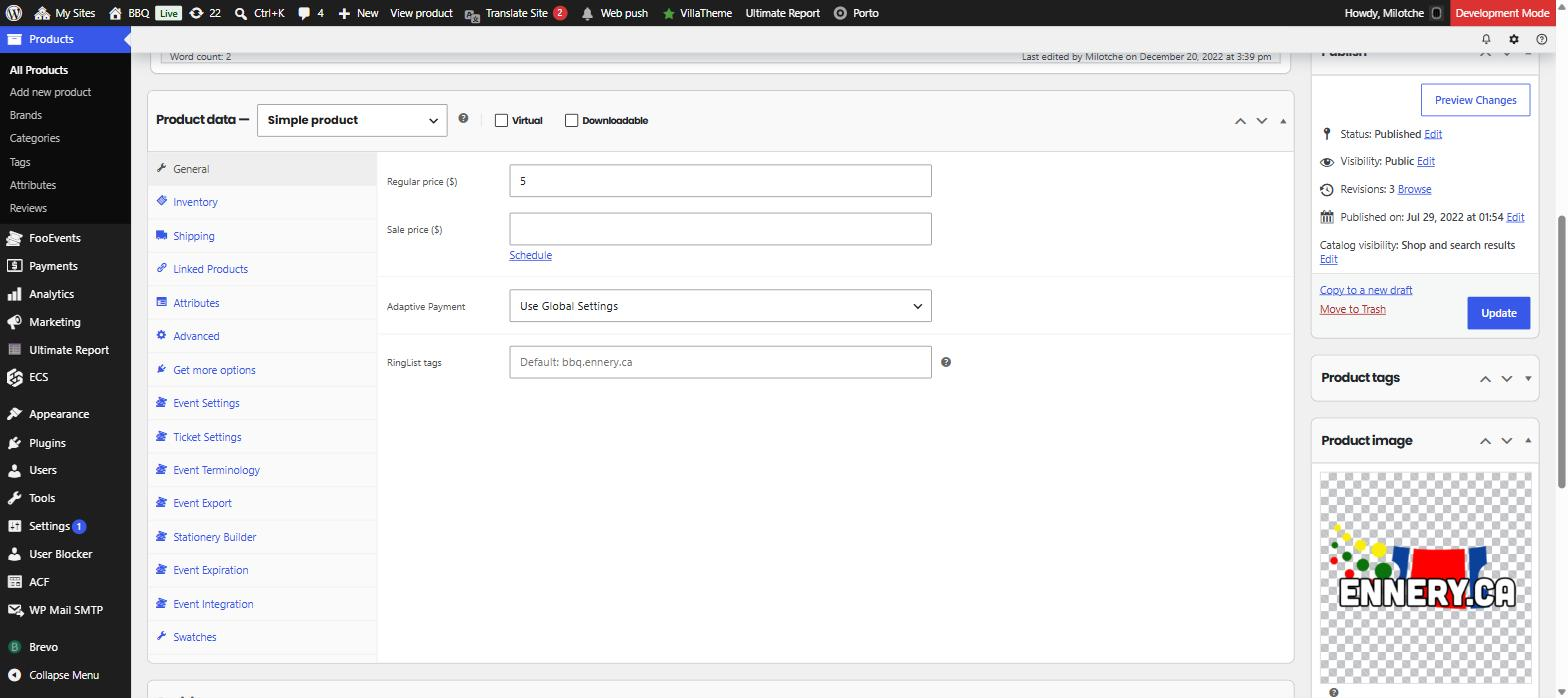
Per-product RingList tags, in Product data → General. Left empty, buyers get the store default shown as a hint; type tags here and they replace it for this product.
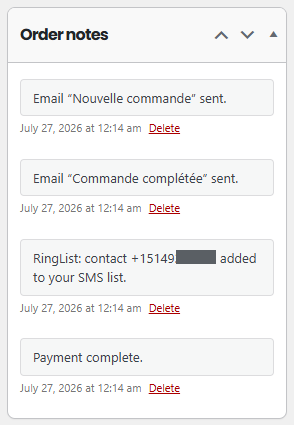
Every sync is written to the order as a note, with the normalized number RingList accepted — or the exact reason it was rejected. (Digits masked in this screenshot.)


