Rotozoom Product Filter Wordpress Plugin - Rating, Reviews, Demo & Download

Plugin Description
Rotozoom Product Filter adds a fast, modern filtering sidebar to your WooCommerce shop, category and search pages. Customers narrow down products instantly — without full page reloads — using attributes, price ranges, stock status, ratings, on-sale and more.
The plugin renders results through your active theme’s own product loop, so filtered results look identical to your normal shop pages on classic themes, third-party themes and block (FSE) themes alike.
Features
- AJAX filtering with no page reload
- Filter by product attributes (color, size, socket, wattage — any WooCommerce attribute)
- Price range slider
- Stock status, on-sale, new, rating and review filters
- Per-attribute display types: checkboxes, radio, color swatches, or numeric slider
- Drag & drop to order attributes in the admin
- Sortable sections and collapsible groups
- Mobile filter drawer
- Works with classic, third-party and block (FSE) themes
- Translation-ready
Shortcodes
[rotozoom_filter]— renders the filter sidebar and a filterable product grid on any page or post-
[rotozoom_filter_bar]— renders the per-page selector on its own, for authors who want it somewhere other than above the grid (use together with[rotozoom_filter bar="0"])[rotozoom_filter] accepts:
-
category— limit the grid to one product category slug, e.g.[rotozoom_filter category="led-panels"] per_page— products per page (default: your shop’s WooCommerce products per page)columns— grid columns (default: your theme’s WooCommerce setting)orderby—menu_order,popularity,rating,date,priceorprice-descsidebar—0to render the grid without the filter sidebarbar—0to hide the built-in toolbar
External services
This plugin does not connect to, send data to, or load any code from external services. It runs entirely on your own site.
Screenshots
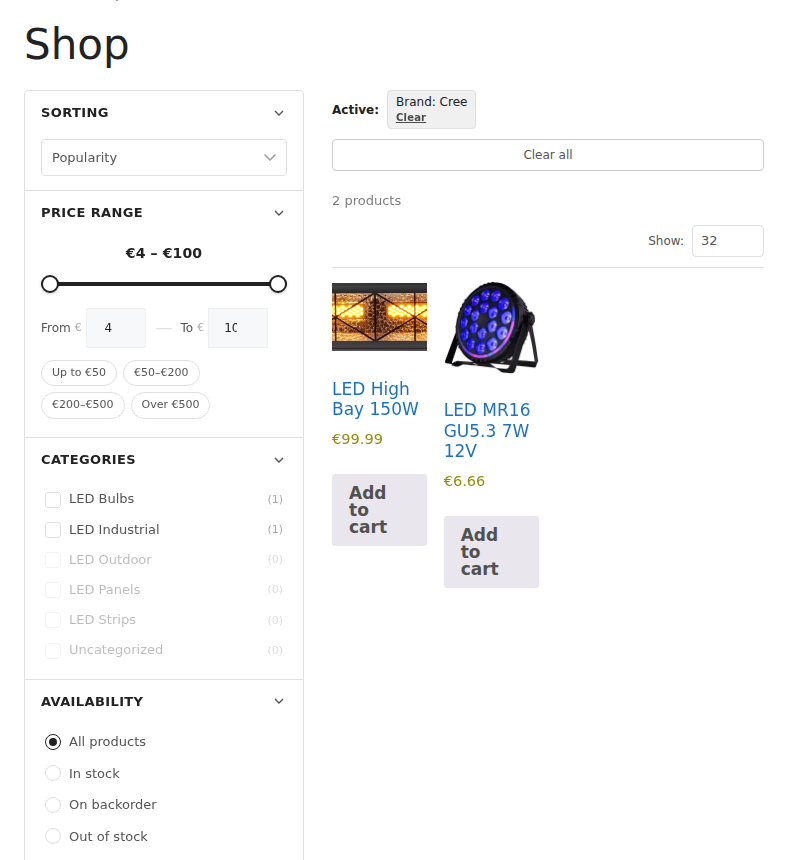
Front-end filter sidebar on the shop page — sorting, price range, categories, availability and attribute groups filter the product grid instantly with no page reload.
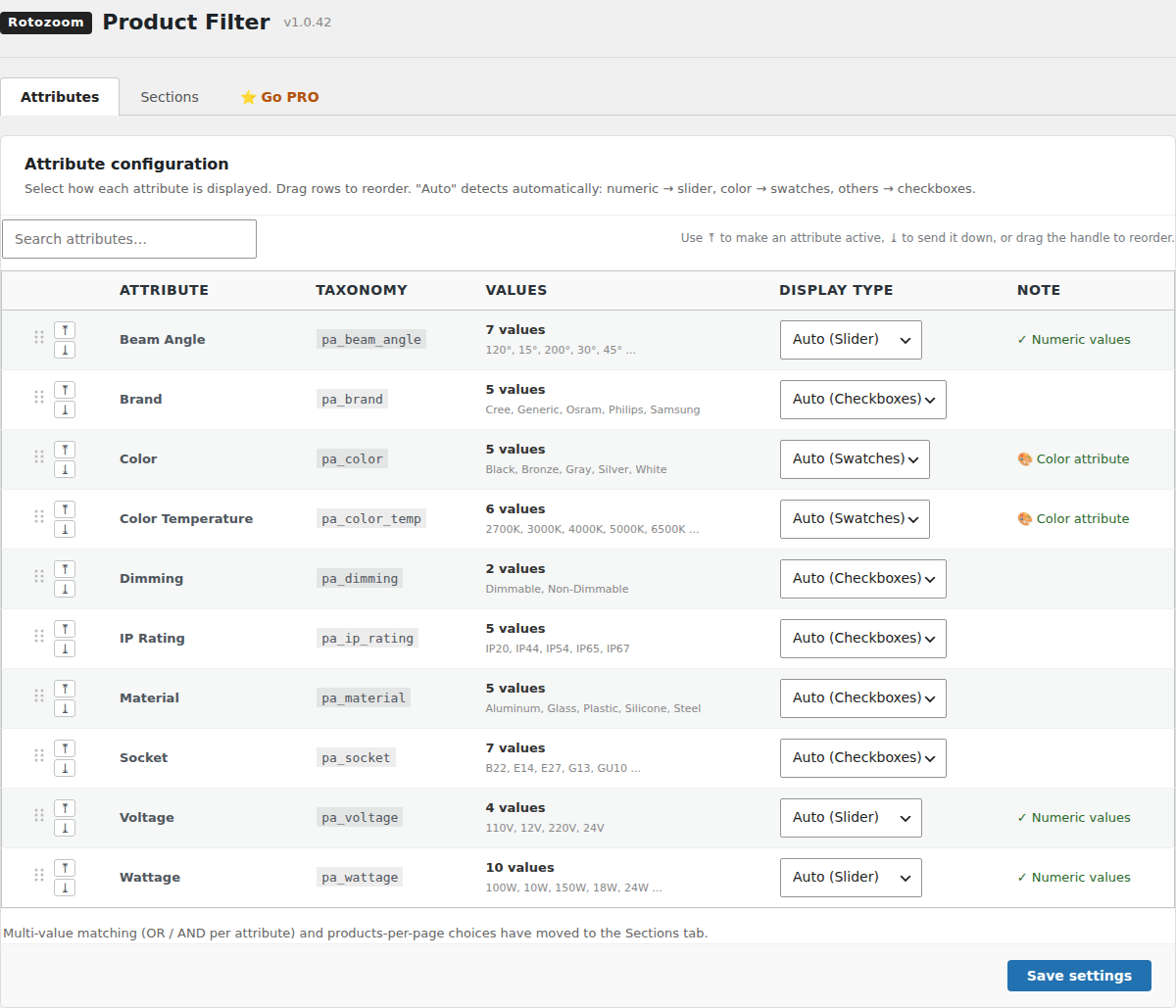
Admin attribute configuration — choose a display type (auto, slider, swatches, checkboxes, radio) per attribute and drag to reorder them.