Sahitya Readiness Scan For PHP Wordpress Plugin - Rating, Reviews, Demo & Download
Plugin Description
Your host emailed you: “We’re upgrading your site to PHP 8.x.” Will your site still work?
Sahitya Readiness Scan reads the code of every plugin and theme on your site and tells you, in plain English:
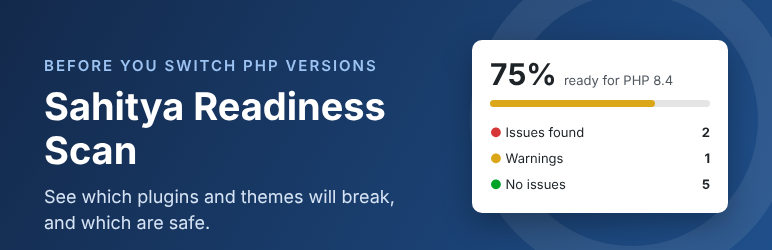
- A readiness score, for example “92% ready for PHP 8.4”.
- A clear verdict for each plugin and theme: “No issues found”, “Likely compatible” (warnings only), or “Issues found” (will likely break).
- What to do next, without technical jargon. The technical details are still there if you or your developer want them.
- Does updating fix it? For plugins from WordPress.org, it checks the newest version for you: “Updating 3.1 3.24 fixes this”, or “The latest version still has issues”.
- Step-by-step guides for changing the PHP version at SiteGround, Hostinger, Bluehost, GoDaddy, Kinsta, WP Engine and any cPanel host.
Built for cheap hosting
The scan runs in small steps of a few seconds each, so it never times out, even on hosting with a 30-second limit. You can pause it, or close the page: it carries on in the background and picks up where it left off.
Scan only
This plugin never changes, updates or deletes your plugins or themes. It only reads their files.
What gets checked
- All plugins, active and inactive
- Must-use plugins
- Your active theme and its parent theme
- Target versions PHP 8.2, 8.3, 8.4 and 8.5
The checks come from the open-source PHPCompatibility rules (PHPCompatibilityWP), running inside WordPress. No exec() or command line needed.
Not affiliated with PHP
Sahitya Readiness Scan is an independent plugin. It is not made, endorsed or supported by the PHP project or the PHP Group. “PHP” is used only to say which language versions it checks.
Source code and bundled libraries
The scanning rules come from PHP_CodeSniffer and PHPCompatibility, which are bundled in the vendor-prefixed folder. They are needed at runtime: they are the scanner itself, not development tools. They are renamed into their own namespace (PHPUCVendor) so they never clash with other plugins that ship the same libraries. composer.json, composer.lock and scoper.inc.php show exactly which versions are bundled and how they are built.
Important
This is a static scan: it reads the code without running it. It can’t catch every runtime problem. Always back up your site and, if you can, test on a staging copy before switching PHP.
External services
This plugin connects to the official WordPress.org plugin directory, and nothing else.
- What and why: for plugins where the scan found problems, it asks the WordPress.org Plugins API (
api.wordpress.org) for the latest version of that plugin. If a newer version exists, it downloads that version’s ZIP file fromdownloads.wordpress.orgto a temporary folder, scans it, and deletes it. This is how it can tell you whether updating fixes the problem. - What is sent: the same as WordPress itself sends when it checks for plugin updates: the plugin’s WordPress.org name (slug), plus your WordPress version and site address in the standard WordPress request header. No other data is sent. There is no tracking and no analytics.
- When: only after a scan you started, and only for plugins with issues or warnings. Results are cached for 7 days.
- How to turn it off: Tools Readiness Scan Settings untick “Check newer versions”.
- WordPress.org terms and privacy policy: https://wordpress.org/about/privacy/
Screenshots

The readiness score and results table: problems are listed first.

Plain-English details for each problem, with the technical details one click away.

Step-by-step guides for changing the PHP version at popular hosts.