Samybaxy's Hyperdrive Wordpress Plugin - Rating, Reviews, Demo & Download

Plugin Description
Status: Production Ready
Current Version: 6.0.0
Samybaxy’s Hyperdrive makes WordPress sites 65-75% faster by intelligently loading only the plugins needed for each page.
Instead of loading 120 plugins for every page, we load only 12-45 plugins for the current page – automatically, without breaking anything.
Key Features
- 85-90% plugin reduction on most pages
- 65-75% faster page loads without caching
- Zero configuration needed – works automatically
- Zero broken functionality – intelligent dependency detection
- Automatic dependency resolution – understands plugin ecosystems
- Multi-layer caching – 60-75% faster on cached requests
- Admin-only debug widget – real-time performance monitoring
How It Works
Traditional WordPress loads ALL plugins on EVERY page:
* Shop page loads: WooCommerce, LearnPress, Forms, Analytics, SEO… (120 plugins)
* Blog page loads: WooCommerce, LearnPress, Forms, Analytics, SEO… (120 plugins)
* Result: Slow sites (3-8 seconds TTFB)
Samybaxy’s Hyperdrive intelligently filters plugins:
* Shop page loads: WooCommerce + dependencies only (35 plugins)
* Blog page loads: Blog plugins + dependencies only (18 plugins)
* Result: 65-75% faster!
Intelligent Detection System
The plugin automatically detects which plugins are needed via:
- URL-based detection – Recognizes WooCommerce, courses, membership, blog pages
- Content analysis – Scans post content for shortcodes and page builder widgets
- Dependency resolution – Automatically loads all required plugin dependencies
- User role detection – Loads extra plugins for logged-in users, affiliates, members
- Smart defaults – Always loads essential plugins (page builders, theme cores)
Supported Plugin Ecosystems
- JetEngine – jet-engine, jet-menu, jet-blocks, jet-elements, jet-tabs, jet-popup, jet-woo-builder, and 10+ modules
- WooCommerce – woocommerce, memberships, subscriptions, product bundles, smart coupons
- Elementor – elementor, elementor-pro, the-plus-addons, thim-elementor-kit
- Content Restriction – restrict-content-pro, rcp-content-filter-utility
- Automation – uncanny-automator, fluent-crm
- Forms – fluentform, fluentformpro, jetformbuilder
- Other – LearnPress, Affiliate WP, EmbedPress, Presto Player, and many more
Safety Features
- Never filters WordPress admin area
- Never filters AJAX requests
- Never filters REST API requests
- Never filters WP-CRON requests
- Validates plugin existence before loading
- Maintains WordPress native plugin load order
- Falls back to loading all plugins if anything breaks
- Security: Debug widget only visible to administrators
- Security: Plugin info hidden from frontend users and visitors
- Clean: No error logging or debug output
Performance Optimization
- Expected reduction: 85-90% fewer plugins loading on most pages
- Speed improvement: 65-75% faster page loads
- Memory savings: 40-60% less memory usage
- Filter overhead: < 2.5ms per request
- Server cost reduction: 60-70% for same traffic
What’s New in v5.1
Heuristic Dependency Detection System – Zero Manual Maintenance!
The plugin now automatically detects plugin dependencies using 4 intelligent methods:
- WordPress 6.5+ Headers – Reads official “Requires Plugins” header
- Code Analysis – Scans for class_exists(), defined(), hook patterns
- Pattern Matching – Recognizes naming conventions (jet-*, woocommerce-*, elementor-*)
- Known Ecosystems – Validates with curated plugin relationships
Benefits:
* Zero manual maintenance – dependencies auto-detected
* Works with custom/proprietary plugins automatically
* Auto-rebuilds on plugin activation/deactivation
* Database storage for fast retrieval
What’s New in v5.0
Intelligent Plugin Scanner – Heuristic Analysis System
Automatically analyzes all plugins and scores them 0-100 based on:
* Known patterns (page builders, theme cores)
* Keywords in name/description
* Hook registrations (wp_head, wp_footer, etc.)
* Asset enqueuing (global CSS/JS)
* Custom post type registration
Detection Result Caching – 60-75% Faster Filtering
Dual-layer caching system:
* Requirements Cache – Pre-computed URL to plugins mapping
* Detection Cache – Runtime caching with object cache support
* Performance: 0.3-0.8ms cached (vs 1.2-2.1ms uncached)
Admin Interface
Settings page at Settings > Samybaxy’s Hyperdrive with:
* Enable/disable plugin filtering checkbox
* Enable/disable debug widget checkbox
* Intelligent plugin scanner with visual cards
* Dependency map viewer with statistics
* Performance logs showing recent page loads
* Cache statistics and management
* Stats: plugins loaded, plugins filtered, reduction percentage
Debug Widget
Floating widget that appears on frontend when enabled:
* Admin only – Only visible to logged-in administrators
* Frontend users and incognito visitors cannot see it (security)
* Shows total plugins available
* Shows plugins loaded this page
* Shows plugins filtered out
* Shows reduction percentage
* Lists essential detected plugins
* Shows sample of filtered out plugins
* Fully interactive with expand/collapse
* Responsive design (works on mobile)
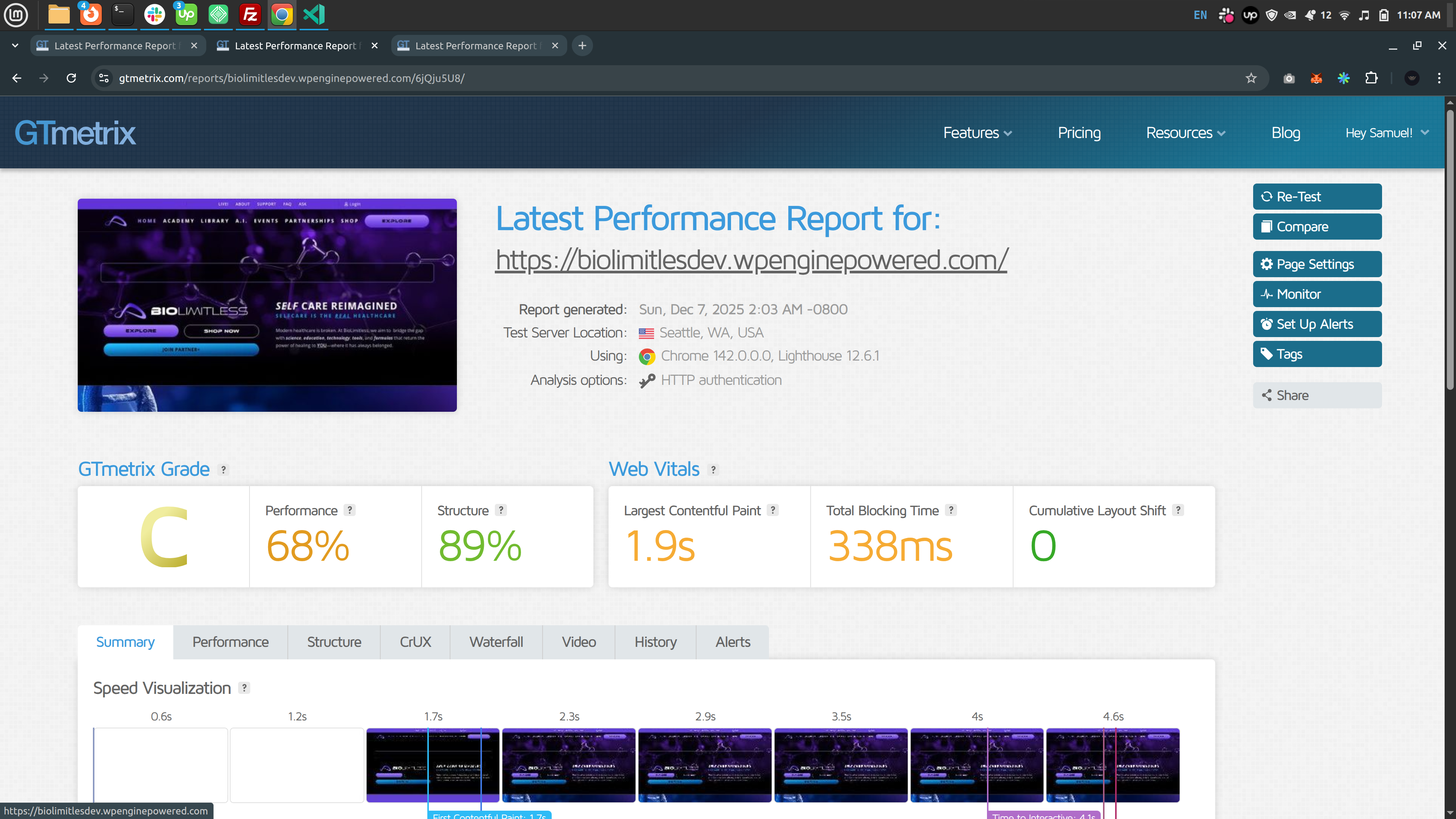
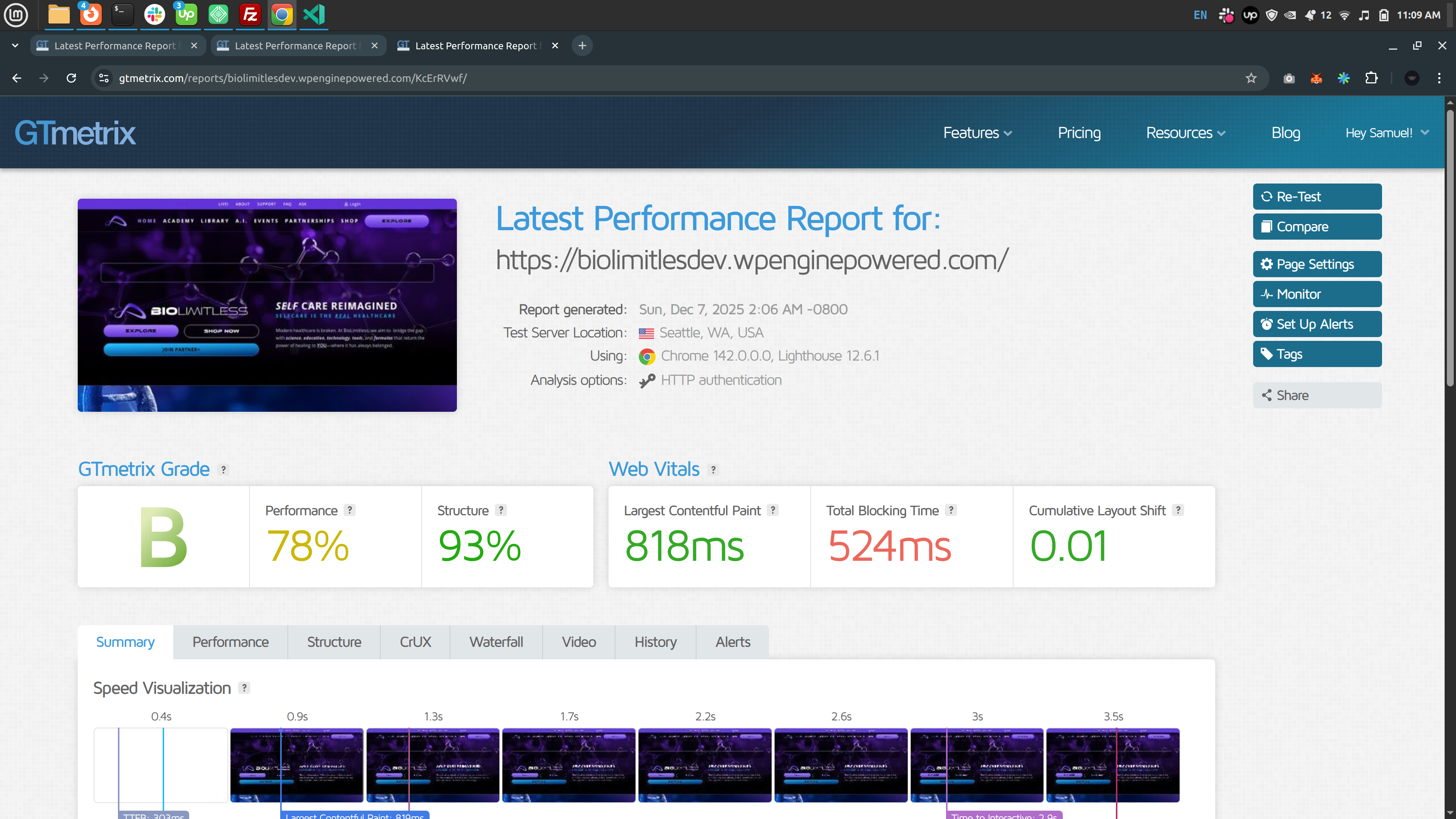
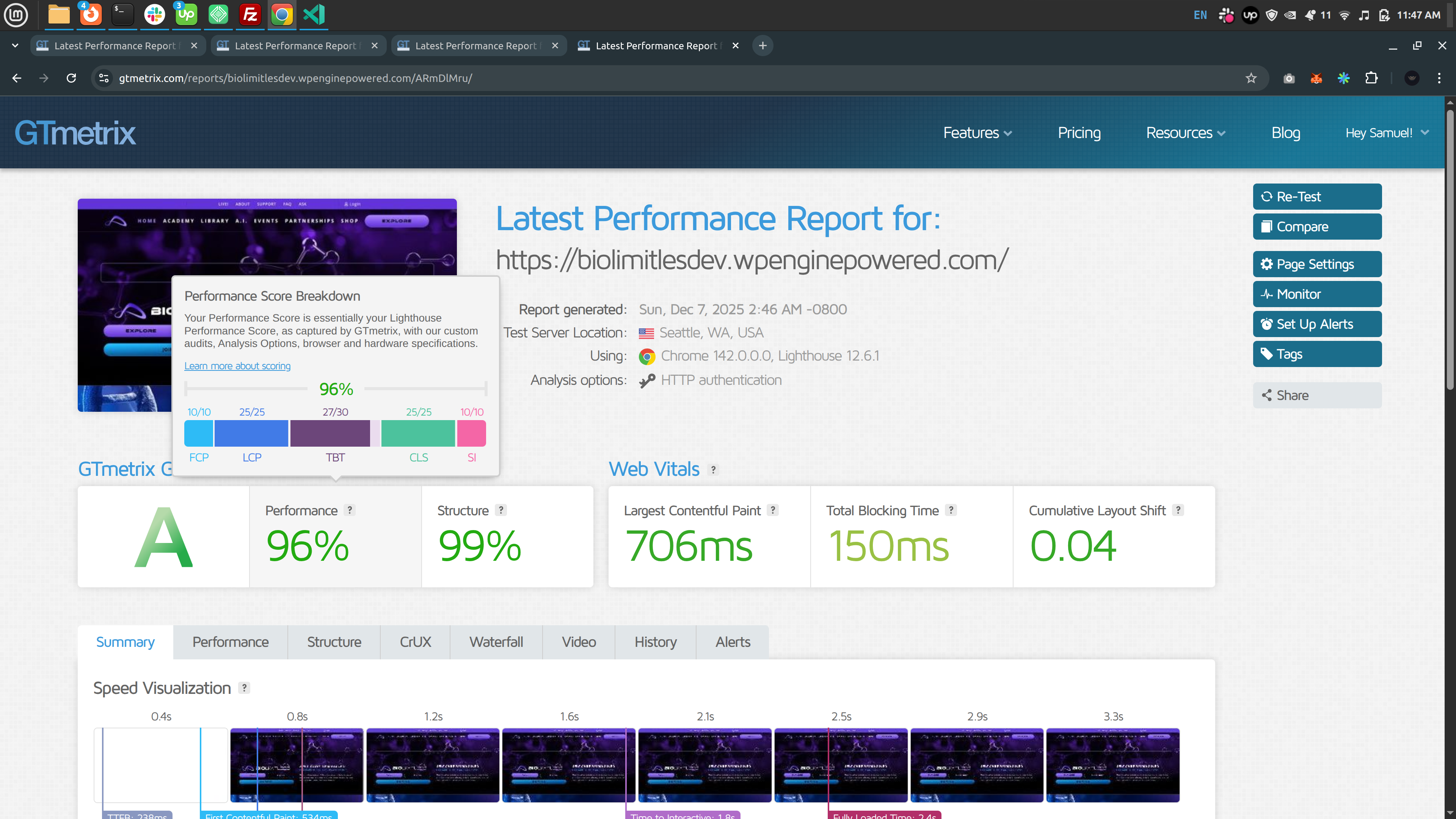
Performance Statistics
Typical performance improvements:
Page Type
Before
After
Improvement
Homepage
3.5s TTFB
1.2s TTFB
65% faster
Shop Page
4.2s TTFB
1.4s TTFB
67% faster
Blog Page
2.8s TTFB
0.8s TTFB
71% faster
Course Page
5.1s TTFB
1.9s TTFB
63% faster
Technical Details
Performance
- Time Complexity: O(n) linear time for all operations
- Space Complexity: ~110KB memory overhead (includes caching)
- Filter Speed: 0.3-0.8ms cached, 1.2-2.1ms uncached
- Plugin Reduction: 85-90% on most pages
- Speed Improvement: 65-75% faster page loads
Architecture
- Heuristic Dependency Detector – Auto-detects plugin dependencies
- Intelligent Plugin Scanner – Analyzes and scores all plugins
- Dual-Layer Caching – Requirements cache + detection cache
- Content Analyzer – Intelligent content scanning with caching
- Detection System – URL, content, user role, and default detection
- Resolver Algorithm – Queue-based recursive dependency resolution
- Safety Layer – Backend detection, validation, and fallbacks
Database Options
All options use shypdr_ prefix:
* shypdr_enabled – Enable/disable plugin filtering
* shypdr_debug_enabled – Enable/disable debug widget
* shypdr_essential_plugins – User-customized essential plugins
* shypdr_dependency_map – Auto-detected plugin dependencies
* shypdr_plugin_analysis – Cached scanner results
* shypdr_url_requirements – Pre-computed URL lookups
* shypdr_logs (transient) – Performance logs
WordPress Hooks
plugins_loaded– Initialize core componentsadmin_menu– Register settings pageadmin_init– Register settings fieldsoption_active_plugins– Filter plugin list before WordPress loads themwp_enqueue_scripts– Load debug widget CSS/JSwp_footer– Render debug widget HTMLsave_post– Update requirements cacheactivated_plugin– Rebuild dependency mapdeactivated_plugin– Rebuild dependency map
Filter Hooks for Developers
shypdr_essential_plugins– Override essential pluginsshypdr_dependency_map– Override dependency mapshypdr_url_detected_plugins– Customize URL detectionshypdr_content_detected_plugins– Customize content detection
Support
For support and documentation:
* GitHub: https://github.com/samybaxy/samybaxy-hyperdrive
* Settings > Samybaxy’s Hyperdrive – View performance logs
* Enable debug widget for real-time monitoring
Credits
Developed by samybaxy with a focus on performance, safety, and zero configuration.
Special thanks to the WordPress community for their feedback and testing.
Screenshots
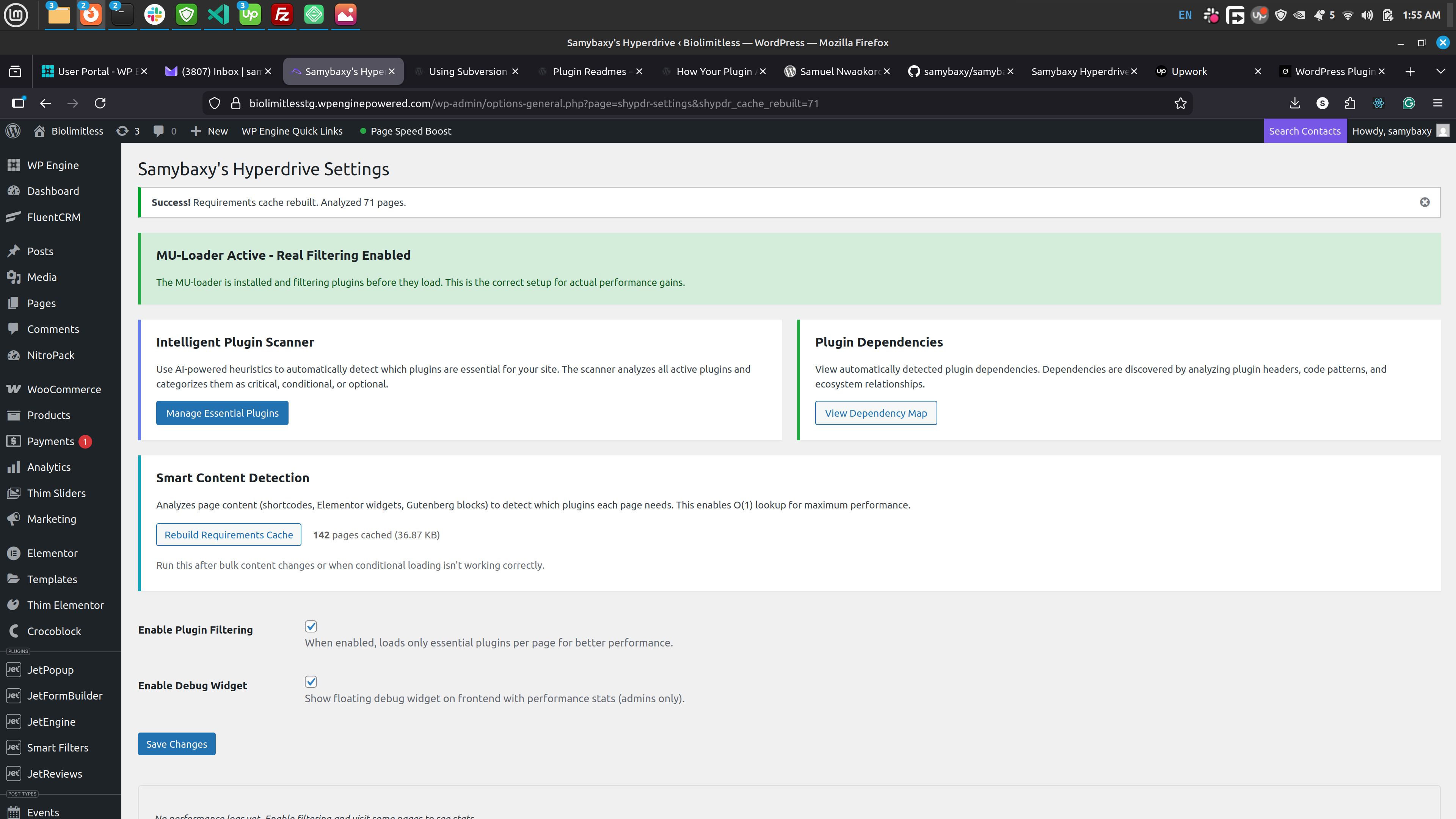
Settings page with enable/disable options and performance logs
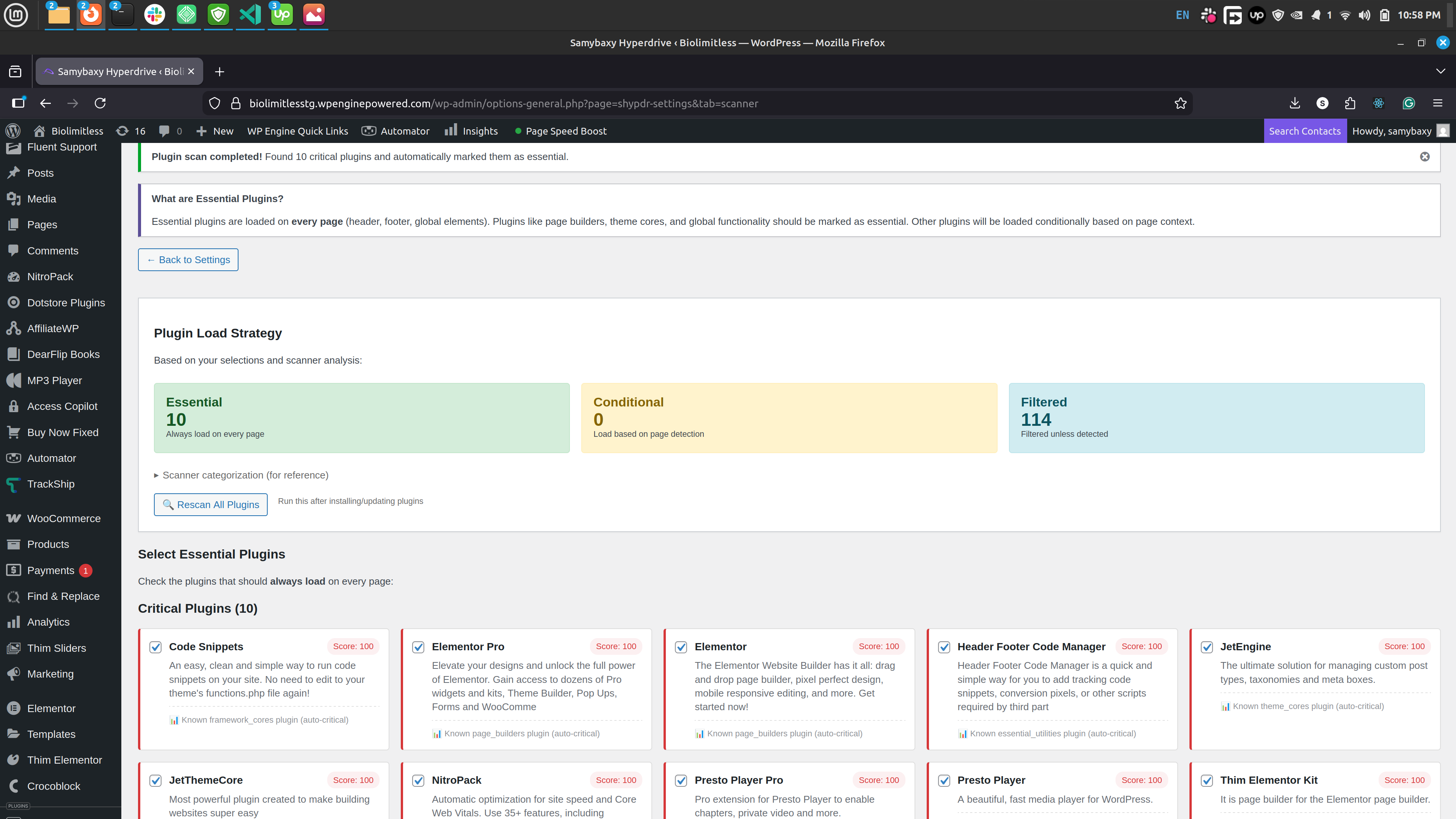
Debug widget showing real-time plugin filtering stats (admin only)
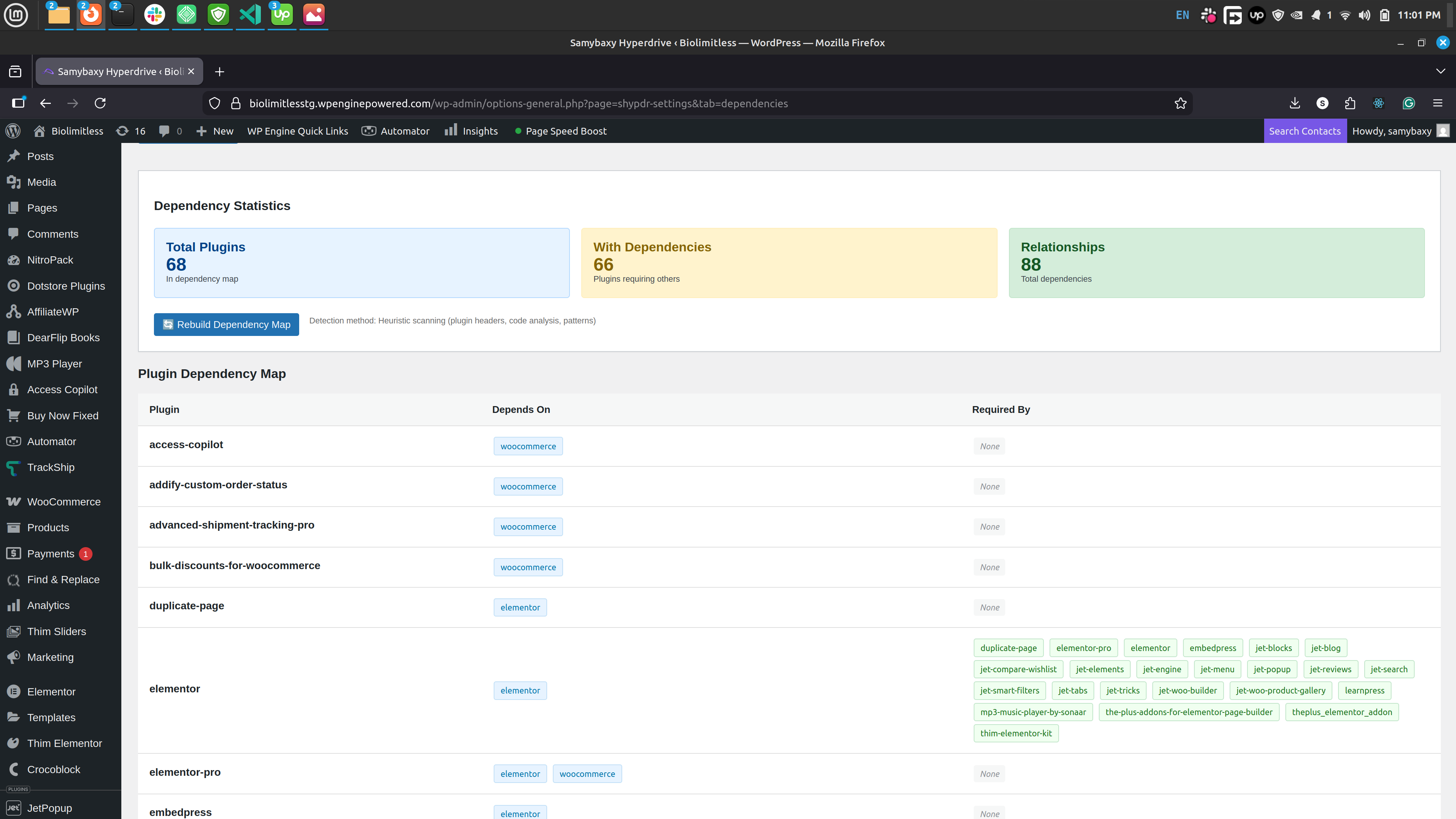
Intelligent plugin scanner with visual cards and scores
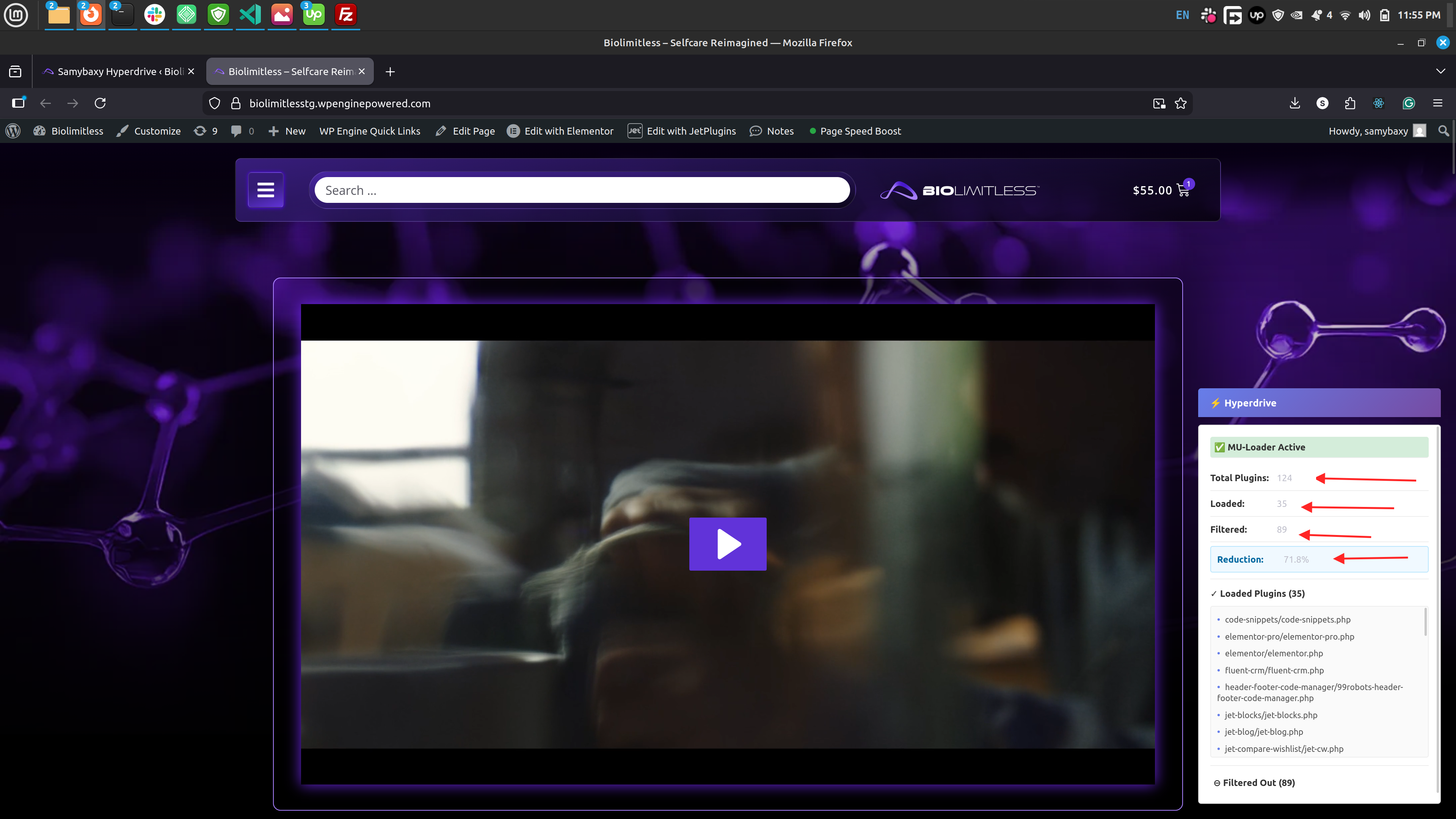
Dependency map viewer with statistics and relationships
Performance logs table with detailed plugin lists1. The main settings page with options to Manage Essential Plugins, Plugin Dependencies, and rebuild cache.
The settings subpage where you can manage your essential plugin list or scan all plugins for heuristics.
The settings subpage where you can manage and map plugin dependencies.