Sanestly Order Ops Fields For WooCommerce Wordpress Plugin - Rating, Reviews, Demo & Download

Plugin Description
Your team probably keeps operational information about orders somewhere it does not belong: in spreadsheets, order notes, or someone’s memory. Sanestly Order Ops Fields for WooCommerce brings that data onto the order itself. Define the internal fields your fulfilment, warehouse, or support team needs, surface them as columns and filters on the WooCommerce Orders screen, and update values without opening every order one by one.
Unlike a generic admin-columns plugin that only displays existing meta, this is a purpose-built order operations tool: typed fields with validation, a dedicated panel on each order, a per-order change timeline with undo, and starter templates for common workflows. Everything is stored through WooCommerce order CRUD, so it works the same on High-Performance Order Storage (HPOS) and on legacy order storage.
All fields are internal and staff-only. The plugin does not add checkout fields, does not change anything customers see, and never blocks an order.
Why use it?
- Stop opening orders one by one to check or update internal state – sortable columns and inline editing put the values in the Orders list itself.
- Find orders by what matters to your team: filter the list by any operational field, such as priority, production date, or assignee.
- Keep fulfilment data structured instead of buried in free-text order notes.
- Know who changed what: every edit is recorded on a per-order audit timeline, and a safe last change can be undone.
- Move between stores or review changes safely: field configuration exports and imports as versioned JSON with a dry-run preview.
Fields your team actually needs
Create unlimited operational fields in seven types: text, textarea, number, select, checkbox, date, and assignee (a WordPress user). Each field gets a label, optional help text, a default value, required state for the plugin’s own form, and independent toggles for column, filter, sort, and inline editing on the Orders screen.
Start from a local template instead of a blank page – the plugin ships presets for fulfilment basics, made-to-order production, repair service, B2B processing, and quality control, and a preview shows exactly which fields a template would add or update before you apply it.
Work where you already manage orders
Values are edited in a dedicated operational-fields panel on the WooCommerce order screen, or inline in the list cells where a field allows it. Fields marked as columns appear on both the HPOS Orders screen and the legacy orders list, and filter and sort by their values using the order meta they own.
Every change made through the panel or inline editing is logged. The order’s audit timeline shows the previous and new value, the user, and the time, and the latest safe change can be rolled back with one click.
Safe by default
The plugin adds no customer-facing output and performs no changes to the checkout or order emails. It makes no external requests and collects no data. On uninstall it removes nothing unless you explicitly enable data deletion on the Tools tab – and even then it only deletes its own field definitions, audit table, snof_v_* order meta, and options. WooCommerce orders and customer data are never touched.
Requires WooCommerce 9.8 or later. Compatible with High-Performance Order Storage (HPOS) and legacy order storage.
External services
This plugin does not connect to external services, send data to third parties, or load remote scripts.
Source code and build instructions
Human-readable TypeScript and CSS sources are included in assets/src/. The compiled files in assets/build/ can be reproduced with Node.js 20 or later and pnpm 9 or later:
- Run
pnpm install --frozen-lockfilein the plugin directory. - Run
pnpm run build.
The dependency manifest, lockfile, TypeScript configuration, and webpack configuration are included in the plugin package.
Screenshots
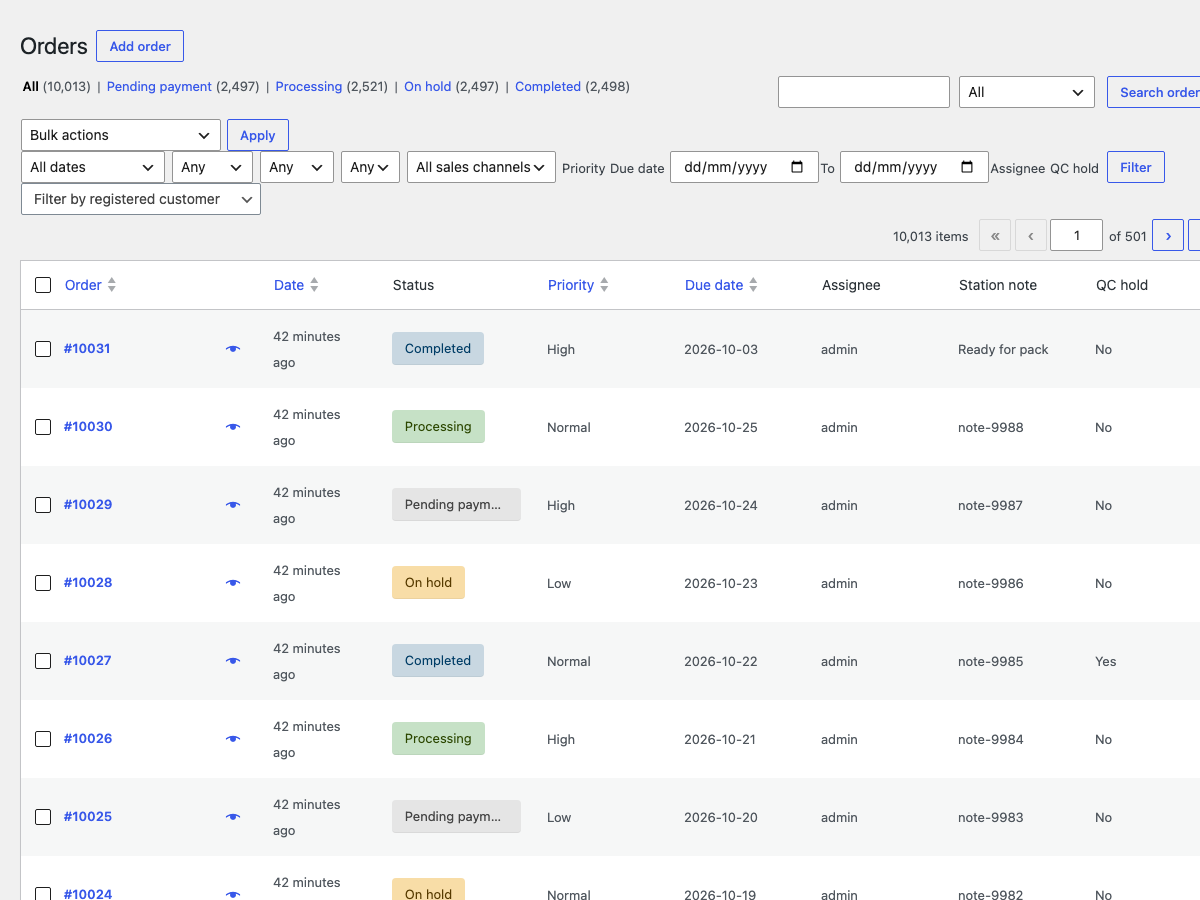
Operational fields as Orders list columns – see priority, due date, assignee and more at a glance, then filter or sort the whole list by them.
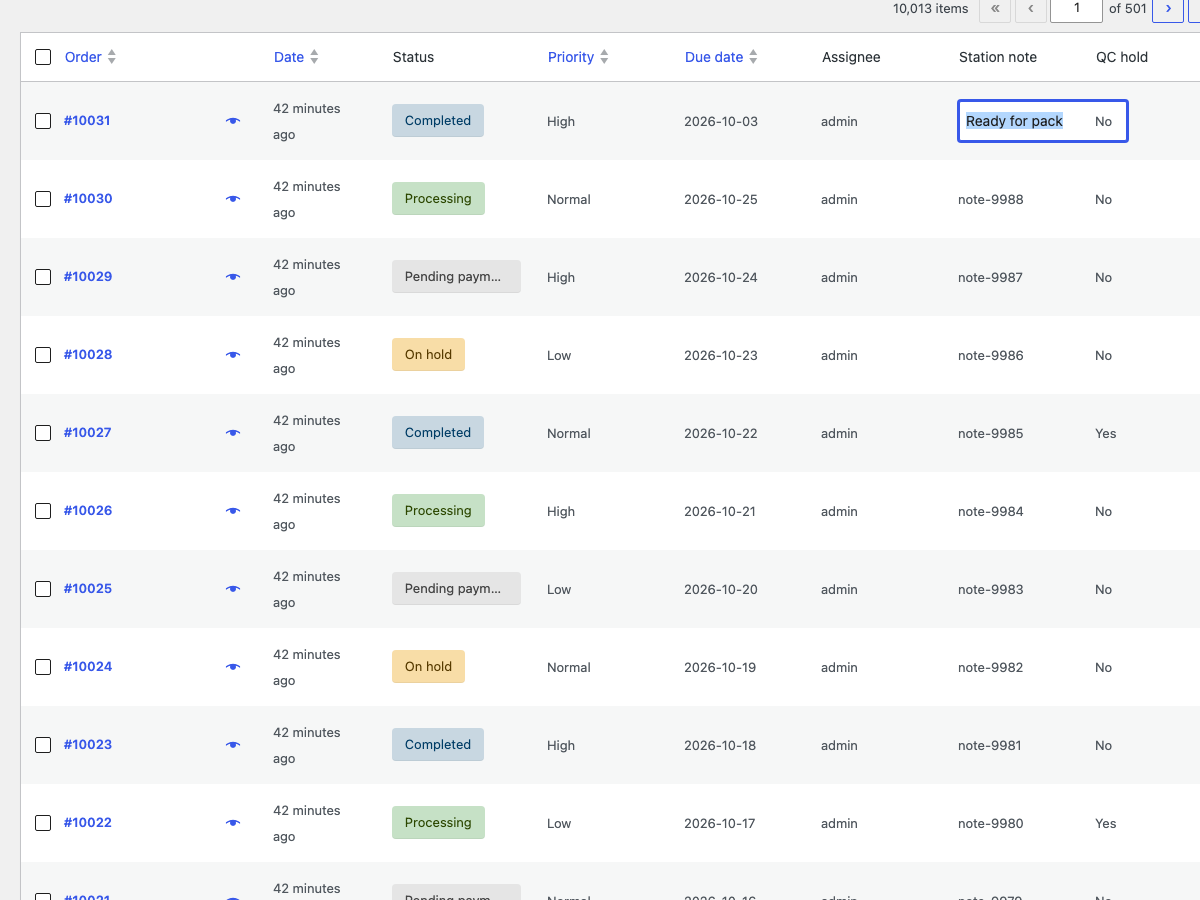
Inline editing in the Orders list – update a field value directly in the list cell without opening the order.
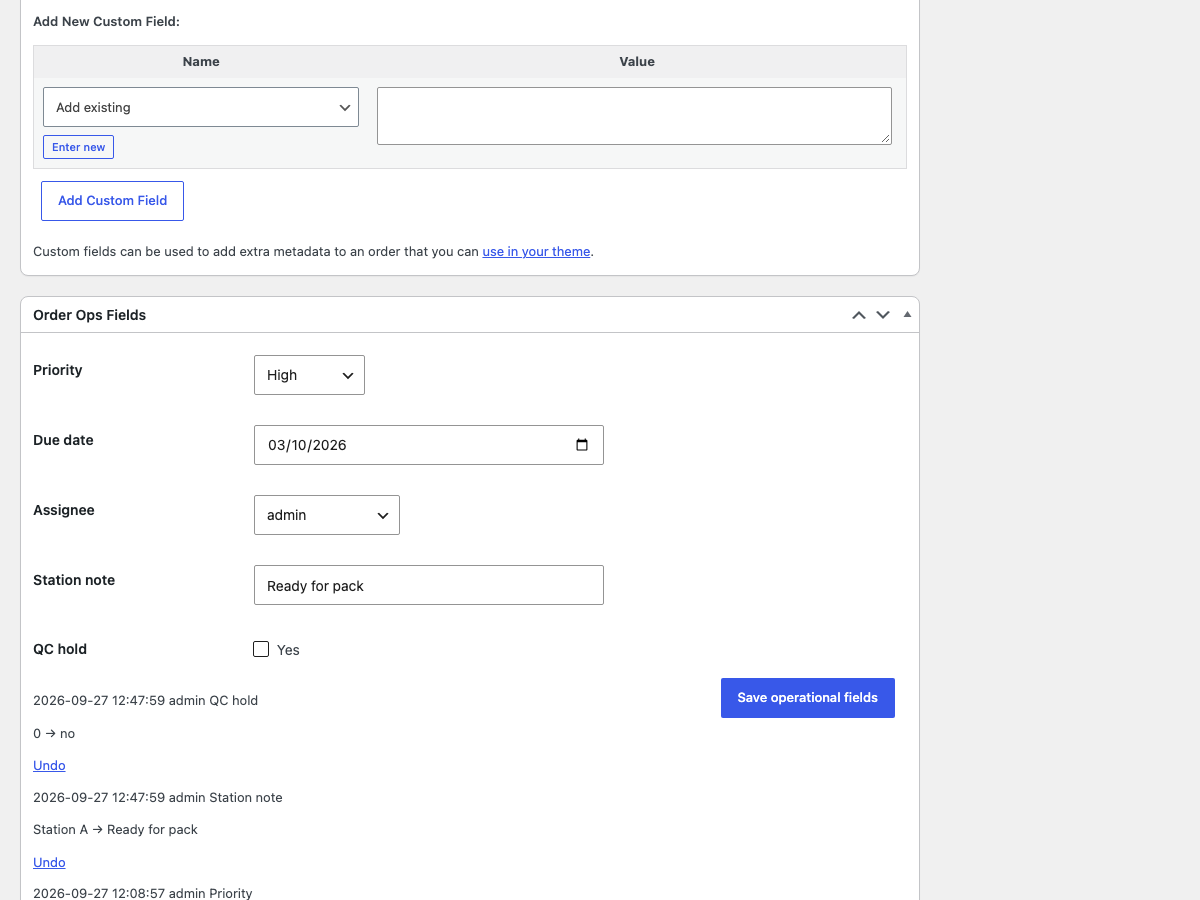
Order panel – edit all operational values in a dedicated section on the order screen; the change timeline sits underneath.
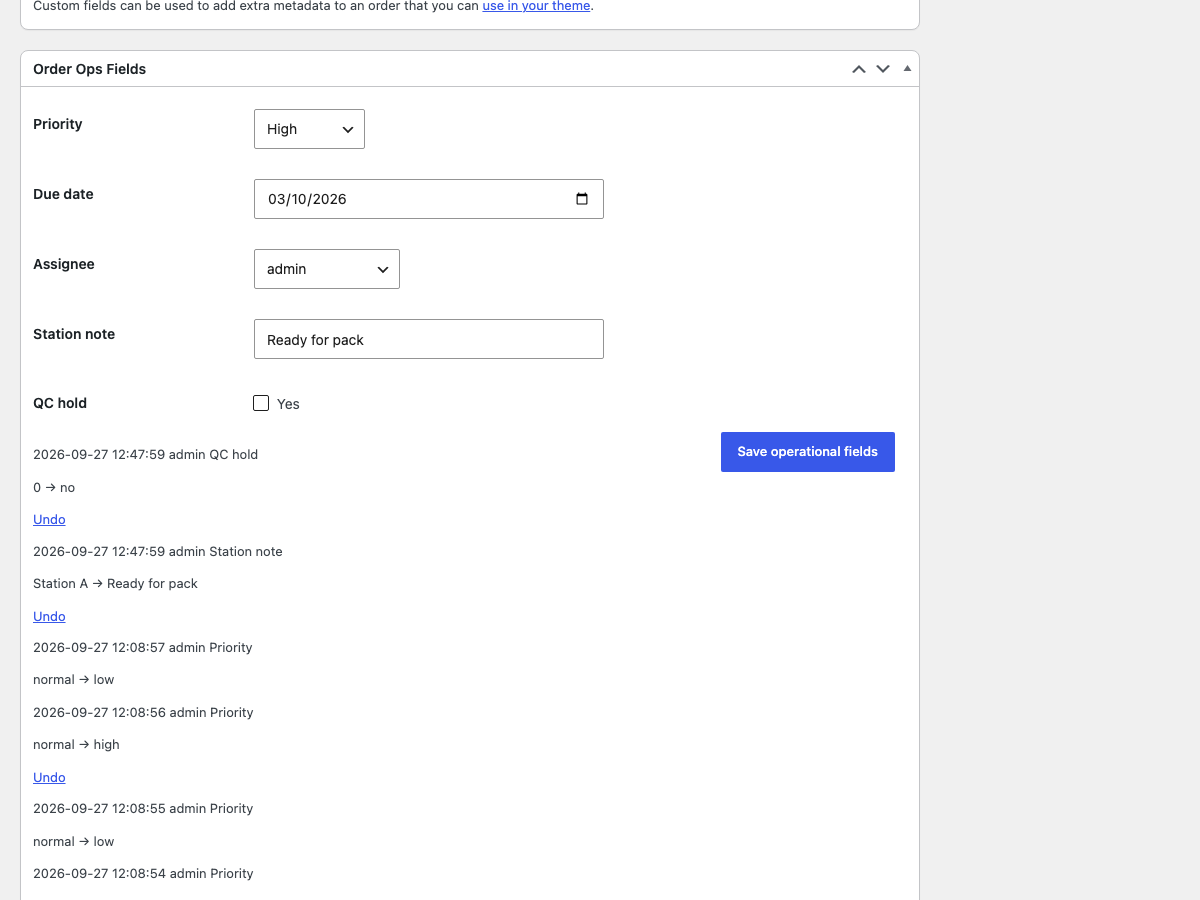
Audit timeline on an order – who changed each value, when, and what it was before, with one-click Undo where the value is still current.
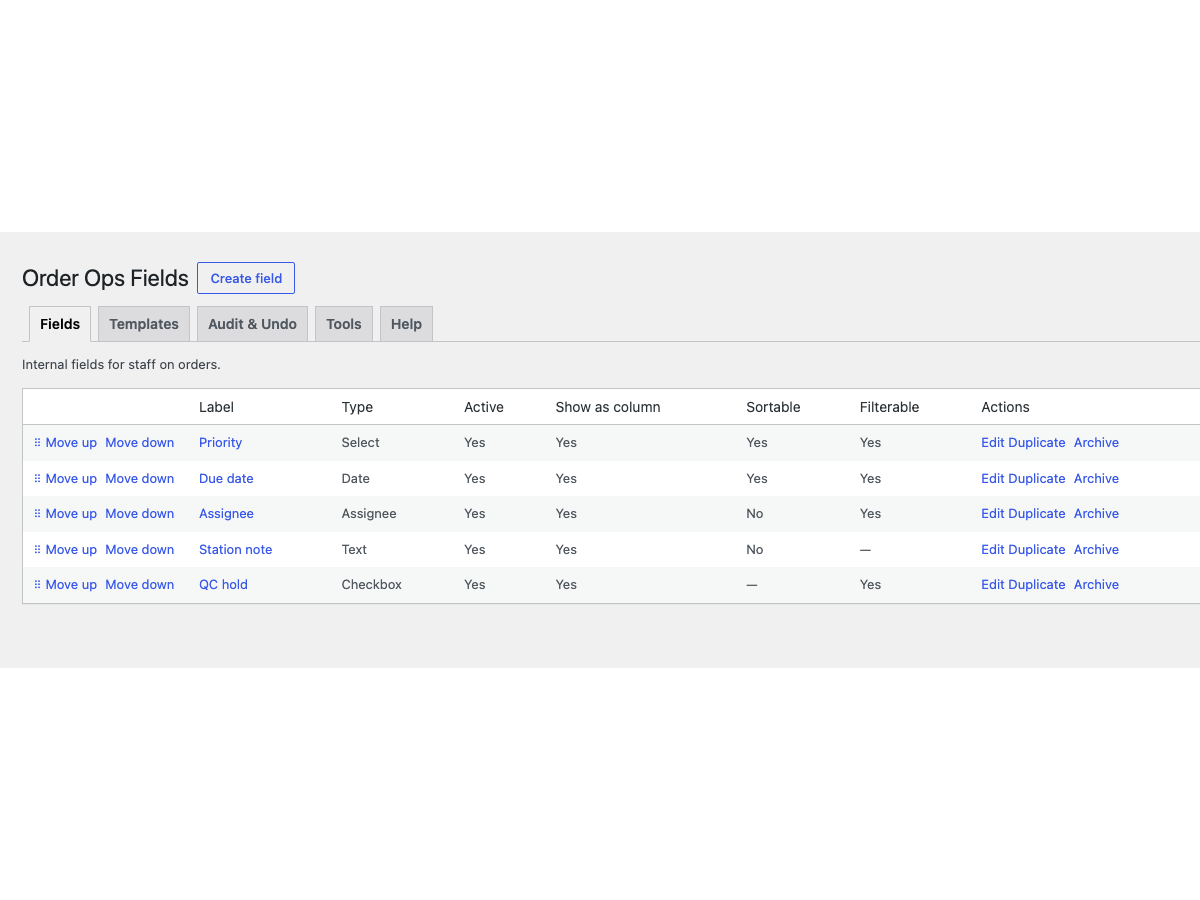
Fields list – manage all operational field definitions under WooCommerce → Order Ops Fields: order, type, column, sort and filter flags.
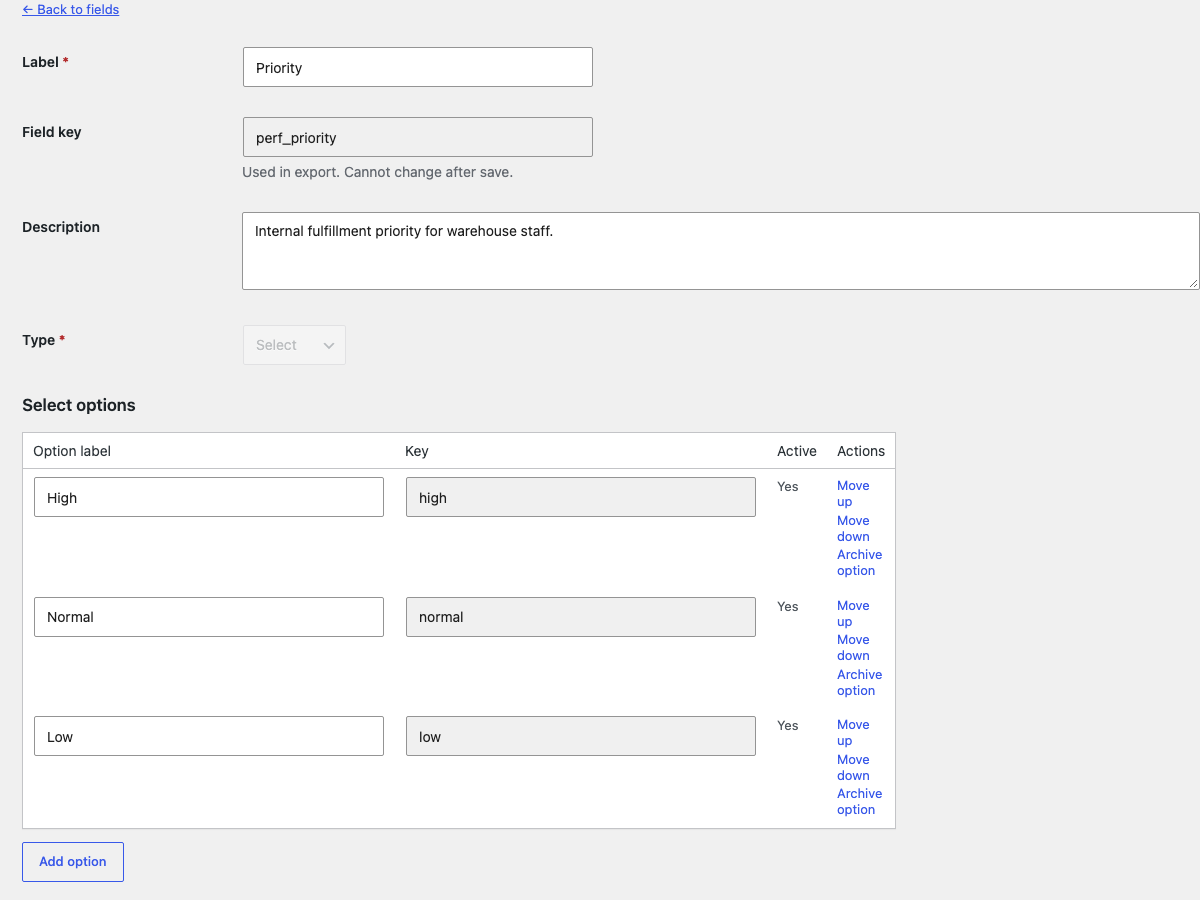
Field editor – define the label, type, default, required state, and where each field appears.

Templates – apply a starter field set for fulfilment, made-to-order, repair, B2B, or quality control workflows.
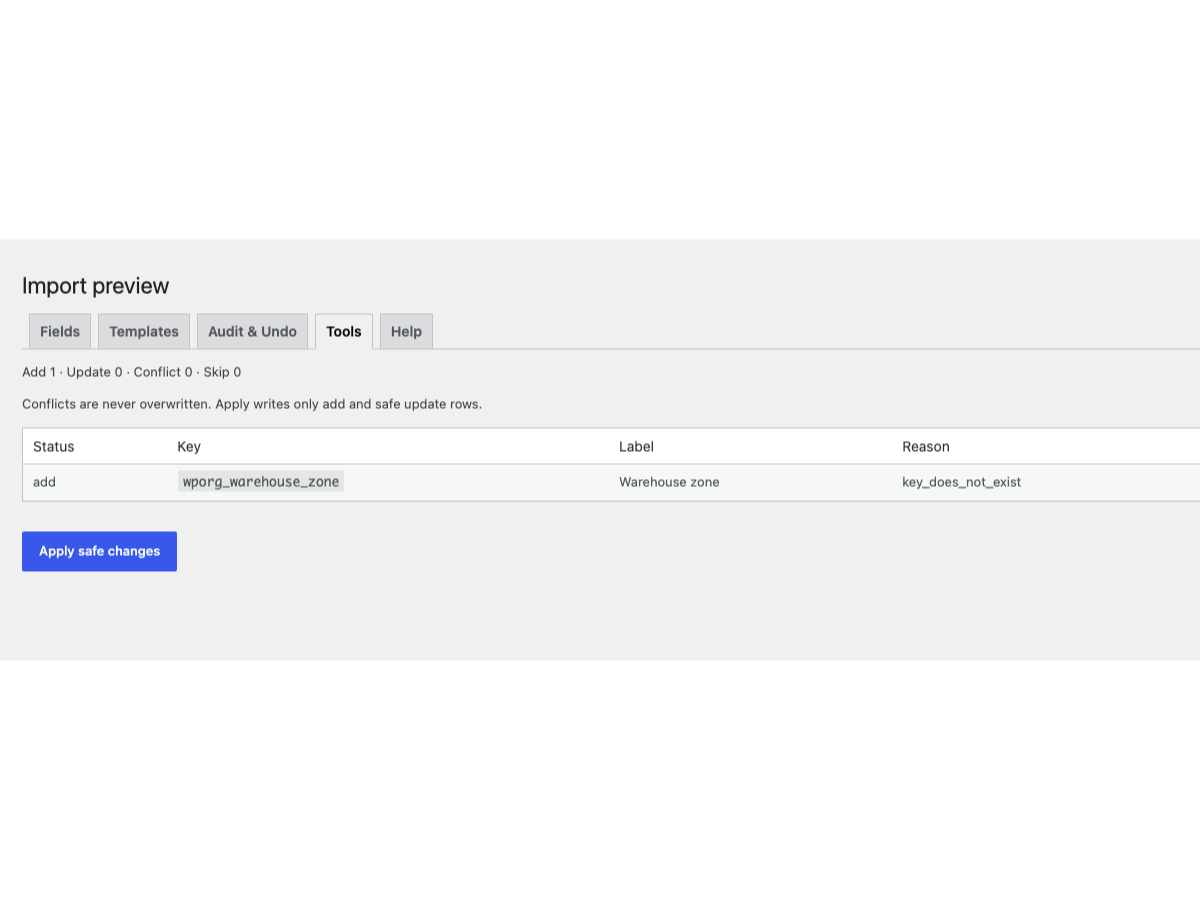
Import preview – a dry run lists adds, updates, skips and conflicts before configuration JSON is applied.
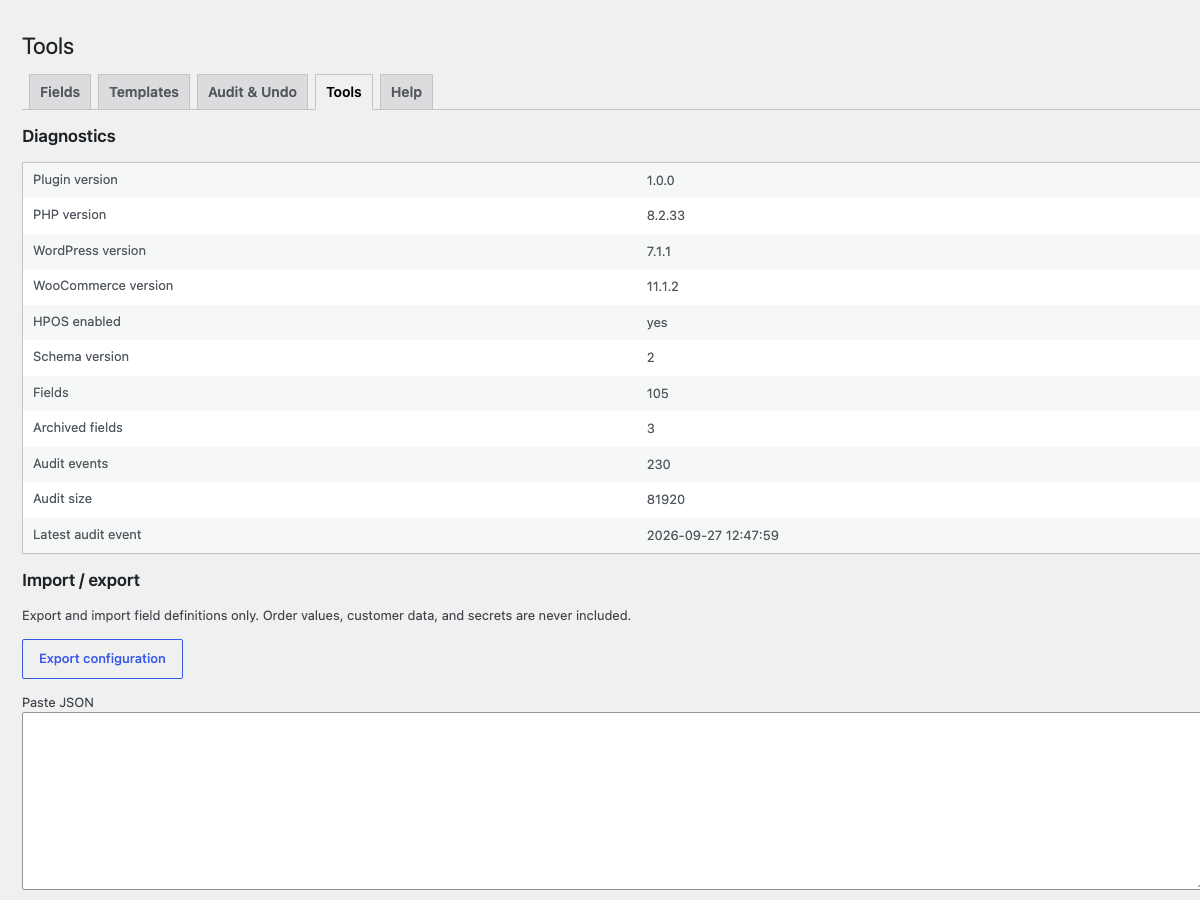
Tools and diagnostics – environment details, configuration export, and the opt-in cleanup scanner.