Scholar Sync Wordpress Plugin - Rating, Reviews, Demo & Download
Plugin Description
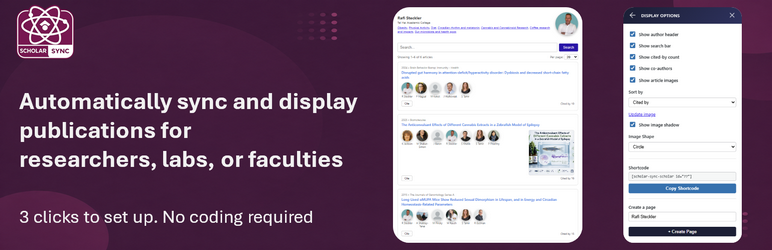
Scholar Sync helps universities, research labs, and academic departments publish and maintain scholarly work on their WordPress site. Set up a researcher’s profile in a few clicks — publications and citation metrics are imported automatically and kept in sync without any manual effort.
Display modes:
- Single researcher — a full publication list with citation count, h-index, and i10-index for one author (
[scholar-sync-scholar]) - Group — display a lab, faculty, or any curated set of researchers, either as a combined publication feed or as an author grid/directory (
[scholar-sync-group])
Key features:
- Profile setup in a 3 clicks — publications imported automatically
- Background sync keeps publications and citation metrics current
- Supports co-authors and research groups
- Manual add/edit for authors and individual articles
- Live preview with configurable display options (header, search, citations)
Shortcode examples:
Display a single researcher’s publications:
[scholar-sync-scholar id="42"]
Hide the header and citation counts:
[scholar-sync-scholar id="42" header="0" cited-by="0"]
Display a group (a lab/faculty feed or a curated author directory):
[scholar-sync-group id="12"]
External services:
This plugin communicates with the scholar-sync.org service to retrieve scholarly profile data (articles, citations, h-index) using the OpenAlex academic data source.
- Service URL: https://scholar-sync.org
- Terms of Service: https://scholar-sync.org/terms
- Privacy Policy: https://scholar-sync.org/privacy
Data sent to this service includes: the researcher’s OpenAlex author ID (or name used to find the profile), your site ID (used to identify your installation), and the requested page/article range. No personal data of your site visitors is transmitted.
The plugin itself does not restrict or gate any built-in functionality. All sync frequency and quota limits are enforced entirely by the scholar-sync.org service and communicated back to the plugin as service responses.
Credits
The following open-source libraries are bundled in the public/js/ and public/css/ directories:
- Bootstrap 5.3.8 — MIT License — https://github.com/twbs/bootstrap
- jQuery Validate 1.22.1 — MIT License — https://github.com/jquery-validation/jquery-validation
All libraries are included in minified form from their official distributions. Non-minified source files are available at the upstream GitHub URLs listed above.
Screenshots

Researcher Directory — a grid of profiles, publication counts, and tags, kept in sync automatically.

Publications Feed — every paper listed with co-authors, citation counts, and one-click citations.
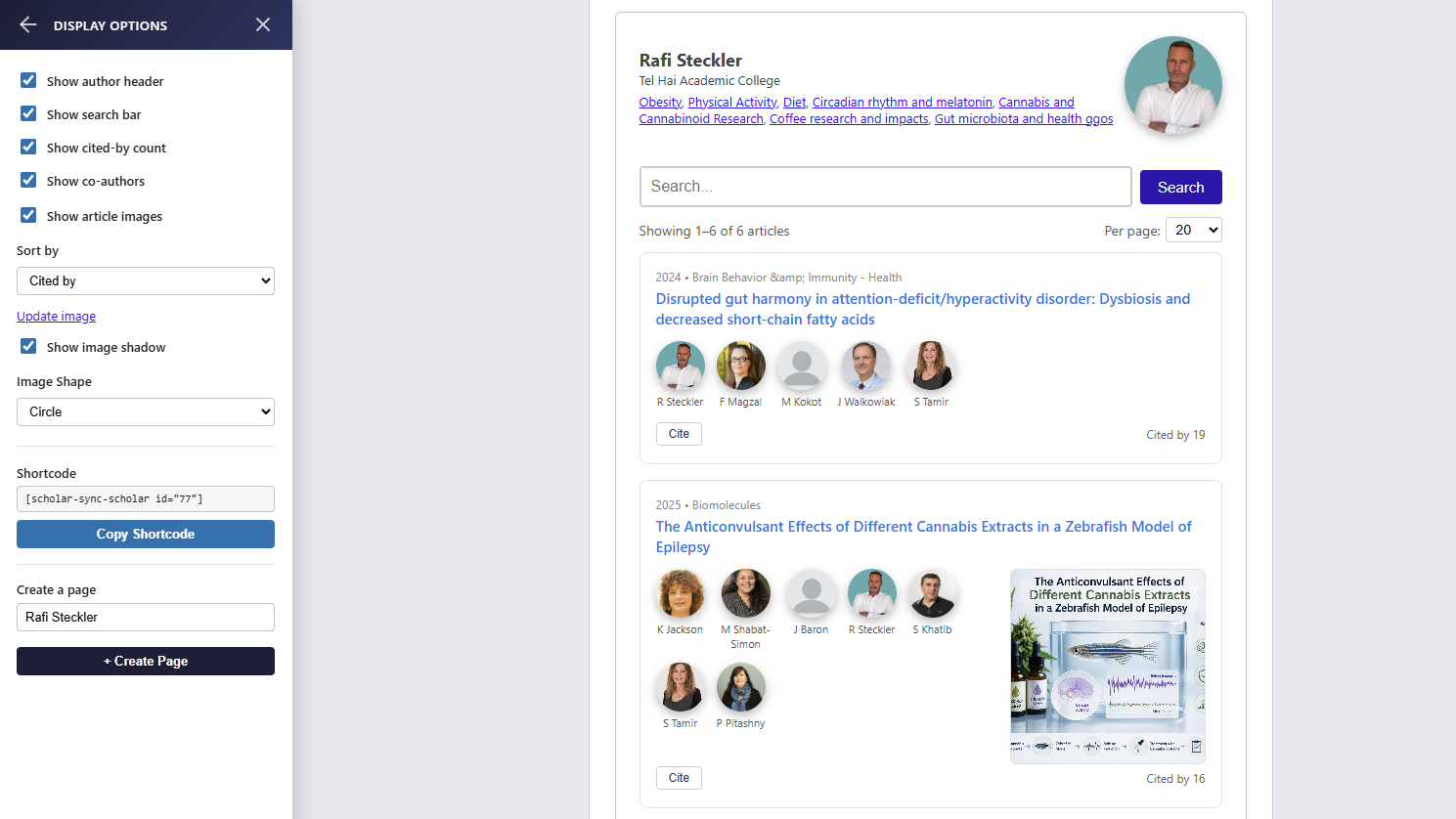
Live Preview & Customization — tweak display options for any researcher and get an instant, ready-to-use shortcode.
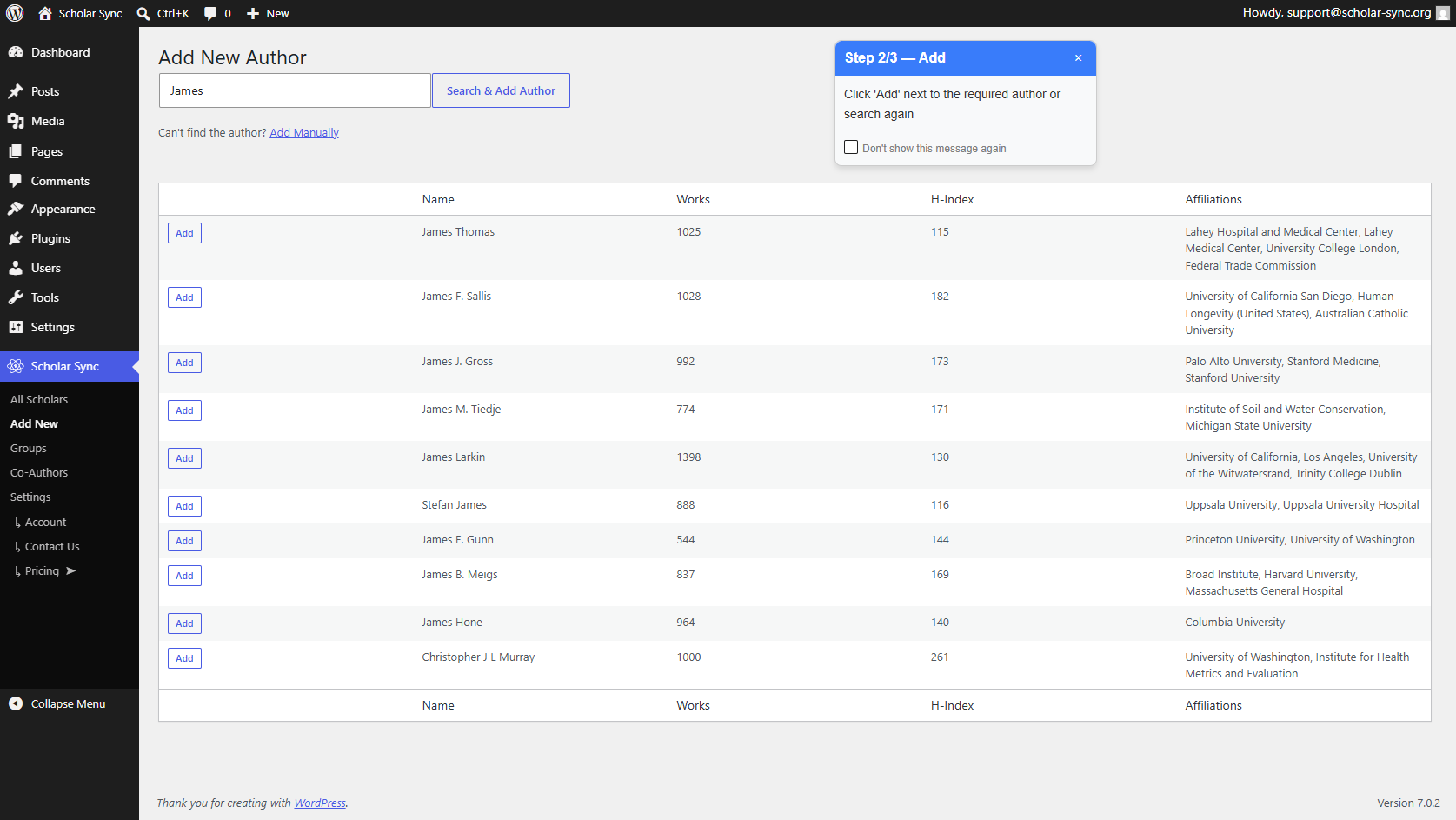
Add New Scholar — search by name and import a verified profile with publications already attached.
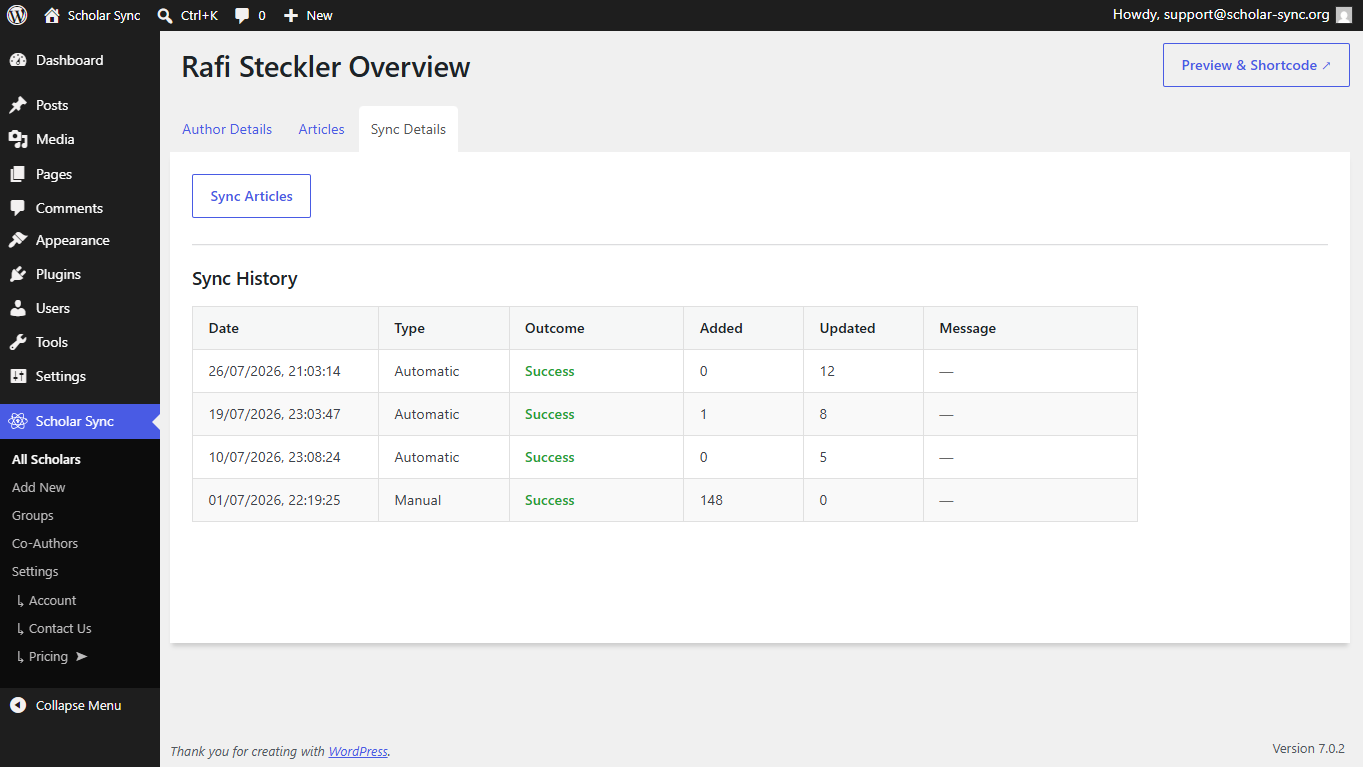
Sync History — a transparent log of every automatic and manual sync, so your data is always current.