
Sectora Connector Wordpress Plugin - Rating, Reviews, Demo & Download
Plugin Description
Sectora Shield is an edge web application firewall. It blocks attacks before they reach your server. This plugin adds the parts only your server can do:
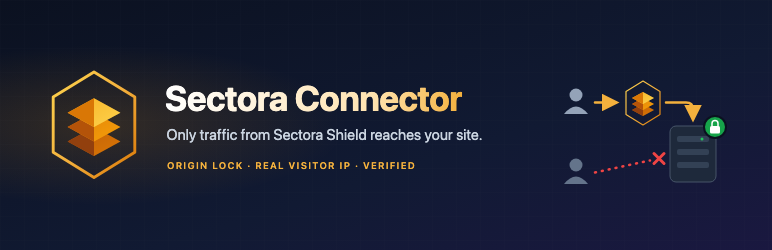
- Origin lock. Shield adds a secret header to every request it forwards. The plugin refuses requests without it, so someone who finds your server’s IP address cannot go around Shield.
- Real visitor IP. On requests that came through Shield, WordPress and every other plugin see the visitor’s IP address instead of Shield’s.
- Status at a glance. One screen shows whether DNS points to Shield, which protection layer is active, and whether Sectora could verify it from the outside.
All blocking stays at Shield. The plugin does not run firewall rules and never executes code sent from Sectora: it only fetches a secret and a few settings.
A Sectora account with a Shield site is required.
Two layers
- PHP layer (on whenever origin lock is on): a small must-use plugin checks the header before any other plugin loads, and answers 404 when it is missing or wrong. It only sees requests that load WordPress.
- Server layer (recommended): a rule at the top of
.htaccess(Apache, LiteSpeed), or a snippet you paste into your nginx configuration. It also covers static files and plugin PHP files requested directly, which never load WordPress.
With the PHP layer only, the plugin reports Partial, never Protected.
External services
This plugin connects to the Sectora API at https://sectora.io/api/shield/connector/v1/ (operated by Sectora, terms, privacy policy). It sends nothing until you paste a connection token and click Connect. Every request carries that token in an Authorization header.
GET config(on connect, then every 5 minutes, and when you open the settings page): receives the origin-lock secret(s), the header name and the Shield mode. Sends nothing else.POST heartbeat(after each config fetch and after you change a setting): sends the plugin version, WordPress version, PHP version, the web server name (SERVER_SOFTWARE), which layer is active (none,phporserver), whether the lock is on, the site URL, and the first 16 hex characters of the SHA-256 hash of each secret it holds (so Sectora knows a new secret has arrived before switching Shield to it).GET status(when you open the settings page, at most once a minute): receives Shield’s view of the site (DNS, mode, verification result, time of the last request).POST verify(when you click Verify): asks Sectora to send test requests to your server, with and without the header, to the home page,wp-includes/js/jquery/jquery.min.jsand this plugin’sindex.php.POST disconnect(when you click Disconnect or delete the plugin): revokes the token.
No user accounts, posts, comments, options or other content are ever sent.
Screenshots

Settings → Sectora Shield on a protected site: DNS, Shield mode, origin lock and Verify all pass, and WordPress sees the visitor’s real IP.

Connecting: paste the token from the Sectora dashboard.

A site that is only partly protected: each warning says what is missing and links to the fix.


