
SeeOnWall For WooCommerce Wordpress Plugin - Rating, Reviews, Demo & Download

Plugin Description
SeeOnWall adds a “See on your wall” button to your poster/art product pages. Shoppers take (or
upload) a photo of their own wall, or pick a stock room scene, and instantly see the poster
placed at true physical scale — reducing purchase hesitation and returns.
Requires WooCommerce (8.0+) to be installed and active — SeeOnWall is a WooCommerce
extension, not a standalone plugin.
How it works
- Install and activate SeeOnWall.
- Go to WooCommerce SeeOnWall and click Connect to SeeOnWall. No account signup, no API
key to copy — the plugin proves it controls your store’s domain and a free account is
provisioned automatically. - A “See on your wall” button appears on your product pages automatically, sized from your
product’s Dimensions (WooCommerce Product data Shipping). - Upgrade to a paid plan any time from the SeeOnWall settings page for higher usage limits,
session sharing, and white-labelling — billed by SeeOnWall directly (Polar.sh), not through
WooCommerce.
External service: SeeOnWall
This plugin is the client for SeeOnWall, a hosted software-as-a-service that renders the
wall previews. The plugin does not do the visualization itself — it connects your store to the
SeeOnWall service at https://seeonwall.com and loads the service’s viewer on your product pages.
It is not usable without this service, which is operated by the plugin author.
What is sent, and when:
- On connect / reconnect (one-time, triggered by you clicking Connect): your store’s URL
and the connecting WordPress admin’s email address. In return the plugin receives a store token
used to authenticate later requests. The admin email is used only for account notifications
(e.g. usage-limit alerts) and billing — it is never shown to shoppers or used for marketing. - On product pages (for connected stores): a small JavaScript viewer is loaded from
https://seeonwall.com/seeonwall.js, and the product’s image URL and physical dimensions are
passed to it so the shopper can preview the poster. This is loaded from SeeOnWall (not bundled)
because the preview is a live hosted service, kept current server-side. - No customer personal data is collected or sent by this plugin.
Service terms and privacy policy:
- Terms of Use: https://seeonwall.com/terms
- Privacy Policy: https://seeonwall.com/privacy
Source Code
The admin settings page is a small React + TypeScript app. The plugin ships only its compiled,
minified output (assets/js/settings.js, assets/css/settings.css). The complete, human-readable
source those files are built from is included in this plugin under the src/ directory, together
with build instructions (src/README.md). Build tooling: Node.js + Vite (npm install && npm run). React and ReactDOM are not bundled — they resolve at runtime to the copies WordPress
build
ships (the react / react-dom script handles).
Screenshots
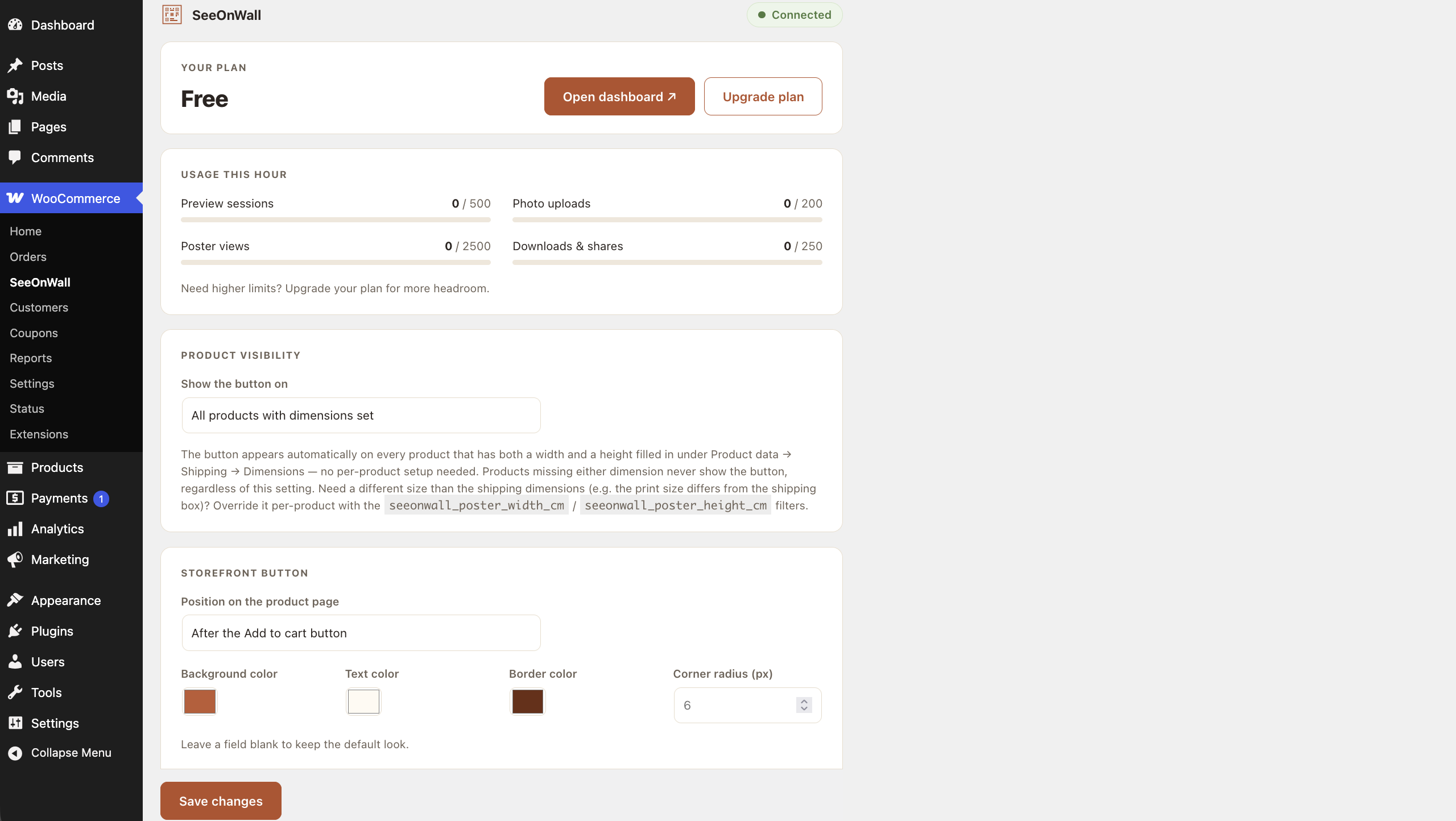
The SeeOnWall settings page in WP-Admin.
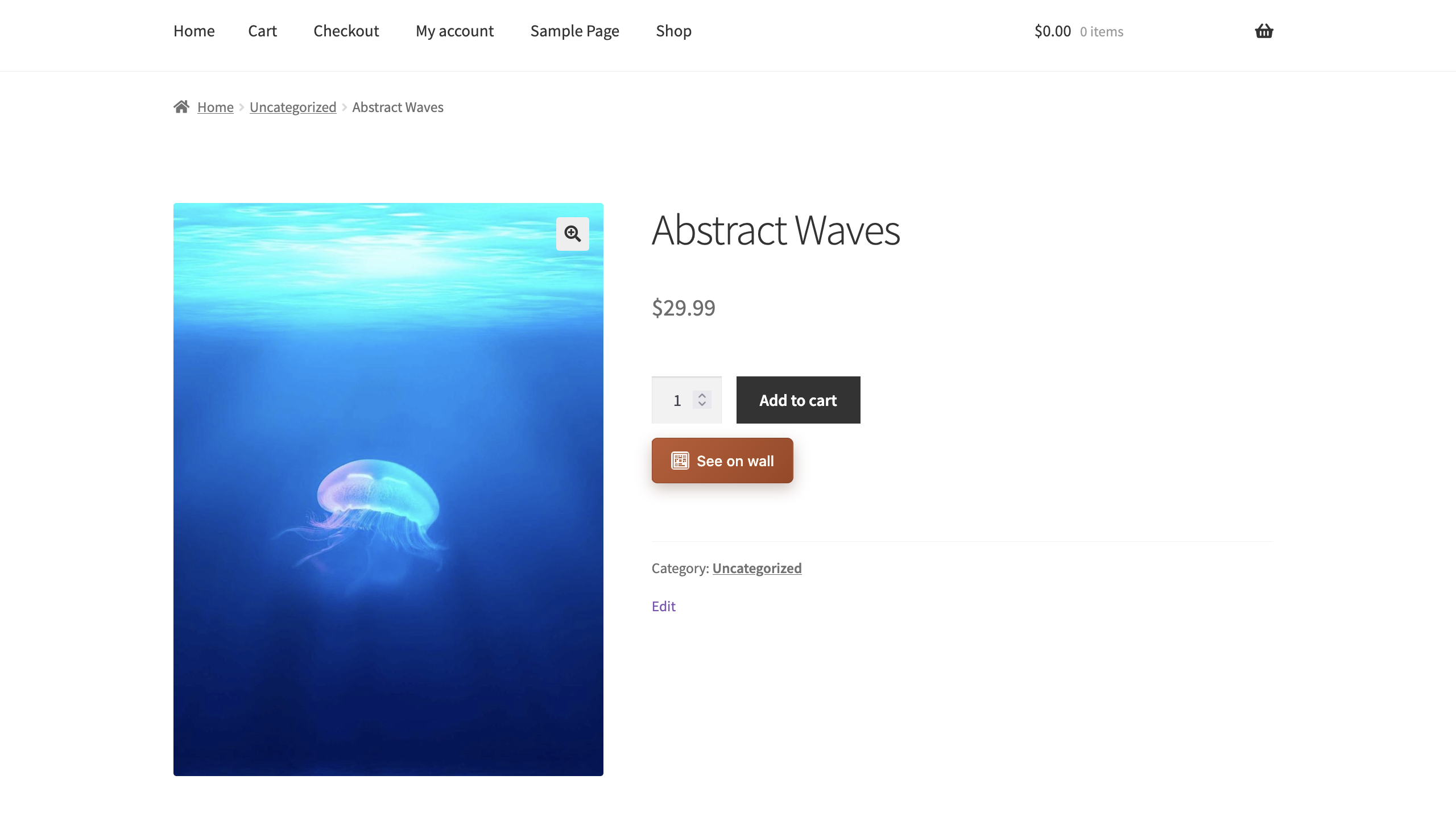
The “See on your wall” button on a product page.
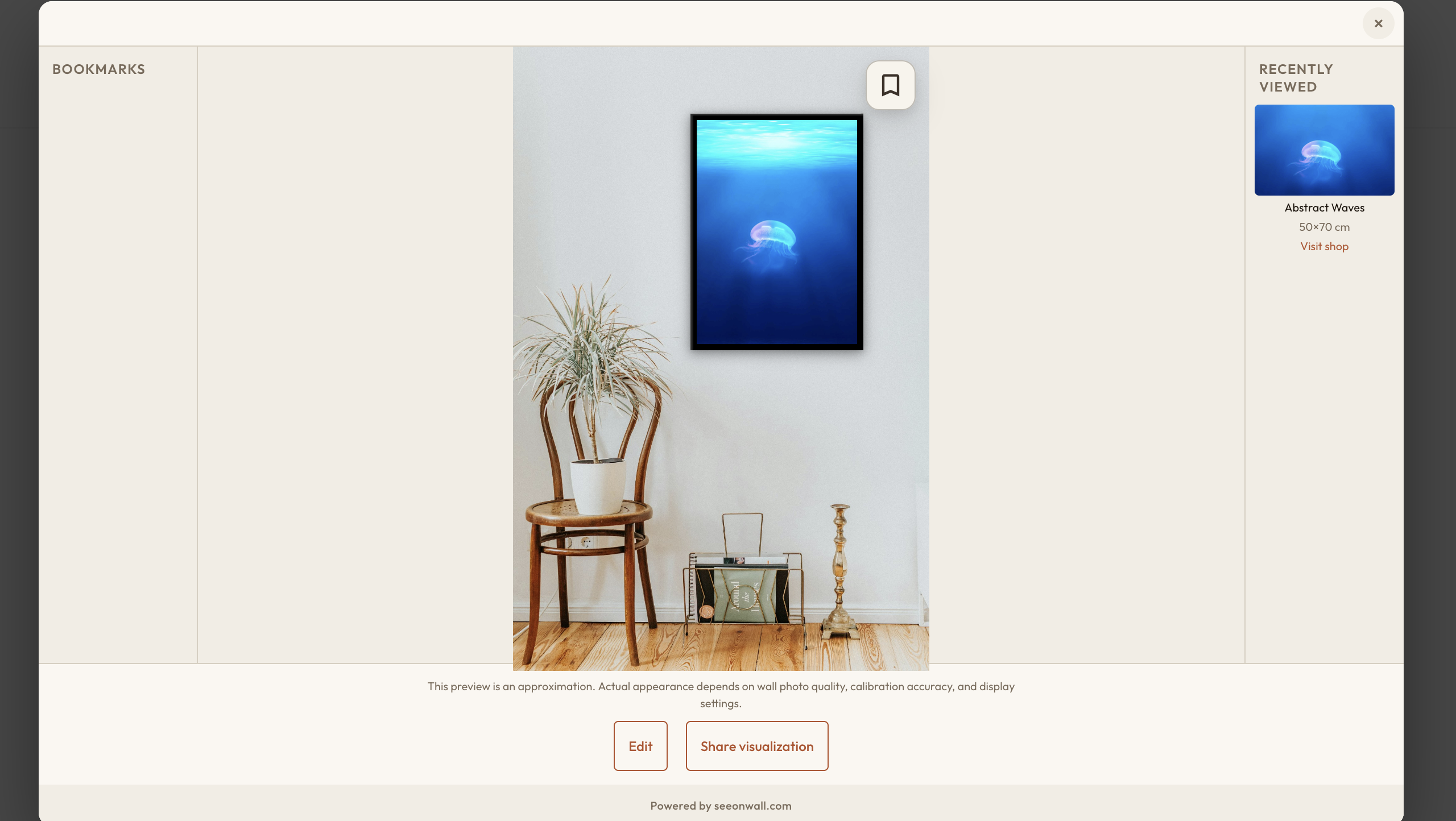
A wall preview in progress.


