
Sellinor Expiration Dates For WooCommerce Wordpress Plugin - Rating, Reviews, Demo & Download
Plugin Description
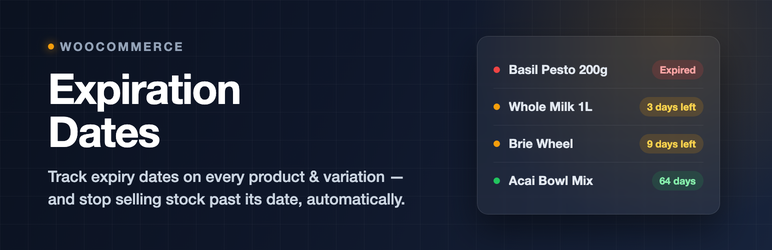
Sellinor Expiration Dates for WooCommerce helps store owners manage perishable and time-sensitive inventory by adding expiration date tracking to WooCommerce products.
Set expiration dates on simple products or individual variations, and let the plugin handle the rest — automatically hiding expired products from your catalog or marking them out of stock when they expire.
Features
- Expiration date tracking — Add expiration dates to any simple or variable product from a dedicated Expiration tab in the product editor.
- Automatic expiry actions — Automatically hide expired products, set them to out of stock, or both. Configurable days-before threshold so the action triggers ahead of the actual date.
- Cart and checkout protection — When an expiry action is enabled, expired items are blocked from being added to the cart and are removed at checkout, so customers can’t purchase products past their date. (With the action set to “Do nothing”, no cart guarding is applied.)
- Product list column — Sortable, color-coded expiration column in the WooCommerce product list for at-a-glance status.
- Dashboard widget — See your soonest-expiring products right from the WordPress dashboard.
- Reports — Overview page with an expiration calendar, an at-a-glance product list, and Expired / Expiring soon filter tabs.
- CSV import/export — Bulk manage expiration dates via a dedicated CSV import / export page.
- Activity log — Track all automatic plugin actions (stock changes, edits, imports); entries older than 90 days are cleaned up automatically.
- Quick edit & bulk edit — Update expiration dates directly from the product list without opening each product.
- Frontend display — Optionally show the expiration date on the product page, with a configurable display threshold.
- WooCommerce HPOS compatible — Full compatibility with High-Performance Order Storage.
Pro version
This free plugin is fully functional on its own. A separate Pro add-on — available from sellinor.dev — adds inventory features for stores that sell perishable stock:
- Batch & lot tracking (FEFO) — track stock by batch/lot with per-batch expiry dates and earliest-expiry-first deduction, with the fulfilled lot shown on orders and emails.
- Automatic expiry discounts — apply tiered discounts as products approach their expiration date.
- Per-category rules & shelf life — different expiry actions, lead times, and minimum shelf life per category, with automatic dating from a default shelf life.
- Clearance category — short-dated, discounted stock gathers itself into a self-maintaining storefront category.
- Waste, recovery & forecast reports — value written off vs recovered, monthly trends, category breakdown, and what expires in the next 7/30/60 days, with CSV export.
- One-click stock actions — extend dates, re-date, or write stock off straight from the Overview, per product or in bulk.
- Email alerts & digests — scheduled emails listing products expiring soon, including your waste and recovery numbers.
- Event webhooks — signed JSON to Slack, Zapier, Make, or your own systems whenever expiry events happen.
- WooCommerce CSV integration — read/write expiration dates in WooCommerce’s native product importer and exporter.
The Pro add-on is a separate plugin hosted on sellinor.dev and is not required to use this plugin.
Translations
The plugin is fully translation-ready. Translations are welcome via the WordPress.org translation platform.
Documentation
Full documentation is available at sellinor.dev/docs/product-expiration-dates/.
Screenshots

The Expirations overview — every dated product, an expiration calendar, and plugin status at a glance.

The products list gains a sortable Expiration column, plus filtering by expiry status.

Set an expiration date on any product or variation, with one-click quick-set presets.

The activity log records every expiry action, with filtering, search and CSV export.

Settings — choose what happens when a product expires, and when to flag it as expiring soon.

Bulk-manage dates with the built-in CSV import and export.

A dashboard widget showing what expires next.


