Seotune Search Insights Wordpress Plugin - Rating, Reviews, Demo & Download
Plugin Description
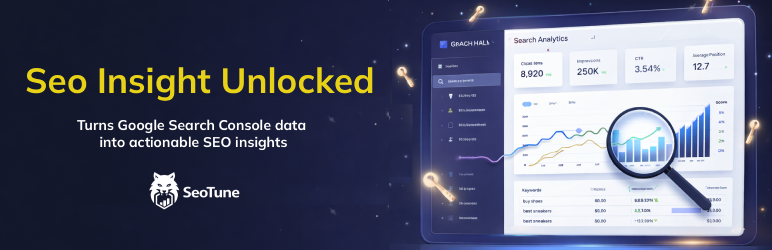
Seotune Search Insights connects to Google Search Console, stores search analytics in your WordPress database, and provides an admin dashboard with KPIs, reports, and actionable SEO insights.
Without external accounts: The plugin installs and activates like any other plugin, but reports and sync require a Google Cloud OAuth client and a Google account with access to a Search Console property for your site. Until you complete connection in Seotune Search Insights Settings, no Search Console data is fetched and dashboards stay empty.
Features
- Connection: OAuth connection to GSC; automatic detection of the property matching your site domain (no manual property picker).
- Dashboard: Overview with clicks, impressions, CTR, position; charts; top queries and pages; recent alerts.
- Keywords: Filterable, sortable report with export to CSV.
- Pages: Same for page URLs with export to CSV.
- Opportunities: Two reports — high impressions / low CTR, and keywords in positions 8–20 (quick wins); CSV export.
- Cannibalization: Queries with multiple pages competing; per-query URL list. Normalized by URL (fragment stripped).
- Decay: Pages with declining organic performance vs the previous period; filters, probable-cause hints, CSV export.
- Content Refresh: Pages prioritized for refresh (urgency levels) with reasons and metrics; CSV export.
- Internal Links: Internal linking opportunities from WordPress content and GSC signals; filters; CSV export.
- Question Queries: Question-style search queries with difficulty signals and metrics (from GSC data).
- Alerts: Automatic detection of position drop, CTR drop, traffic drop, impressions spike (runs after daily sync); list on the Dashboard and CSV export.
- Export: CSV export for queries, pages, opportunities, alerts, decay, content refresh, and internal linking (with filters where applicable; UTF-8 BOM for Excel).
- Settings: Google OAuth credentials, connect/disconnect, Sync & Import (auto-import last 28 days on first connection, sync now 3/7 days, import range in background), advanced import tuning, and import diagnostics.
Data is synced for the last 3 days on manual run or via a daily cron. After the first successful connection to Google Search Console, Seotune Search Insights automatically imports the last 28 days so that the Dashboard and reports are not empty; you can then use Sync & Import to extend or restart the import for a larger range. After the first import, data is updated automatically every day via cron. Historical data can be imported in background batches (by default 7 days per batch and 1000 rows per DB write) that stay within sensible Google Search Console usage and are tuned for performance; you can adjust these values from Settings Sync & Import if needed. The Sync & Import card also includes an Import diagnostics panel that shows recent import activity, cron status, and common issues (e.g. cron not running, API quota, PHP/DB limits) without exposing sensitive query data. Custom database tables use a plugin-specific prefix (in addition to your WordPress table prefix).
Privacy
This plugin does not send your site’s front-end visitor traffic to Seotune Search Insights or to a proprietary Seotune API. It does not add visitor tracking, advertising pixels, or marketing analytics to the public site.
Declared service data (administrators)
- Google OAuth 2.0 & Search Console API (required for core features): After you add OAuth credentials and connect, the server communicates with Google to authorize and to read Search Console data you are allowed to access. Tokens and imported metrics are stored in your WordPress database. Google’s terms and privacy policies apply to Google accounts and APIs: Google Privacy Policy, Google APIs Terms of Service.
- Admin UI typography: The dashboard uses the operating system’s UI fonts (system font stack in local CSS) in the WordPress admin only; it does not load third-party font stylesheets for Seotune Search Insights screens.
Responsibility: Site owners should inform end users where required by law (e.g. privacy policy, cookie/consent flows) that Search Console-related data is processed when administrators connect Google services.
Technical map (endpoints, when requests run): documentation/network-and-privacy.txt. Narrative guide: documentation/index.html (Privacy & third-party services).
Troubleshooting
Import diagnostics panel
In Seotune Search Insights Settings Sync & Import you will find an Import diagnostics box:
- A status badge (OK / WARNING / ERROR) with a short message and a hint.
- A table of the latest import jobs (manual sync, historical batches, internal links index), showing time, range, rows, duration, and result.
- A Copy log for support button that copies a plain-text summary (timestamps, job types, technical messages) which you can paste into a support ticket. No search queries, URLs, or user-identifiable data are included.
The panel is read-only and is meant to help you and support quickly understand what is happening on your server.
Common messages and what to do
-
“Cron may not be running regularly” / “No plugin cron jobs have run in the last few hours”
This usually means WordPress cron is disabled or not being triggered. Checkwp-config.phpforDISABLE_WP_CRON. If it is set totrue, configure a real server cron job that callswp-cron.phpevery few minutes, or ask your hosting provider to set this up. -
“Historical import is marked as running, but no backfill batches have completed yet”
The backfill state is “running” but no historical batches are logged. This is typically another sign that cron is not firing. Verify the cron configuration as above, then wait a few minutes and refresh the page. -
“Historical import seems stuck (no progress for a while)”
If the progress bar stays at 0% or does not move for a long time, use Stop / Reset import in the Sync & Import card, then start a new import with smaller batches (lower “Days per batch”). Also make sure cron is running. -
Search Console quota / rate limit errors in the log
If recent log entries mention quota or rate-limit errors from the Google Search Console API, try lowering Days per batch for the historical import, and consider running imports at quieter times of day. If the issue persists, you may need to wait for quotas to reset or use a dedicated Google Cloud project. -
PHP execution time, memory, or database errors in the log
Messages mentioning maximum execution time, memory limits, or database connection issues indicate that the server limits are too strict for large imports. Try reducing Days per batch and, if needed, ask your hosting provider to increase PHPmemory_limitandmax_execution_time, or to relax database limits for background jobs.
Hosting requirements (for smooth import)
Seotune Search Insights’ historical import runs in the background via WordPress cron: each cron run processes one batch (a few days of data), then schedules the next. For the import to complete without blocking or stalling, the hosting environment must meet the following.
Default settings (7 days per batch, 60 seconds delay between batches, 1000 rows per DB batch) are chosen to work on most hosting. On servers with more resources you can increase Days per batch and reduce Delay between batches in Seotune Search Insights Settings Sync & Import for a faster import.
Minimum (plugin runs, import may be slow or need tuning)
- PHP: 8.0 or higher (required by the plugin).
- PHP memory_limit: at least 128 MB. Lower values can cause out-of-memory errors during import.
- PHP max_execution_time: at least 60 seconds for each cron run (single batch). Many shared hosts use 30s; that can be enough for small batches but may cause timeouts on heavier batches.
- WordPress cron: Must run regularly (at least every 5–10 minutes). If
DISABLE_WP_CRONis set totrueinwp-config.php, a system cron job must callwp-cron.php(or trigger WordPress cron) every few minutes; otherwise the import never advances. - MySQL: Standard WordPress requirements; no extra extensions needed. The plugin writes data in batches (configurable: 100–2000 rows per batch).
Recommended (smooth, reliable import)
- PHP memory_limit: 256 MB or more.
- PHP max_execution_time: 120–300 seconds for cron/CLI so each batch has enough time to fetch data from Google and write to the database.
- Cron: Triggered every 1–2 minutes (e.g. system cron every 2 minutes) so batches run frequently and the import completes in a reasonable time.
- Network: Outbound HTTPS to Google APIs (Search Console) without long timeouts or blocks.
Restrictive shared hosting (e.g. some Aruba, or low-resource plans)
On hosting with strict limits (low memory, 30s execution time, or cron that rarely runs), the import can block, time out, or appear stuck. To improve reliability:
- Cron: Ensure WordPress cron actually runs. If the host uses
DISABLE_WP_CRON, set up a real cron job (e.g.*/5 * * * *to hithttps://yoursite.com/wp-cron.php?doing_wp_cronor runwp cron event run --due-nowvia WP-CLI every few minutes). Ask the host (e.g. Aruba) how to add a cron job and what the URL/command should be. - Days per batch: In Seotune Search Insights Settings Sync & Import, set Days per batch to 3–5 (or even 1 for very slow hosts). Smaller batches reduce memory and execution time per run.
- Rows per DB batch: In the same section, set Rows per DB batch to 500 (or 100 if you still see timeouts or DB errors). Lower values reduce load per request.
- PHP limits: Ask the hosting provider to raise memory_limit to at least 256 MB and max_execution_time to at least 120 seconds for PHP (or for the cron/CLI context, if they differentiate).
If the import still fails or gets stuck, use Import diagnostics in Settings (and Copy log for support) to see whether the cause is cron not running, timeouts, memory, or API quota; then adjust the above or contact the host with the requested limits.
Development
Backend (Composer)
- From the plugin root:
composer install. - Keep the
vendor/directory when deploying (plugin requires it for the Google API client). - Autoload:
composer.jsonuses a classmap forincludes/(no PSR-4 path mismatch warnings). monolog/monologis required bygoogle/apiclient; it stays incomposer.jsonas^2.9to pin Monolog 2.x and remain compatible with PHP 8.0 (Monolog 3 needs PHP 8.1+).
Frontend (React)
- From
admin/react-app:npm installthennpm run build. - Build outputs a single
admin/assets/js/admin-app.js(IIFE bundle for classicwp_enqueue_script, noimport.meta) plusadmin/assets/js/admin-app.css(extracted CSS). Deploy both files; without the built JS, a placeholder script is loaded. - WordPress.org / source access: The default release zip includes
admin/react-app/(Vite/React sources,package-lock.json;node_modulesexcluded — runnpm ciinsideadmin/react-appto rebuild). Compiledadmin-app.js+admin-app.cssare also present. Optional: add a public git mirror URL below for convenience. Details:documentation/source-and-build.txt. - Public source code repository: (Optional — add GitHub/GitLab URL if you publish a mirror; not required for review because sources ship in the plugin package.)
Release zip(s) (from plugin root, after composer / npm as needed)
- Version bump & SVN: see
scripts/README-release.txt(Stable tag, version constant inseotune-search-insights.phpaligned with the plugin header, changelog, Subversion tag folder). npm run release— creates a zip indist/(includesadmin/react-appsources; excludesnode_modulesanddocumentation/).npm run release:src— creates only the*-with-sources.zipvariant with the same contents (alias for workflows that expect the filename).npm run release:all— writes both filenames; the archives are identical (duplicate name for compatibility).
Translations (i18n)
- Text domain:
seotune-search-insights. PHP usesload_plugin_textdomainwithlanguages/. - Admin UI strings use
@wordpress/i18n(__(),sprintf,_n) in JSX;wp_set_script_translations()loads Jed JSON for the built script. - Regenerate templates (from plugin root, WP-CLI):
wp i18n make-pot . languages/seotune-search-insights.pot –slug=seotune-search-insights –domain=seotune-search-insights –exclude=vendor,admin/react-app/node_modules,dist,admin/assets,documentation,scripts
Updatelanguages/seotune-search-insights-en_US.powithwp i18n update-po languages/seotune-search-insights.pot languages/seotune-search-insights-en_US.po.
Build JS JSON (maps all React sources to the single bundle):
wp i18n make-json languages/seotune-search-insights-en_US.po –use-map=languages/wp-i18n-map.json –domain=seotune-search-insights –extensions=jsx,js
Commitlanguages/seotune-search-insights.pot,languages/seotune-search-insights-en_US.po,languages/wp-i18n-map.json, andlanguages/seotune-search-insights-*-*.jsonwith the plugin.
Screenshots

Dashboard overview with KPIs, charts, top queries and pages, and recent alerts.

Keywords report: sortable, filterable table with Search Console metrics and CSV export.

Settings: Google OAuth (Client ID / Secret), connection status, and Sync & Import controls.

Opportunities: high-impression / low-CTR and positions 8–20 “quick win” reports.

Internal Links: opportunities from your WordPress content and Search Console signals, with filters.