
Sharely.ai – AI Search And Ask Wordpress Plugin - Rating, Reviews, Demo & Download

Plugin Description
WordPress search matches words. Somebody looking for “can I bring my dog” does
not find the page headed “Pets on site”, because it never says dog.
This plugin sends your pages to a Sharely workspace, which reads them, and then
answers your site’s search box from it — by meaning rather than by matching.
It adds an Ask panel too: a visitor types a question and gets an answer written
from your own pages, with links to the ones it came from.
It never shows anybody anything they could not already see. Every entry is
tagged with the roles allowed to read it, every search runs as the roles the
visitor holds, and every result is checked against WordPress one more time
before it is rendered. A private post stays private; an editor sees what an
editor sees.
It gets out of the way when it cannot help. No workspace, no network, a
slow answer, anything at all: WordPress search answers instead, exactly as it
did before the plugin was installed. The Ask panel says one line and the
results below it are untouched.
What you get
- Your theme’s own search page, ranked by meaning, on block themes and classic
themes alike. No template to edit. - A Sharely Search block and a Sharely Ask block, both of which take
their colours, type, spacing and borders from your theme, because they wear
your theme’s own search markup rather than styles of ours. - A
[sharelyai_ask]shortcode for sites that are not using blocks. - Content kept in step as you write: saving, trashing or deleting a page
updates the workspace in the background. - A status screen that says what has been sent, what failed and why.
- What visitors searched for, kept locally for 30 days, and switchable off.
wp sharelyai sync,statusandreconcileon the command line.- On WordPress 6.9 and later, two abilities —
sharelyai/searchand
sharelyai/ask — so an AI agent on your site can use the same two things
your visitors do, under the same access rules.
What it costs
The plugin is free and GPL, and nothing in it is locked, time-limited or sold
separately. It needs a Sharely workspace to talk to, which is an account on an
external service — see below. Creating that account is free, and a free
workspace runs everything described on this page. Sharely sells larger plans
for sites that outgrow it, bought on sharely.ai rather than here.
Getting started
There is no account to set up first and no key to paste anywhere. The plugin
walks you through it:
- Activate the plugin and go to Settings Sharely.AI.
- Click Connect to Sharely. You are taken to Sharely to sign in — or to
create an account, which is free and takes about a minute. - Approve this site. A workspace named after it is created for you, you are
returned to WordPress connected, and the first sync starts on its own.
When that sync finishes, search your site: the theme’s own search page is
already being answered by Sharely. Nothing else needs configuring.
Until you approve that connection the plugin does nothing at all — it adds no
blocks, it does not touch your search page, and it sends no request to any
Sharely address. Installing it and looking around commits you to nothing.
External services
This plugin does not work on its own: it sends your content to Sharely, which
is what makes search by meaning and the Ask panel possible. Nothing is sent
anywhere until an administrator connects the site, and disconnecting stops
it. Two Sharely services are involved.
1. The Sharely platform — api.sharely.ai
When your site syncs, it sends the title, the URL, the language and the
rendered text of each page in scope, along with the names of the WordPress
roles allowed to read it. This happens when an administrator starts a sync and
afterwards whenever a page is saved, trashed or deleted. Media files are not
uploaded; only text is sent.
When a visitor searches, their search words are sent, together with a
short-lived token naming the roles they hold. When a visitor uses the Ask
panel, their question is sent the same way, and the answer is streamed back
to their browser from this service directly rather than through your server.
Visitors are identified to the platform by an opaque id and nothing else: a
signed-in user by their WordPress user id, everybody else by a random value
kept in a cookie named sharelyai_visitor. No name, no email address and no IP
address is ever sent.
Service: Sharely.ai — https://sharely.ai
Terms of Service: https://sharely.ai/terms-of-service
Privacy Policy: https://sharely.ai/privacy-policy
2. The Sharely Knowledge app — knowledge.sharely.ai
Used once, when an administrator clicks Connect. Your site sends its URL and
name so a workspace and an API key can be created for it, and the administrator
is sent to this service in their browser to sign in and approve. Nothing is
sent here afterwards; the links from the plugin’s screens into Sharely are
ordinary links the administrator chooses to follow.
Same company, same terms and privacy policy as above.
Self-hosting
Both addresses can be pointed elsewhere with the SHARELYAI_API_URL and
SHARELYAI_APP_URL constants in wp-config.php, for sites running Sharely
themselves. See environment.example.php in the plugin folder.
Screenshots
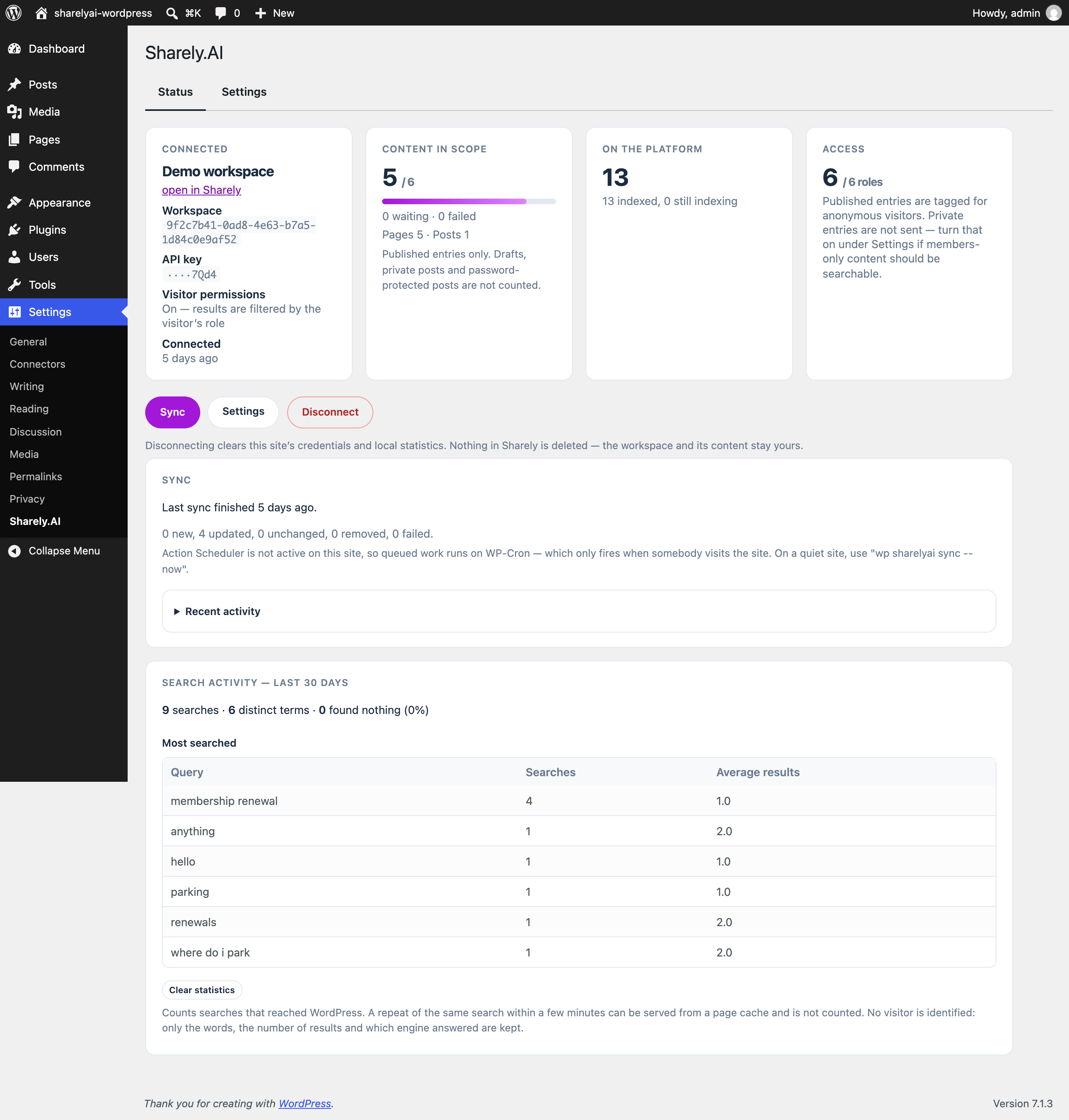
The status screen: what is connected, what has been sent, and what failed.
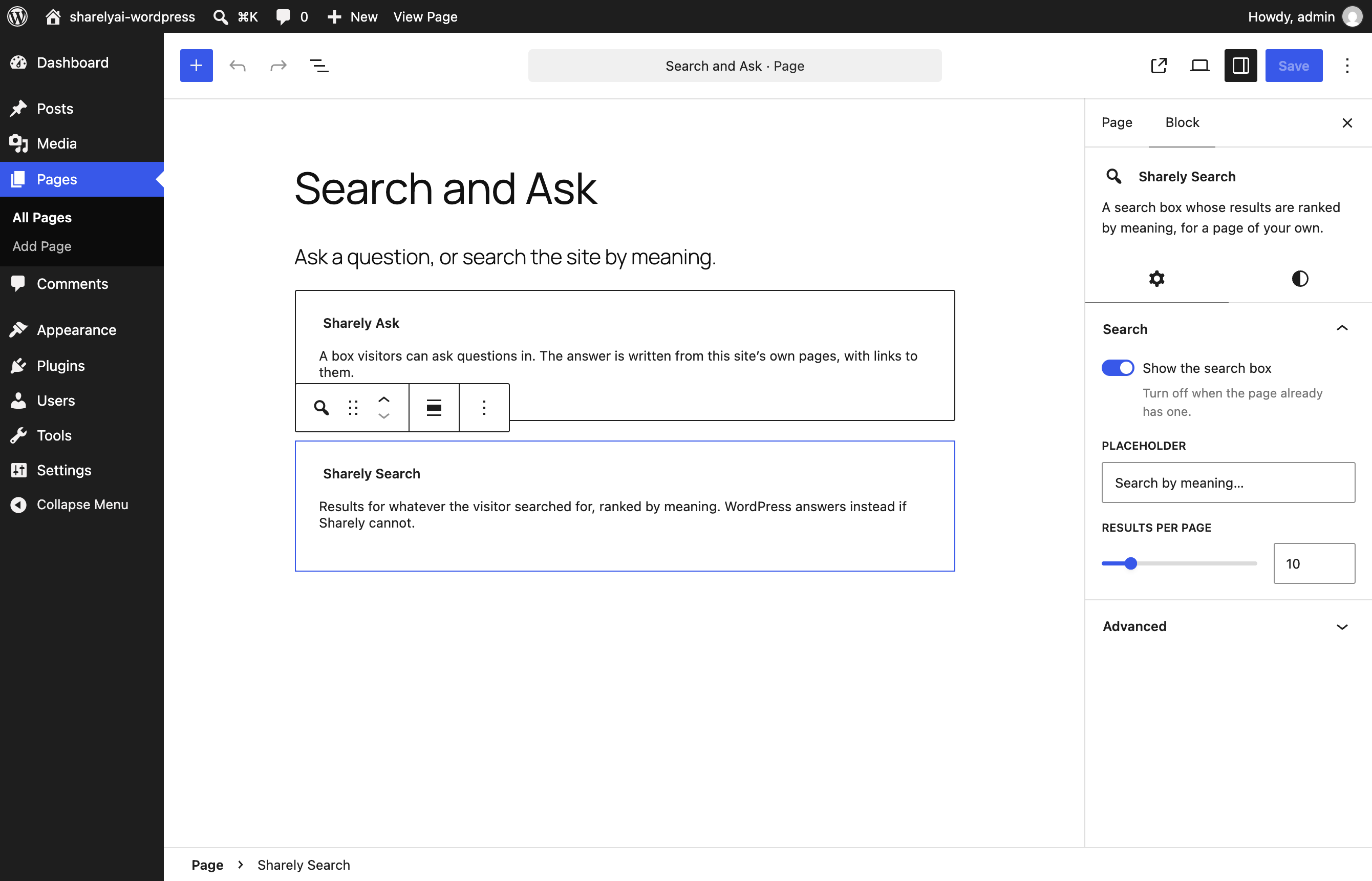
The two blocks in the editor.
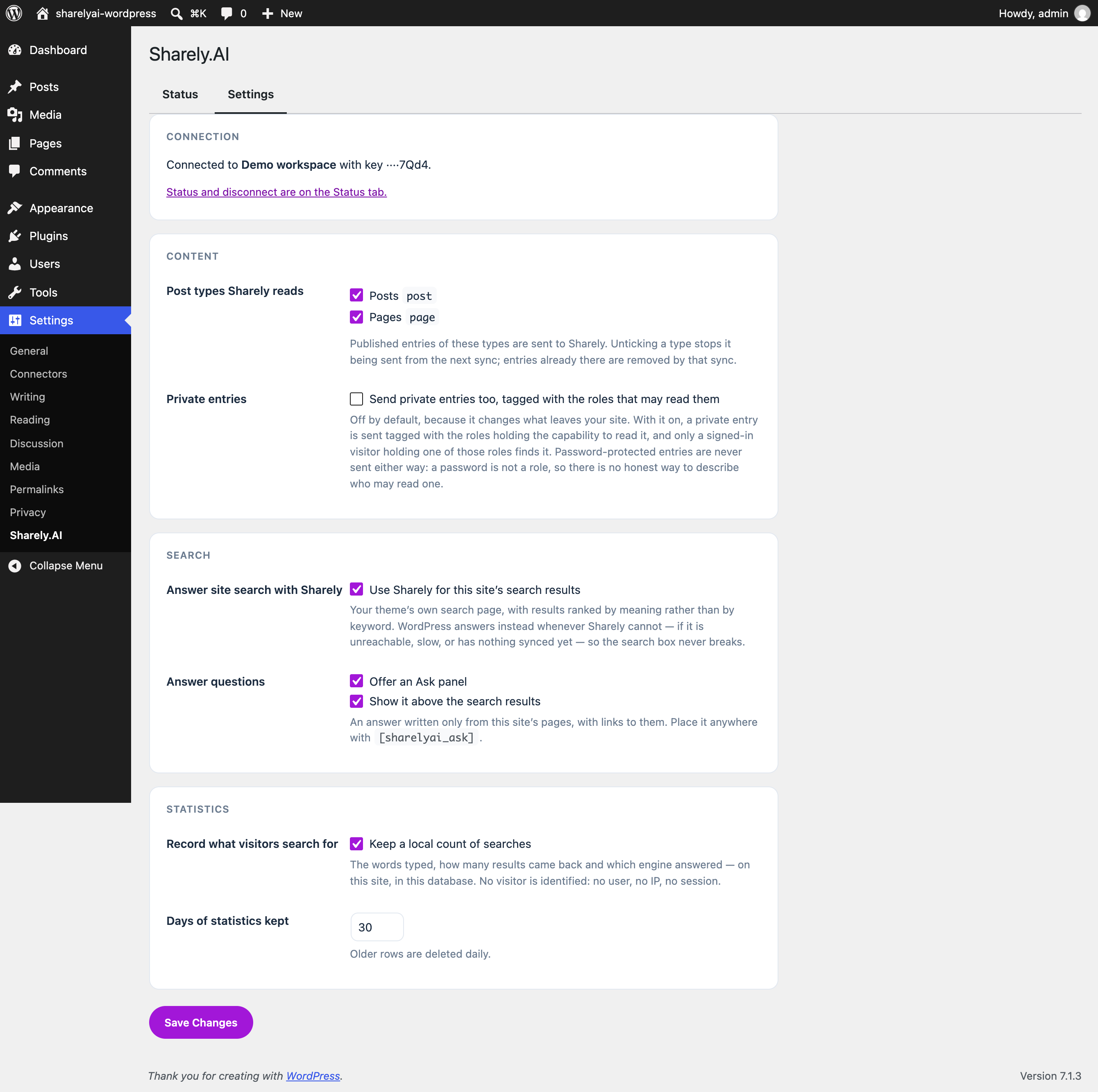
Settings: post types, the Ask panel, and what is recorded.
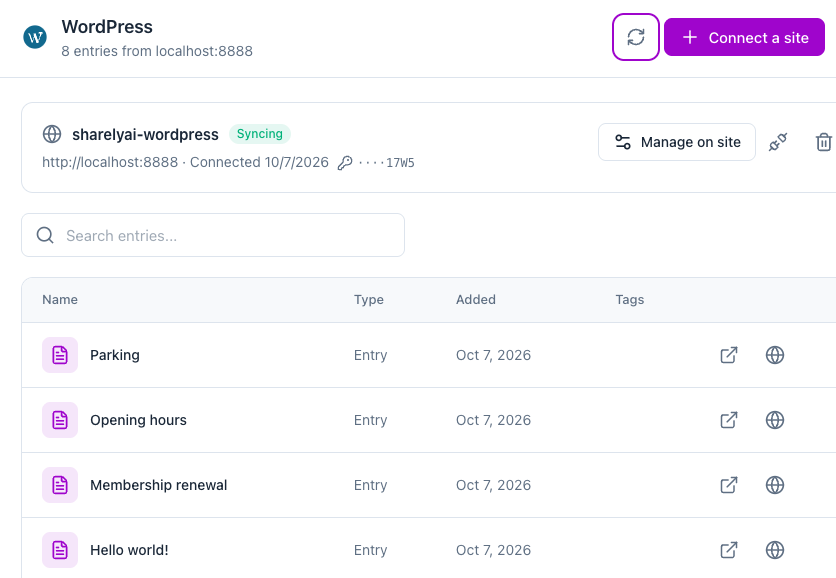
The site’s synced entries, as they appear in the Sharely workspace.


