Shieldome Security Scanner Wordpress Plugin - Rating, Reviews, Demo & Download
Plugin Description
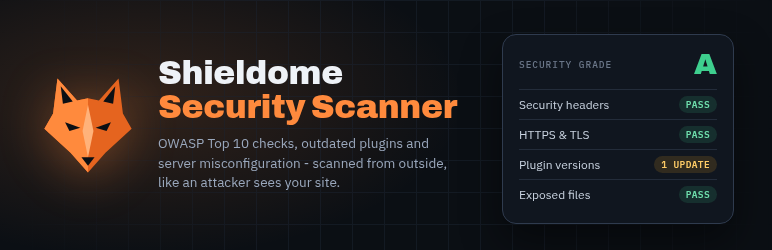
Shieldome Security Scanner brings automated vulnerability scanning into your WordPress dashboard. Instead of leaving wp-admin to run a security check, trigger an OWASP Top 10:2025 scan of your site and see the result – security grade, risk score, and findings – right where you already work.
What it checks
- Exposed configuration and backup files
- Outdated WordPress core, themes, and plugins with known vulnerabilities
- XML-RPC exposure and brute-force attack surface
- Missing or misconfigured security headers
- SSL/TLS certificate validity and configuration
- Debug information and verbose error disclosure
- User enumeration via author archives
- OWASP Top 10:2025 checks – the same engine used by the Shieldome SaaS platform
How it works
This plugin does not scan your site locally – it calls the Shieldome API (app.shieldome.com) to run the scan and reports the result back to your dashboard. Using it requires a Shieldome account and an active plan (a free trial is available at signup); the plugin itself is free, but the scanning service it connects to is a paid SaaS product beyond the trial period. See shieldome.com for current plans.
Data sent to Shieldome
When you trigger a scan, this plugin sends your configured target URL to the Shieldome API (app.shieldome.com) for scanning, authenticated with the API key you provide in Settings. Unless you turn it off in Settings, it also sends the list of installed plugins and themes (slug, version, active or not) and the WordPress version, with each scan and once a day (see External services below). No posts, pages, users, comments or settings are transmitted; the scan metadata (status, grade, risk score) is sent back. See the Shieldome Privacy Policy for details on how scan data is handled.
External services
This plugin is the dashboard for the Shieldome scanning service (https://shieldome.com) and does nothing without it. It connects to the Shieldome API at https://app.shieldome.com/api:
- When you click “Start Security Scan”: it sends the target URL and your Shieldome API key, and, unless you turn it off in Shieldome > Settings, the list of installed plugins and themes (slug, version, active or not) and the WordPress version. While the scan runs it asks the API for the scan status.
- Once a day (WP cron), when an API key is set and the plugin list option is on: the site URL and the same list of plugins, themes and WordPress version, so Shieldome can alert you to newly published vulnerabilities in them.
No posts, pages, users, comments or settings are sent. Shieldome then scans the target URL from its own servers, as an outside visitor would.
Shieldome terms of service: https://shieldome.com/terms
Shieldome privacy policy: https://shieldome.com/privacy
Screenshots
No screenshots provided