
Shiplume – Shipping Progress Bar For WooCommerce Wordpress Plugin - Rating, Reviews, Demo & Download
Plugin Description
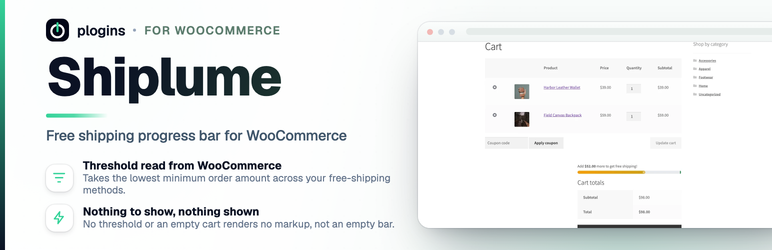
Shiplume shows shoppers how far their cart is from your free-shipping threshold and
how much more they need to add to reach it. The message updates as the cart
changes, so “free shipping over $50” stops being fine print and becomes a number
the customer can act on.
By default the threshold comes straight from WooCommerce. Shiplume looks at your
enabled free-shipping methods across all shipping zones and uses the lowest
minimum order amount it finds, so you don’t maintain the figure in two places. If
you’d rather set it yourself, switch to Manual mode and type a fixed amount; that
amount is also used as a fallback when Automatic mode finds no qualifying method.
When there’s nothing useful to show (the bar is disabled, the cart is empty, or no
threshold is configured) Shiplume renders nothing instead of an empty or
always-finished bar.
Documentation and links
- Documentation: plogins.com/plogins-nudge/docs/
- Plugin page: plogins.com/plogins-nudge/
- Source code: github.com/wppoland/plogins-nudge
- Bug reports and feature requests: github.com/wppoland/plogins-nudge/issues
What it does
- Reads the free-shipping threshold automatically from your active WooCommerce
free-shipping methods, or takes a fixed amount you set by hand. - Re-renders with the cart on the classic Cart and Checkout pages (the ones
built with the[woocommerce_cart]and[woocommerce_checkout]shortcodes).
A small script (no jQuery of its own) animates the width between updates. - Exposes a real
role="progressbar"witharia-valuenow/min/maxand a
readable text message for screen readers; honoursprefers-reduced-motion. - Reserves the bar’s height before paint, so adding it doesn’t shift the layout.
- Styles the bar with
--nudge-*CSS custom properties and adapts to dark colour
schemes, so themes can recolour it without editing markup. - Lets you write the progress and success messages, with an
{amount}token in
either one for the remaining total. - Ships a POT file, removes its options on uninstall, and declares HPOS
compatibility.
Source code and bug reports live on GitHub: github.com/wppoland/plogins-nudge
External Services
Shiplume does not connect to any external service. It does not send analytics, register a licence, load remote fonts or scripts, or make any HTTP request off your server. Everything it needs (your free-shipping threshold and cart totals) comes from WooCommerce on the same site, and the bar’s stylesheet and small animation script are served from the plugin folder, not a CDN. The only data Shiplume stores is two WordPress options on your own database (nudge_settings for your configuration and nudge_db_version for upgrades), both removed when you delete the plugin.
Translations
Shiplume is fully translatable and ships the shiplume.pot template. Translations are delivered by WordPress.org language packs from translate.wordpress.org, which is where Polish, German and Spanish are being contributed; the package itself carries no compiled translation files.
Screenshots

The cart with one progress bar above the totals, showing how much more to add for free shipping.

The Shiplume settings screen: where the bar shows, the free-shipping threshold and the messages, with the PRO features listed alongside.

The same bar at the top of the checkout.
Similar Plugins:
 Rating Widget: Post Rating, 5 Star Rating, Reviews, Thumbs Up & Down, Reaction
 Free Shipping Bar WooCommerce, Message, Popup And Alert Or Free Shipping Progress Bar
 Shipping Method For WooCommerce – Use For Conditional Shipping + Extra Shipping + Flat Rate Shipping Method + Table Rate Shipping For WooCommerce