
Shopcrier – Announcement Bar For WooCommerce Wordpress Plugin - Rating, Reviews, Demo & Download

Plugin Description
Shopcrier puts your store’s news where shoppers look first: a bar at the top or bottom of the page. Free delivery thresholds, sales, new collections, holiday opening hours, delivery cut-off dates, anything worth saying before the shopper starts browsing.
Create as many announcements as you like, schedule them ahead of time and let each one decide where it appears. A sale bar can count down to its last hour on the shop and category pages, a delivery notice can run in a ticker on every page, and a welcome message can greet logged-in customers only.
Bars and tickers
- Show each announcement as its own bar, or group several into one horizontal ticker that scrolls continuously (marquee) or slides with arrow controls.
- Place bars at the top of the page (before the theme header), at the bottom, or both.
- Keep the top or bottom bars sticky while the shopper scrolls.
- Add a call-to-action button, or make the whole bar a link to a product, category, page or custom URL.
- Choose the colours for each bar and button. A contrast checker tells you when text would be hard to read.
- Let shoppers dismiss a bar, for a number of days or for good. Dismissed bars do not flash back on the next page load.
Scheduling
- Set a start and an expiration date and time for each announcement, in your site’s timezone.
- Show a live countdown to the expiration date. When it reaches zero the bar disappears, even on cached pages.
Targeting
- Page types: homepage, shop, category pages, product pages, cart, My Account, search results, other pages.
- Only on or never on specific products and pages.
- User roles, including logged-out visitors.
- Devices: everywhere, desktop only or mobile only.
- The checkout page always stays free of announcements, so nothing distracts from paying.
For developers
- Shortcode
[shopcrier_bar position="top"]and template tagshopcrier_bar( 'top' )for manual placement. - Templates you can override in your theme, plus filters for the page type, the list of bars and their content.
- WP-CLI commands under
wp shopcrierto create, update, list and toggle announcements. - The full reference of every setting, hook, template and command is in the README.md file inside the plugin.
Shopcrier stores everything in your own WordPress database and does not contact any external service. It is compatible with High-Performance Order Storage (HPOS) and the cart and checkout blocks.
Requires WooCommerce 9.0 or later, WordPress 6.6 or later and PHP 8.1 or later.
Screenshots

Three top bars and a sticky bottom bar on the shop page: a delivery offer with a button, a sale with a live countdown and a scrolling ticker.
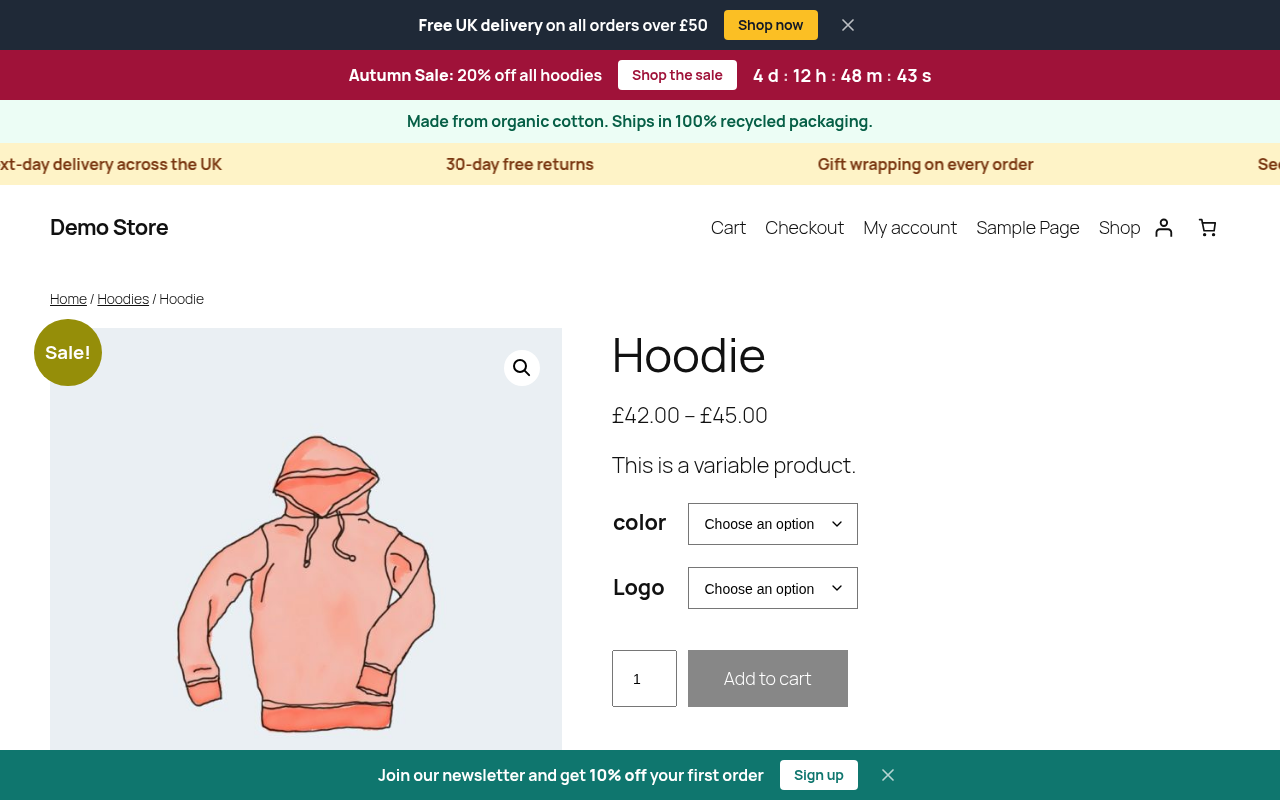
A bar shown only on one product, alongside the store-wide bars.
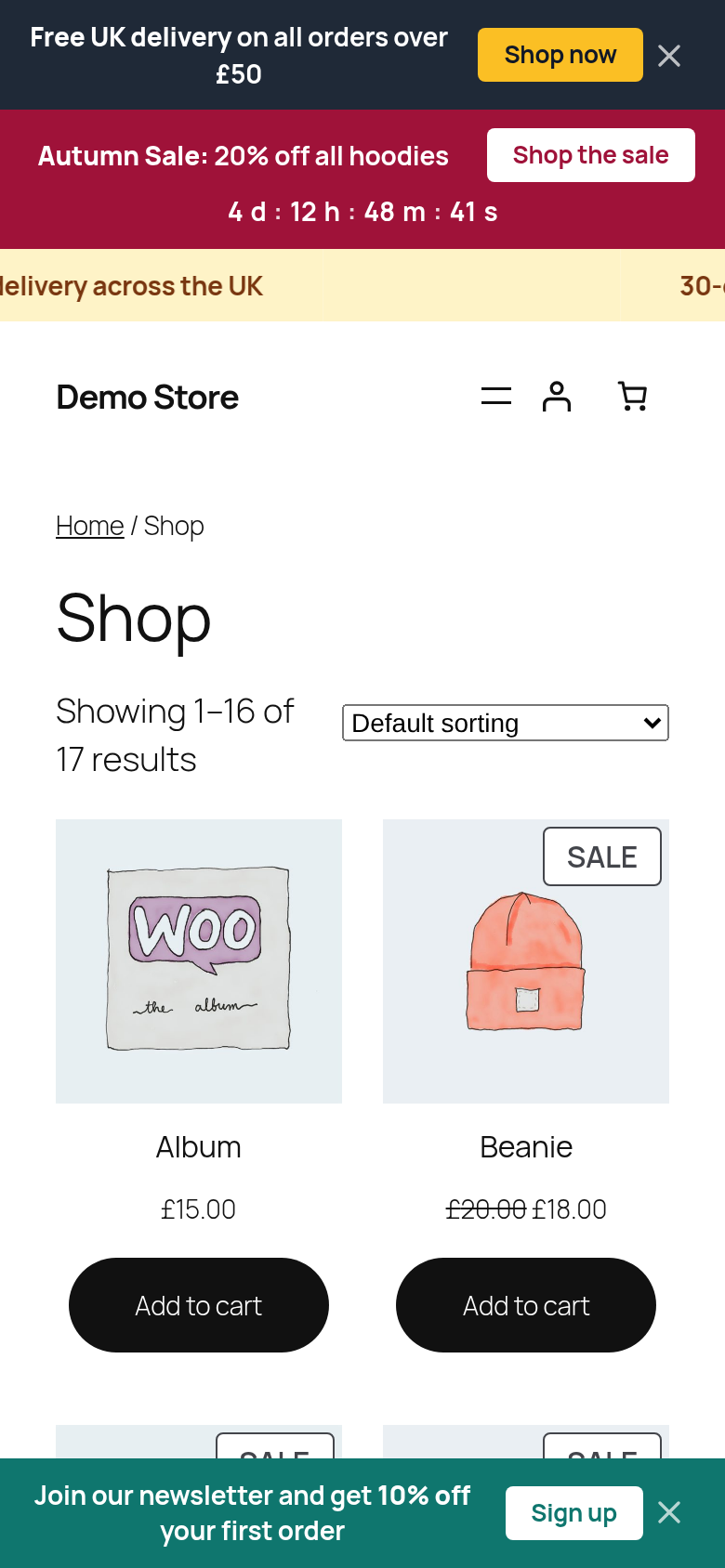
On mobile, buttons and countdowns wrap neatly under the message.
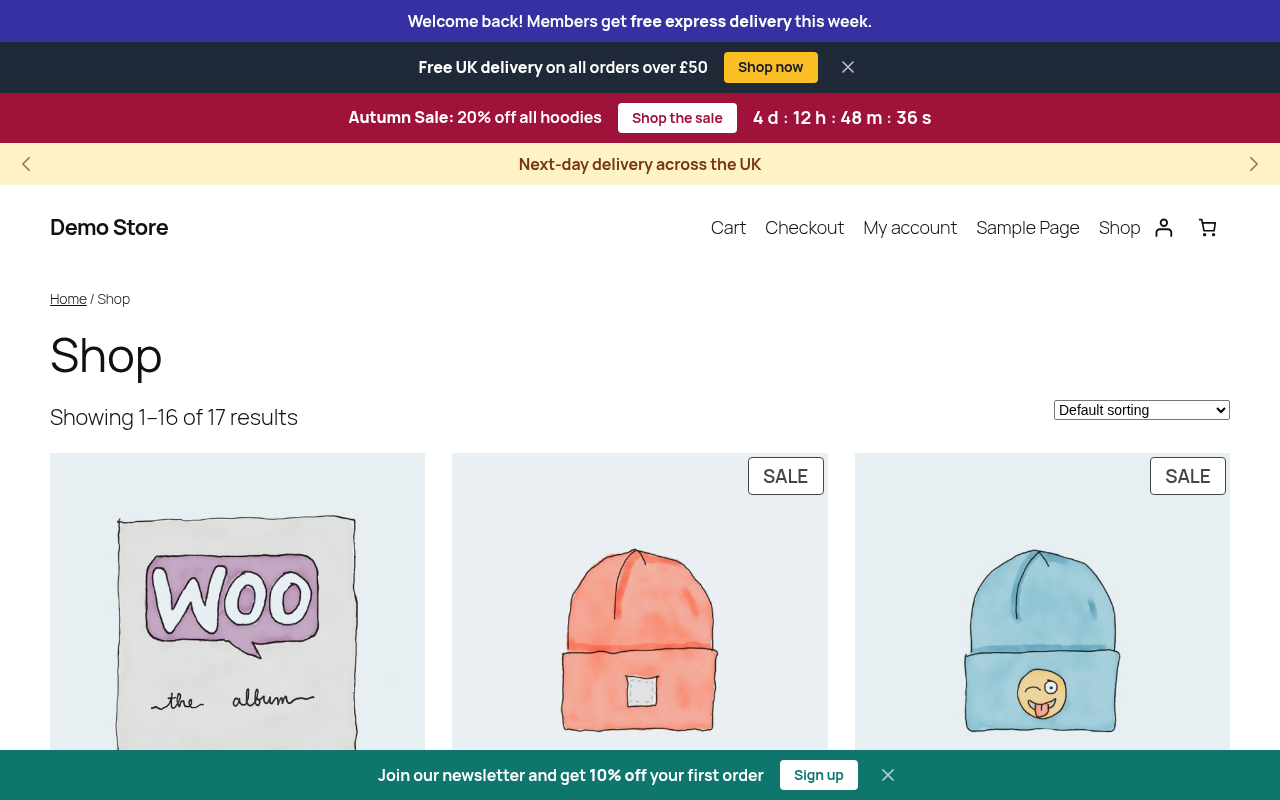
A welcome bar only logged-in customers see, with the ticker in slider mode.

All announcements with their position, targeting and schedule at a glance.

Write the message, pick the colours with a built-in contrast check, and add a link or button.
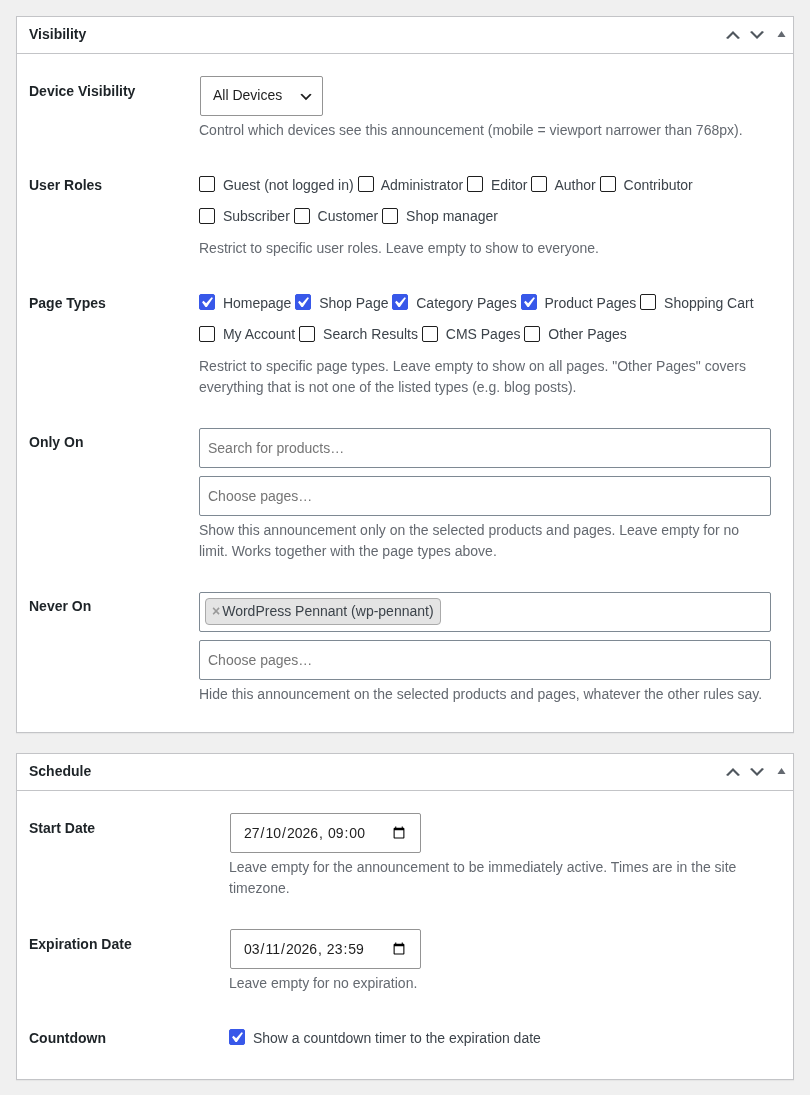
Target page types, roles, devices and specific products or pages, and schedule the start, end and countdown.
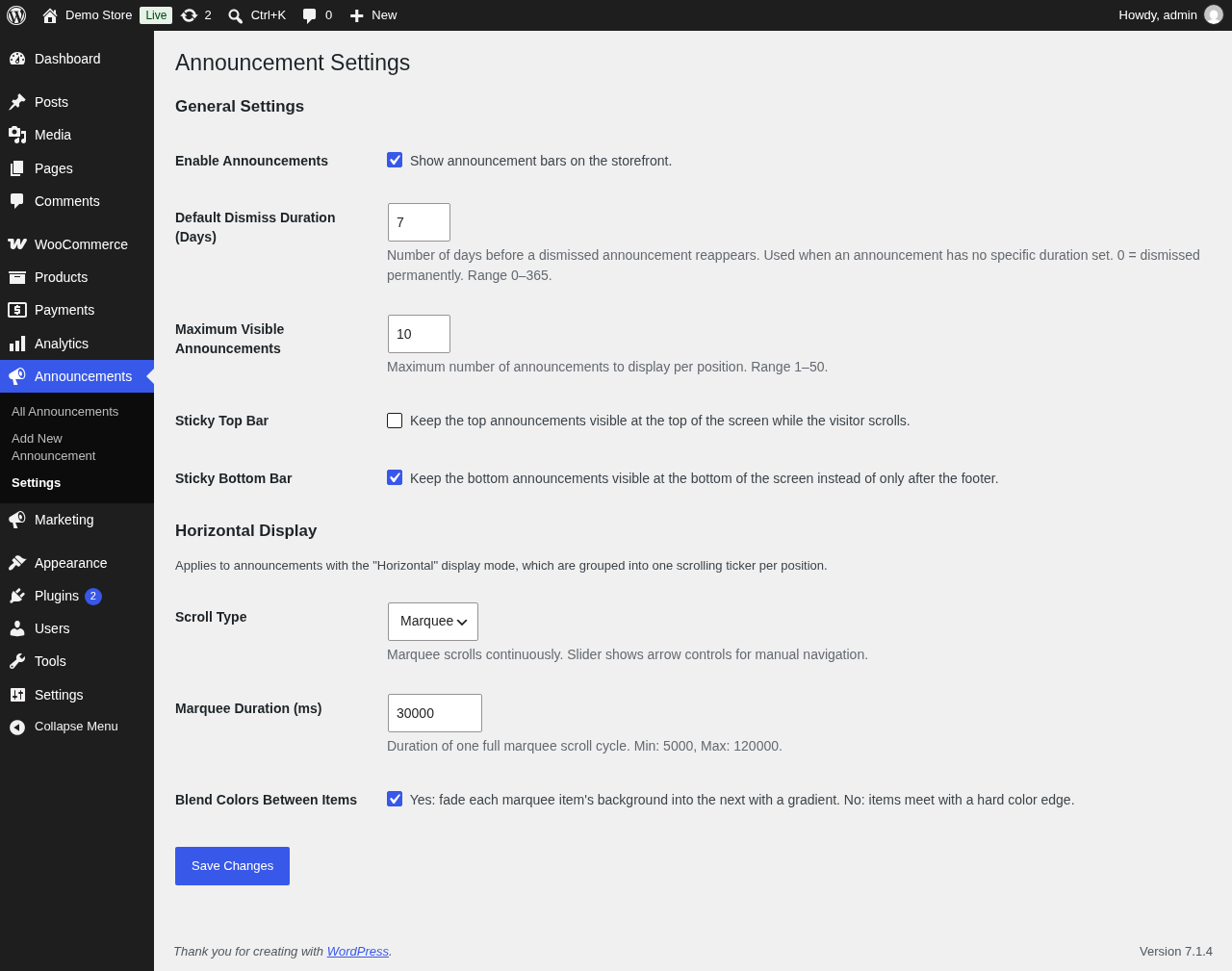
Settings for dismissals, sticky bars and the ticker.


