
ShopCurator Wordpress Plugin - Rating, Reviews, Demo & Download
Plugin Description
A WooCommerce shop on a block theme is missing four things that neither WordPress nor WooCommerce ships. ShopCurator adds all four, in one free plugin, with no companion theme and no build step.
1. Storefront blocks that sell
22 blocks, each rendered in PHP, so updating the plugin never breaks a saved page:
- Mega menu inside the core Navigation block, opened by pointer, keyboard or touch.
- Search overlay with live product suggestions, recent and trending searches.
- Quick view and card actions on product cards: see a product, pick a size and add it to the cart without leaving the list.
- Product swatches, a percentage discount badge and a sold count.
- Review summary with a five-bar breakdown, and store-wide customer reviews as a grid or a scrolling band.
- Size chart in a dialog beside the size choices.
- Slider, collection tabs, testimonials, announcement bar, collection rail, contact form, newsletter, Instagram strip and a click-to-load map.
Starter block patterns compose these into ready sections — a homepage, a product page, a contact block, a header strip — so you insert a whole section, not one block at a time.
2. A My Account area a customer can use
Order cards with a three-step timeline, order detail, cancellation while an order is still being prepared, Order Again, addresses, and a code-verified phone change. The signed-in screens are replaced by hook, with no template fork. The sign-in, registration and password reset screens are WooCommerce’s own templates, redesigned, and a theme’s override still wins.
3. Stock that tells the truth
The size filter counts only the sizes in stock, sold-out sizes show as unavailable on the product page, and sold-out products carry a badge.
4. Phone-first sign-in, with real verification
Customers sign in and register with a mobile number. Optional SMS one-time codes confirm a new account, reset a password, confirm a cash-on-delivery order from a number the shop has not seen before, and confirm a phone change. In cash-on-delivery markets a fake order costs the shop the courier fee both ways; holding it for a code stops that. Codes go out through any SMS provider with an HTTP API, described in the settings without code. Popular Bangladesh gateways have a ready preset that fills the request for you.
Settings
Everything is under the ShopCurator menu. ShopCurator > Settings holds the catalogue attributes, the sign-in image, each storefront change (each can be turned off), Open Graph and Twitter tags (off by default, and silent beside Yoast SEO, Rank Math and All in One SEO), security headers, the SMS sender and its four code flows, and whether to remove the plugin’s data when it is deleted. ShopCurator > Dashboard shows cash-on-delivery orders waiting for a code, newsletter subscribers, the SMS sender’s state and what is switched on, and a checklist of what is set up and what is left, each item linking to its setting.
ShopCurator > Blocks lists every block with where it belongs, how to add it and where your store already uses it. A switch on each block turns it off: it leaves the inserter and stops loading, and comes back as it was when switched on. A block in use asks first and names the pages it would leave. ShopCurator > Help answers the common questions and gives a system summary to paste into a support request.
External services
The plugin talks to an outside service only in these cases, each one set up by the shop:
- Google Maps: the Map block shows a Google Maps embed of the address you type (https://www.google.com/maps). With “Ask before loading” on, the default, nothing is requested from Google until the visitor presses “Show map”. Google’s terms: https://policies.google.com/terms, privacy: https://policies.google.com/privacy.
- Instagram: only after you paste an access token under Integrations (or set
SHOPCURATOR_INSTAGRAM_TOKEN), the Instagram block reads your recent posts from the Instagram API (https://graph.instagram.com), sending the token. The token is refreshed daily. Meta’s terms: https://www.facebook.com/terms.php, privacy: https://www.facebook.com/privacy/policy/. - Your SMS provider: only after you choose the HTTP sender and describe your provider, each code is sent to the request URL you entered, with the customer’s mobile number, the message, and your API key and sender ID where your templates place them. The provider’s own terms and privacy policy apply. Two presets fill in a provider for you; neither is contacted unless you choose it:
- BulkSMSBD (preset): the code message, the customer’s mobile number, your API key and sender ID go to https://bulksmsbd.net/api/smsapi each time a code is sent. BulkSMSBD publishes no public terms or privacy page; they are in its customer portal at https://bulksmsbd.net after you sign in.
- Alpha SMS (preset): the code message, the customer’s mobile number, your API key and sender ID go to https://api.sms.net.bd/sendsms each time a code is sent. Alpha SMS’s terms: https://sms.bd/Terms_Condition/ (it publishes no separate privacy page).
Nextend Social Login
When Nextend Social Login is active and a provider (Google or Facebook) is set up in it, the sign-in and registration screens show that provider’s button in ShopCurator’s design. The sign-in itself is Nextend’s: the button links to Nextend’s own login URL, and no request goes to Google or Facebook from ShopCurator.
Quick view and WooCommerce’s cart
Adding to the cart from a card’s size tray uses WooCommerce’s Interactivity cart store, which WooCommerce marks as private and may change without notice. On WooCommerce 9.9 to 10.x, and whenever the store is unavailable, the card falls back to the quick view dialog, whose form posts to WooCommerce like any product page.
Screenshots

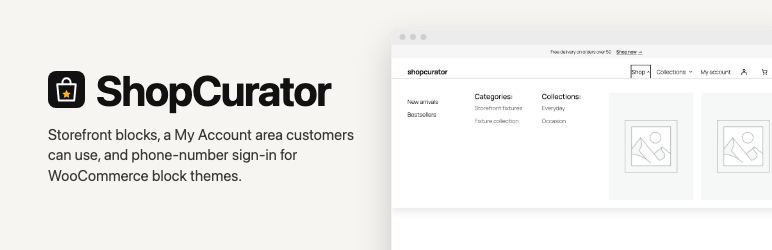
The mega menu inside the core Navigation block.

The search overlay’s live suggestions.

Quick view on a product card.

Product cards with the discount badge, sold count and swatches.

The size filter, counting only sizes in stock.

The review summary with its five-bar breakdown.

The My Account overview with the latest order’s timeline.

An order’s detail and timeline.

Signing in with a mobile number.

A cash-on-delivery order waiting for its code.


