Shoppable Lookbook & Image Hotspots Wordpress Plugin - Rating, Reviews, Demo & Download

Plugin Description
Plugin URL: https://douple.net/shoppable-lookbook-image-hotspots/
Docs: https://douple.net/shoppable-lookbook-image-hotspots/docs.html
Demo: https://douple.net/shoppable-lookbook-image-hotspots/demo/
GitHub: https://github.com/thiendo/WordPress-Shoppable-Lookbook-Image-Hotspots-Plugin
Support: support@douple.net
Get Pro: https://checkout.freemius.com/plugin/32876/plan/59385/
Tag products on your photos to turn them into shoppable images. Supports drag & drop markers so you can place products exactly where they appear in the photo.
Features
- Click anywhere on the image to create a marker
- Drag and drop markers to reposition them
- Flexible styling — colour, size, icon, open on click / hover / auto
- Smart product search and link products to markers (WooCommerce)
- Link markers to any custom URL with a custom title, image and price (no WooCommerce required)
- Optional AJAX “Add to cart” button on product markers
- Fully translatable — uses WordPress.org language packs (translate.wordpress.org)
- Keyboard and screen-reader accessible markers
- Shortcode plus Gutenberg and Elementor blocks
- Create unlimited lookbooks
Compatible with
- Elementor
- Gutenberg (block editor)
- Classic Editor (shortcode)
- WPBakery Page Builder (Pro)
- Fusion Builder (Pro)
Premium features
More info at https://douple.net/shoppable-lookbook-image-hotspots/ — or buy Pro.
- Product List — tagged products as a shoppable list or carousel, with variation selects and add-to-cart
- Shop the Look — “Add all to cart” bar with live total
- Quick View — product modal from a marker without leaving the page
- Multi-image Lookbook & Gallery Manager — carousel, grid, masonry or flipbook
- Product page cross-sell — lookbooks containing the viewed product
- Analytics — impressions, marker opens, clicks, add-to-carts and conversion funnel
- Custom markers — upload your own PNG/SVG (sanitized)
- Advanced styling — Tag/Bottom box styles, corners, custom colour, opacity
- More marker animations — beat and bounce (free keeps pulse)
- Advanced triggers — open all, open first, or accordion
- Bottom-sheet mobile display
- Export / Import & duplicate
- WPBakery & Fusion Builder elements
Requirements
- PHP 7.0 or higher
- WordPress 5.0 or higher
- WooCommerce 3.0 or higher (required only to link WooCommerce products)
Development
Human-readable source for plugin-owned JavaScript and CSS is included in this package under assets/js/, assets/css/, and plugins/*/js|css/ (for example shoppable-lookbook-image-hotspots.js, lookbook-admin.js, Gutenberg block scripts/styles).
Public source repository: https://github.com/thiendo/WordPress-Shoppable-Lookbook-Image-Hotspots-Plugin
No build tools are required to review or modify the plugin-owned admin and frontend scripts and styles shipped in this free package.
Screenshots
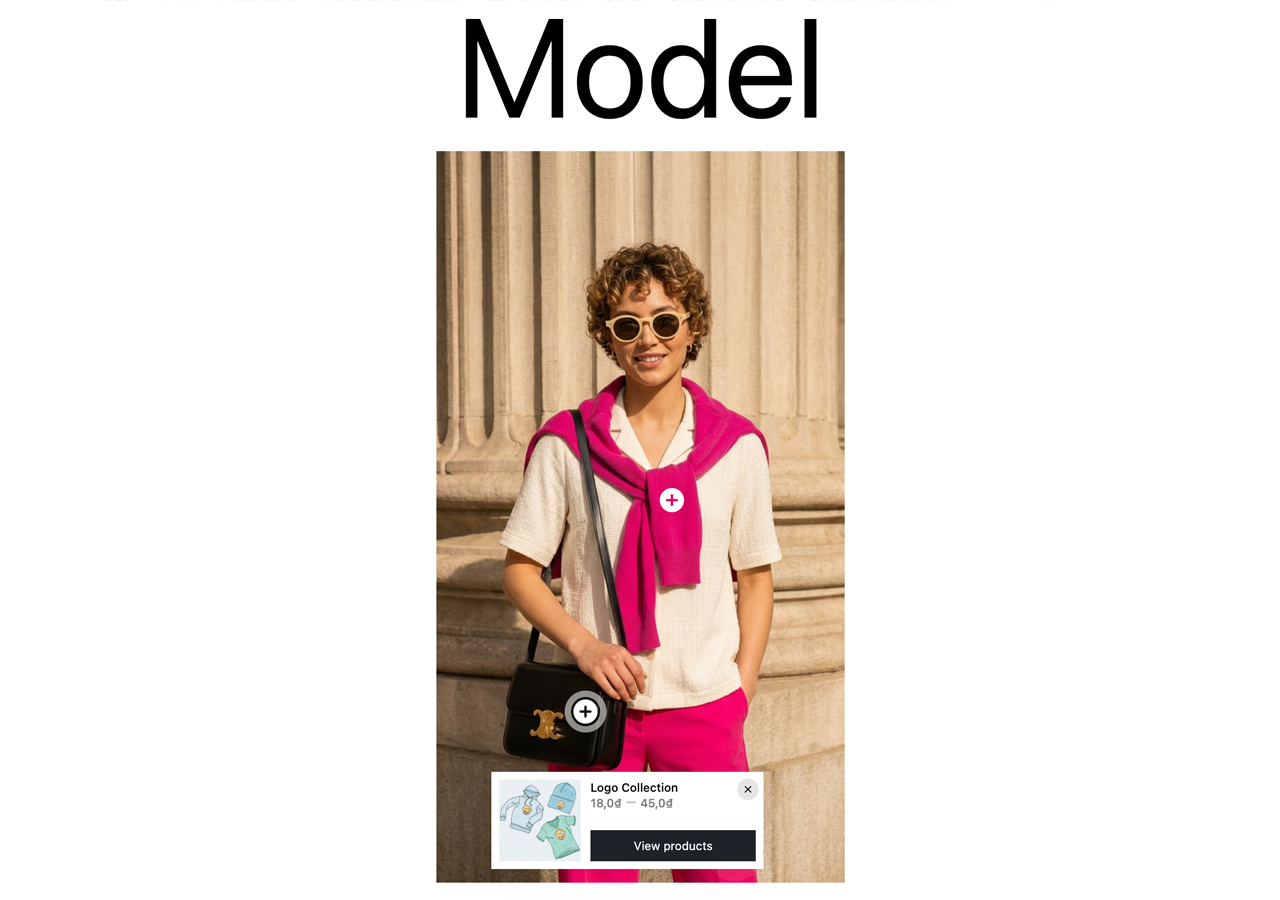
Shoppable image on the frontend — click a marker to open the product box with price and Add to cart
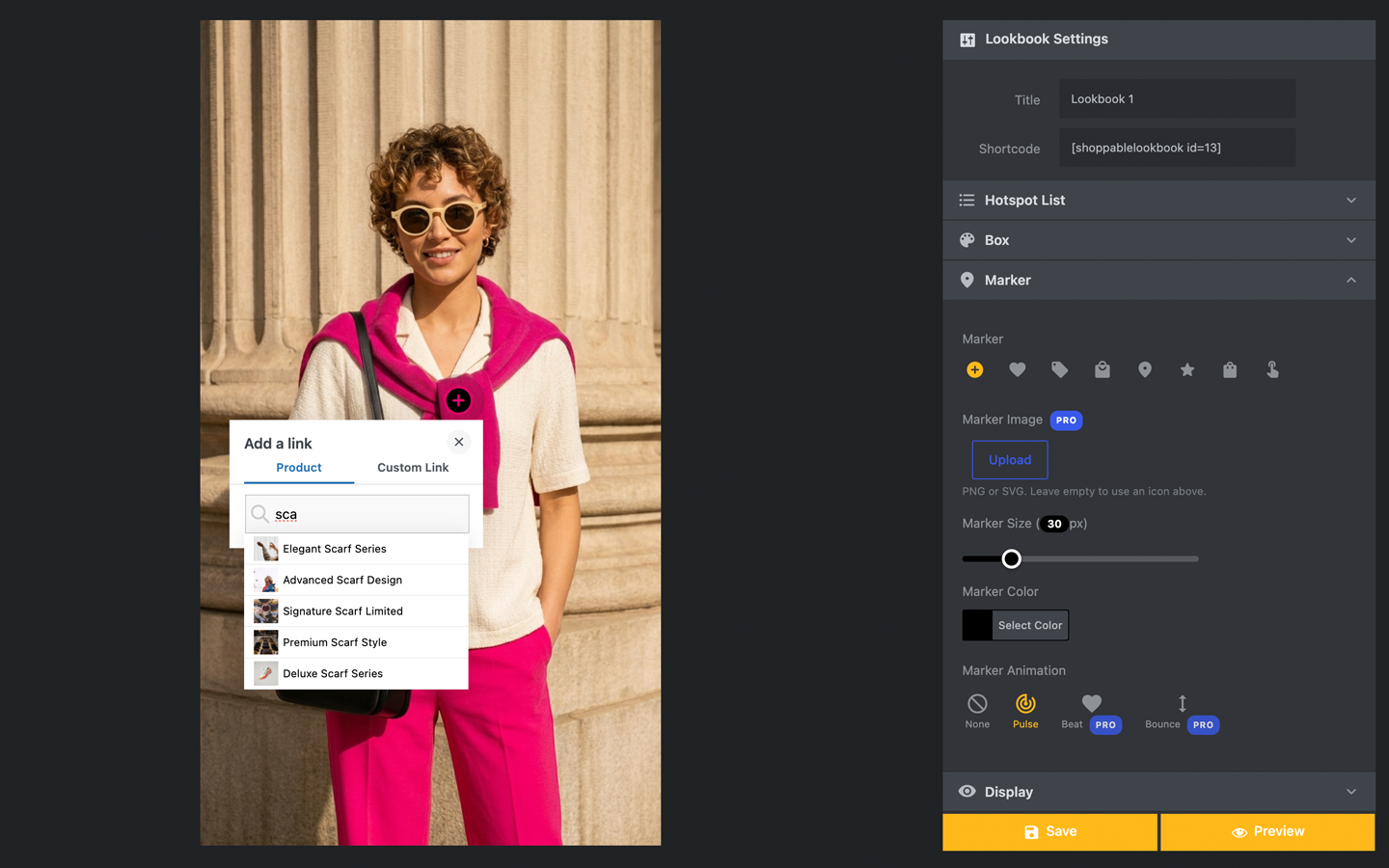
The hotspot editor — click the photo to add markers, drag to reposition, style everything from the sidebar
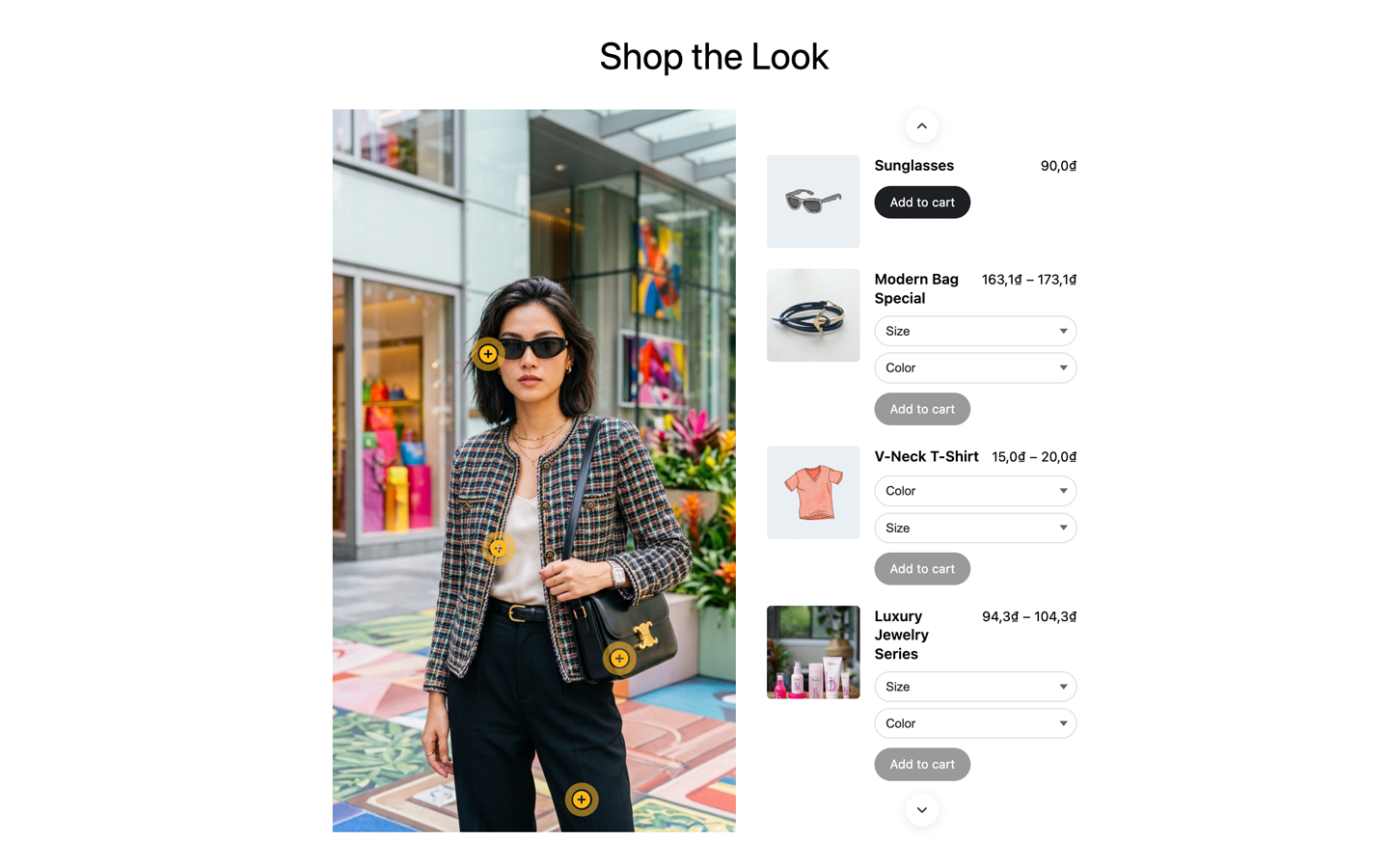
Product List (Pro) — every tagged product as a shoppable list beside the image, with variations and add-to-cart
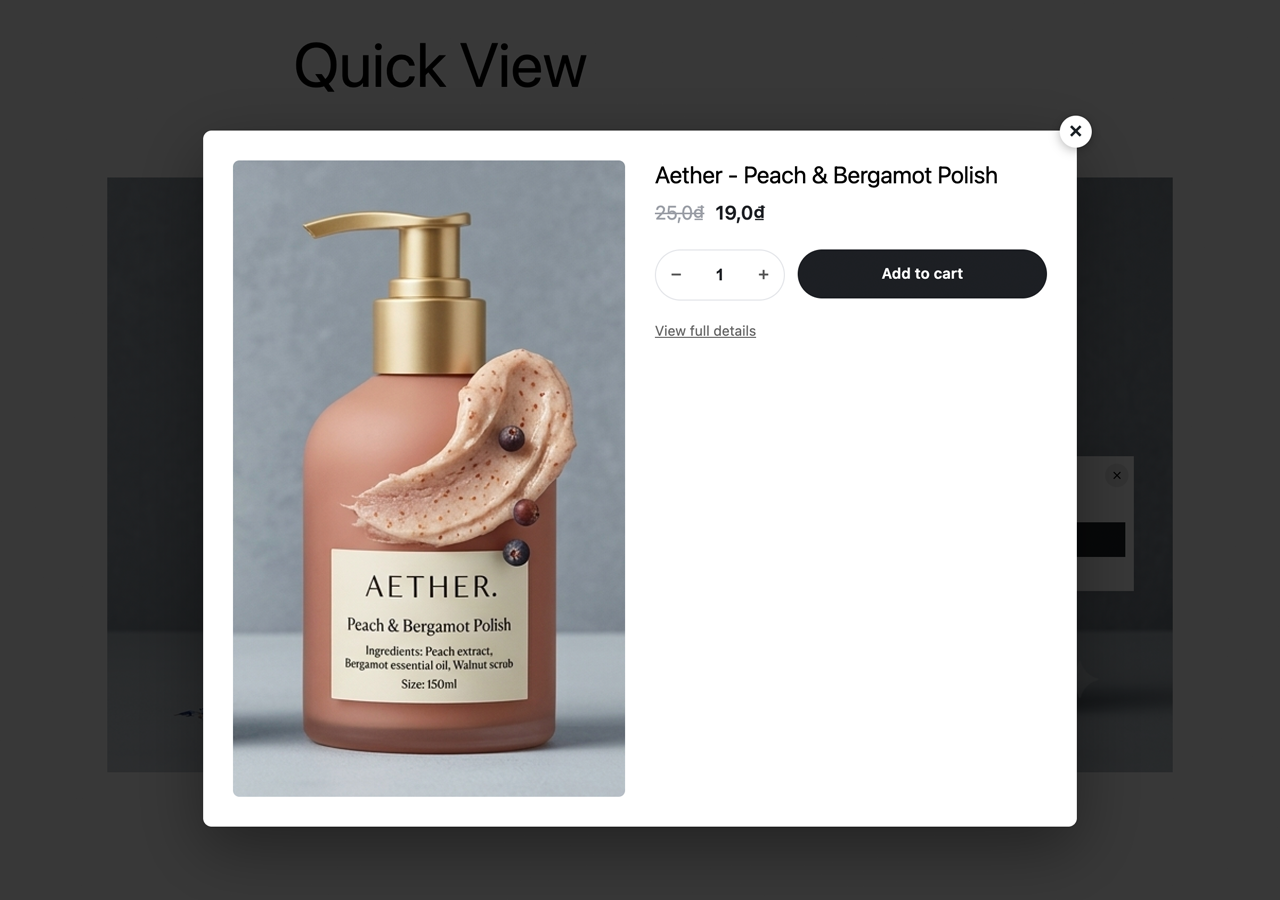
Quick View (Pro) — a product modal opens straight from the marker, no page reload
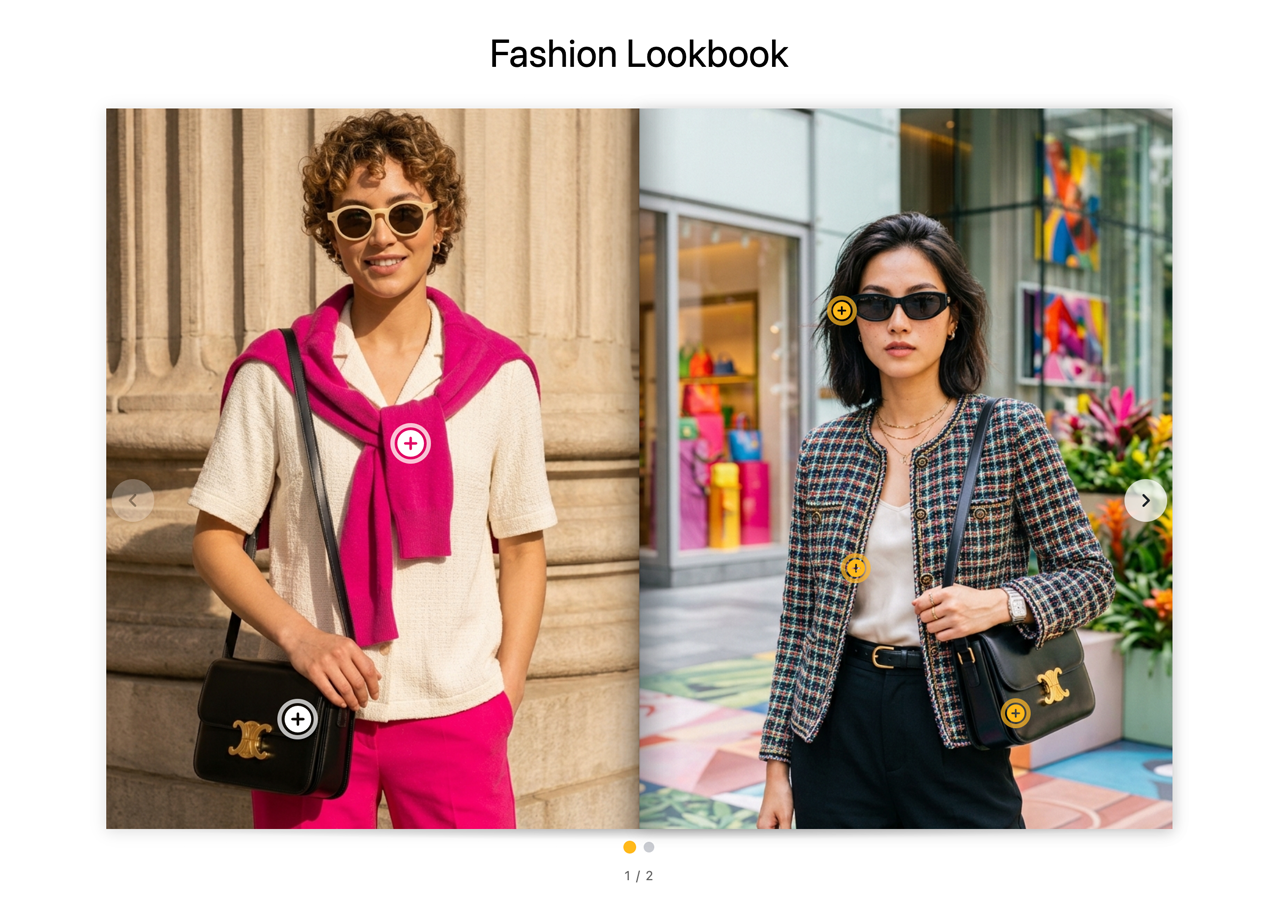
Multi-image gallery (Pro) — combine lookbooks into a shoppable carousel, grid, masonry or flipbook
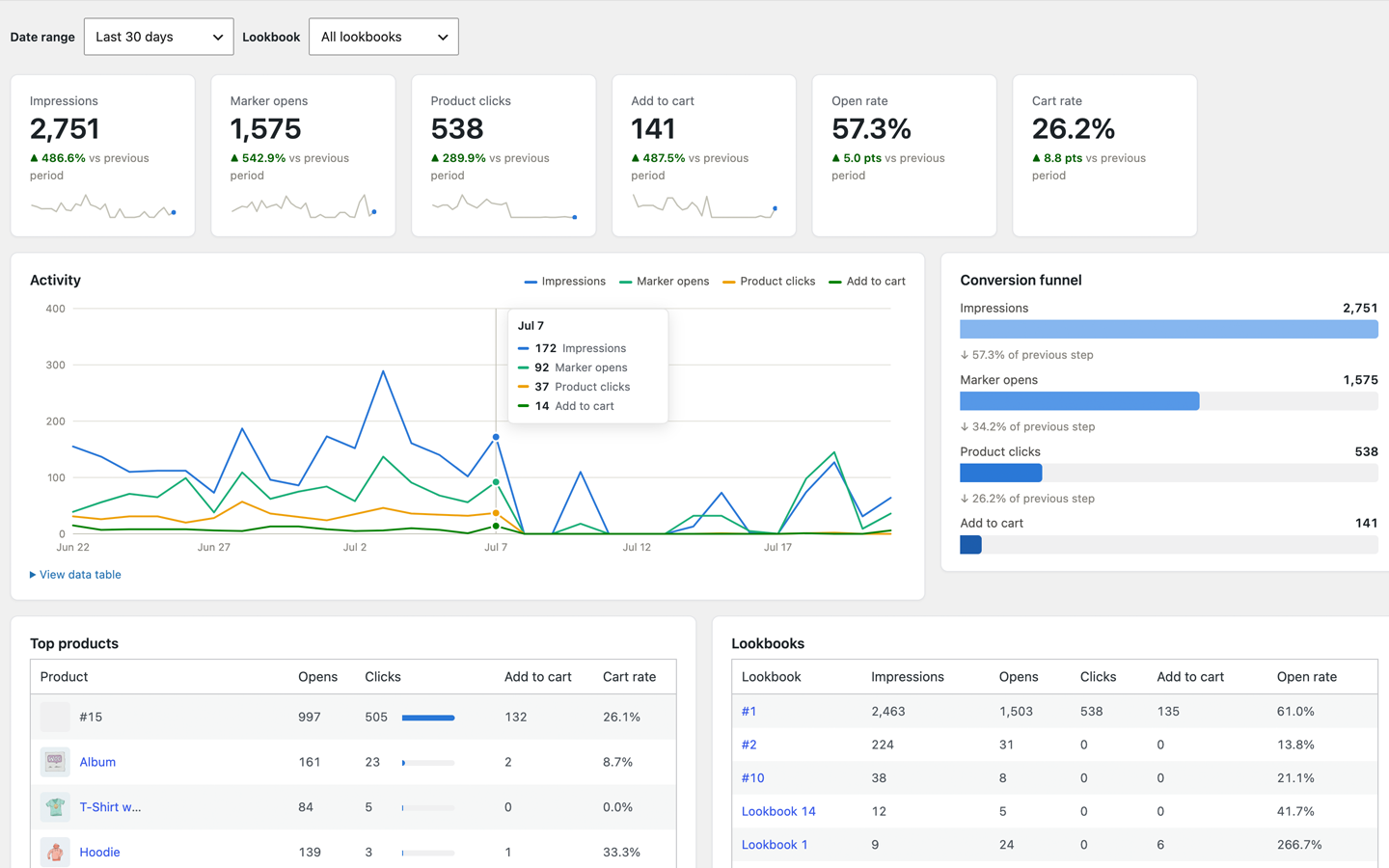
Analytics dashboard (Pro) — impressions, marker opens, product clicks, add-to-carts and a conversion funnel
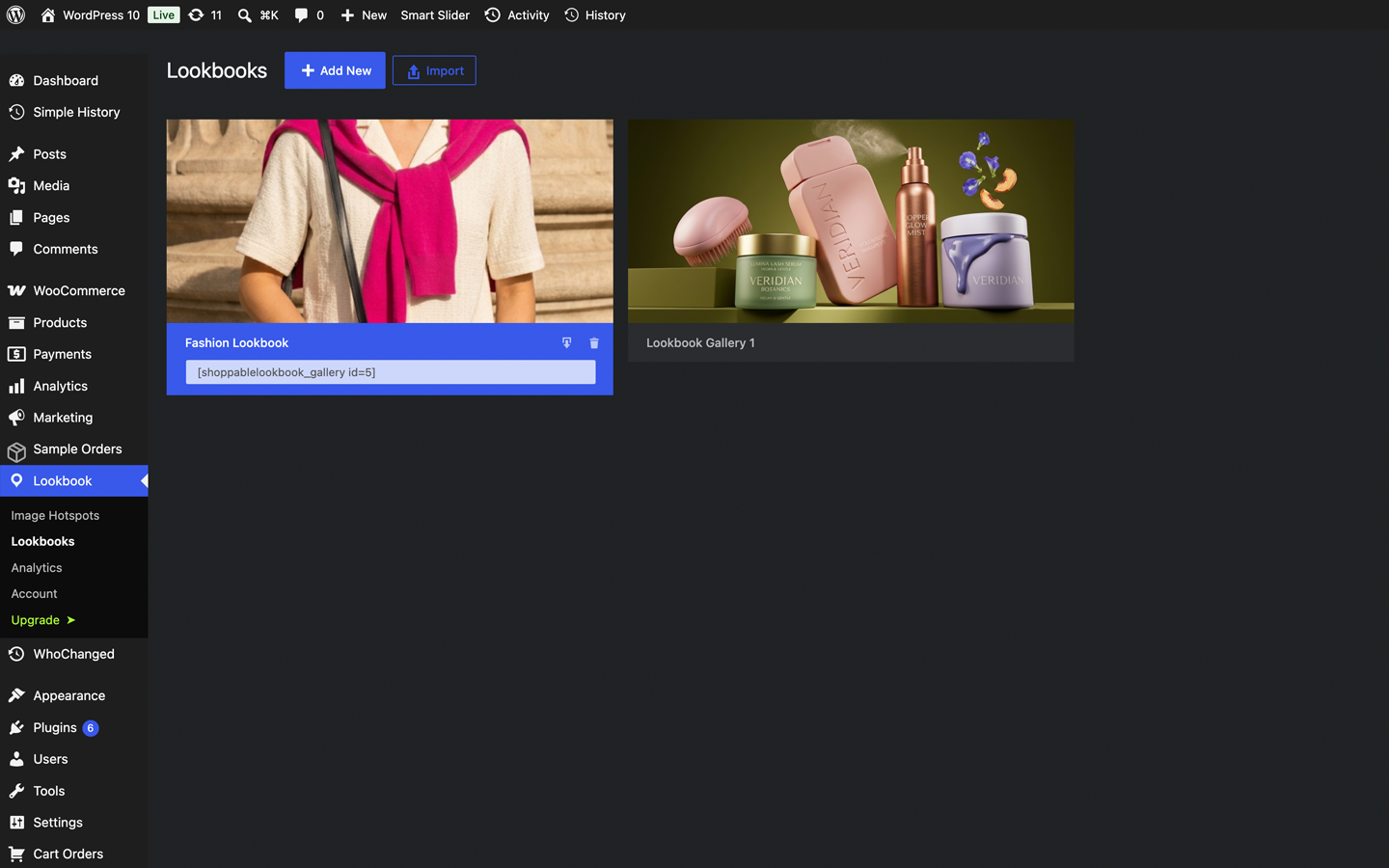
Gallery Manager (Pro) — build and reorder galleries from a dedicated screen
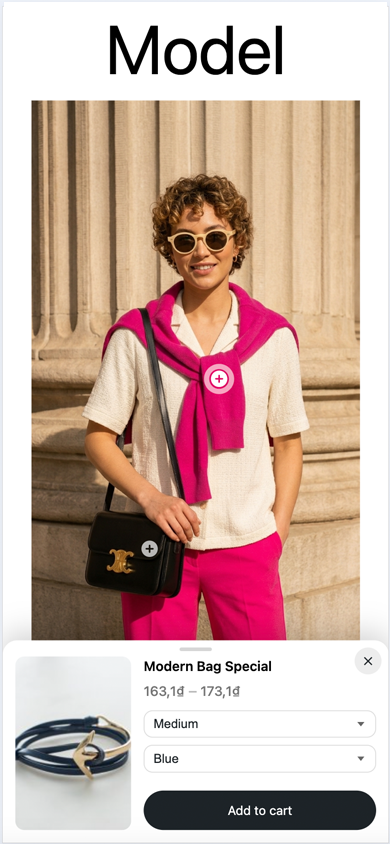
Mobile display — the product box adapts to phones (bottom sheet or compact style)
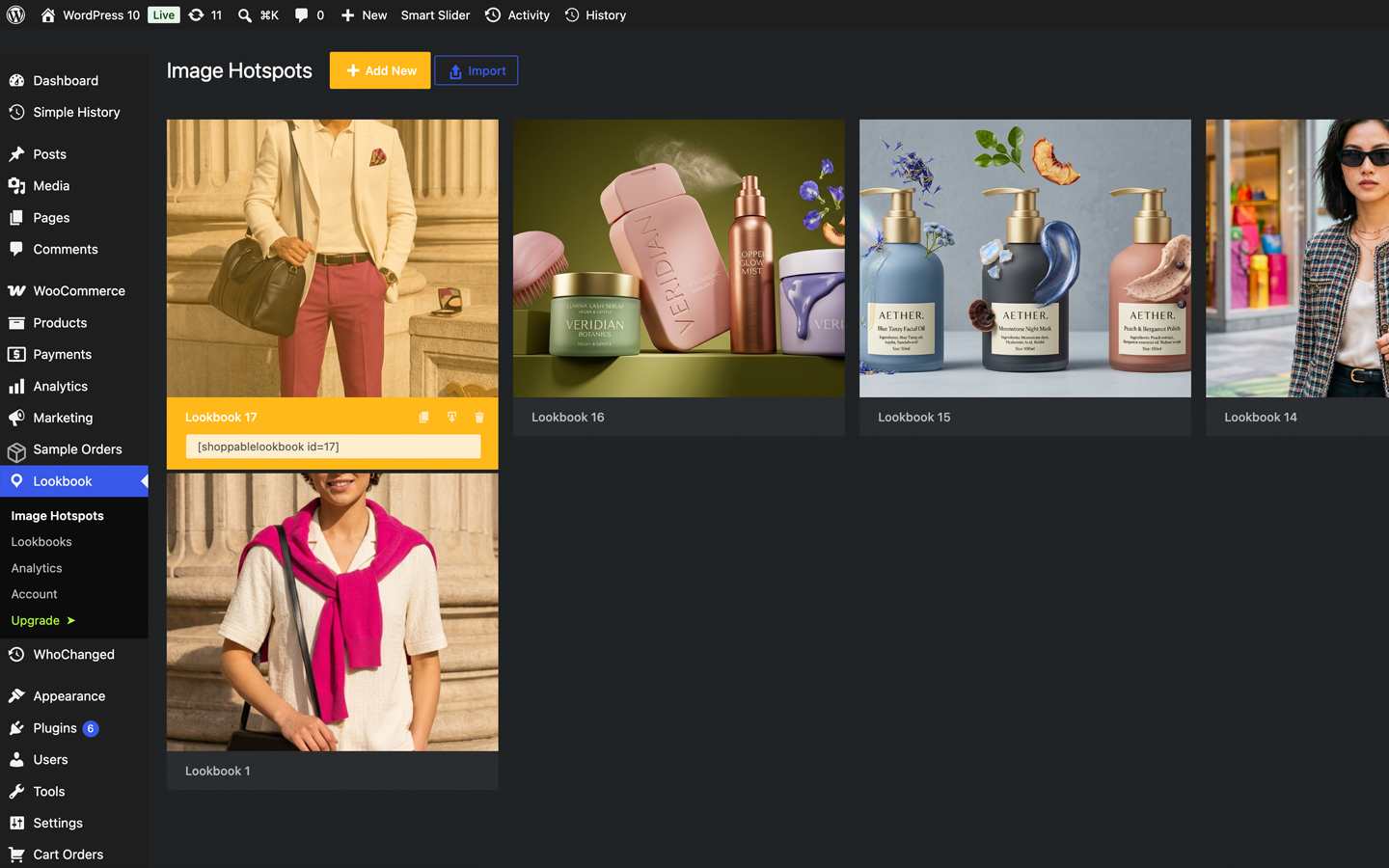
The lookbook overview — copy shortcodes, duplicate, export and spot broken products at a glance