Silo Feed Exporter For Houzez Wordpress Plugin - Rating, Reviews, Demo & Download
Plugin Description
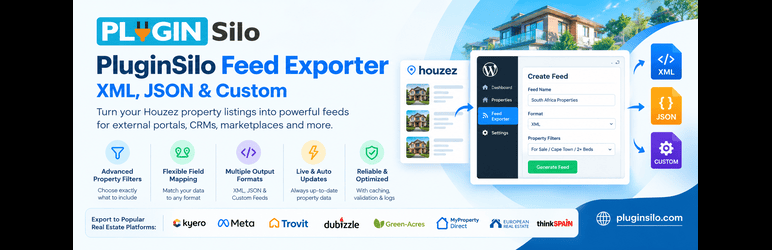
Silo Feed Exporter for Houzez turns your Houzez-powered property listings into secure, ready-to-submit feeds for the real estate portals and apps you actually work with — without writing a single line of code.
Silo Feed Exporter for Houzez is developed by PluginSilo and provides an independent integration for exporting Houzez listings. It is not affiliated with, endorsed by, or sponsored by Favethemes or Houzez. “Houzez” is used solely to describe compatibility with the Houzez theme, whose data this plugin reads.
Create as many feeds as you need, each with its own independent, tokenized URL, its own generation schedule, and its own field mapping. A guided step-by-step wizard walks you through picking a destination, choosing which properties to include, previewing the field mapping, validating the result, and generating the feed — few clicks, no XML/JSON knowledge required.
Ready-made, pull-based formats
These portals fetch your feed URL directly on their own schedule — just copy the URL into their system:
- Kyero — XML, verified against Kyero’s own v3 export specification
- Facebook / Meta — Home Listings catalog XML
- Thribee / Trovit — XML
- Dubizzle (Dubai/UAE, also commonly accepted by Bayut) — XML
- Green-Acres (France/Portugal) — XML
- MyProperty Direct (Entegral, South Africa/Namibia) — XML
- European Real Estate (39 European countries) — XML
- thinkSPAIN — XML
- OpenImmo (Germany/Austria/Switzerland — Immowelt, Kleinanzeigen.de and 150+ portals) — XML
- JamesEdition (luxury property marketplace) — XML, with a genuine official validator tool
- Homeza app — JSON or XML
- Generic JSON or XML with your own field selection, for any custom app, script, or CRM
FTP-delivered formats
Idealista and BLM don’t accept a pull URL in real life — their real integrations expect the file delivered by FTP. Fill in your FTP host/username/password once and this plugin uploads the generated file automatically after every regeneration, no external script needed.
Data-only formats
Zoopla, Rightmove’s Real Time Data Feed (RTDF), and ShareToBuy require a real-time push API with portal-issued, certificate-based credentials obtained through each platform’s own manual approval process. This plugin generates the correct field structure for these so a developer, relay script, or manual process can complete delivery.
Built-in feed validation
Every fixed-schema feed gets a Feed Health Score — a per-listing check against that platform’s real required fields (not just “did the file generate”), plus document-structure validation (well-formed XML/JSON, valid UTF-8). See exactly which listings would fail, why, and how to fix them, with a direct link back to the property in Houzez.
Secure, portal-friendly URLs
Every feed gets its own security token embedded directly in a clean, human-readable URL. Regenerating the token instantly revokes the old URL — no separate revocation list to manage.
Scheduled generation with real HTTP caching
Feeds can regenerate every 30 minutes, hourly, or daily via WP-Cron, serving a pre-built static file with proper Last-Modified/ETag/Cache-Control headers — so a portal or CDN never has to re-download a feed that hasn’t changed.
Disclaimer
Silo Feed Exporter for Houzez is developed and maintained independently by Team Pluginsilo. It is not affiliated with, endorsed by, sponsored by, or in any way officially connected with Houzez, Favethemes, Homeza, or any of the third-party real estate portals named above (Kyero, Rightmove, Zoopla, OpenImmo, JamesEdition, Idealista, BLM, and the rest). All product names, logos, and brands referenced are the property of their respective owners and are used only to describe compatibility and intended destination formats.
External services
This plugin’s core function — generating a feed URL that a destination platform fetches on its own schedule — does not itself call any external service; the platform you configure connects to your site, not the other way around. Two specific, optional features do make outbound connections, both fully under your control and off by default:
Homeza Distribution — if you turn on the separate “Homeza Distribution” checkbox on a Homeza-format feed (off by default), this plugin submits that feed’s property data to Homeza’s own intake endpoint (https://app.homeza.org/api/feedsubmit) every time the feed regenerates, so your listings can be published on Homeza.org and in the Homeza app. Sent data: the same property fields (title, description, images, price, location, etc.) already included in that feed. Sent when: on every scheduled or manual regeneration of that feed, only while the checkbox stays enabled. This service is provided by Homeza: terms of service, privacy policy, data processing agreement, cookie policy.
FTP delivery for Idealista/BLM — if you fill in FTP host/username/password on an Idealista or BLM feed (all blank by default), this plugin uploads that feed’s generated file to the FTP server you specified every time it regenerates. Sent data: the same property fields included in that feed’s file. Sent when: on every scheduled or manual regeneration, only while FTP details are filled in. This connects to a server you explicitly configure yourself (typically Idealista’s or BLM’s own FTP intake, or your own relay) — there is no third-party service operated by this plugin’s author involved; consult the terms of whichever party operates the FTP server you configured.
Screenshots

The feed dashboard — every feed at a glance, with stats, Quick Add for every ready-made platform, and per-feed status, format, generation and Feed Health Score.

Add New Feed, step 2: choose which properties go into the feed — all of them, or filtered by status, type, and location, with a live match count.

Add New Feed, step 3: Auto Mapping Preview — see a real listing already mapped into the destination portal’s exact format before you generate anything.

Add New Feed, step 4: Validate Before Generating — every matching property checked against the platform’s required fields, with errors and warnings called out per listing.

Feed Ready — your new feed’s URL, ready to copy or open, the moment it’s generated.

A real generated feed, viewed directly at its own URL.

The Validation tab on an existing feed — Feed Health Score, a link to the platform’s own official validator, and a changelog of what changed between generations.