
SITA XML Importer Wordpress Plugin - Rating, Reviews, Demo & Download

Plugin Description
SITA XML Importer automatically imports news articles from SITA (Slovak News Agency / Slovenská tlačová agentúra) XML feeds into your WordPress site. SITA publishes its news at sita.sk (formerly webnoviny.sk).
Active access to SITA’s XML feeds is required to use this plugin. The feeds are a service provided by SITA. To request access, contact SITA’s sales team at obchod@sita.sk. For technical help, contact webmaster@sita.sk.
It is the successor to the older “SITA XML parser správ” (sita-parser-xml) plugin. If you are upgrading from it, your settings and already-imported articles carry over automatically.
Features
- Automatic scheduled import via WordPress cron (every 30 minutes by default, configurable)
- “Import now” button for an on-demand run in the background (with a cooldown)
- Per-run import log (created / updated / skipped / errors) with CSV export
- Creates posts with title, excerpt, content, and featured images
- Automatic category creation from feed section/subsection data
- Configurable post type, status, and author
- HTML tag filtering for imported content
- No duplicates – each article is imported once and only updated when it changes at the source
- Reliable on shared hosting and with large feeds
- Developer hooks for customization
Import log & on-demand import
Every import is recorded in an activity log showing how many articles were created, updated or skipped, and any errors. You can export the log to CSV, and the “Import now” button runs an import immediately in the background without blocking the page – the result appears in the log when it finishes.
Expected XML Format
The plugin parses SITA’s XML format. Each article is wrapped in a <Sprava> element containing:
ID– Article identifierUnikatneID– Unique identifierDatumVydania/CasVydania– Publish date/timeDatumAktualizacie/CasAktualizacie– Last modified date/timeNadpis– TitlePerex– ExcerptTextContent– Full article body (HTML)Sekcia > Rubrika– Main categorySekcia > Podrubrika– SubcategoryLokality > Lokalita– LocationsObrazok > ObrazokLinka– Featured image URLObrazok > VelkostSuboru,ObrazokVyska,ObrazokSirka– Image metadata
Articles without a featured image (ObrazokLinka) are skipped.
Developer Hooks
Actions:
sita_xml_importer_start– Fires before import processing begins.sita_xml_importer_inserted– Fires when a new post is created. Receives post ID.sita_xml_importer_end– Fires after all articles are processed. Receives results array.
Filters:
sita_xml_importer_article– Filter individual article data before processing. Returnfalseto skip the article.sita_xml_importer_time_budget– Seconds a single pass may spend saving before it yields and continues in a follow-up background pass. Receives( $seconds, $php_limit ).sita_xml_importer_max_passes– Cap on back-to-back continuation passes (default 20).sita_xml_importer_log_max_rows– Hard cap on retained log rows (default 20000).sita_xml_importer_manual_cooldown– Seconds between allowed “Import now” runs (default 300).sita_xml_importer_migration_batch_size– Posts migrated per background batch (default 2000).sita_xml_importer_cleanup_batch_size– Legacy meta rows deleted per cleanup batch (default 5000).sita_xml_importer_cleanup_grace_days– Days the migrated legacy meta is kept as a backup before it is deleted automatically (default 30; set to 0 to disable auto-cleanup and remove it manually only).
Data storage
Article tracking is stored in two custom tables ({prefix}sita_xml_importer_article and {prefix}sita_xml_importer_log) instead of post meta. The article table maps each SITA article to its WordPress post and is the duplicate-detection index. Installations upgrading from the legacy plugin keep their old _w_id / _w_t_p / _w_t_m post meta until you run the built-in migration (Settings > SITA XML Importer > Maintenance), which backfills the table in the background. The old meta is then kept as a backup and removed automatically after a grace period (30 days by default), or immediately via the Maintenance tab.
External Services
This plugin imports content from SITA (Slovak News Agency / Slovenská tlačová agentúra) XML feeds. It connects to external endpoints that you configure in the plugin settings. It does not connect to any service until you enter at least one feed URL.
What it connects to and when:
- SITA XML feed(s) – On each scheduled run the plugin sends an HTTP GET request to every feed URL you enter under Settings > SITA XML Importer. The request carries only the URL you provided (which may include an access token issued to you by SITA); no data from your WordPress site is transmitted.
- Article images – For each imported article that references an image, the plugin downloads that image from the image URL contained inside the feed and stores it in your Media Library.
Access to SITA’s XML feeds is a service provided by SITA. To request feed access, contact SITA’s sales team at obchod@sita.sk. For technical support with the feeds or this plugin, contact webmaster@sita.sk.
Service provider: SITA Slovenská tlačová agentúra a.s. – https://sita.sk (formerly webnoviny.sk)
Terms of service and privacy policy: https://sita.sk
Screenshots
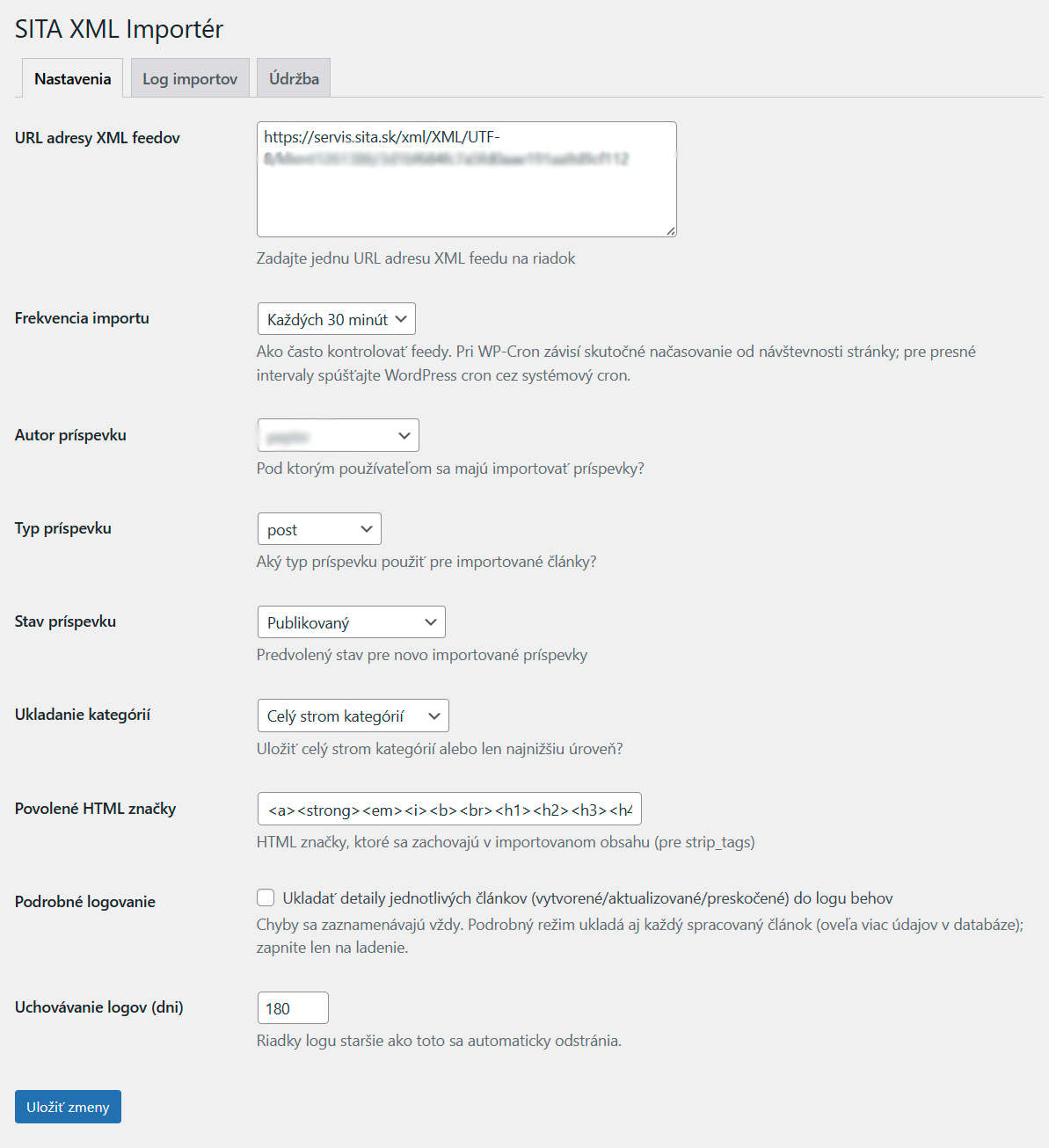
Settings – configure your SITA feed URLs, import frequency, post author, status and category handling.
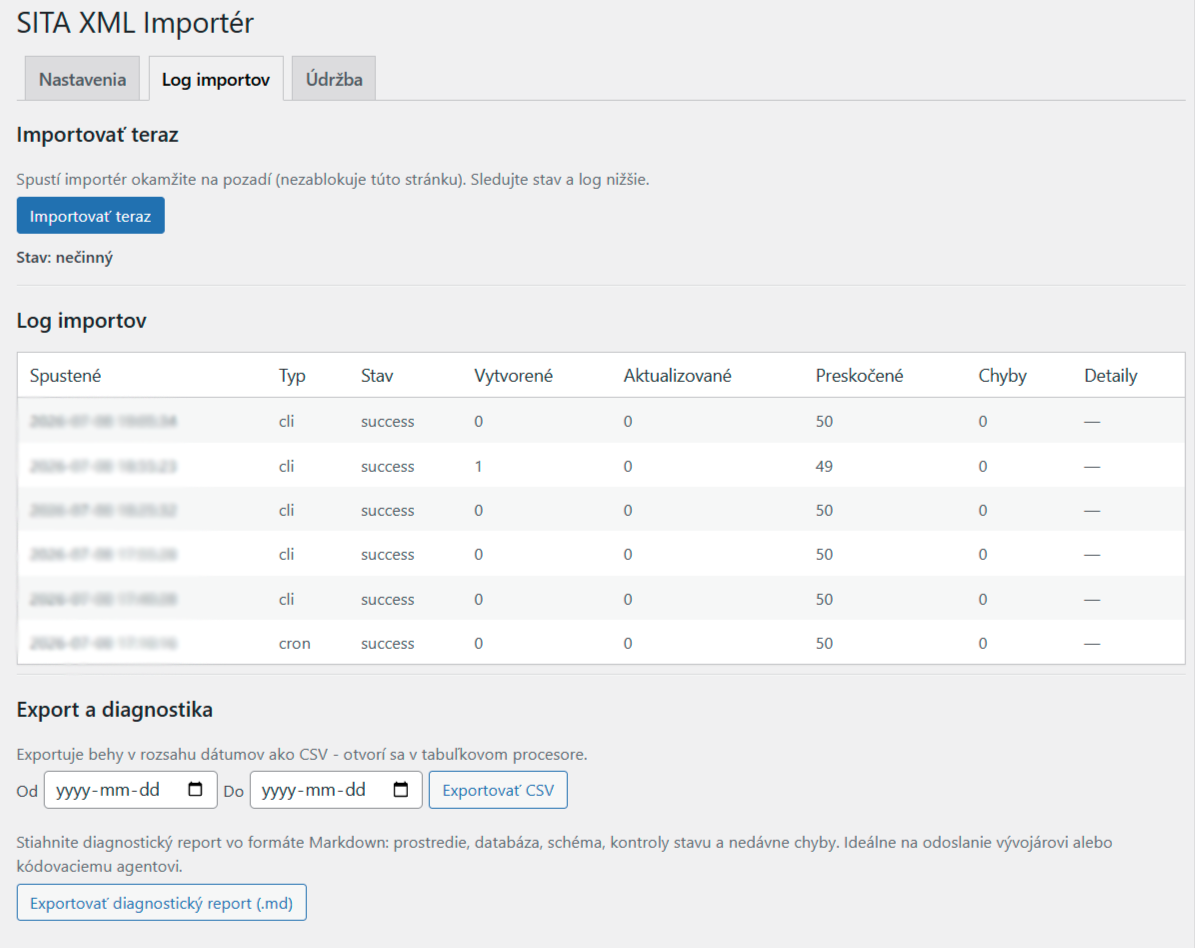
Import log – the result of every run (created, updated, skipped, errors), with an “Import now” button and CSV export.
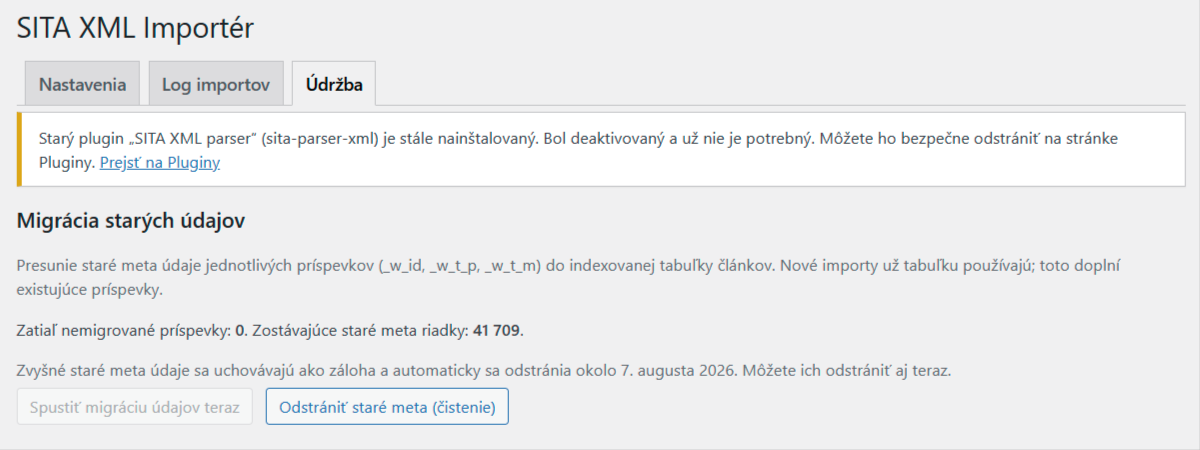
Maintenance – one-click migration from the old sita-parser-xml plugin and automatic cleanup of legacy data.


