
Sitemovr Wordpress Plugin - Rating, Reviews, Demo & Download

Plugin Description
Sitemovr packages your entire WordPress site (files and database) into downloadable parts and reinstalls it on another server through a standalone installer, with no need to have WordPress pre-installed on the destination.
It is designed to be safe and stable even on shared hosting: all the heavy work (database dump, file compression, import) is done in batches, avoiding the execution time and memory errors that break other migrations.
Features
- Batched export of files and database (no memory or time exhaustion).
- Configurable part size (50 / 100 / 200 MB / 1 GB or custom) to match the destination upload limit.
- Configurable rows per batch for the database (500 / 1000 / 2000 or custom).
- SHA-256 checksums per part: integrity guaranteed after transfer.
- Package history: download the parts now or come back another day to continue.
- Standalone installer (single file) uploaded by FTP to the destination.
- Safe serialized search and replace: updates URLs and paths without corrupting widgets, theme or plugin settings.
- Configurable destination URL: migrate to another domain, not just another folder.
- Destination server compatibility check (PHP, MySQL, extensions, disk space, permissions).
- Deletion warning if the destination database already contains data.
- Auto-cleanup: the installer and package files are removed when finished.
How it works
- On the SOURCE site, install Sitemovr and generate the package. Download its parts and the installer.php file.
- Upload to the DESTINATION server (without WordPress) by FTP: installer.php, the parts and parts.json.
- Open installer.php in the browser: it checks compatibility, asks for the new database, and migrates.
Screenshots
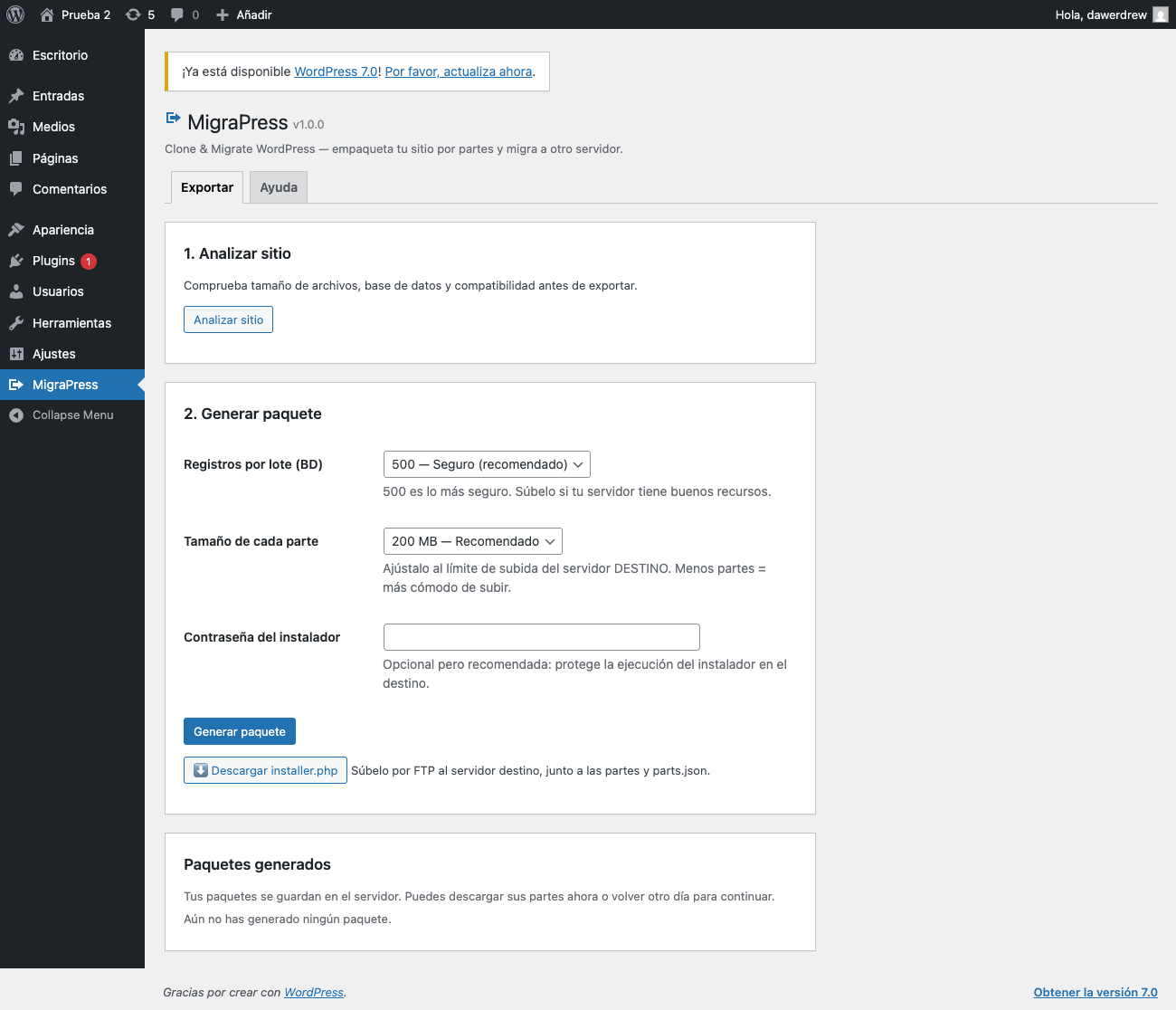
Export tab: configure rows-per-batch, part size and installer password.
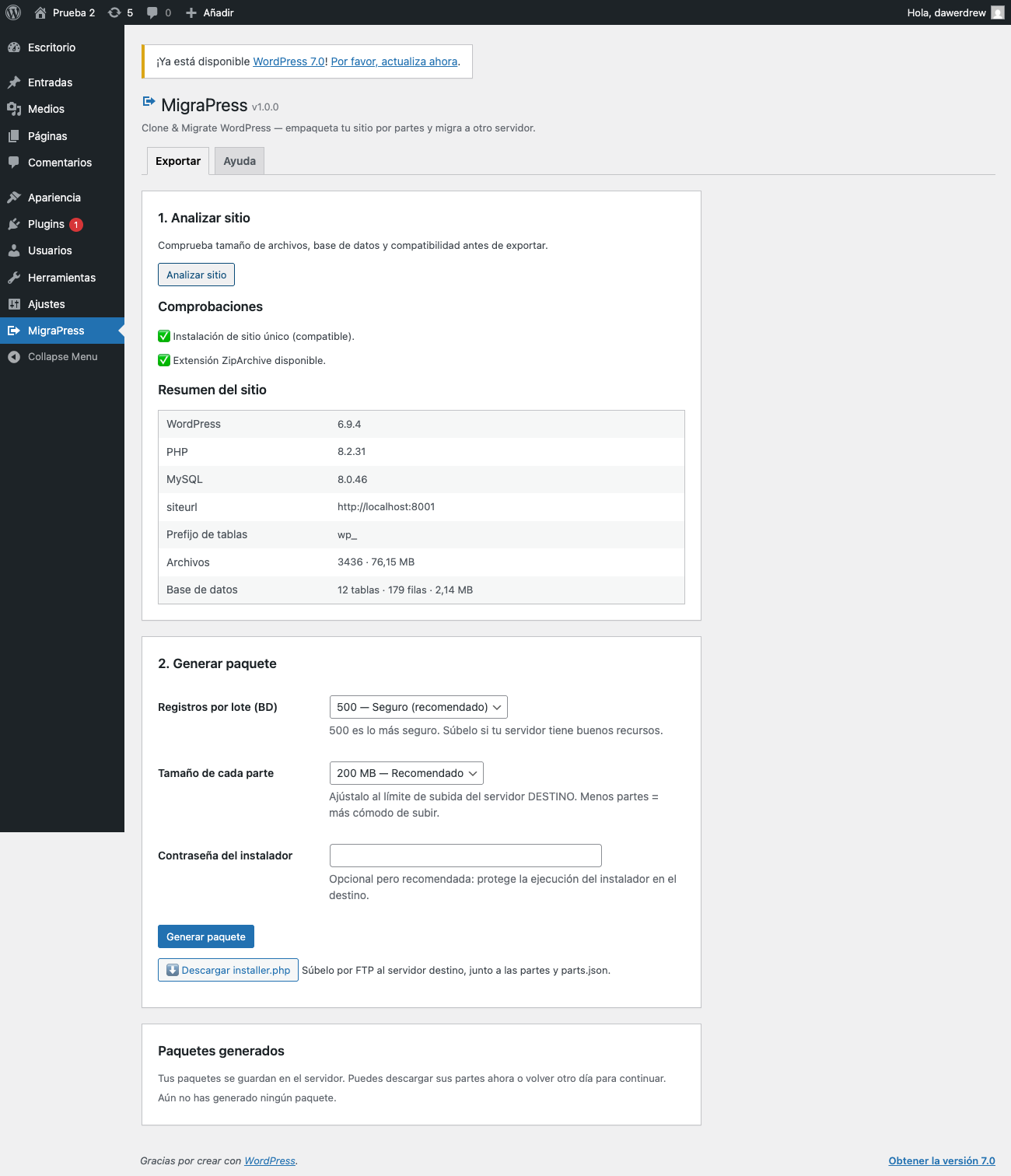
Site analysis: files, database size and compatibility checks.
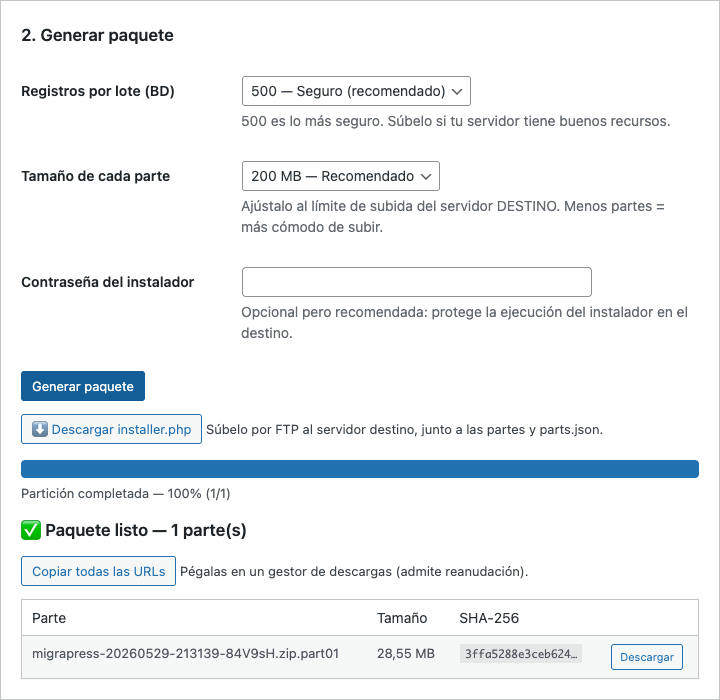
Generated package: parts with SHA-256 checksums, ready to download.
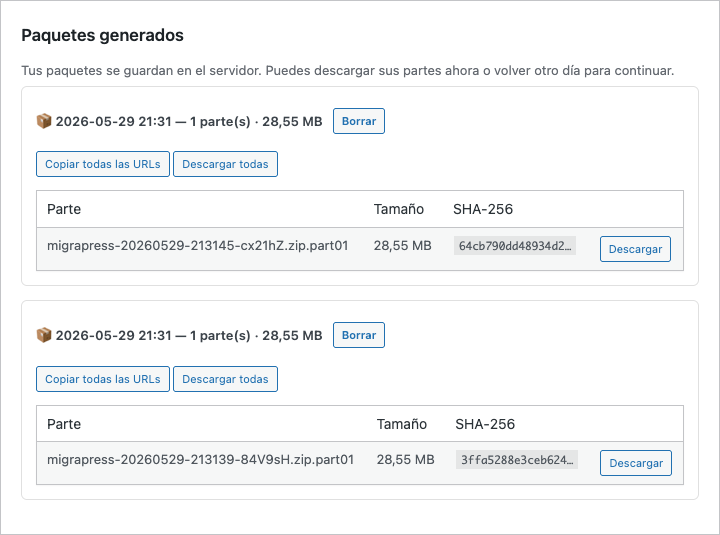
Package history: download the parts now or come back later.
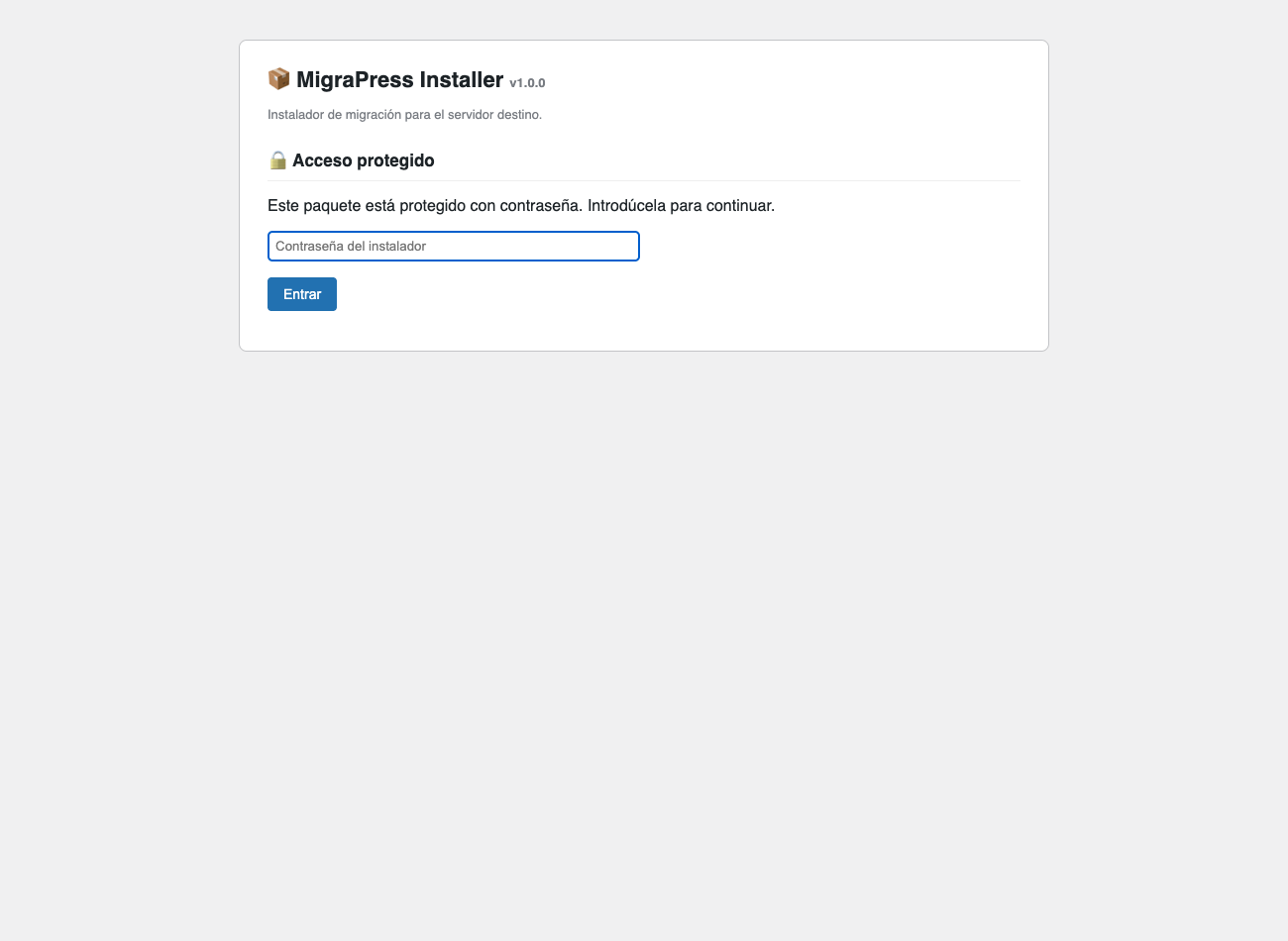
Standalone installer: password protection.
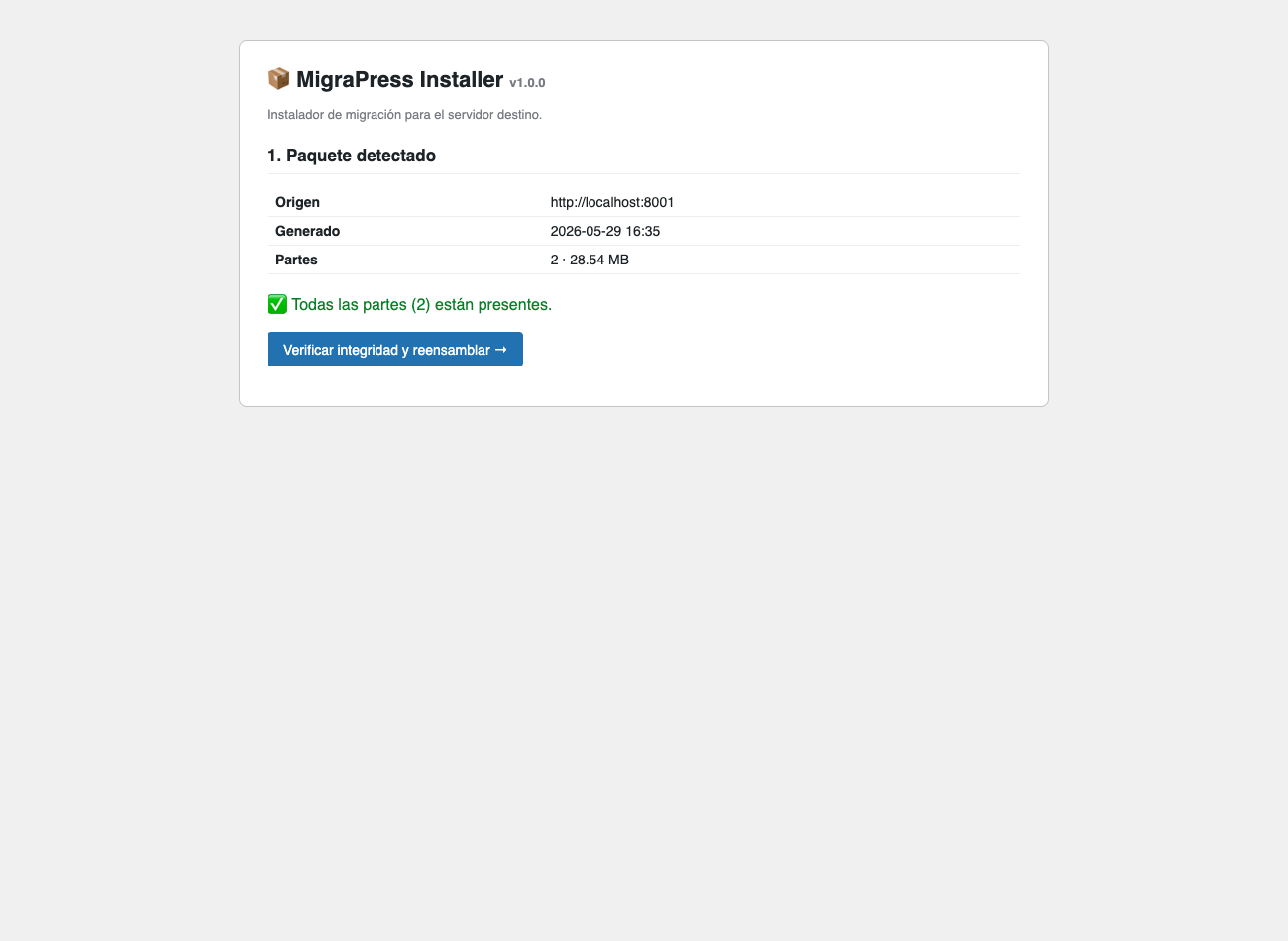
Installer: package detected and integrity verified.
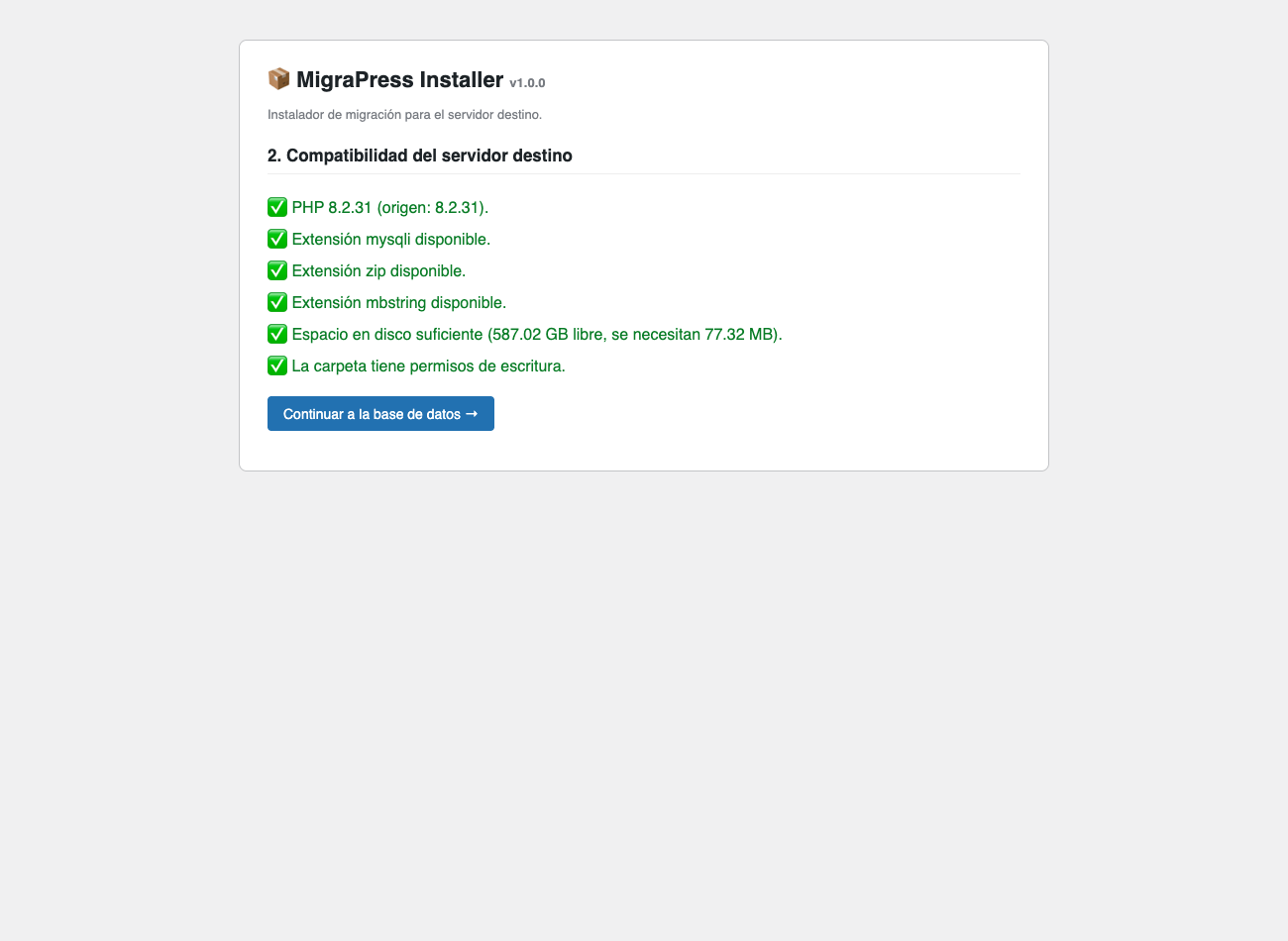
Installer: destination compatibility check (PHP, extensions, disk, permissions).
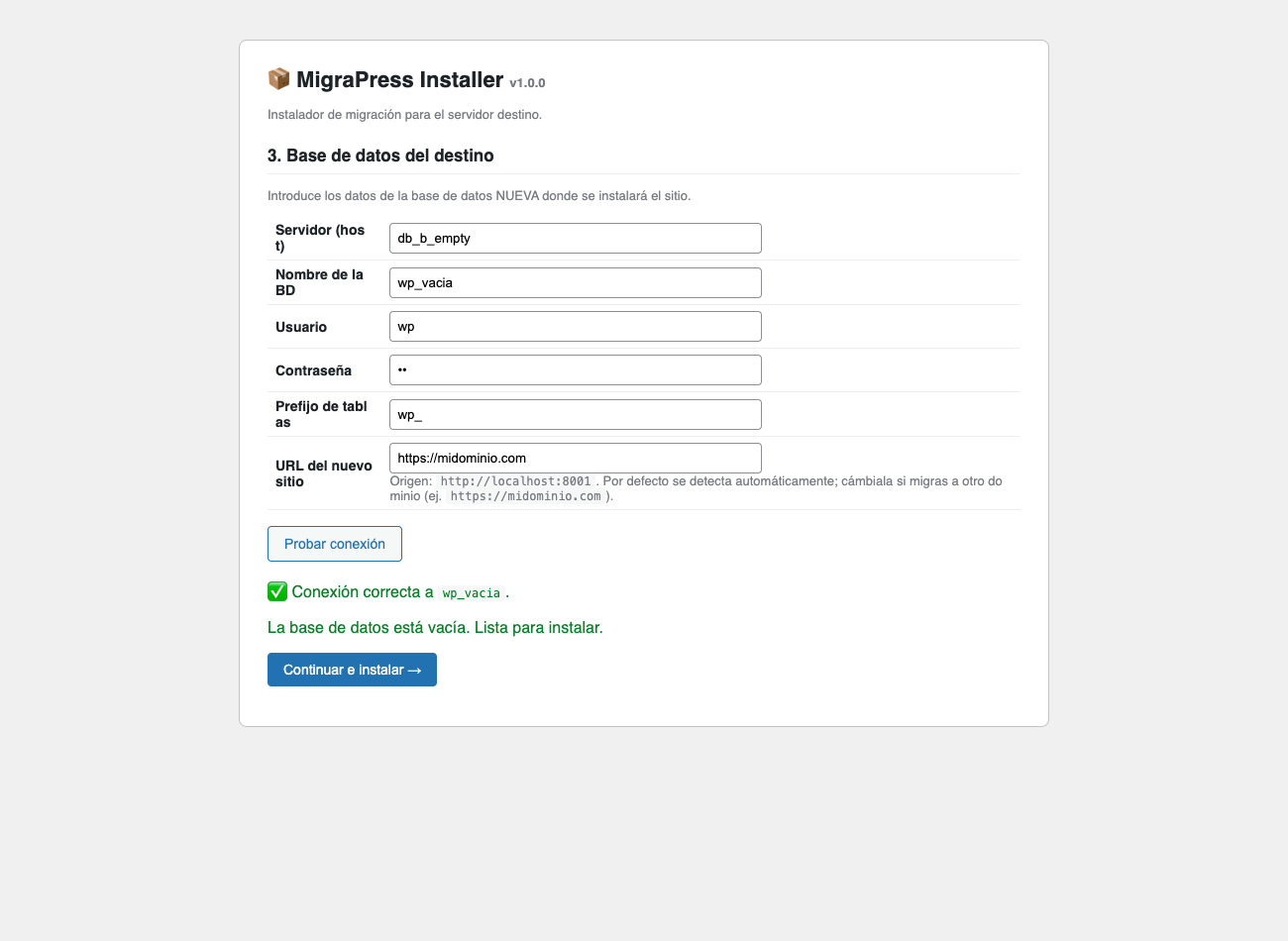
Installer: destination database configuration.


