
Smarfle Booking & Forms Wordpress Plugin - Rating, Reviews, Demo & Download
Plugin Description
Smarfle Booking & Forms puts your Smarfle online booking and contact forms on your WordPress site. Every inquiry and booking lands in your Smarfle Inbox and calendar, with the page and the ad that brought it, and your follow-up starts on its own.
For US home service and local businesses with a Smarfle account (14-day free trial, plans from $19 a month). The contact form also works without Smarfle: it emails you.
What your visitors see
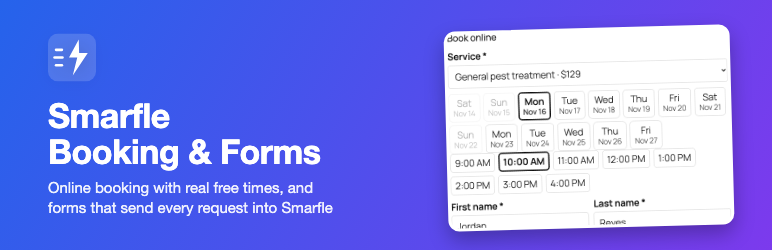
- A booking form: they pick one of your services and a real free time from your Smarfle calendar (the next 14 days), then leave their details. Bookings follow your Smarfle approval setting: confirmed at once, or a request you approve.
- A contact form: name, email, phone and message, with the optional text-message consent your Smarfle account needs to text them back.
What you get
- Bookings as jobs in your Smarfle calendar, and inquiries in your Smarfle Inbox, with the page they came from.
- Your existing Contact Form 7 and WPForms forms can send to Smarfle too (they keep emailing you as before; Smarfle matches the fields for you). See all Smarfle integrations.
- Services, prices, booking questions and your phone number come from Smarfle: change them once in Smarfle and the website follows within a week (or press Refresh now).
- A “From your website this week” box on your WordPress dashboard.
Easy to set up
- Install and press Connect to Smarfle. Approve the website in Smarfle (no passwords are shared).
- Add the Smarfle booking form or Smarfle contact form block to a page (also an Elementor widget and the
[smarfle_booking]/[smarfle_contact_form]shortcodes), or press Create a Book online page. - Press Send a test lead and see it arrive in your Smarfle Inbox.
When Smarfle cannot take an inquiry
Nothing is lost. Without an active Smarfle account, or if Smarfle is briefly unreachable, the contact form emails you and the booking form shows a Call us button with your phone number (a booking already filled in is emailed to you to confirm by phone).
Light on your site
No jQuery or React on your pages, about 9 KB of script and 2 KB of styles, loaded only on pages that show a form. No cookies and no external fonts. If a visitor arrives from a link with utm_source, utm_medium or utm_campaign, the form keeps those three values in the browser’s session storage for that visit and sends them with the inquiry, so you can see which ad or post it came from (see External services). Your Smarfle key stays on your server and is never sent to visitors’ browsers.
External services
This plugin connects your website to Smarfle (https://www.smarfle.com), the service business software that receives your website’s inquiries and bookings. It is needed for online booking and for sending inquiries to Smarfle; the contact form works without it (it emails you).
What is sent, and when:
- When you press Connect to Smarfle: you are sent to smarfle.com to sign in and approve the website. Smarfle receives your site’s address and name, and gives the website a key (stored in your WordPress database, never shown to visitors). Address: https://www.smarfle.com/connect/wordpress and https://www.smarfle.com/api/plugin/v1/connect/token
- Once a week (and when you press Refresh now, at most once a day): the website asks for your business info (services and prices, offices, booking settings, phone, consent wording). Sent: the key, the WordPress and PHP version and the installed Smarfle plugins. Address: https://www.smarfle.com/api/plugin/v1/site
- When a visitor opens the booking form: the free times for the chosen service (one request returns 14 days and is kept on your site for 10 minutes). Address: https://www.smarfle.com/api/plugin/v1/slots
- When a visitor sends a form or books: what they typed, the page address and title, and utm_source / utm_medium / utm_campaign if the page had them. Only when the visitor ticks the box agreeing to text messages, their IP address and browser are sent too, and Smarfle keeps them as the record of that consent. Without that box ticked, nothing about the visitor’s device is sent. Addresses: https://www.smarfle.com/api/plugin/v1/lead and https://www.smarfle.com/api/plugin/v1/book
- When you turn on sending Contact Form 7 or WPForms entries (off until you turn it on): each entry’s fields and the page address are sent to Smarfle as an inquiry, never the visitor’s IP address or browser. Address: https://www.smarfle.com/api/plugin/v1/lead
- When you press Disconnect or delete the last Smarfle plugin: Smarfle is told to stop the website’s key. Address: https://www.smarfle.com/api/plugin/v1/disconnect
Smarfle Terms of Service: https://www.smarfle.com/terms
Smarfle Privacy Policy: https://www.smarfle.com/privacy
Screenshots

The booking form: a service, a free time, the customer’s details.

The contact form.

The Smarfle page in WordPress: connection and setup checklist.

A website booking as a job request in Smarfle.


