SmartGuard AI For Gravity Forms Wordpress Plugin - Rating, Reviews, Demo & Download

Plugin Description
SmartGuard AI adds an AI relevance firewall to Gravity Forms.
Traditional spam tools mostly ask: “Does this look like bot traffic?”
SmartGuard asks: “Is this submission relevant for this form and this business?”
That is why it works well for websites that receive many human-written but irrelevant messages.
Why teams install SmartGuard AI
- Higher signal quality in Gravity Forms entries, not just bot blocking.
- Explainable decisions with score, threshold, reason, model profile, and history.
- Faster moderation with direct
Confirm spam/Confirm not spamactions. - Better long-term accuracy via adaptive thresholds from real admin feedback.
- Scale-ready operations: async queue, retry/backoff, circuit breaker, and API usage limits.
- Integration-ready for agencies and automation stacks (REST, signed webhooks, MCP tools/resources, HubSpot connector).
What you can control
- Decision states:
flagged,passed,review,skipped,queued. - Global + per-form control: enable/disable, threshold override, prompt version, A/B mode, model profile.
- Cost/risk controls: minimum content length, daily/weekly/monthly API limits, pattern cache.
- Governance controls: retention settings, excluded fields, audit trail, white-label and multisite defaults.
Best fit use cases
- Contact forms with recurring irrelevant outreach or low-quality lead spam.
- Clinics, legal firms, consultancies, and local services where relevance is critical.
- Multi-form setups where each form needs a different strictness level.
- Agencies operating multiple client sites with standardized anti-spam operations.
Quick setup (about 5 minutes)
- Activate SmartGuard AI and ensure Gravity Forms is active.
- Add your OpenAI API key.
- Set threshold and uncertainty margin.
- Submit one test entry and review the score/reason in the entries list.
- Tune per-form thresholds where needed.
Bundled locales:
- bg_BG, hr, cs_CZ, da_DK, nl_NL, en_GB, et, fi, fr_FR, de_DE, el, hu_HU, ga, it_IT, lv, lt_LT, mt_MT, pl_PL, pt_PT, ro_RO, sk_SK, sl_SI, es_ES, sv_SE, he_IL.
Requirements:
- WordPress 5.9 or higher
- PHP 7.4 or higher
- Gravity Forms 2.5 or higher (required)
- OpenAI API key
External services
OpenAI API
This plugin connects to the OpenAI API to analyze enabled form submissions and calculate a relevance score.
- What the service is used for: AI-based spam and relevance scoring for Gravity Forms entries.
- Data sent: submitted field labels and submitted values from the form entry being analyzed, plus the optional website context configured by the site admin.
- When data is sent: when an enabled form entry is checked by SmartGuard and passes local guardrails, and when the admin validates the API connection from the plugin settings.
- Where data is sent:
https://api.openai.com/v1/chat/completionsfor scoring requests andhttps://api.openai.com/v1/modelsfor API connection tests. - Service provider: OpenAI.
- Terms of Use: https://openai.com/policies/terms-of-use
- Privacy Policy: https://openai.com/policies/privacy-policy
HubSpot API (optional)
This plugin includes an optional HubSpot connector that is disabled by default.
- What the service is used for: forwarding SmartGuard decision and feedback events to a CRM notes endpoint for follow-up workflows.
- Data sent: SmartGuard event metadata including entry ID, form ID, status or feedback label, score, threshold, reason, and timestamp. The default connector does not send submitted field values to HubSpot.
- When data is sent: only when the site admin enables the HubSpot connector and SmartGuard emits a supported decision or feedback event.
- Where data is sent:
https://api.hubapi.com/crm/v3/objects/notesby default, or the custom endpoint URL configured by the site admin. - Service provider: HubSpot for the default endpoint. If a custom endpoint is configured, the same event payload is sent to that configured external service instead.
- Terms of Use: https://legal.hubspot.com/website-terms-of-use
- Privacy Policy: https://legal.hubspot.com/privacy-policy
Screenshots
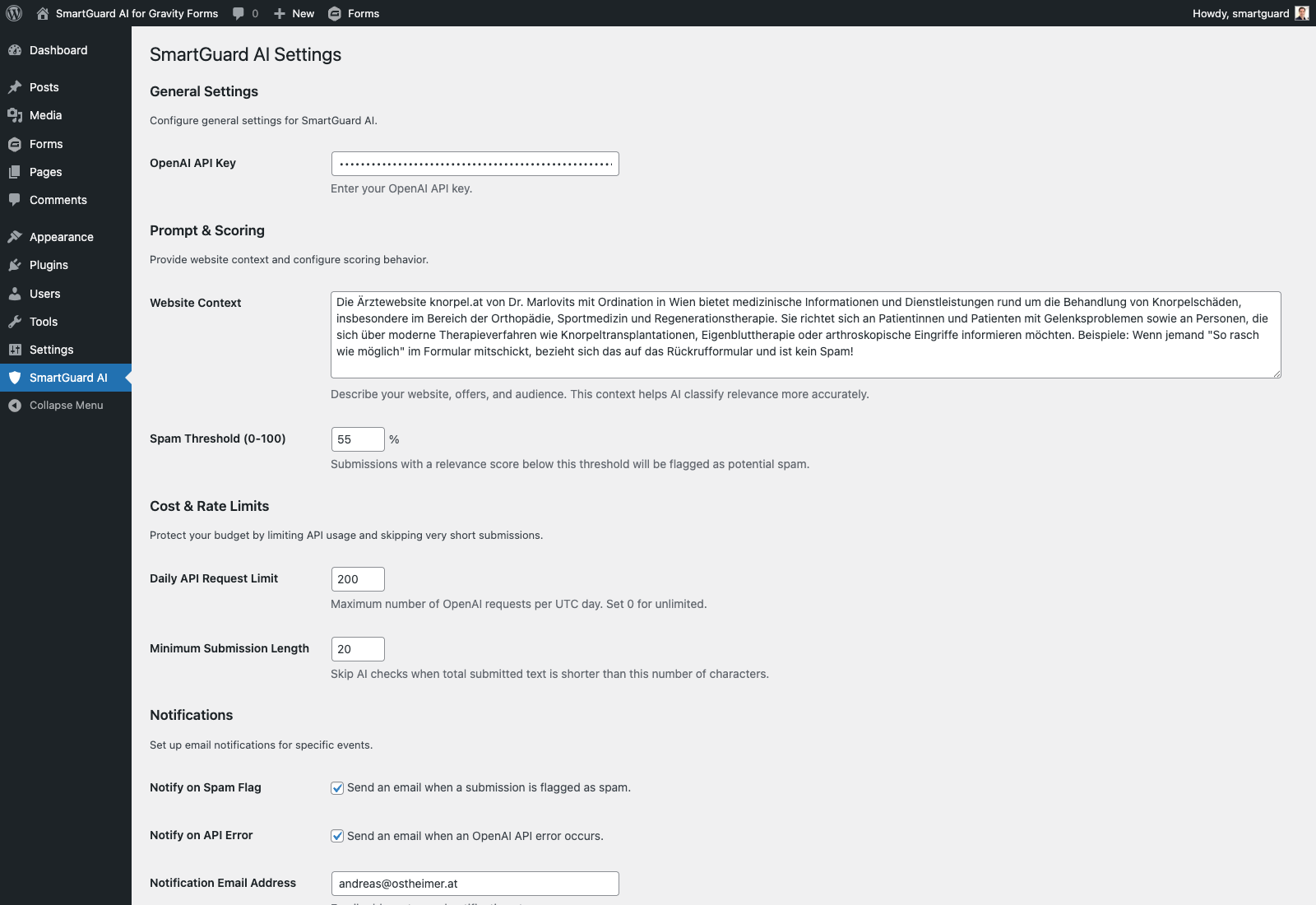
Global setup dashboard: API key, context, thresholds, reliability controls, integrations, and privacy settings.
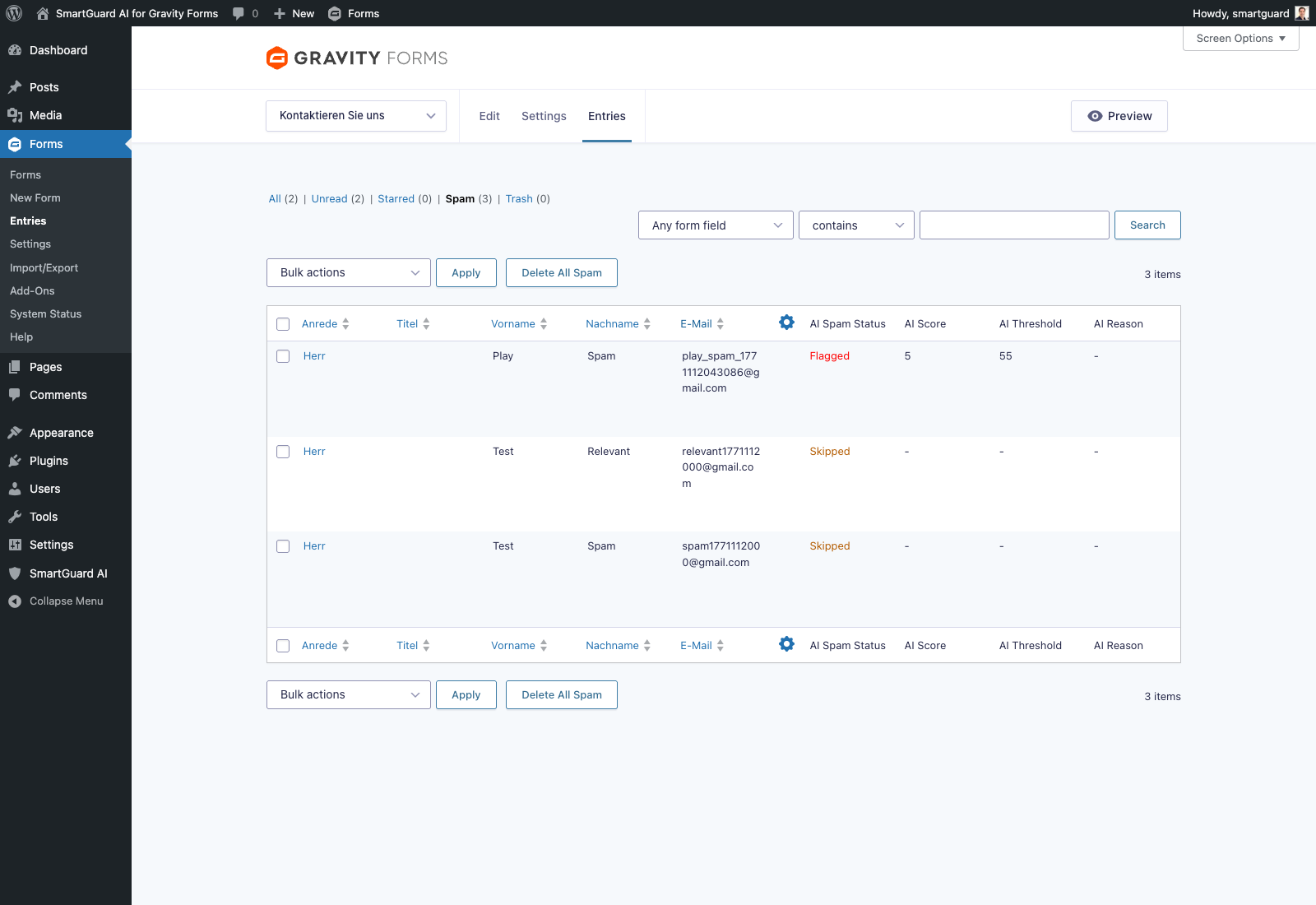
Explainable entry decisions: status, score, threshold, reason, plus one-click feedback actions.
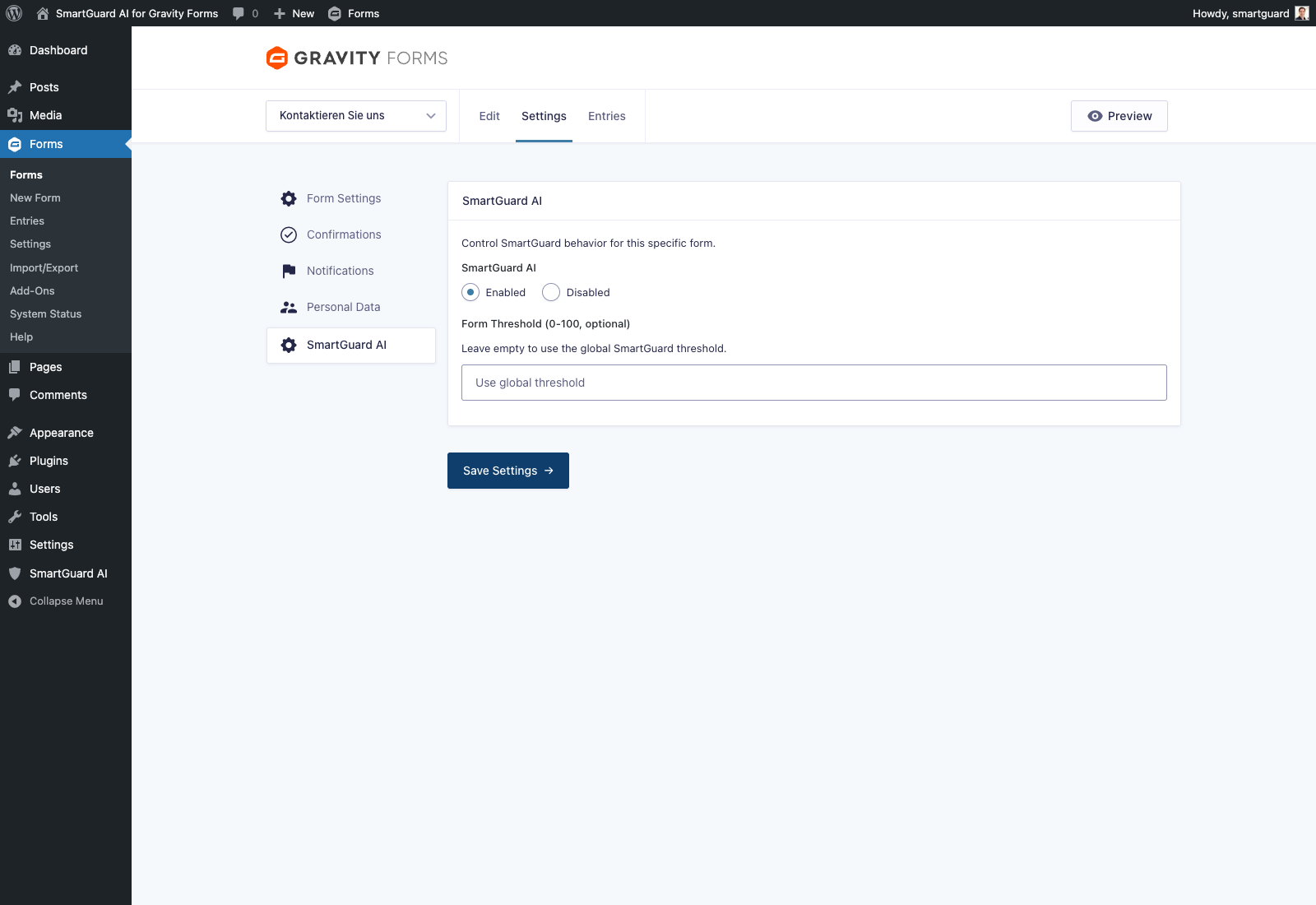
Per-form tuning in Gravity Forms: enable/disable, threshold override, prompt strategy, and model profile.
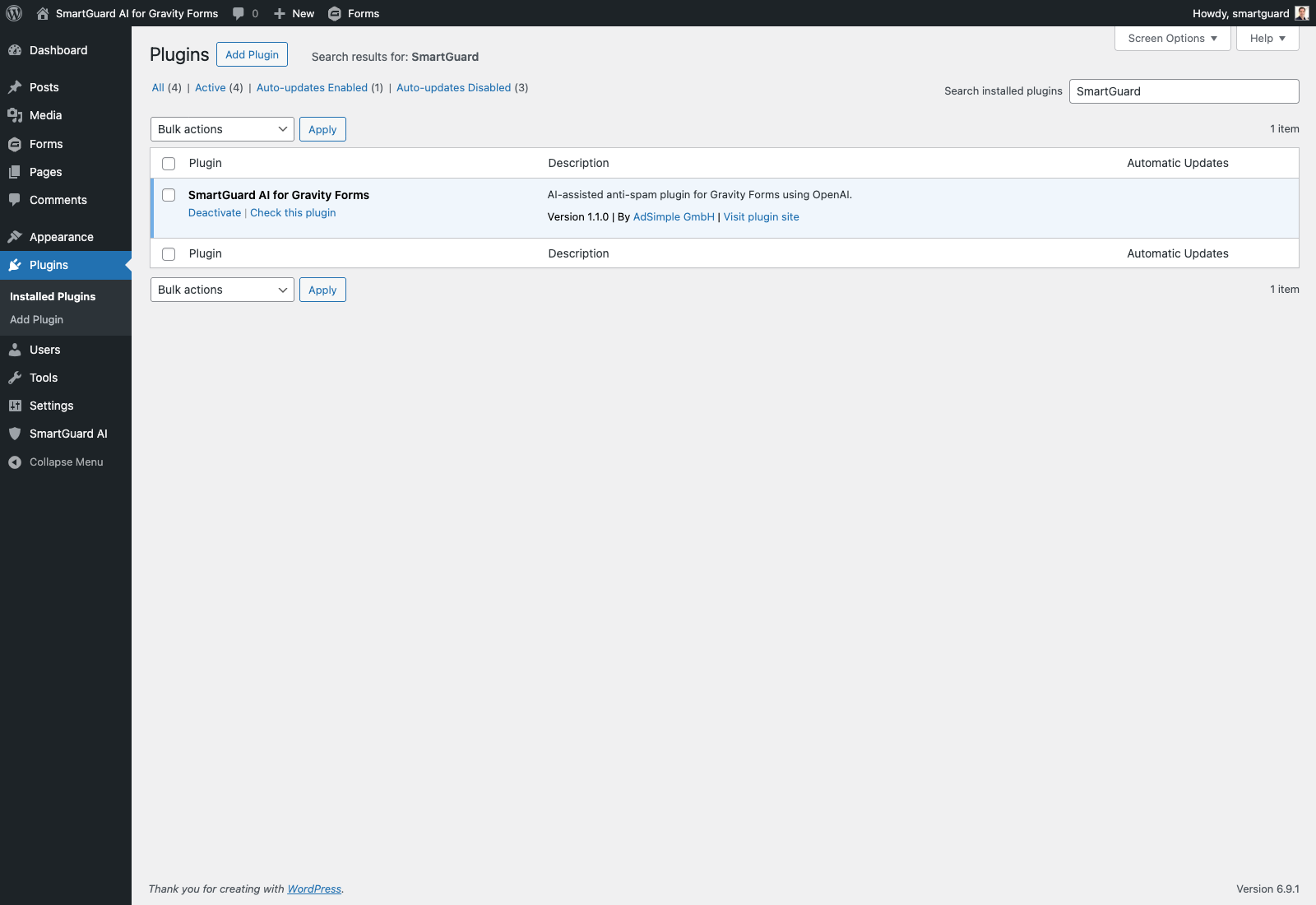
Native WordPress plugin integration with SmartGuard AI active in the standard Plugins screen.