SoftGlaze PDF Invoices For WooCommerce Wordpress Plugin - Rating, Reviews, Demo & Download
Plugin Description
SoftGlaze turns WooCommerce orders into clean, professional PDF documents — with no external services and no data ever leaving your server. The PDF engine (bundled dompdf) runs entirely on your host: every logo and icon is embedded locally, so an invoice render never makes an outbound HTTP request.
Documents
- Invoices, packing slips, proforma invoices and credit notes — one design, four faces.
- Auto-numbering with prefix/suffix,
{YYYY}/{MM}placeholders, padding, yearly reset, or “use the WooCommerce order number”. - Auto-generate on chosen order statuses, and attach the right document to the right WooCommerce email (a configurable document × email matrix).
- Credit notes offered automatically on refund, referencing the original invoice.
Where you work
- A React admin dashboard with a searchable, filterable documents manager and bulk actions (generate, email, download ZIP).
- An invoice column and bulk actions on the WooCommerce orders list (classic and HPOS screens).
- A “Download invoice” button in My Account.
- A built-in System Check page (and WordPress Site Health tests) that verifies your environment and renders a live sample PDF.
Cloud backup (optional, off by default)
- Automatically copy every generated document to your OWN Dropbox or Google Drive, mirroring the local folder layout (
/SoftGlaze Invoices/{Year}/{Month}/). - You paste your own app credentials and connect with a standard OAuth flow — there is no SoftGlaze server in the middle, and refresh tokens are stored encrypted on your server.
- Uploads run on a background schedule with automatic retries; a “Backup everything now” action backfills your existing documents.
- Disconnect at any time — it revokes and deletes the stored tokens.
Privacy & compatibility
- No external requests — unless you connect a cloud backup, which talks only to your own Dropbox/Google account. The PDF engine itself always renders 100% locally and never makes an outbound request.
- The only features that can ever reach the network are opt-in and off by default: the EU VIES VAT check and cloud backup.
- HPOS (High-Performance Order Storage) compatible.
- Generated files live in a protected uploads directory and are served only through capability- and ownership-checked endpoints.
Screenshots
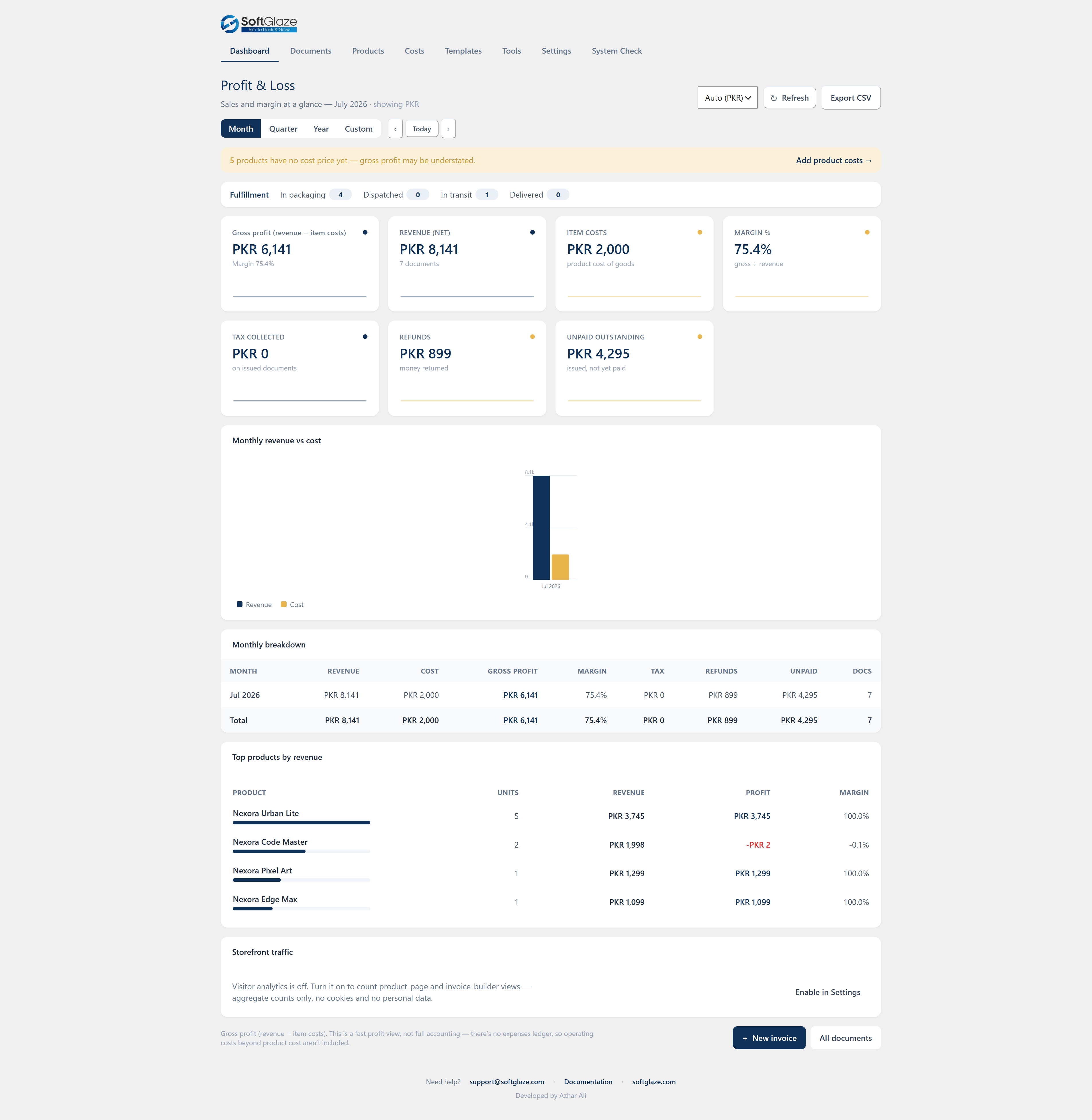
The dashboard — revenue, gross profit, margin and unpaid-outstanding at a glance, with a month/quarter/year switcher, inline charts and top products.

The Documents manager — search, filter and bulk-generate, email or download every invoice, packing slip, proforma and credit note from one screen.

A finished PDF invoice, rendered 100% locally with your logo, colours, bank details and tax lines — no external requests at render time.

The visual template builder — drag sections into place, set colour/font/paper design tokens, and preview the exact dompdf output as you edit.
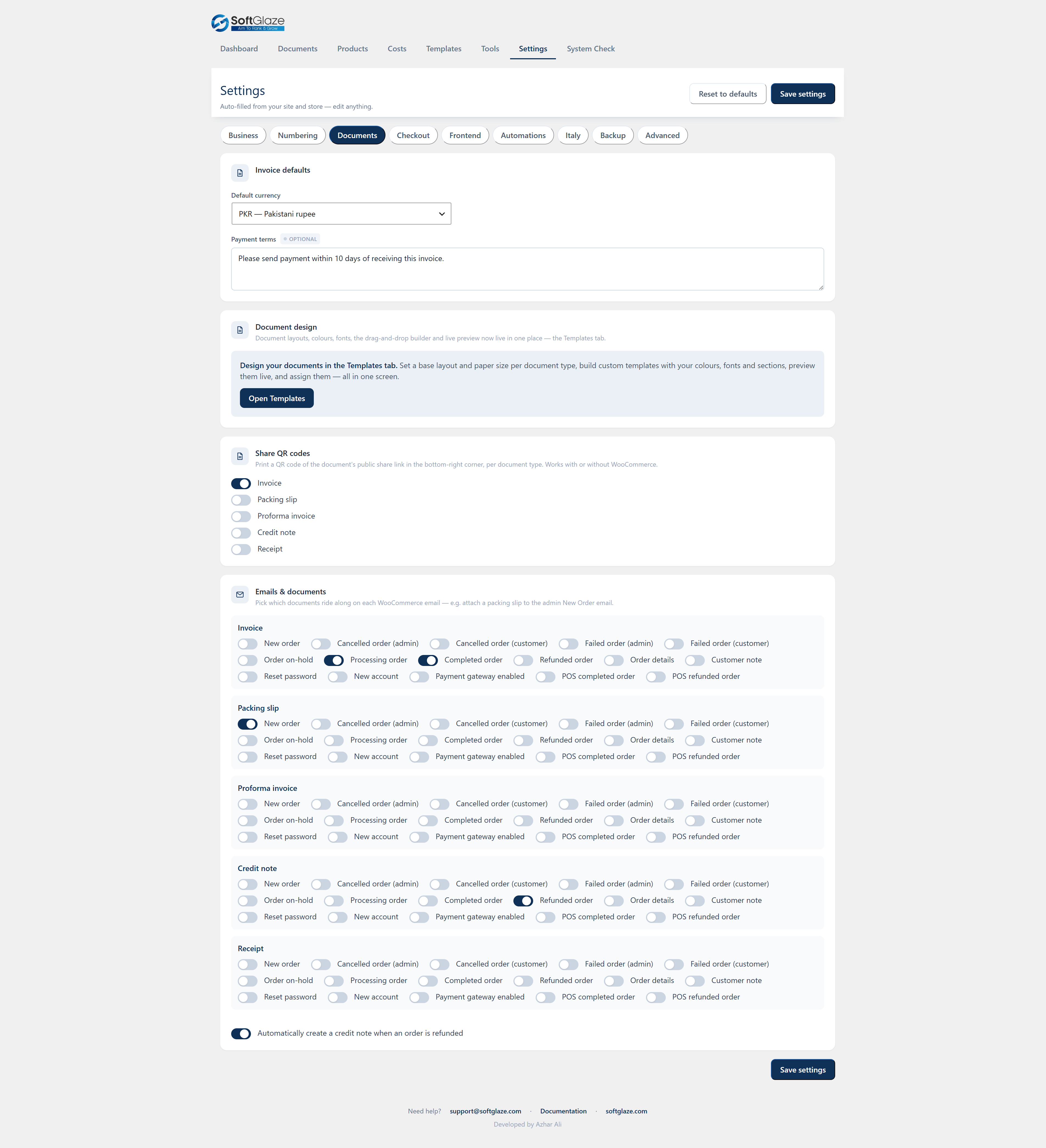
Settings — company, logo and numbering, plus the document × WooCommerce-email matrix. Every new feature is off by default and update-safe.
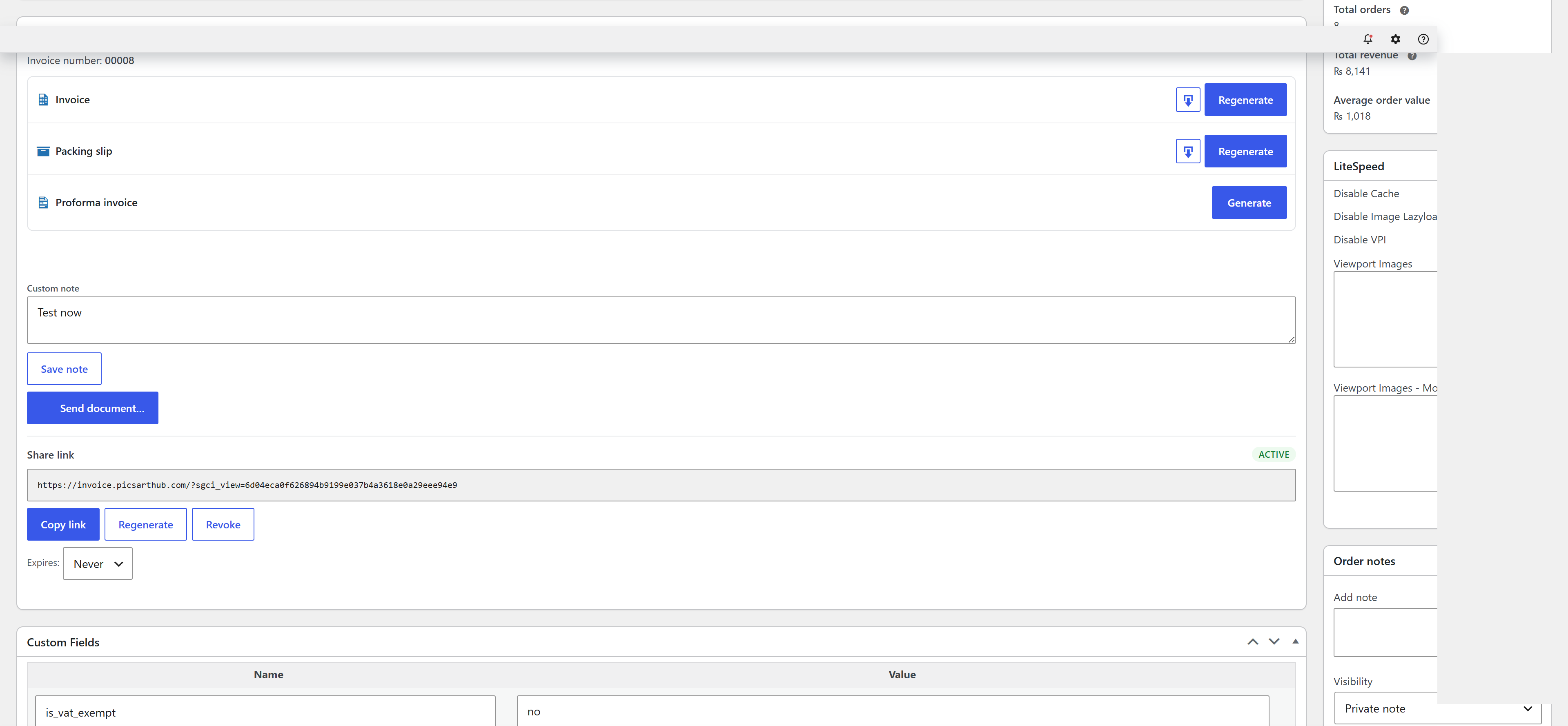
On the WooCommerce order screen — generate, view and email documents, set the fulfillment stage, and record carrier and tracking details (HPOS-ready).
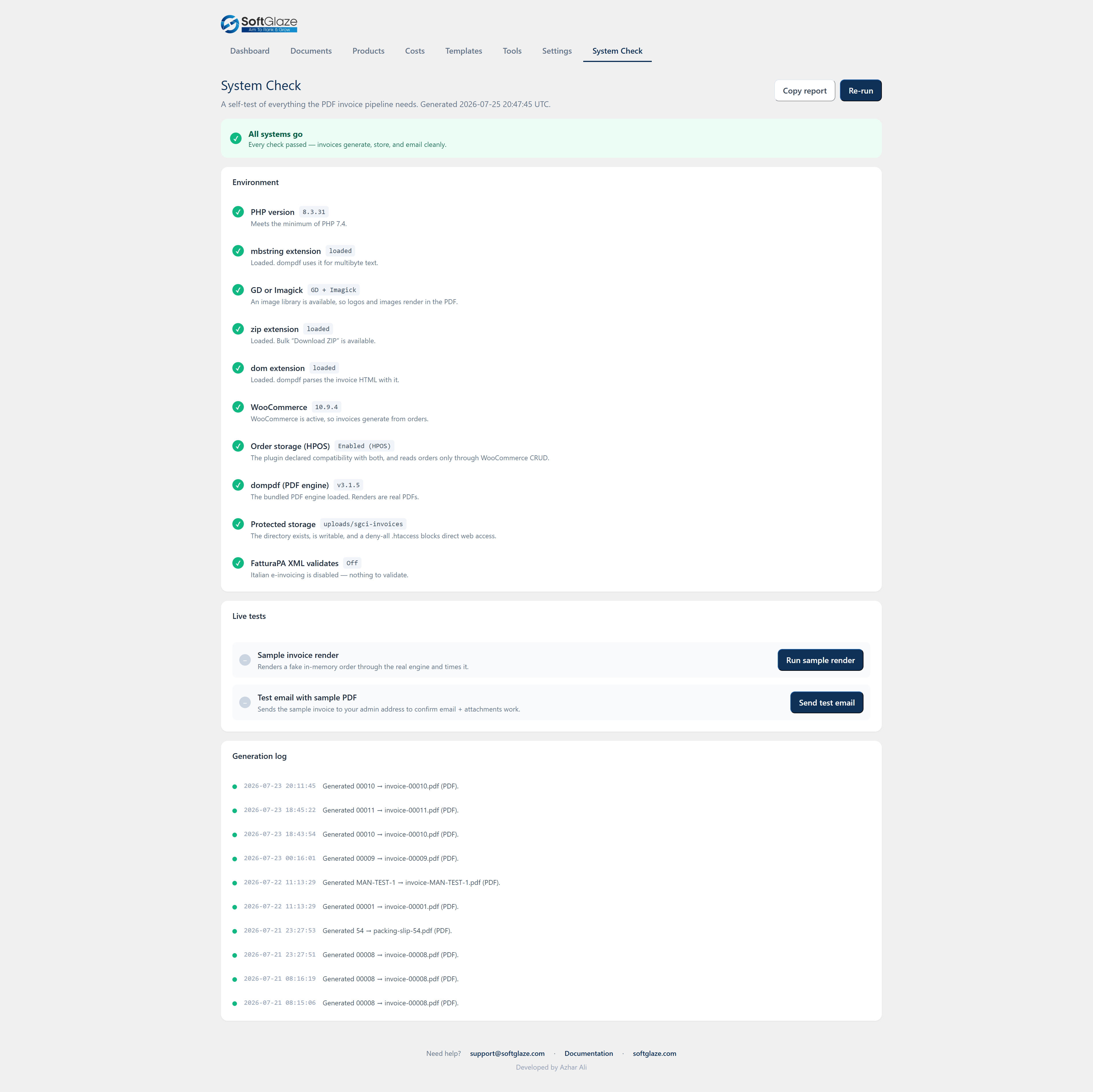
The built-in System Check renders a live sample PDF and verifies your environment (PHP, extensions, storage, engine) so you can see it works before you rely on it.