Speed Analyzer Wordpress Plugin - Rating, Reviews, Demo & Download

Plugin Description
Speed Analyzer gives you an in-dashboard speed audit of your website for:
- Server TTFB
- Requests & Page Size
- Autoloaded Options
- Persistent Object Cache
- PageSpeed Insights (LCP & FCP)
- Summary & Recommendations
- Conclusion & Pro-service offer
It uses Cloudflare Workers and Google PSI API under the hood (your data is NOT stored on any external site). A 10-tests/day fair-use limit is enforced on the current version.
External Services
-
Google PageSpeed Insights API
• What it is / why used: Modules 2 and 5 of the plugin ultimately fetch real‐time LCP/FCP/diagnostic data from Google’s PSI service.
• How it’s called now: Instead of hitting www.googleapis.com directly, the plugin sends your test URL + strategy to Cloudflare Worker, which then forwards the request to Google PSI on your behalf.
• Provider & policies: Google LLC provides PSI.
– Terms of Service: https://developers.google.com/terms
– Privacy Policy: https://policies.google.com/privacy -
Cloudflare Workers HTTP Probe
• What it is / why used:
– Module 1 (Server TTFB) calls https://globalwpspeed.dalibord79.workers.dev/?url={your‐url}&rand={random} to measure Time-to-First-Byte from a global edge.
– Modules 2 and 5 (Page asset summary and Diagnostics) now send psi_url={your-url}&strategy={mobile|desktop} to https://globalwpspeed.dalibord79.workers.dev/psi. That Worker then forwards the same parameters to Google PSI and returns the JSON back to the plugin.
• What data is sent and when:
– For TTFB: just the raw URL—no other user data.
– For PSI: the URL you enter plus “mobile” or “desktop” strategy.
No personal information is collected or stored.
• Provider & policies:
Hosted by WPservice (Dalibor Druzinec).
– Privacy Policy: https://wpservice.pro/privacy-policy
– No PII is collected; only your tested URL and strategy are transmitted.
Screenshots
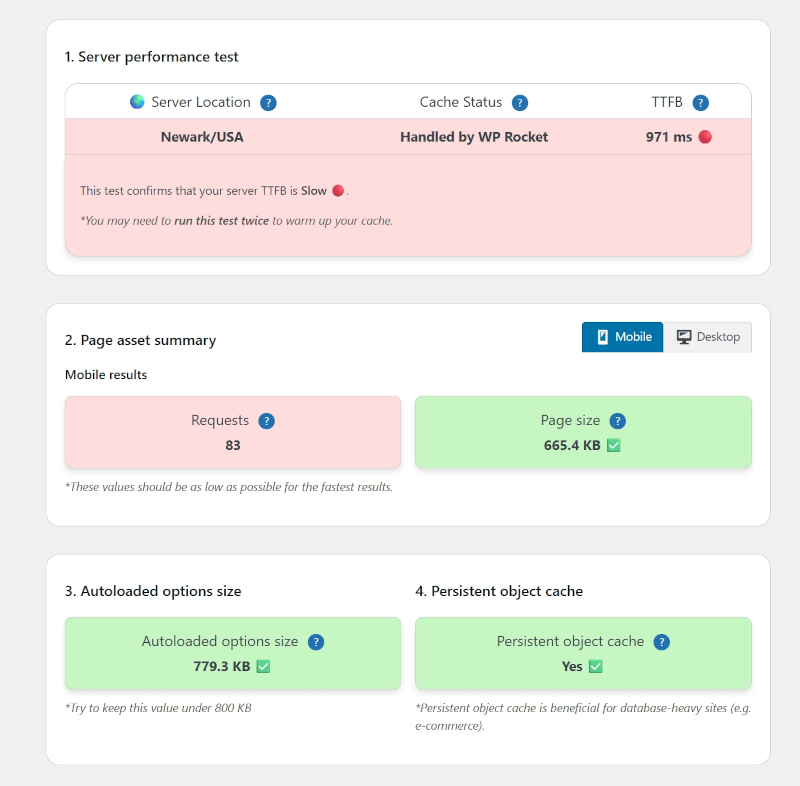
Dashboard view – TTFB, requests, autoload, cache.
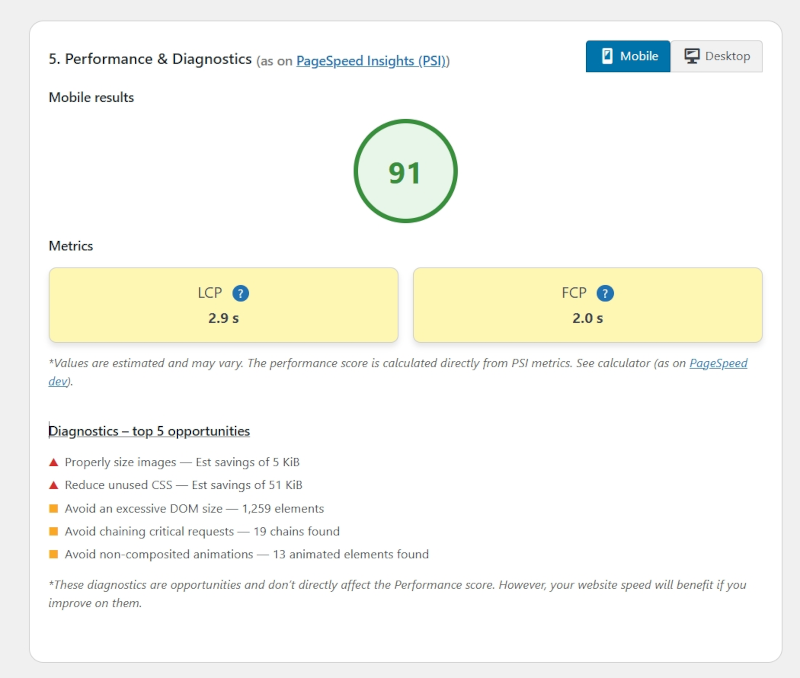
PSI Diagnostics – LCP/FCP circles and diagnostics.
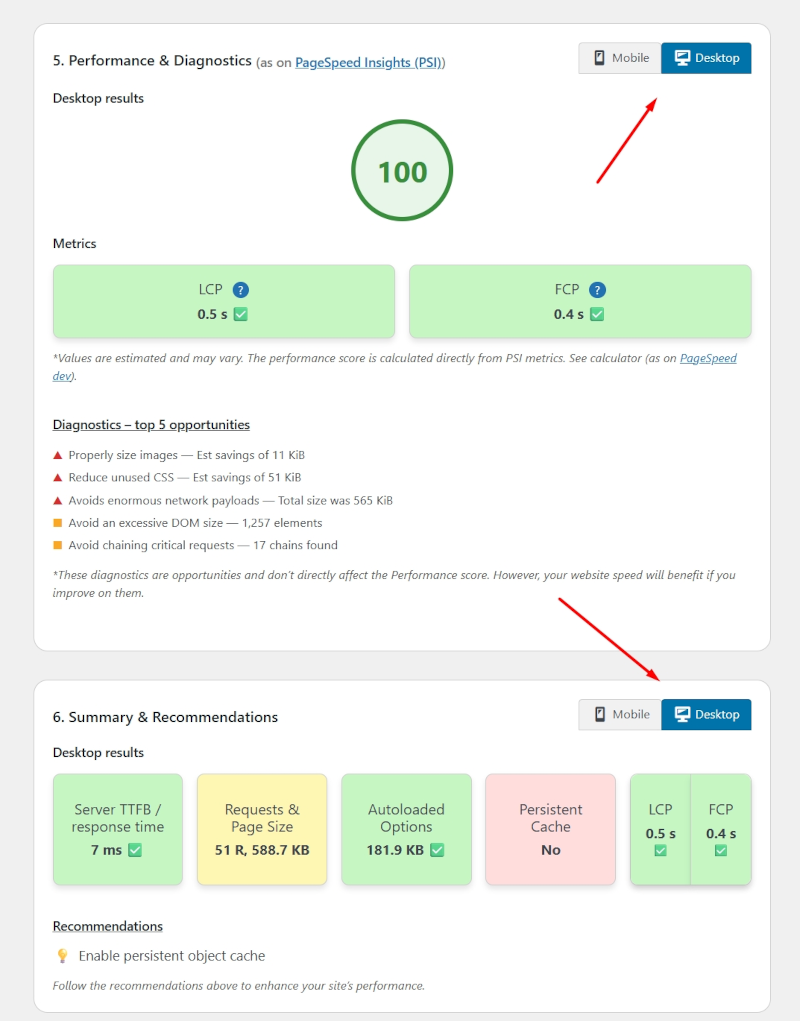
Mobile/Desktop – Mobile and desktop test functionality.
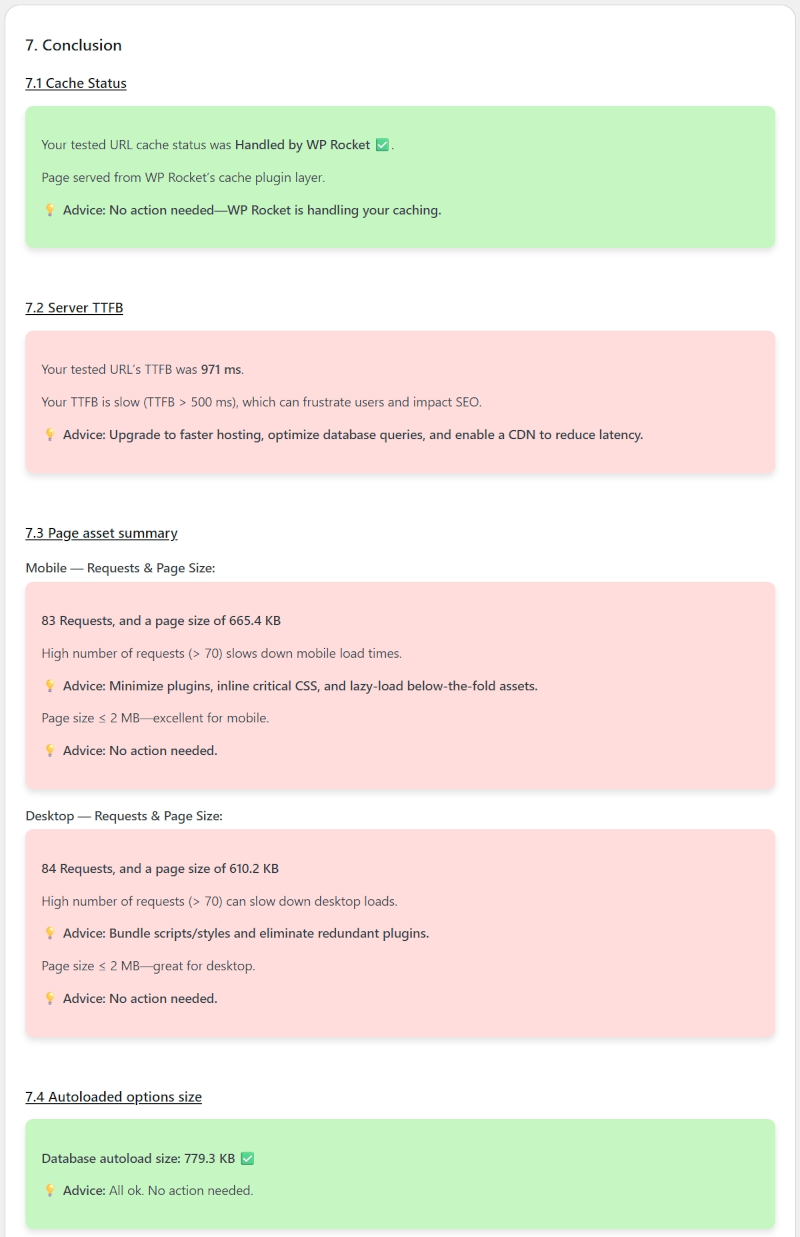
Conclusion – color-coded blocks with explanations