SpoofLens Fraud Check Wordpress Plugin - Rating, Reviews, Demo & Download
Plugin Description
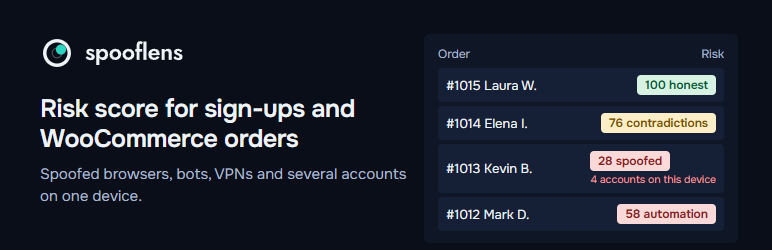
SpoofLens Fraud Check asks the SpoofLens API one question when someone registers, places an order or sends a form: does this visitor look like an honest person in a normal browser?
You get a score from 0 to 100, a verdict and the reasons in plain words, next to each user and order:
- browsers that lie about themselves (a user-agent switch, antidetect browsers, contradictions between the browser, its graphics card, fonts and time zone);
- bots and automated or headless browsers;
- data center, VPN and Tor networks, DNS and WebRTC leaks;
- how many accounts were created on the same device in the last 30 days, the classic sign of promo-code and free-trial abuse.
By default nothing is blocked: you see a “Risk” column in the Users and Orders lists and a note on each order. You can choose to block automated browsers, scores below a threshold, whatever the rules in your SpoofLens account say to block (block lists of IPs, devices and countries, thresholds), and form submissions sent without browser data, which is how most spam bots post. If the API is unavailable, nobody is blocked.
Works with WordPress registration, WooCommerce My Account registration, both the classic and the block WooCommerce checkout, Contact Form 7 and WPForms. Compatible with High-Performance Order Storage. A blocked form submission is treated as spam: Contact Form 7 marks it as spam, WPForms shows an error and does not save the entry.
A free key gives 1,000 checks a month: https://spooflens.com/en/app/api
External services
This plugin relies on the SpoofLens service (https://spooflens.com), operated by SpoofLens.
- On the registration page, on the WooCommerce checkout and My Account pages and on pages with a Contact Form 7 or WPForms form, the visitor’s browser runs the collector script that ships with the plugin (assets/sl.js, MIT; its signal part is also published at https://github.com/spooflens/spooflens-collector). The script collects technical characteristics the browser reports to websites (system and its display settings, screen, languages, time zone, fonts, graphics card and its parameters, sound output, the number and a hash of the names of speech voices, which emoji the system can draw, a class of the storage quota, canvas, WebGL and audio fingerprints) and connects to edge.spooflens.com and a random name under l.spooflens.com to read the TLS handshake, the first TCP packet of the connection, the round trip of a few short requests, the DNS resolver and the public WebRTC address.
- When a user registers, an order is placed or a form is sent, your server sends to https://spooflens.com/v1/assess: the collected data, the visitor’s IP address and request headers (User-Agent, Accept-Language, Client Hints), and a SHA-256 hash of the email address. The answer (score, verdict, reasons) is stored with the user or order on your site.
- SpoofLens does not store the browser data or the full IP address. Its request log, visible to you in your SpoofLens account, keeps for 30 days the time, score, decision, reasons, device identifier, the shortened IP address, country and network type; it also keeps a hash of the device identifier and of the account reference for 30 days to count accounts per device.
SpoofLens privacy policy: https://spooflens.com/en/privacy
Terms of use: https://spooflens.com/developers#terms
Screenshots
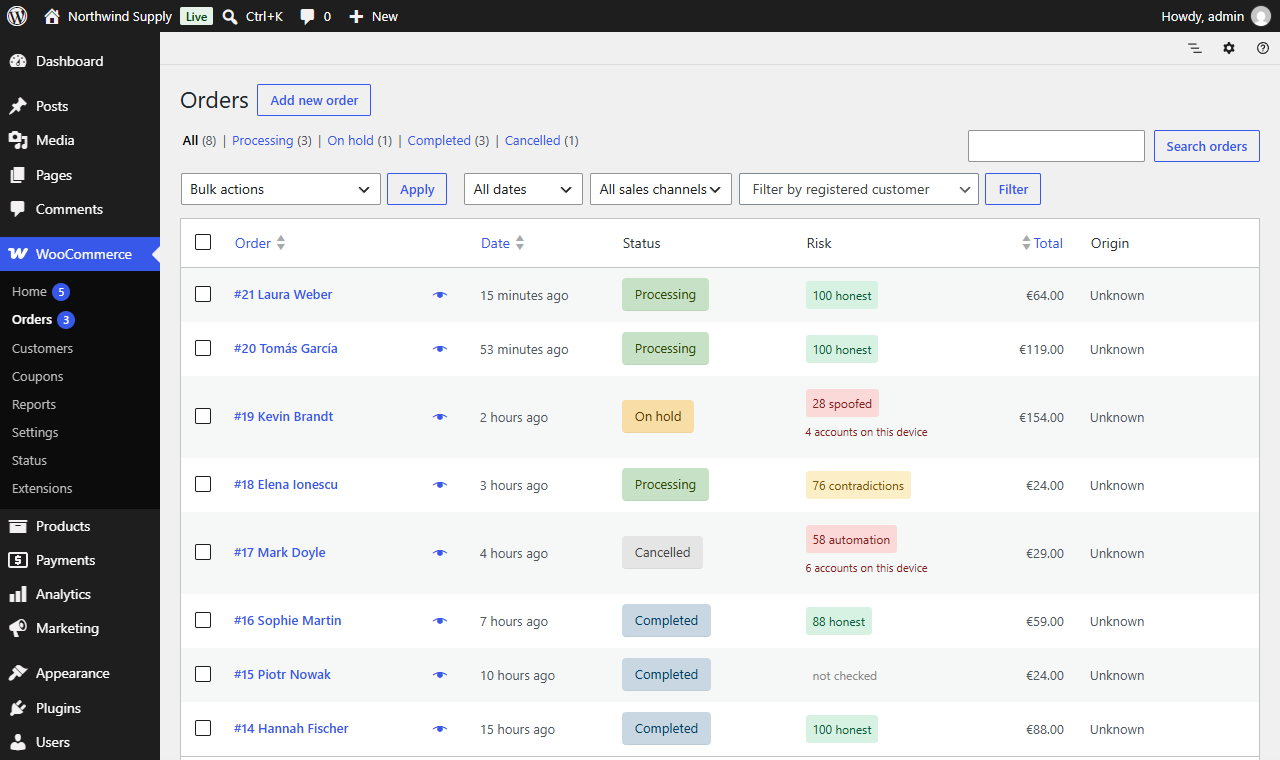
The Risk column in the WooCommerce orders list: score, verdict and how many accounts were created on the same device.
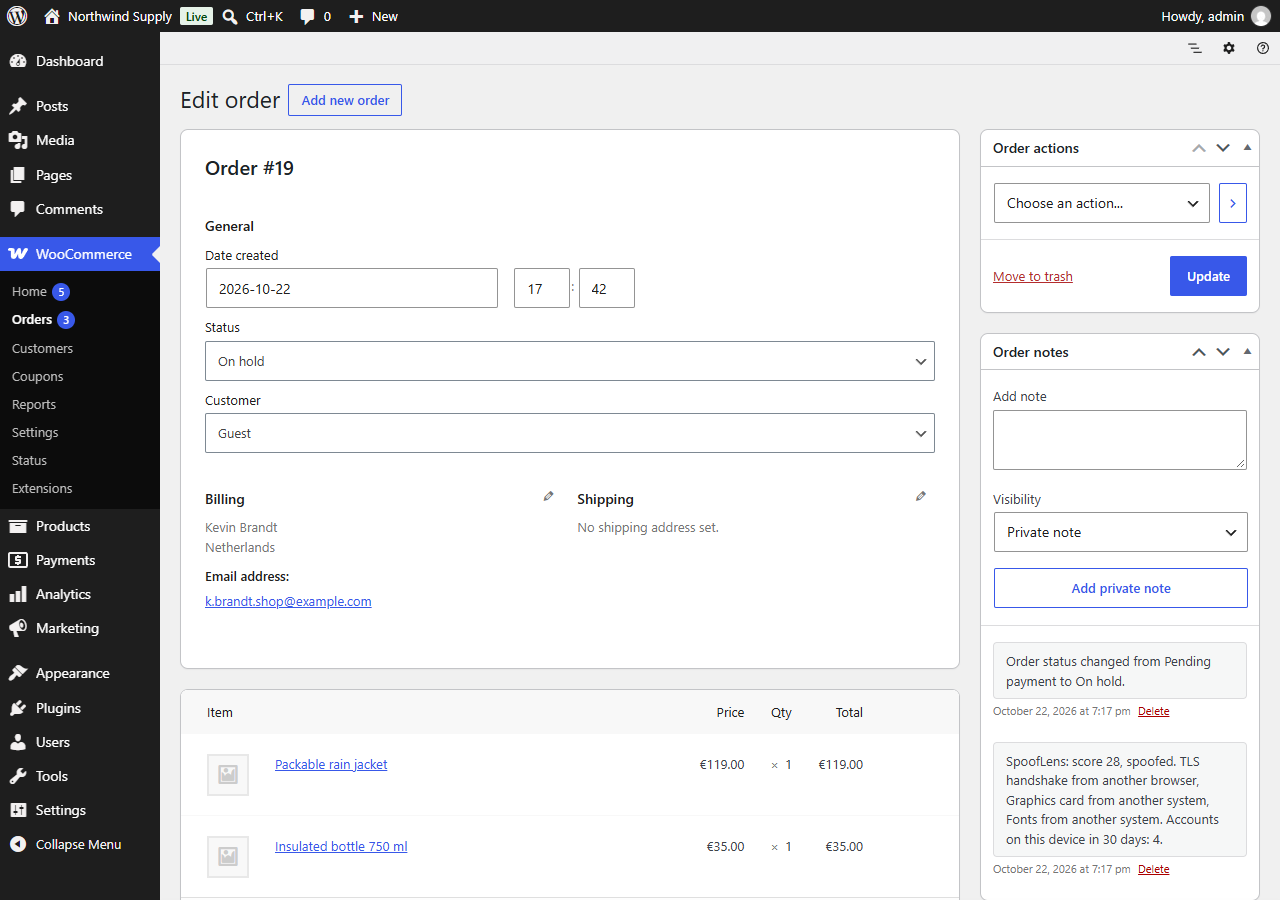
The note SpoofLens adds to each order, with the reasons for the score.
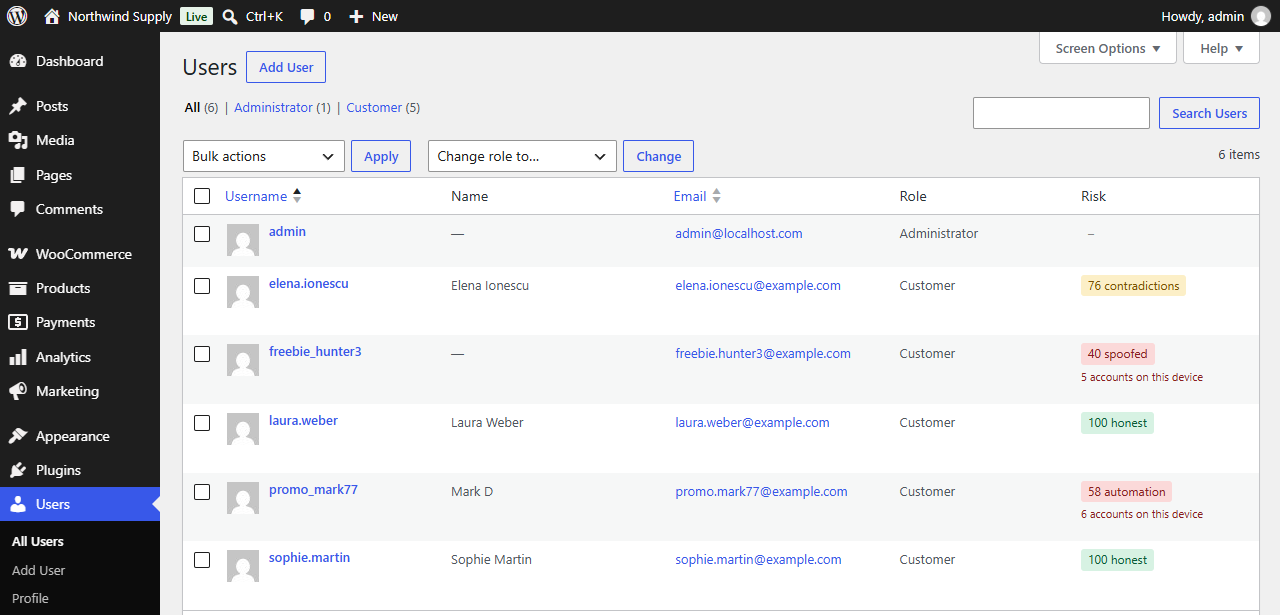
The Risk column in the Users list for new sign-ups.
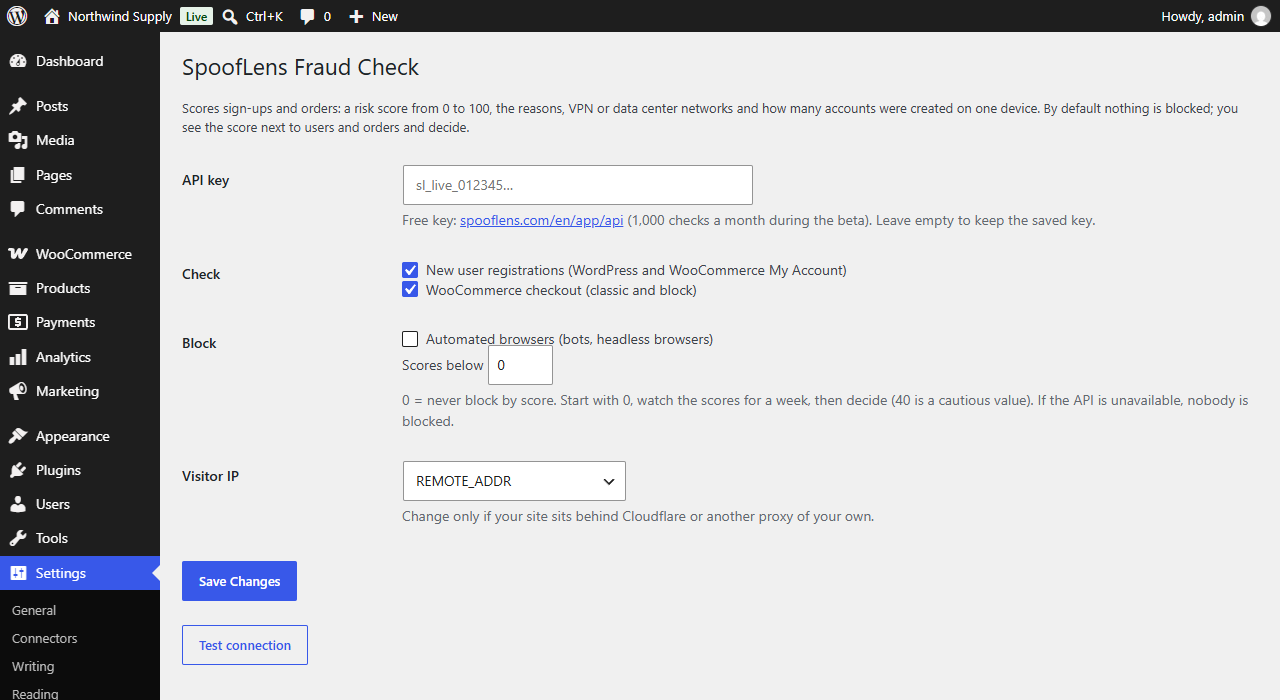
Settings: the API key, what to check and optional blocking.