
Staging Shield Wordpress Plugin - Rating, Reviews, Demo & Download
Plugin Description
When you copy a site to test changes (a staging site, a local copy, a clone made with a migration plugin), the copy takes the whole database with it: real customers, active subscriptions, payment keys and connections to other services. Nothing tells the copy that it is a copy, so it behaves like the real site. It emails customers, charges subscription renewals a second time and ends up in Google.
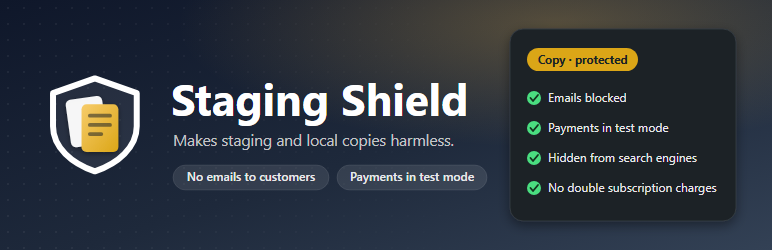
Staging Shield recognizes copies and closes those doors. On your real site it does nothing.
How it knows a site is a copy
- It compares the site’s address with your real site’s address, stored in a way that migration tools can’t rewrite when they clone the database.
- It reads the signals hosts and tools leave on copies: WP_ENVIRONMENT_TYPE, local domains (.local, .test, localhost) and the staging domains of Kinsta, WP Engine, Pantheon, Flywheel, Pressable, InstaWP and others.
- When it isn’t sure, it asks. Until you tell it which site is the real one, it protects nothing, so activating it can never break a live site.
What a copy can’t do
- Send emails. Order emails, password resets, newsletters and form notifications are blocked and listed, together with the plugin that tried to send them. It covers WordPress, SMTP plugins such as WP Mail SMTP, FluentSMTP and Post SMTP, and the APIs of email services like SendGrid, Mailgun, Brevo, Postmark and Amazon SES. An optional early guard also stops plugins that try to send on their own.
- Charge subscription renewals twice. WooCommerce Subscriptions switches to manual renewals on copies.
- Show up in search engines. noindex, X-Robots-Tag, a closed robots.txt and no sitemaps.
- Be seen by anyone who finds it. Optionally, only logged-in users can see the copy; visitors get a “private test copy” page.
- Be mistaken for the real site. The admin bar turns yellow, the browser tab says [COPY], and the cart and checkout show a “test copy” bar.
Nothing Staging Shield forces is ever saved to the database. If you publish a copy over your real site, the real site doesn’t inherit “no indexing” or blocked emails.
Check that it really works
The self-test tries, on your site and right now, what a plugin would do: send an email, call an email service, index the site. Each protection is marked green, amber or red, with what to do when something is wrong. Nothing reaches real people while it runs.
The Overview tab shows what has been stopped at each address and a short list of first steps. The screens come in a light and a dark theme, chosen by each person.
No tracking: nothing is sent unless you start the Pro trial, buy Pro or activate a license. See “External services” below.
Staging Shield Pro
For stores and agencies that clone sites often. Try it free for 14 days, no credit card required. Everything in the free version, plus:
- Payments in test mode on copies: WooPayments, Stripe, Redsys and any gateway with a test mode switch. Methods that can only charge real money are hidden at checkout.
- Scheduled tasks (WP-Cron) and background queues (Action Scheduler) paused, so renewals, syncs and imports don’t run from the copy.
- Connections cut off: email marketing, CRMs, automation webhooks (Zapier, Make), ad conversions, shipping, invoicing and live payment servers, plus WooCommerce webhooks.
- Plugins turned off only on copies: backups that would upload to the real site’s storage, analytics, caching, remote management. Nothing is saved, so they stay active on the real site.
- A share link to show a private copy to a client without creating a user.
- Emails sent to your own test inbox, or only to your team, instead of blocked.
- The self-test for all of the above, a report of what can’t be stopped from WordPress on your site, WP-CLI commands (including
wp staging-shield testfor deploy scripts) and translations in 12 languages.
External services
Email service APIs: blocked, never contacted
Staging Shield itself doesn’t connect to any email service. Its code lists the addresses of email-sending APIs (SendGrid, Mailgun, Brevo, Postmark, SparkPost, Mailjet, Amazon SES, the Gmail API, Microsoft Graph’s sendMail and others) only to recognize the requests other plugins make to them from a copy of your site, and block them. Nothing is sent to those services, and no data leaves your site.
The self-test checks that block by passing a SendGrid address through WordPress’s pre_http_request filter, which runs before any request is made. No request is ever sent.
Freemius
Staging Shield uses the Freemius SDK to offer the free trial and the Pro upgrade, and to manage Pro licenses and updates.
- The free version doesn’t ask you to share any data and sends nothing to Freemius while you use it.
- If you start the trial, buy Pro or activate a license, the plugin sends Freemius basic data such as your name and email, your site’s address, and your WordPress, PHP and plugin versions, so that licenses and updates can work.
Freemius: terms of service, privacy policy and data practices.
Screenshots

The Overview on a copy: what Staging Shield recognized and how it knows, your real site’s address, and what it has stopped so far.

The one-click self-test tries each protection on the spot and marks it green, amber or red. Nothing reaches real people while it runs.

Protections: choose what a copy can’t do. Each one says whether it’s working on this site.

Activity: every email the copy tried to send, who it was for and which plugin tried to send it.

On a copy the admin bar says “Copy”, and the cart and checkout show a “Test copy” bar, so nobody places a real order by mistake.

Optional private copy: visitors who aren’t logged in see this page instead of the copy.


